00198829-01_SM_X-Series-S_Hxxxx_EN.pdf - 第224页
7 Conveyor 7.8 Laser light barriers, fiber optic cable and PCB sensors 224 Service Manual SIPLACE X-Series S (from Hxxxx) 01/2021 Fig.296: Sensors ► Enable the Laser light barrier button. ► Click on the button Check sen…
7 Conveyor
7.8 Laser light barriers, fiber optic cable and PCB sensors
Service Manual SIPLACE X-Series S (from Hxxxx) 01/2021 223
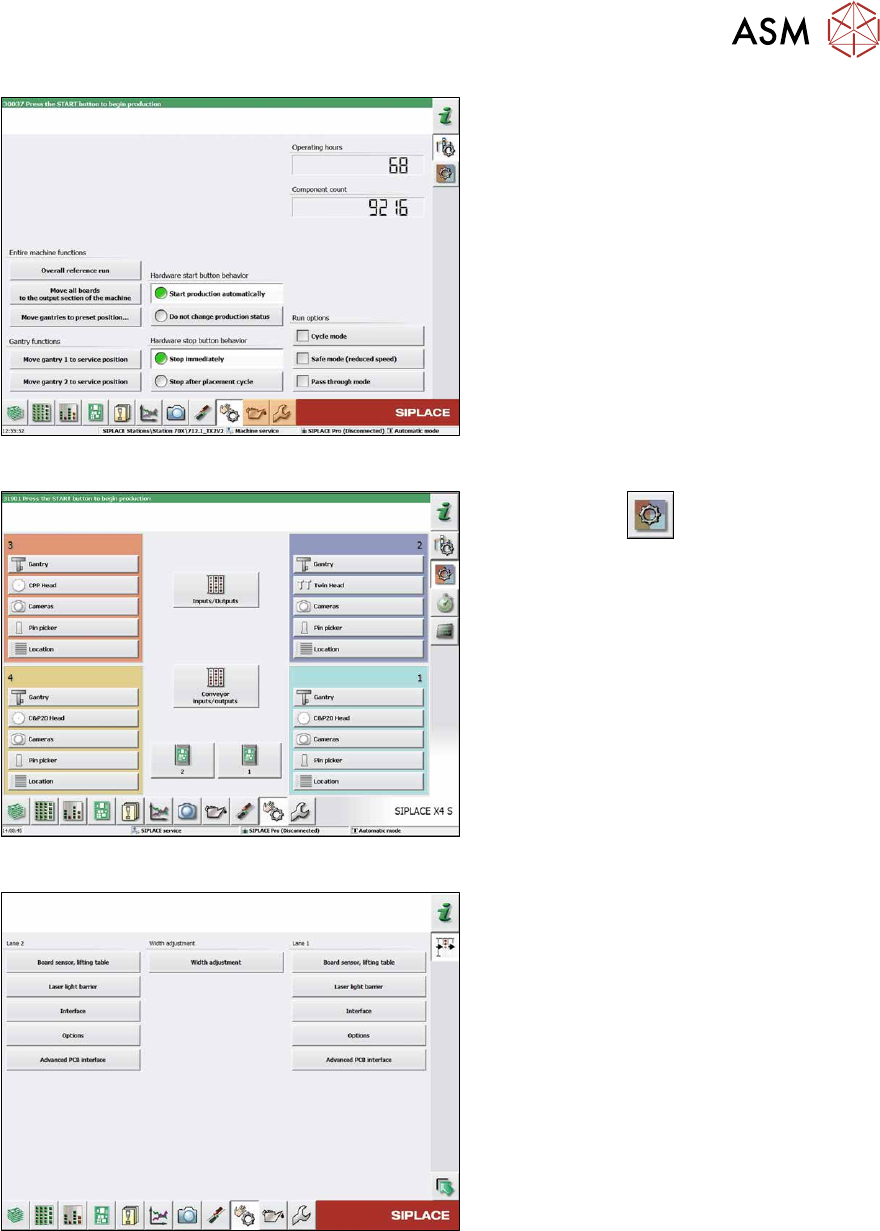
Fig.293: Safety mode
► Enable the button Safety mode (re-
duced speed).
Fig.294: Check sensors and functions
► Click on the button.
► Click on the Conveyor inputs/outputs
button.
Fig.295: Inputs/outputs
► Click on the button Sensors.
7 Conveyor
7.8 Laser light barriers, fiber optic cable and PCB sensors
224 Service Manual SIPLACE X-Series S (from Hxxxx) 01/2021
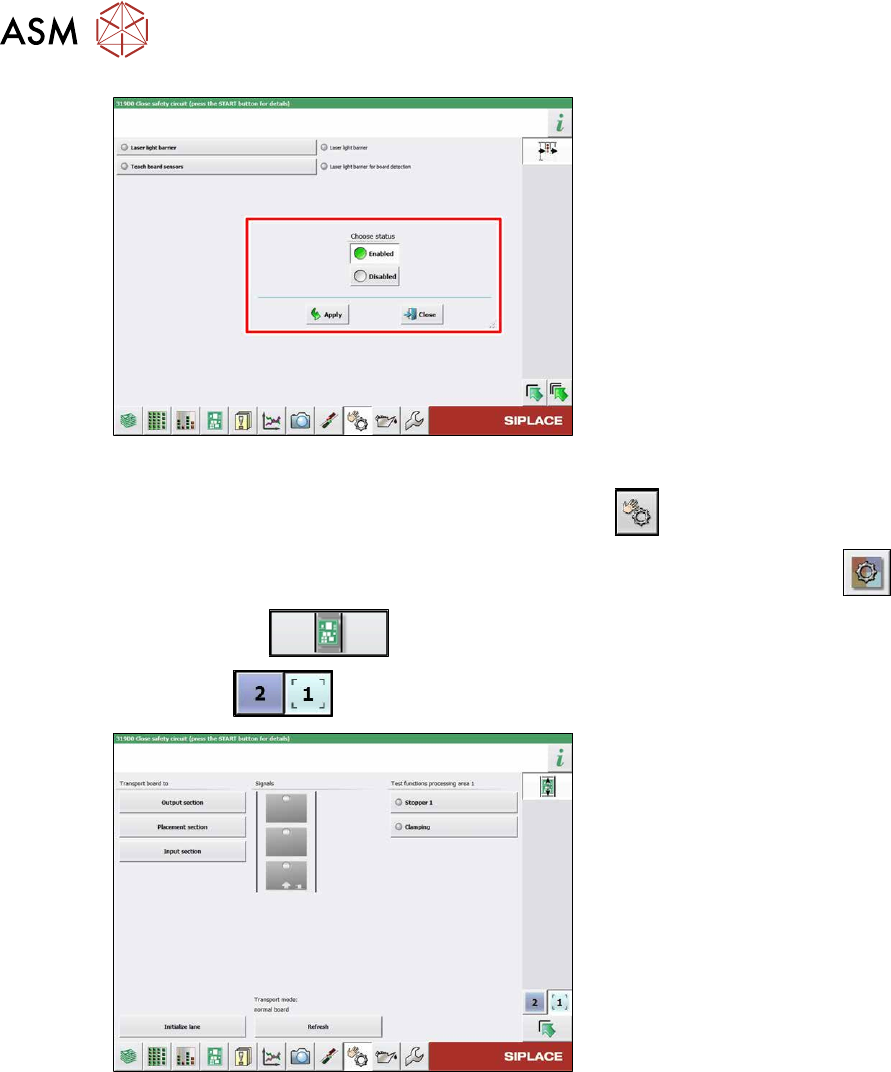
Fig.296: Sensors
► Enable the Laser light barrier button.
► Click on the button Check sensors and functions .
► Click on the button Check sensors and functions of specific components .
► Click on the button.
► Use the button to select the required conveyor track.
Fig.297: Checking function of the laser light
► Check the function of the laser light
barrier. To do this, move a board
through the conveyor.
► Correct the laser light barrier setting, if
necessary (see below).
7 Conveyor
7.8 Laser light barriers, fiber optic cable and PCB sensors
Service Manual SIPLACE X-Series S (from Hxxxx) 01/2021 225
7.8.4 Correcting the Laser Light Barrier Setting
DANGER
Laser class 2
The laser light barrier transmitter emits class 2 laser beams. You therefore do not require
additional protective measures!
► However, you should never look into the laser beam!
► Adjust the laser beam only from the rear side of the laser!
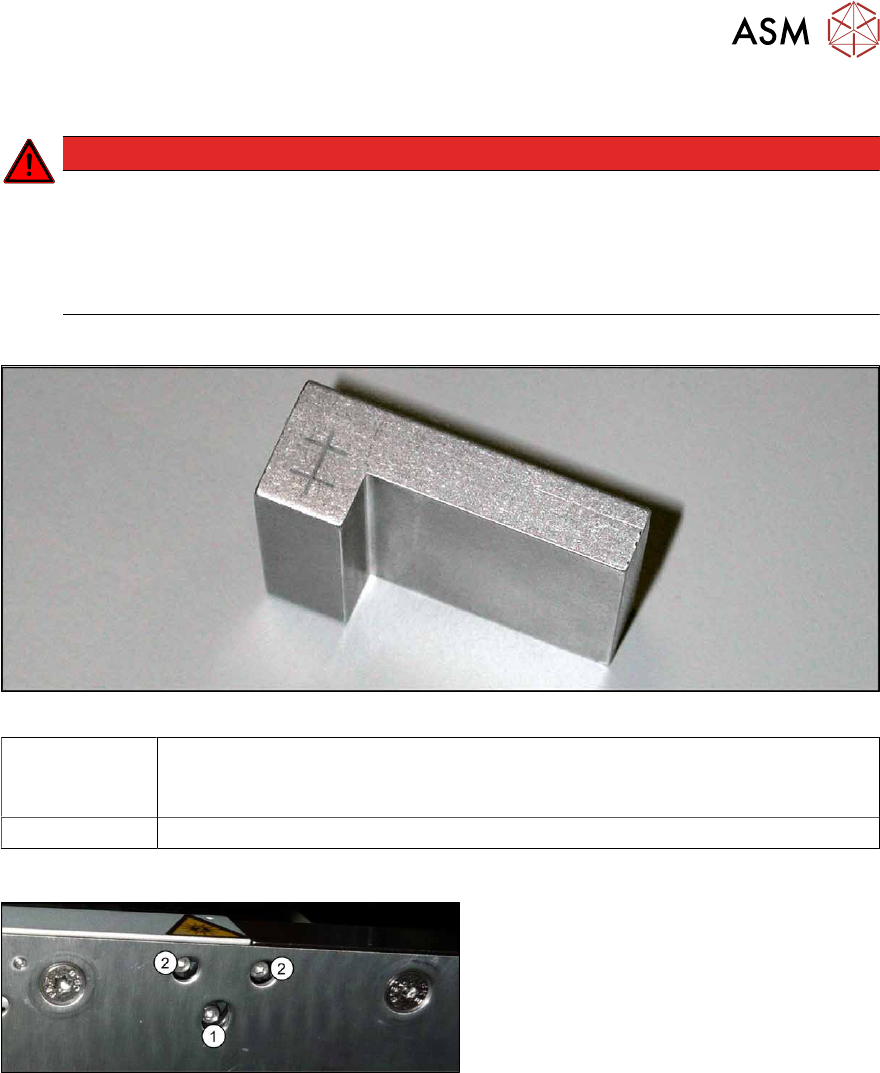
Equipment and tools
Fig.298: Setting gauge
00369205-xx Adjusting gauge "Adjustment of laser, PCB conveyor"
Semi-transparent paper or plastic laminate can be used as an alternative, for
better recognition of the laser beam.
00353832-xx Allen key set
Overview
Fig.299: Laser transmitter
The fastening screw(1) is tightened by
hand.
The adjustment screws(2) might not be fully
tightened, depending on the setting.
Preparation
► Set the conveyor to the maximum width, to maximize any potential deviation of the laser
beam.
► Select Enable safety mode in software.
► Activate the relevant laser diode using the input/output functions in the station software.