00198829-01_SM_X-Series-S_Hxxxx_EN.pdf - 第345页
9 Component feeding 9.4 Docking Station for Component Trolley Service Manual SIPLACE X-Series S (from Hxxxx) 01/2021 345 Removal Fig.489: Removing the position end switch 1. Position end switch with connection cable 2. …
9 Component feeding
9.4 Docking Station for Component Trolley
344 Service Manual SIPLACE X-Series S (from Hxxxx) 01/2021
Removal
4
3
2
1
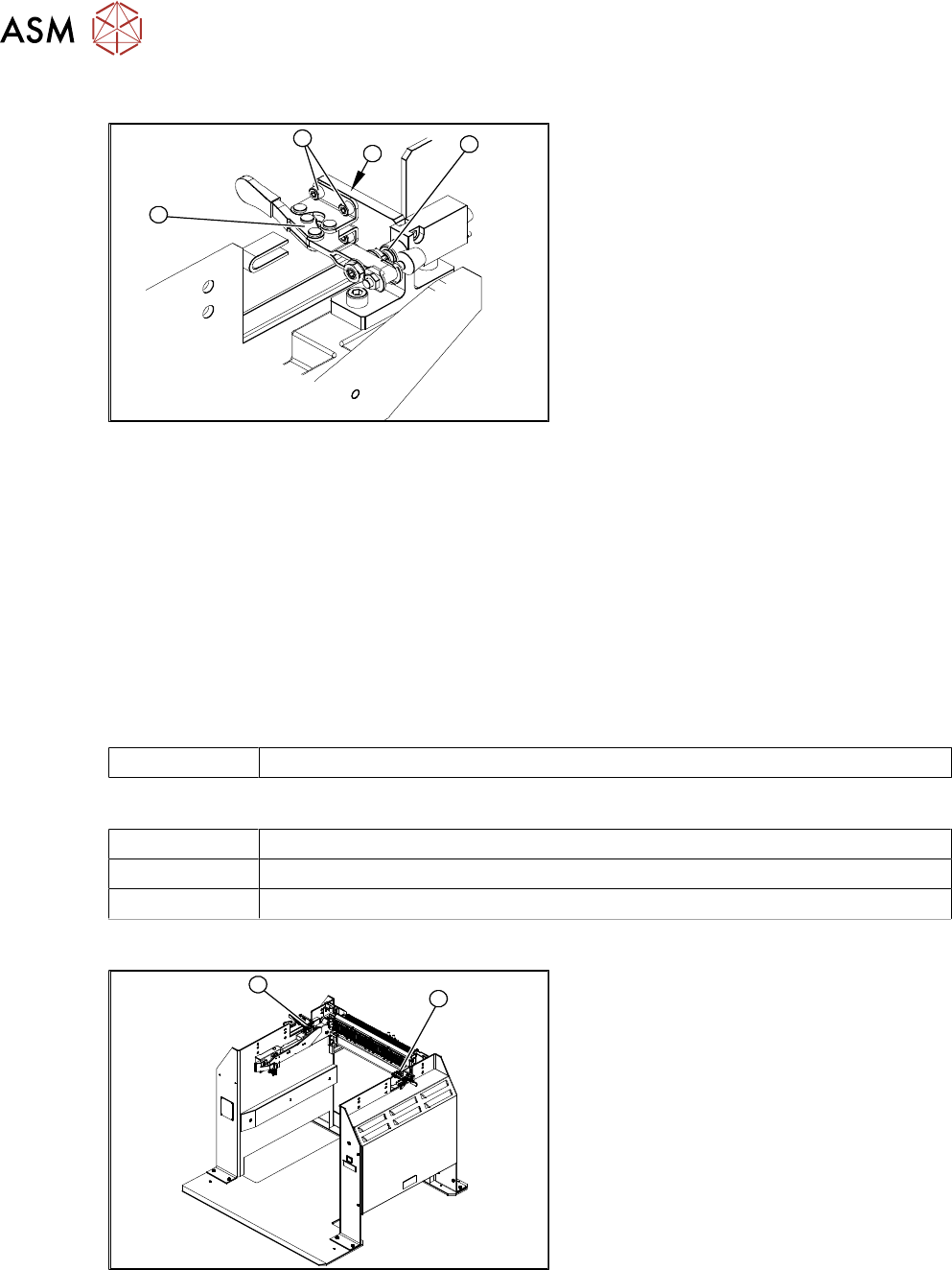
Fig.487: Removing the locking lever
1. Locking lever
2. Four fixing screws
3. Position end switch
4. Limit switch
► Remove the four screws(2) (twoeach
at the top and bottom) fastening the
locking lever(1)
.
► Remove the locking lever.
Installation
► Loosely screw in the new locking lever.
► Align the locking lever to the edge (3) and tighten the four fastening screws.
► Check that the limit switch (4) is actuated when the locking lever is closed. Correct the posi-
tion of the locking lever if necessary.
► Check the position end switch function by trying out the locking procedure.
9.4.6 Replacing the positions end switch of the component trolley locking device
Parts
03033395-xx Position end switch
Equipment and tools
00353832-xx Allen key set
Wire cutters
Cable ties
Overview
1
2
Fig.488: Position end switch left and right
1. Position end switch – on the left side
2. Position end switch – on the right side
9 Component feeding
9.4 Docking Station for Component Trolley
Service Manual SIPLACE X-Series S (from Hxxxx) 01/2021 345
Removal
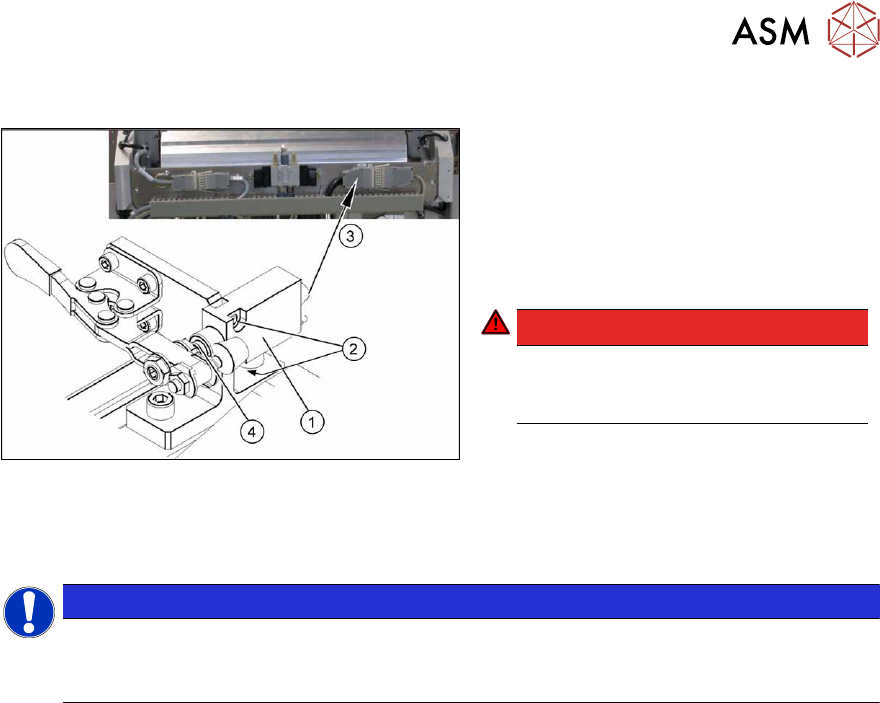
Fig.489: Removing the position end switch
1. Position end switch with connection
cable
2. Two fastening screws
3. Connection cable to connector unit
4. Actuation by locking lever
DANGER!
Switch off the voltage supply
Press the ON/OFF button to switch off
and then unplug the power supply.
.
► Remove the two screws fastening the limit switch.
► Open the casing of the connector at the back and label the terminal connections.
NOTICE
Connector for left and right position end switch
► The connection cables for the left and right position end switch are connected to a
common connector.
► Disconnect the connection cable for the relevant position end switch, in the connector.
► Unthread the connection cable and remove the position end switch.
Installation
► Loosely screw in the new position end switch.
► Run the connection cable to the connector.
► Reconnect the connection cable and close the connector casing.
► Align the position end switch so that the locking lever actuator switches properly.
► Tighten the fastening screws.
► Connect the power pack connection cable and press the ON/OFF button to switch on.
► Check the position end switch function by trying out the locking procedure.
9 Component feeding
9.4 Docking Station for Component Trolley
346 Service Manual SIPLACE X-Series S (from Hxxxx) 01/2021
9.4.7 Replacing the 40-fold feeder unlocking device
Parts
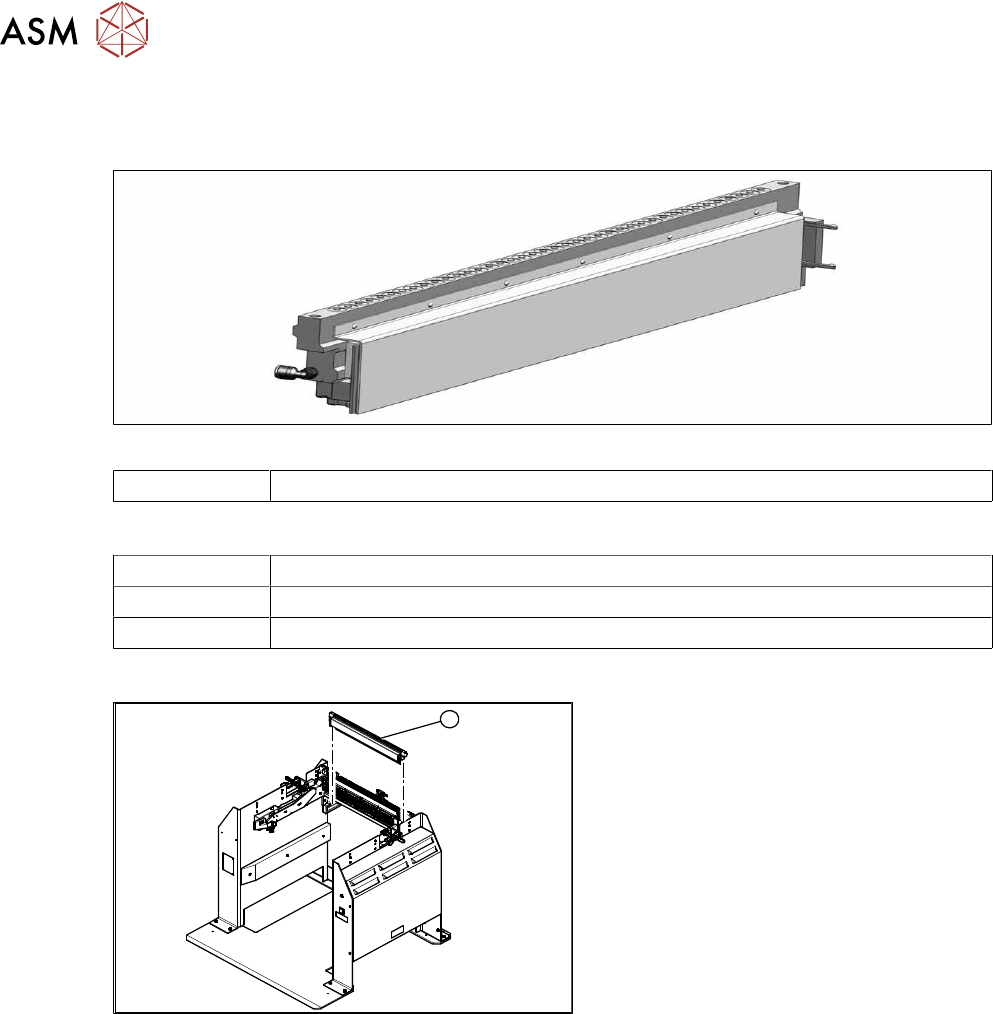
Fig.490: 40 fold feeder unlocking device
03011582-xx 40 fold feeder unlocking device
Equipment and tools
00353832-xx Allen key set
Wire cutters
Cable tie
Overview
1
Fig.491: Feeder unlocking device on docking station
1. 40 fold feeder unlocking device
Removal/installation
The 40-fold feeder unlocking device is the same assembly used in the COTi. The service work is
identical with the procedure used for the COTi. All necessary service work is described there.
See also
2 9.2.5 "Replacing the 40-fold feeder unlock device" [}317]