00198829-01_SM_X-Series-S_Hxxxx_EN.pdf - 第54页
3 Power supply 3.4 Power supply and transformer modules 54 Service Manual SIPLACE X-Series S (from Hxxxx) 01/2021 Fig.55: LED on the buffer module(CAP) ► Check the LED on the buffer module (CAP). DANGER! Once the LED…
3 Power supply
3.4 Power supply and transformer modules
Service Manual SIPLACE X-Series S (from Hxxxx) 01/2021 53
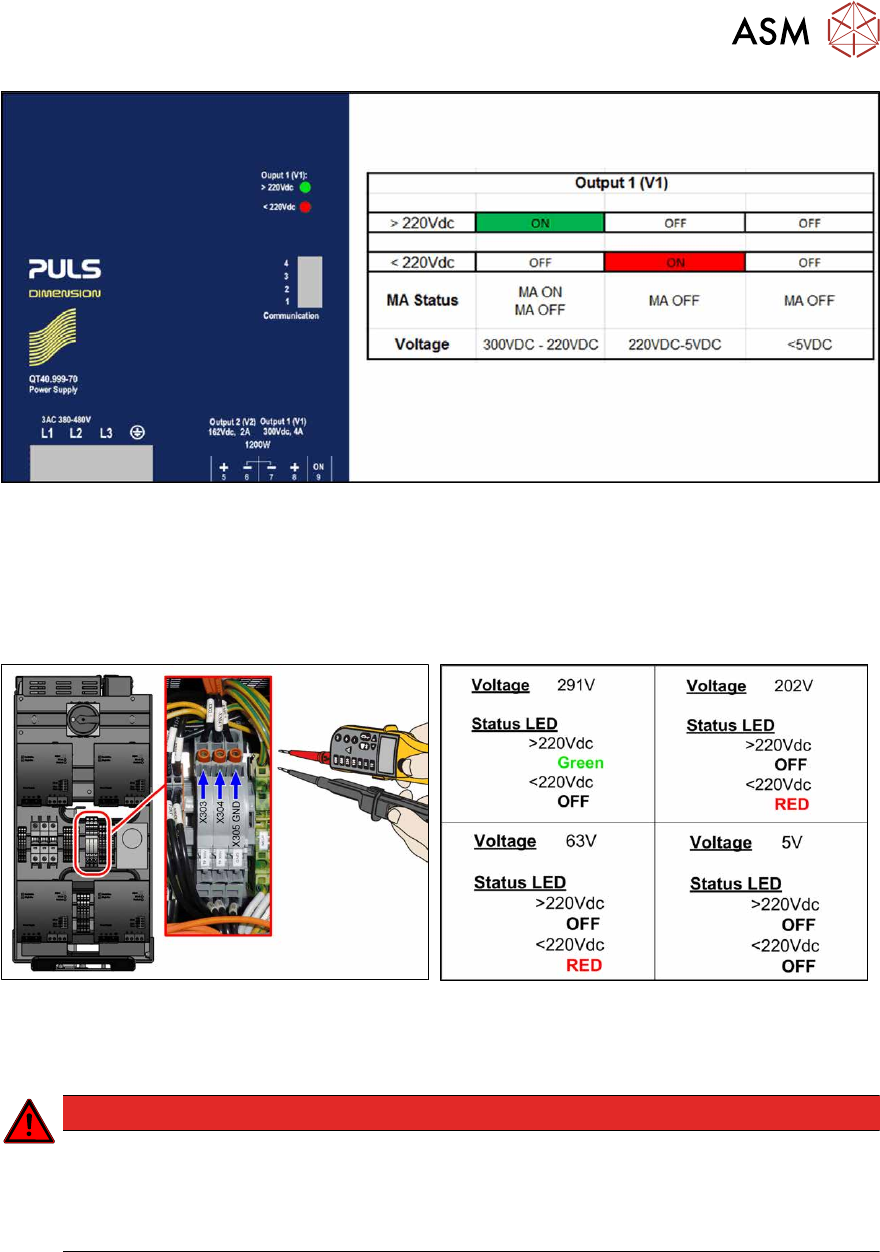
Fig.52: LED status
Monitoring the voltage absence after switch-off
The voltage at the measurement points only discharges slowly.
After switch-off, the voltage drops from 300VDC to under 5VDC in approx. five minutes.
It is only then possible to pull the SMPS out of the machine without hazard and work on it.
Fig.53: Checking voltages (X-Series S from Hxxxx)
Fig.54: Measurement values
As soon as the voltage has undershot a value of 220VDC, the LED display on the power pack
changes!
DANGER
Measurement values below 5VDC
Measure between the following points:
► X303 (IN) – X305 (GND) < 5VDC
► X304 (OUT) – X305 (GND) < 5VDC
3 Power supply
3.4 Power supply and transformer modules
54 Service Manual SIPLACE X-Series S (from Hxxxx) 01/2021
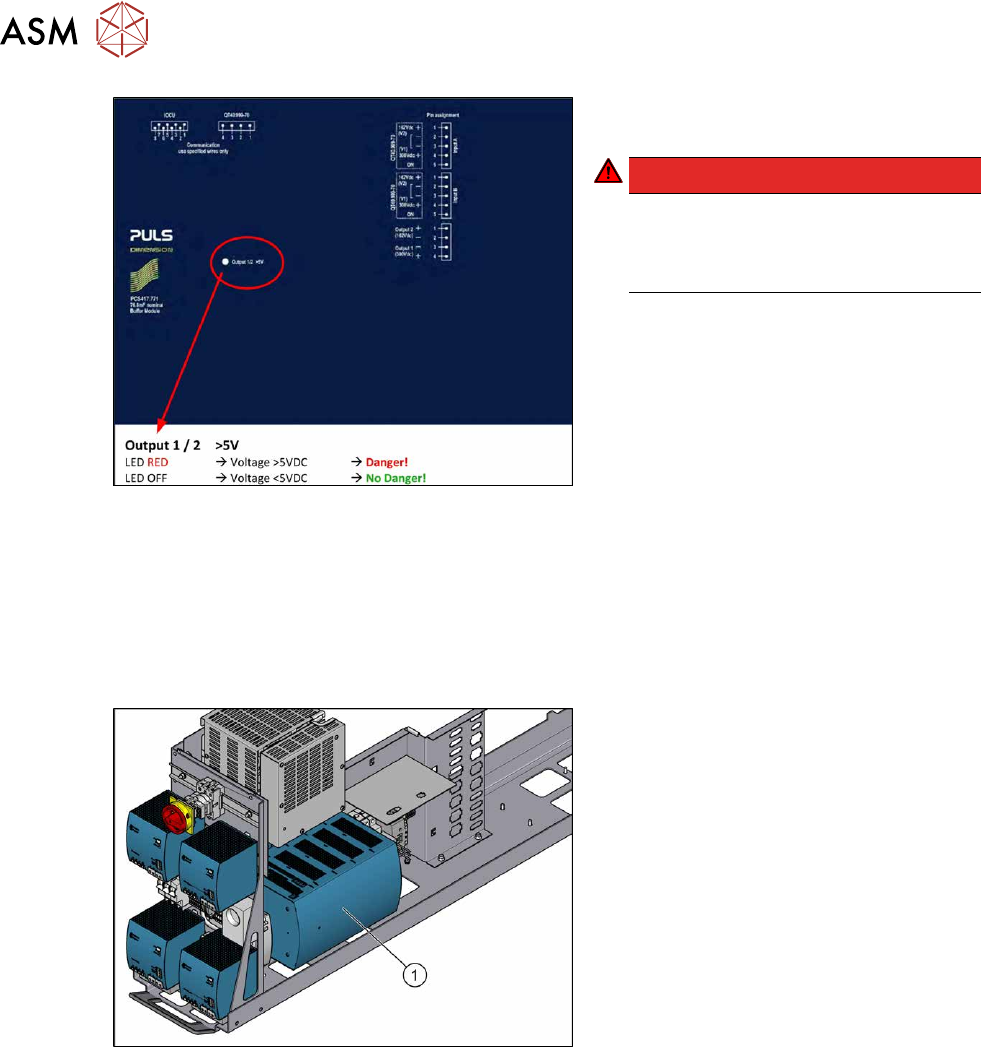
Fig.55: LED on the buffer module(CAP)
► Check the LED on the buffer module
(CAP).
DANGER!
Once the LED on the buffer module
(CAP) does not light any longer, it is
possible to work on the power supply
without hazard!
.
3.4.4 Replacing the buffer module
Parts, equipment and tools
●
Buffer module PCS417.771 [03106016-xx]
Overview
Fig.56: Buffer module
1. Buffer module
3 Power supply
3.4 Power supply and transformer modules
Service Manual SIPLACE X-Series S (from Hxxxx) 01/2021 55
Removal
► Switch off the machine, disconnect it from the power supply and secure it to prevent
unauthorized reactivation. Observe the instructions in section 1.2
"Preparatory work..." [}16].
DANGER
High voltages
High DC voltages can be present in the buffer module.
► Observe the waiting period after power supply switch-off (5 minutes).
► Observe the LED display on the buffer module. This will show any residual voltages
still present.
DANGER
Checking for absence of voltage!
► Before you start working check the power supply for absence of voltage and observe
the waiting times! For more information about this read section 3.4.3
"Checking For
Absence of Voltage" [}49].
► Slightly pull the power supply out of the machine.
WARNING
Carefully pull out the power supply
The power supply is not permanently fixed and can fall out of the machine.
► Pull the power supply out of the machine but not too far.
► If necessary, use suitable support e. g. a wooden beam.
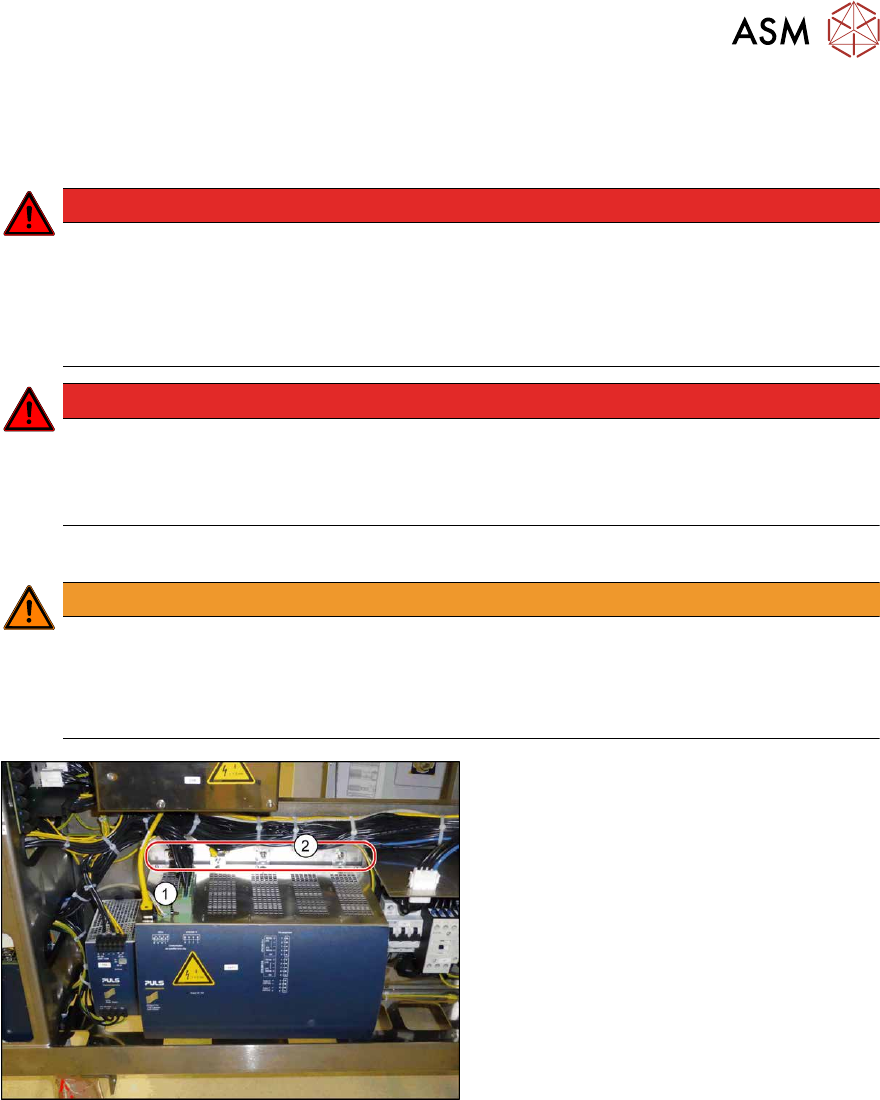
Fig.57: Removing the buffer module
► Unplug all electrical connections(1)
from the buffer module. You may want
to mark the positions of these connec-
tions to make clear assignment easier
later on.
► Loosen the four fastening screws(2).
► Lift the buffer module off the rail.
Installation
Follow the removal instructions in reverse order for installation.