00198829-01_SM_X-Series-S_Hxxxx_EN.pdf - 第56页
3 Power supply 3.4 Power supply and transformer modules 56 Service Manual SIPLACE X-Series S (from Hxxxx) 01/2021 3.4.5 Replacing the Contactor Safety Breaker [03112066-xx] DANGER High voltages High DC voltages can be pr…
3 Power supply
3.4 Power supply and transformer modules
Service Manual SIPLACE X-Series S (from Hxxxx) 01/2021 55
Removal
► Switch off the machine, disconnect it from the power supply and secure it to prevent
unauthorized reactivation. Observe the instructions in section 1.2
"Preparatory work..." [}16].
DANGER
High voltages
High DC voltages can be present in the buffer module.
► Observe the waiting period after power supply switch-off (5 minutes).
► Observe the LED display on the buffer module. This will show any residual voltages
still present.
DANGER
Checking for absence of voltage!
► Before you start working check the power supply for absence of voltage and observe
the waiting times! For more information about this read section 3.4.3
"Checking For
Absence of Voltage" [}49].
► Slightly pull the power supply out of the machine.
WARNING
Carefully pull out the power supply
The power supply is not permanently fixed and can fall out of the machine.
► Pull the power supply out of the machine but not too far.
► If necessary, use suitable support e. g. a wooden beam.
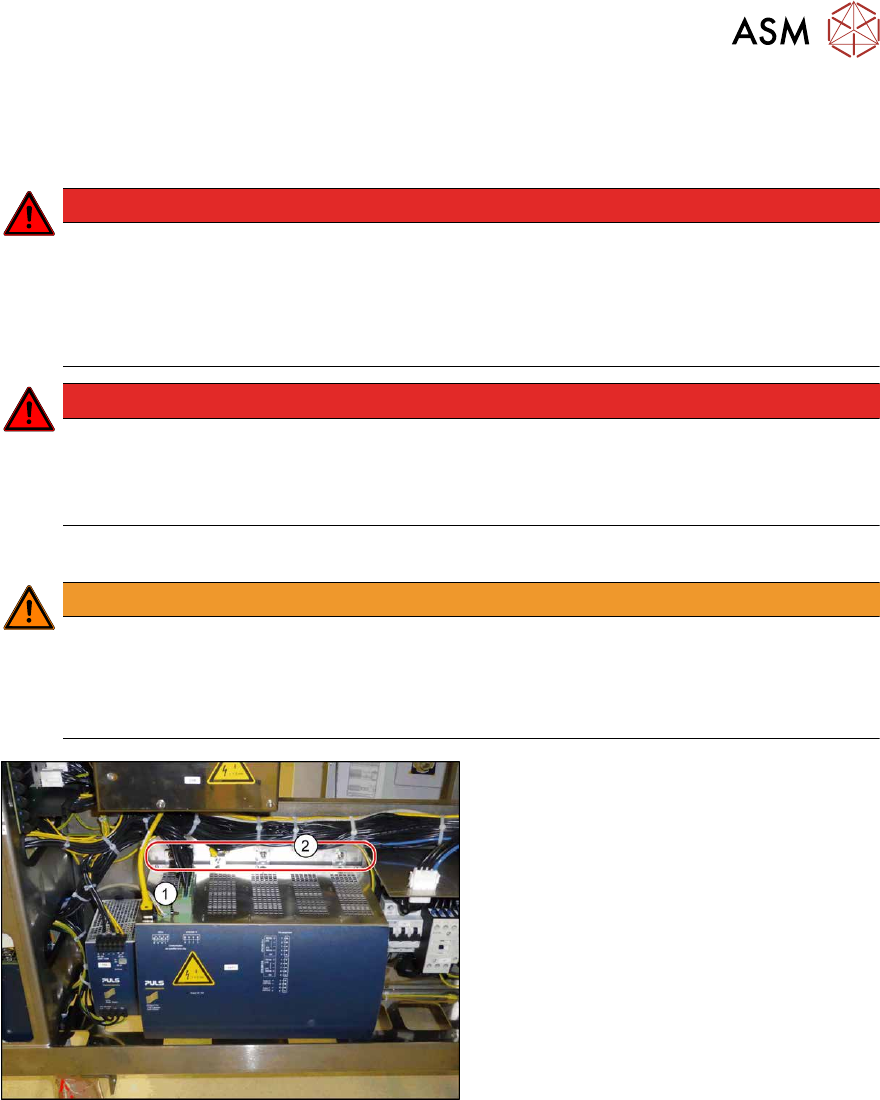
Fig.57: Removing the buffer module
► Unplug all electrical connections(1)
from the buffer module. You may want
to mark the positions of these connec-
tions to make clear assignment easier
later on.
► Loosen the four fastening screws(2).
► Lift the buffer module off the rail.
Installation
Follow the removal instructions in reverse order for installation.
3 Power supply
3.4 Power supply and transformer modules
56 Service Manual SIPLACE X-Series S (from Hxxxx) 01/2021
3.4.5 Replacing the Contactor Safety Breaker [03112066-xx]
DANGER
High voltages
High DC voltages can be present in the contactor safety breaker.
► No parts of the contactor safety breaker may be replaced.
► Only the front cover of the contactor safety breaker may be dismantled for connecting
cables or removing the complete unit.
► The contactor safety breaker may only be replaced as a complete unit.
Parts, equipment and tools
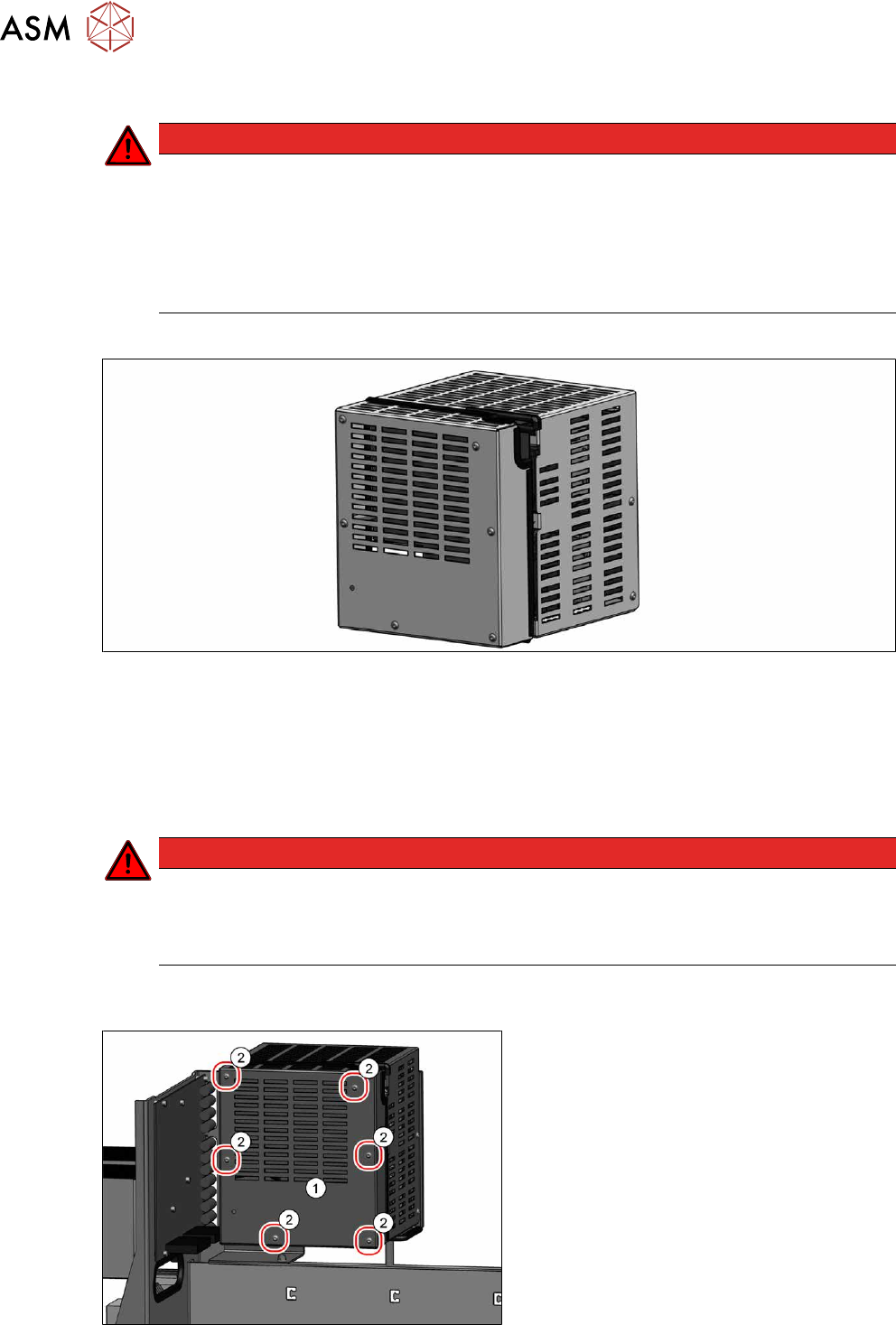
Fig.58: Contactor safety breaker [03112066‑xx]
●
Contactor safety breaker [03112066‑xx]
Removal
► Switch off the machine, disconnect it from the power supply and secure it to prevent
unauthorized reactivation.
1.2 "Preparatory work..." [}16]
DANGER
Checking for absence of voltage!
► Before you start working check the power supply for absence of voltage and observe
the waiting times! For more information about this read section 3.4.3
"Checking For
Absence of Voltage" [}49].
► Pull the power supply out of the machine.
3.3 "Pulling out the Power Supply" [}47]
Fig.59: Cover – fastening screws
► Remove the six screws(2) fastening the
cover(1)
.
3 Power supply
3.4 Power supply and transformer modules
Service Manual SIPLACE X-Series S (from Hxxxx) 01/2021 57
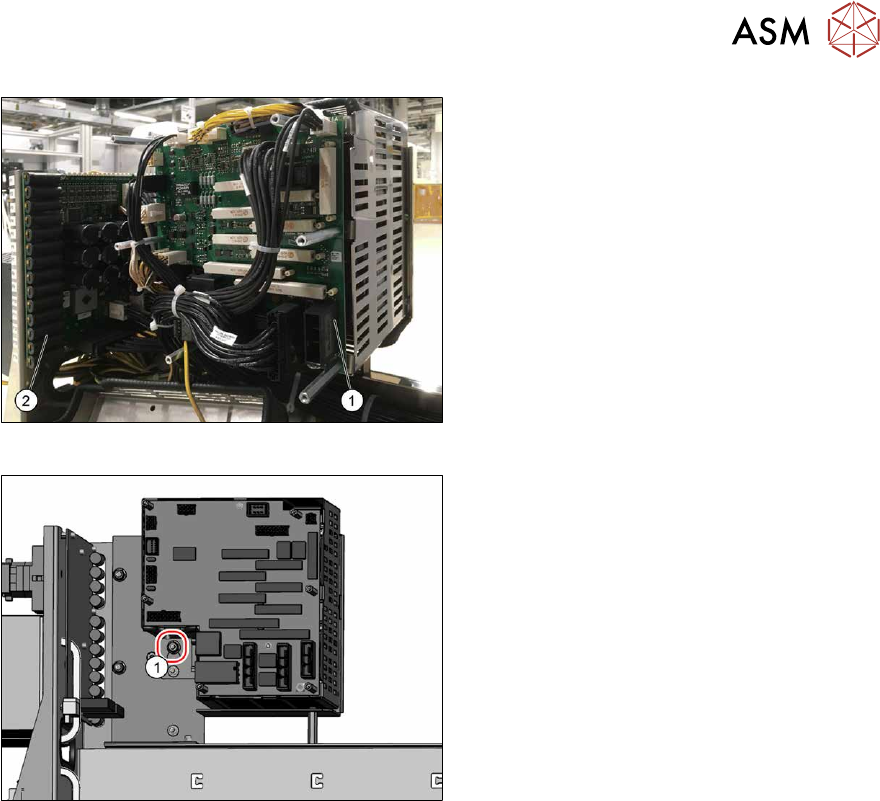
Fig.60: Unplugging electrical connections
► Unplug all electrical connections between
the contactor safety breaker(1)
and the
distribution and fusing board(2)
. You
might like to mark their positions to make
clear assignment easier later on.
Fig.61: Removing the contactor circuit breaker
► Loosen the screw(1) on the rear of the
contactor safety breaker.
To access the screw, route an extension
past the side of the contactor safety
breaker.
► Lift the contactor safety breaker up a bit.
► Unplug the electrical connections
between the contactor safety breaker and
the buffer module (2)
.
► Lift the contactor safety breaker off.
Installation
Follow the removal instructions in reverse order for installation. Also observe the following instructions:
► Make sure that the cables are run correctly.
► The cables must not be pinched or rub against unprotected edges.
► Make sure that the cables are only run out of the contactor safety breaker through the two re-
cessesprovided.
See also
2 3.4.11 "Replacing the Distribution and Fusing Assembly" [}63]