Printer 710-810 v9 Covers.pdf - 第19页
COVERS PRINTER COVERS Chapter Issue 10, Jul 16 Technical Reference Manual 3.19 E S top Switch Removal 1. T o complete the E S top corner panel removal: turn the latch anticlockwise to remove the contact assembly part o f…
COVERS
PRINTER COVERS
3.18 Technical Reference Manual Chapter Issue 10, Jul 16
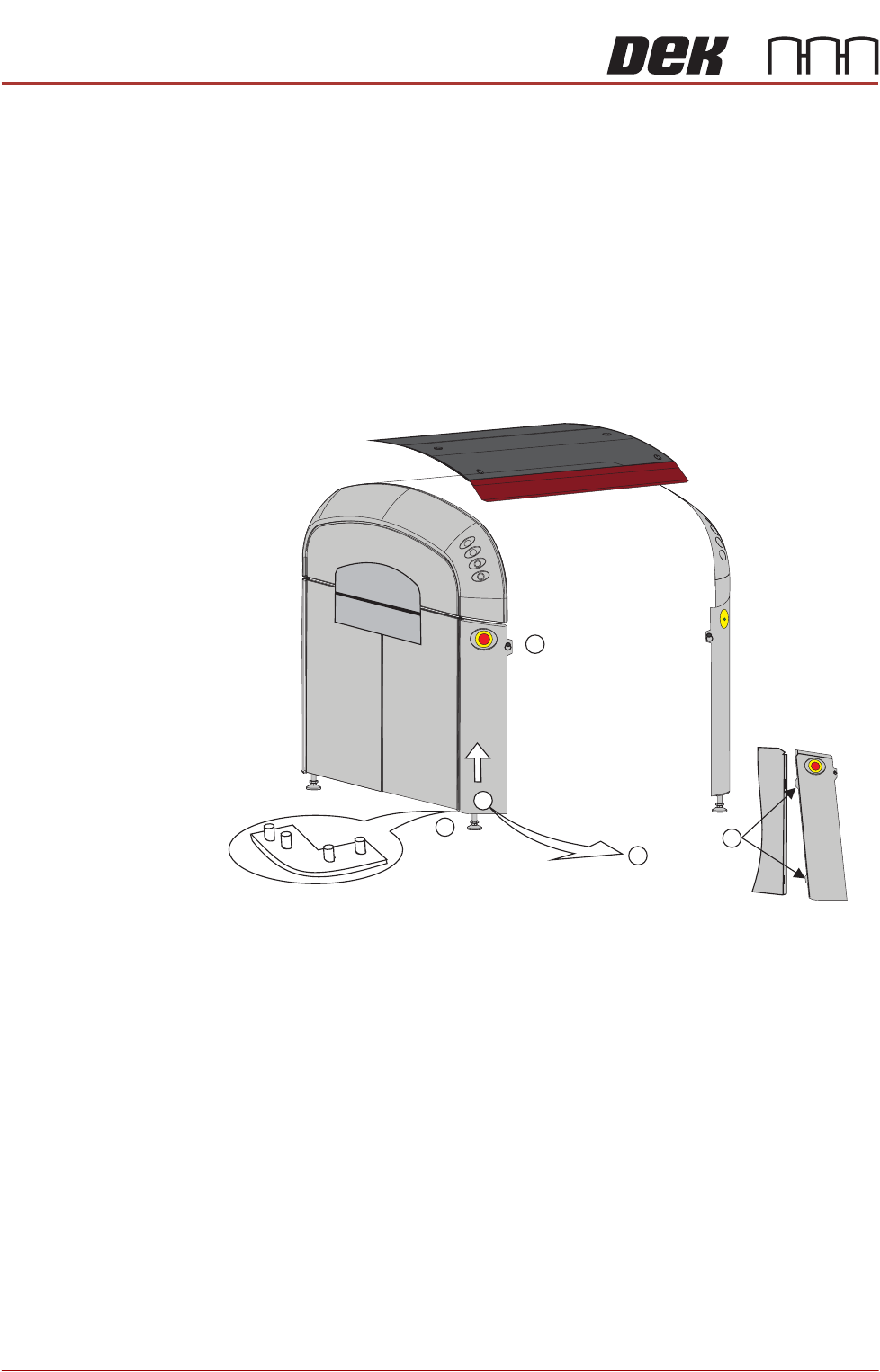
Corner Panels To remove a corner panel, carry out the following:
1. For the front corner panels, open the sliding cover; for the rear corner
panels, open the rear printhead cover.
2. Remove the respective Front/Rear Panel.
3. Locate and release the quarter-turn ring fastener that retains the corner
panel (1).
4. At the bottom of the corner panel, lift the panel up toward the upper side
panel (2), until it clears the locating pins at the base (3); tilt the panel out
away from the base plate (4).
5. Pull the corner panel away from the side panel to which it attached; all panels
are held together by interlocking panel locating tabs (5).
Front Left Quarter View
1
3
5
4
2
COVERS
PRINTER COVERS
Chapter Issue 10, Jul 16 Technical Reference Manual 3.19
E Stop Switch
Removal
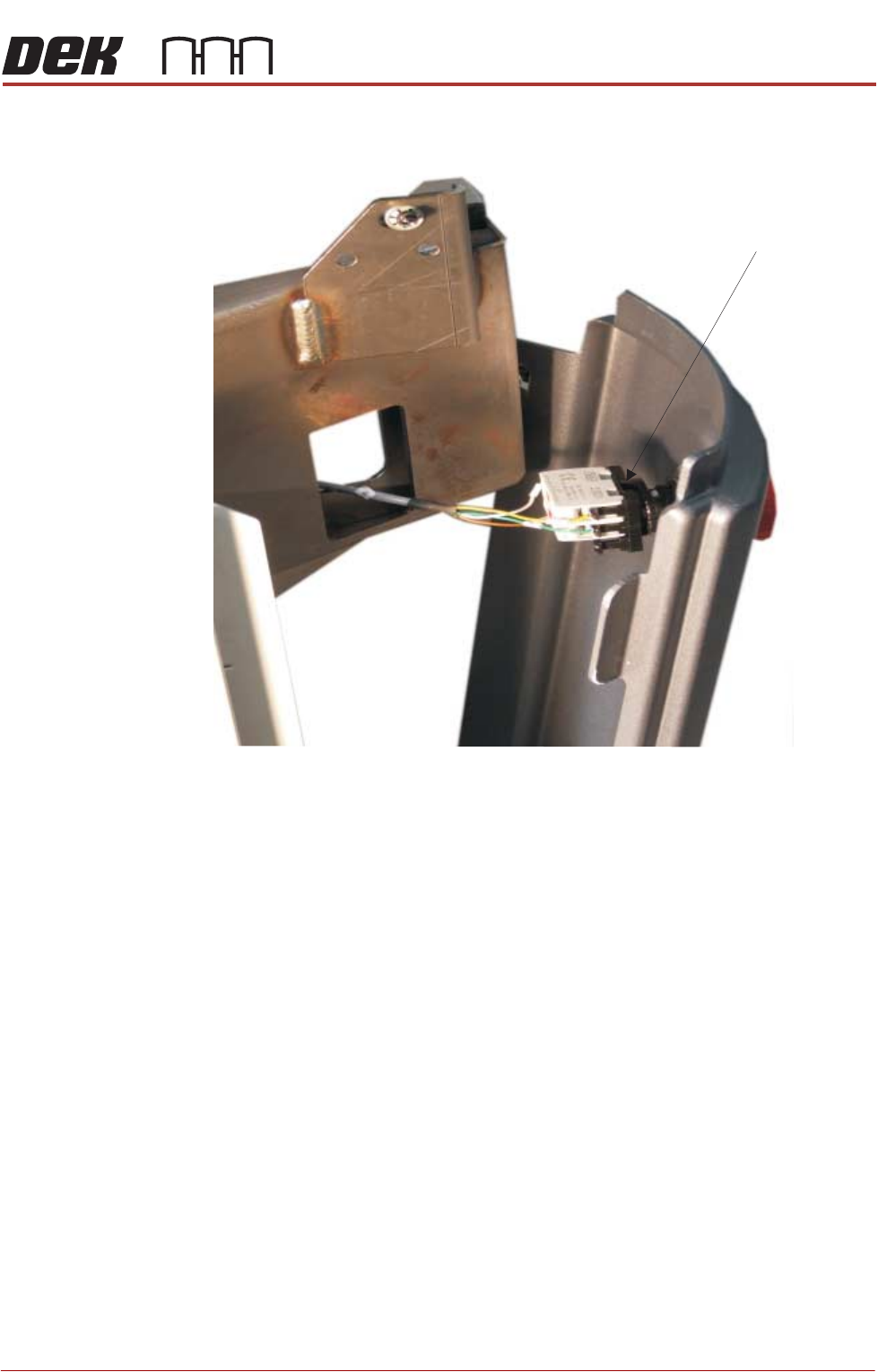
1. To complete the E Stop corner panel removal: turn the latch anticlockwise
to remove the contact assembly part of the E Stop switch.
2. Pull the contact away from the red mushroom switch. Remove the panel.
ESD Bonding Point To complete the removal of the ESD Bonding Point corner panel:
1. Remove the front panel, as previously described.
2. Locate the in-line filter and remove the spade connector.
3. Lift the panel away from bottom locating pins and separate the corner panel
away from the side panel tabs.
Latch
COVERS
PRINTER COVERS
3.20 Technical Reference Manual Chapter Issue 10, Jul 16
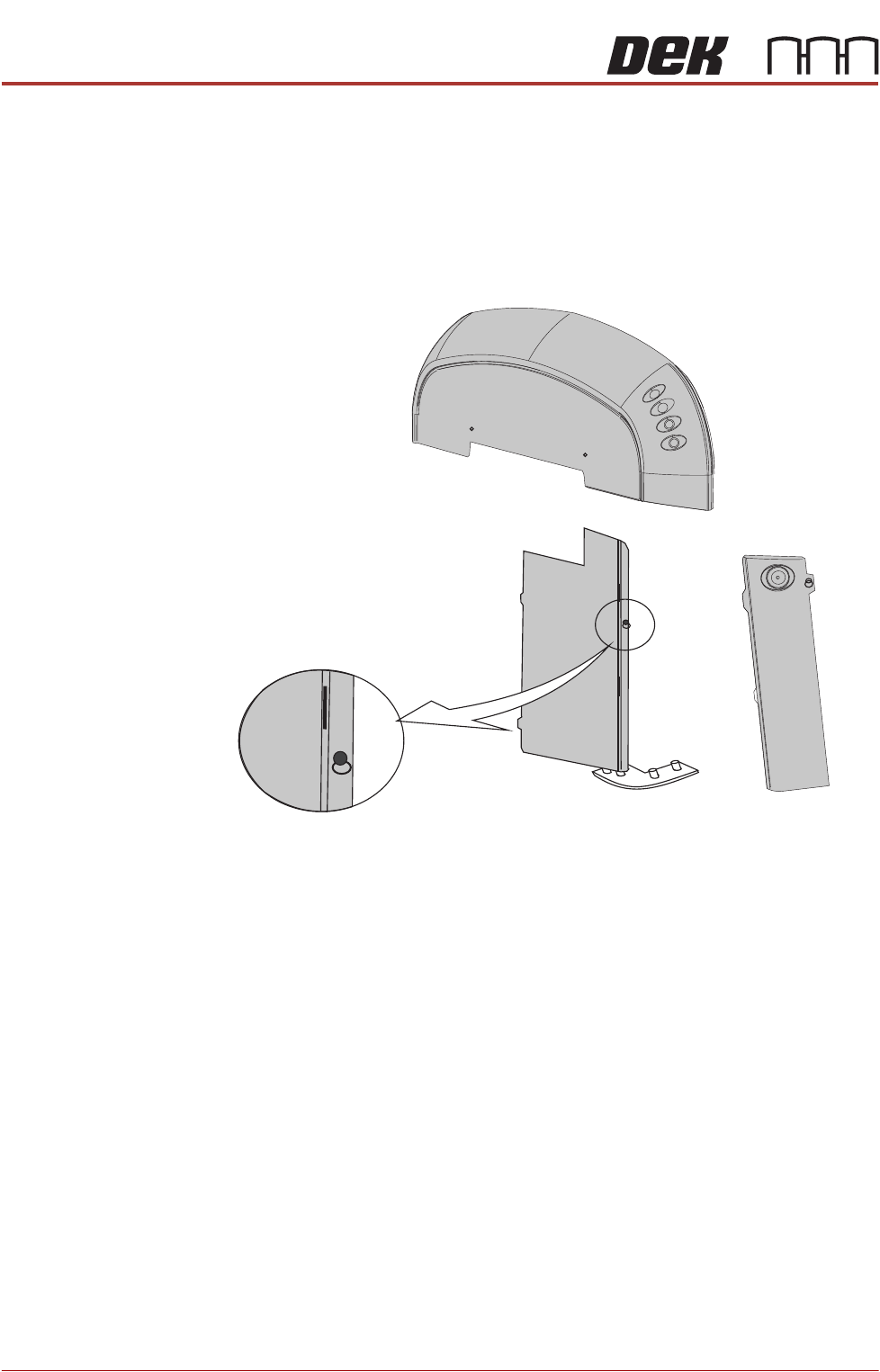
Front Side Cover To remove the front side cover, carry out the following:
1. Open the front printhead cover.
2. Remove the safety cover.
3. Remove the front panel.
4. Locate and release the corner panel quarter- turn ring fastener; lift the corner
panel away to gain access to the front side cover quarter- turn ring fastener.
5. Release the fastener.
6. Lift the front side panel away from the location pin and slide the panel away
from the rear side cover locating tabs. Remove the earth strap from the
bottom of the panel.
7. Remove the panel.
Rear Side Cover To remove the rear side cover, carry out the following:
1. Remove the rear panel.
2. Remove the safety cover.
3. Open the rear printhead cover.
4. Locate and release the corner panel quarter- turn ring fastener; lift the corner
panel away to gain access to the rear side cover quarter- turn ring fastener.
5. Release the fastener.
6. lift the rear side panel away from the location pin and slide the panel away
from the front side cover locating tabs.
7. Remove the earth strap from the bottom of the panel.
Front Side Cover
Quarter-turn Fastener