00197193-02_IM_SIPLACE_EDM_2.1_EN.pdf - 第18页
EDM V2.1 / I nstallat ion Ma nual Ausgabe 11/2012 E dition 18 4.2.4 EDM Line (Line Server) Figure 4-7: Selecting t he Master Server ► Edit th e host nam e of the conf iguration s erver, k eeping the por t settin g (“9003…
EDM V2.1 / Installation Manual Ausgabe 11/2012 Edition
17
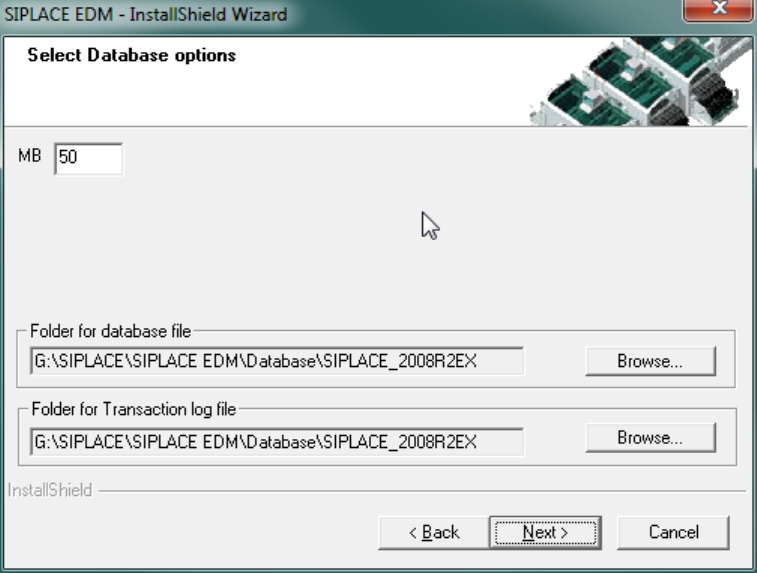
Figure 4-6: EDM database options
If a compatible EDM database has already been detected, this is taken over and converted to the
current version. Otherwise you are asked whether you want to replace the database or select a
different server.
► Confirm your selection with Next.
► Use the Basic EDM Configuration Dialog (cf. section 5.2.1 on page 24), which is presented
now, to edit the fundamental settings.
EDM V2.1 / Installation Manual Ausgabe 11/2012 Edition
18
4.2.4 EDM Line (Line Server)
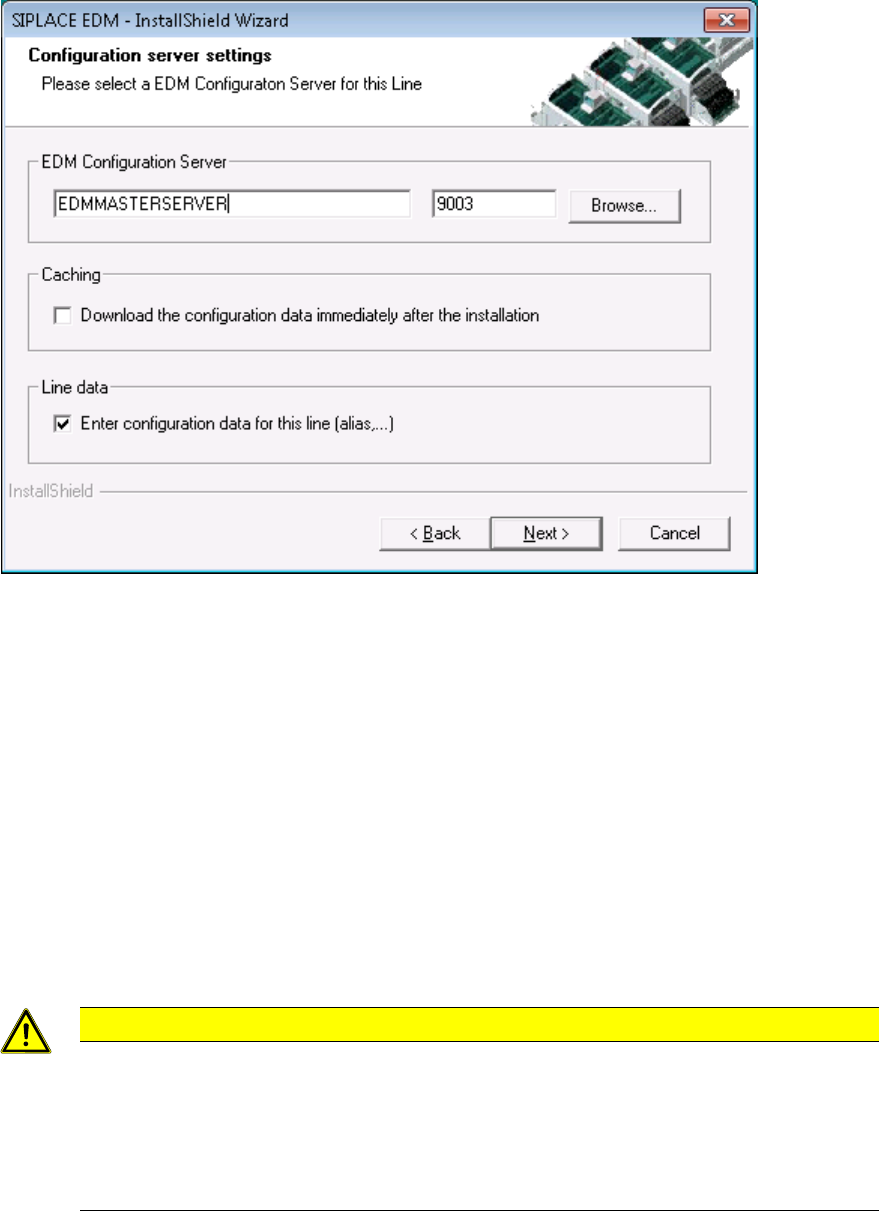
Figure 4-7: Selecting the Master Server
► Edit the host name of the configuration server, keeping the port setting (“9003”) to the default
value.
► If you would like to check the connection during the installation, mark the “Download the
configuration data immediately” checkbox to attempt to obtain a valid configuration immediately
after installation (in either case, the EDM applications will contact the configuration server on
startup).
► The “Enter configuration data” checkbox (recommended setting is “on”) allows you to edit some
basic settings of the EDM Line on finishing the setup (cf. 5.2.1.2, Basic Configuration for EDM
Client Computers).
► Confirm the selection with the Next button.
4.2.5 Clearing Pool
CAUTION
Before installing a Clearing Pool on your local PC that has access to a remote EDM
master you have to install SIPLACE Pro Desk (in “Client” configuration) on your local
system. The local SIPLACE Pro Desk installation needs access to the SPI instance of
the remote EDM Master.
Push mode will not work properly if this local installation cannot access the SIPLACE
Pro Server of the configured EDM Master.
► Confirm the selection with the Next button.
The SIPLACE EDM installation checks if it can connect to the specified server and if a Clearing
Pool database is present there.
EDM V2.1 / Installation Manual Ausgabe 11/2012 Edition
19
4.2.6 EDM Control Tool
If you connect to the Line Server and edit the SIPLACE Pro data from any client, the change dialog
box only appears on the remote client if you have also installed the EDM Control Tool on this
remote client.
► Select EDM Control Tool from the Custom Setup dialog.
The program is installed automatically.