444CEMM2(CM201).pdf - 第21页
Page 2-21 MACHINE P ARAMETER 2 2 2 444C-E-MMA02-A02-04 Procedures of Machine Parameter T eaching 33. Press UNLOCK + Return to origin . • Each axis will move to its origin position. 34. T urn OFF the servo switch. 35. Ope…
Page 2-20
444C-E-MMA02-A02-05
Procedures of Machine Parameter Teaching
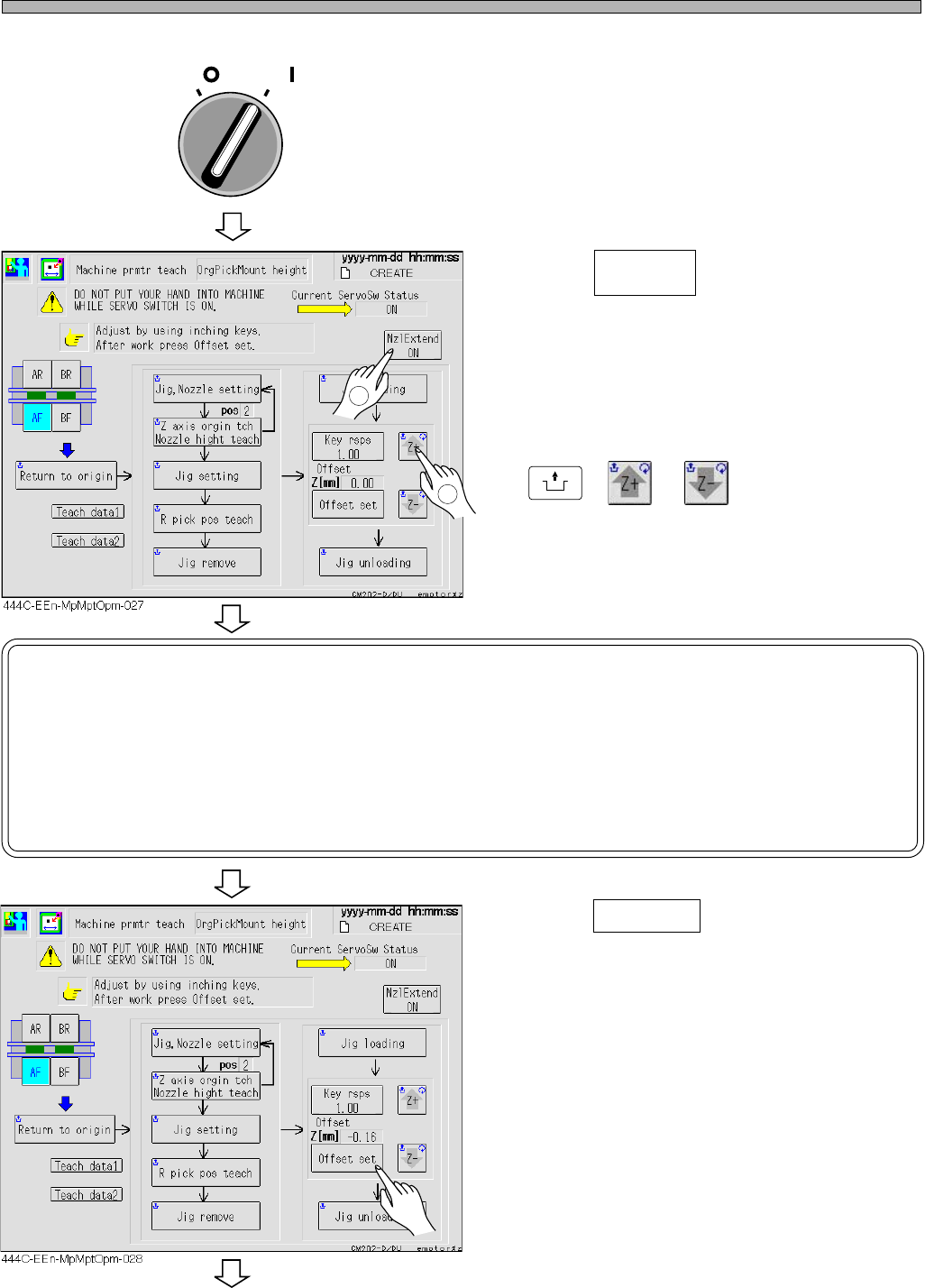
28. Close the safety cover.
29. Turn ON the servo switch.
30. Press .
• The nozzle will lower.
31. Adjust the head height by pressing
UNLOCK
+ or .
32. Press Offset set .
• The teaching result will be saved by this
operation.
To the next page
NOTICE
After moving the head close to the guide, whenever lowering the head by 0.01
mm, move the thickness gauge back and forth.
Continue it until the head is at the height where the thickness gauge is not pulled
out smoothly.
The teaching result is the height of the head to which 0.01 mm is added upward.
Nzl Extend
ON
OFF ( )
ON ( )
SERVO
2
1
Page 2-21
MACHINE PARAMETER
2
2
2
444C-E-MMA02-A02-04
Procedures of Machine Parameter Teaching
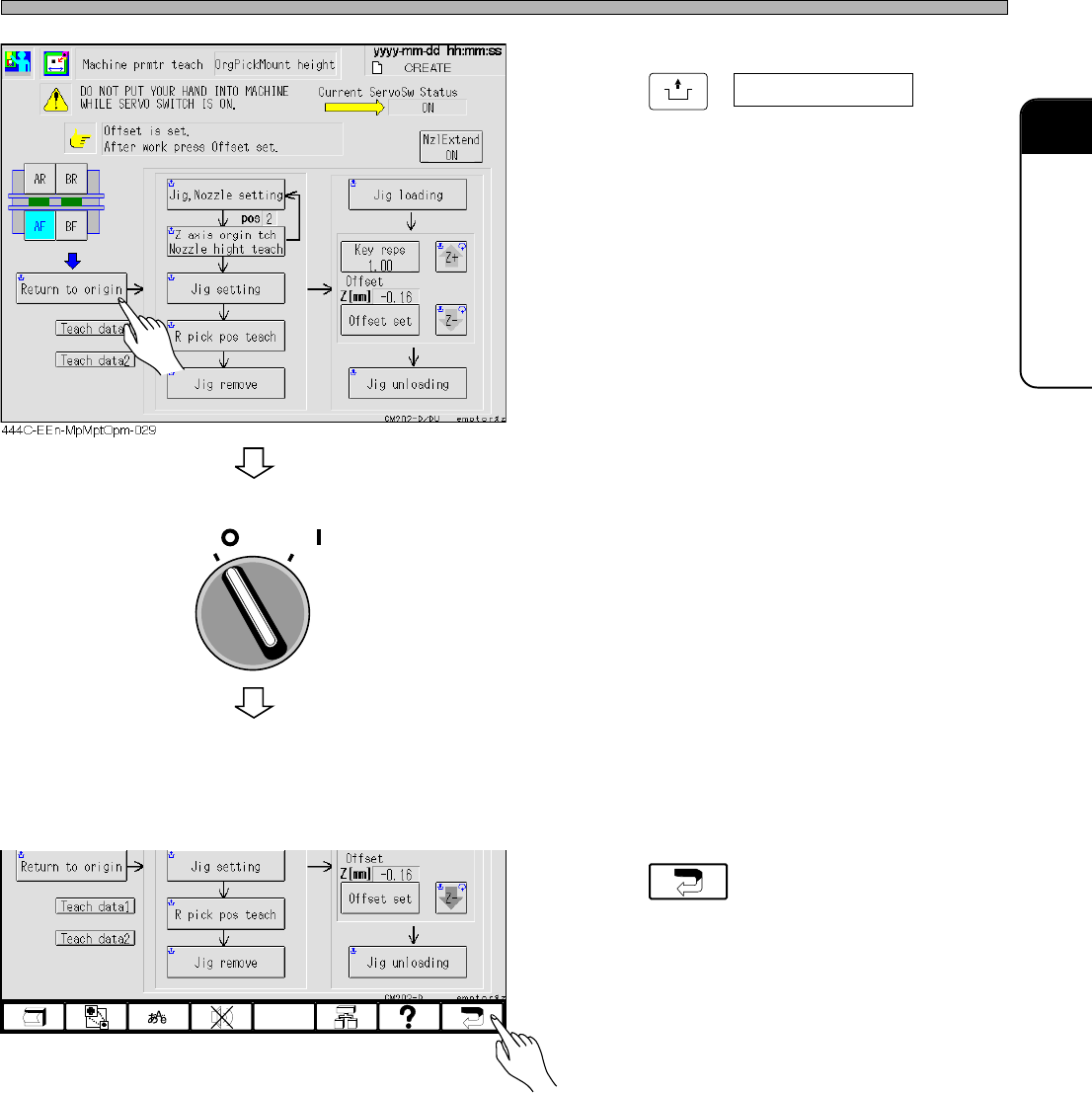
33. Press
UNLOCK
+ Return to origin .
• Each axis will move to its origin position.
34. Turn OFF the servo switch.
35. Open the safety cover.
36. Remove the nozzles and the height
teaching jig.
37. Press .
• The “Machine Prmtr Teach menu” screen is
displayed.
OFF ( )
ON ( )
SERVO
444C-EEn-MpMptOpm-016
Page 2-22
Procedures of Machine Parameter Teaching
2-2-2 Board Recognition Camera XY-axis Origin Offset
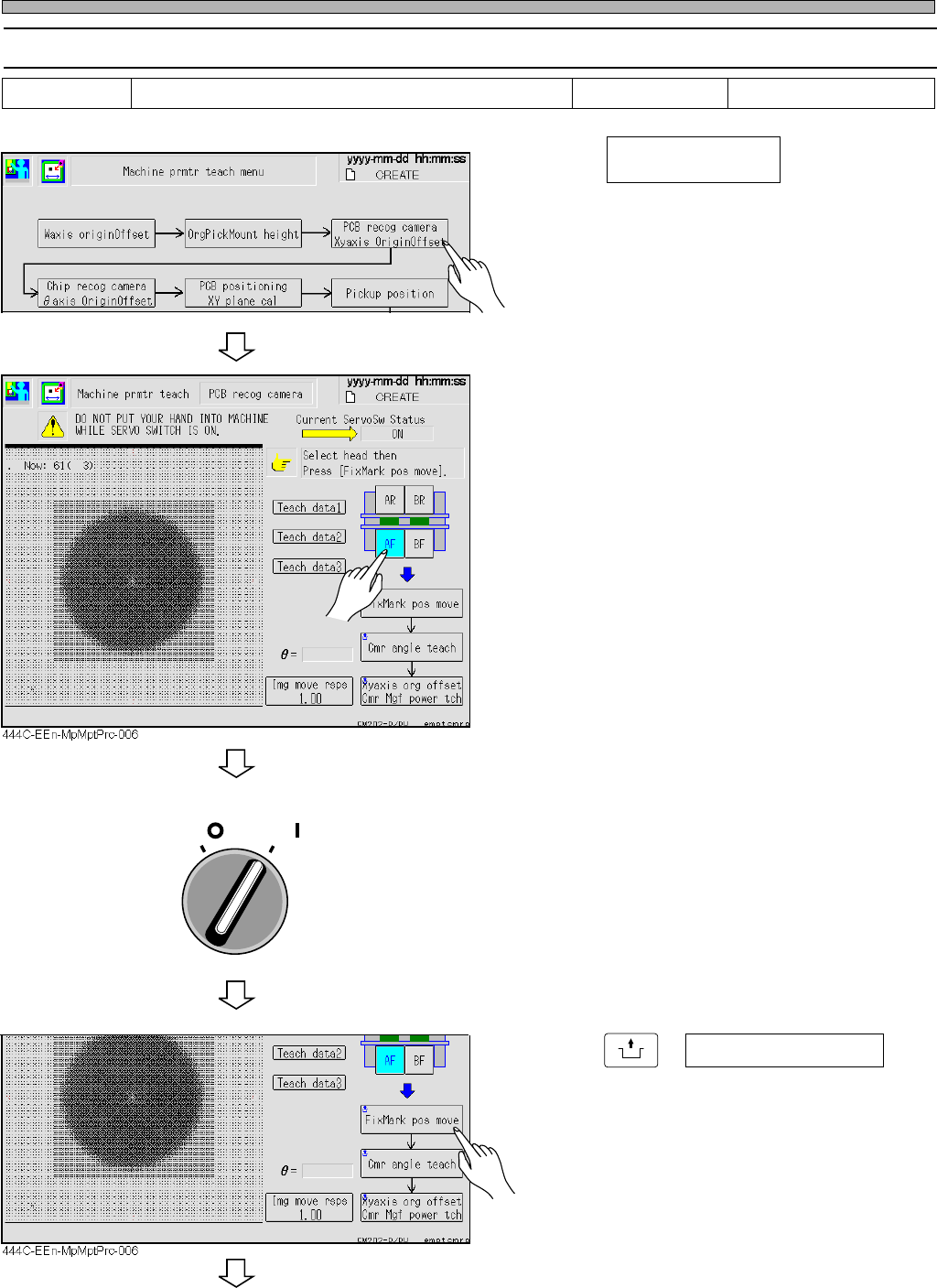
1. Press .
2. Select the table for teaching.
3. Ensure that the safety cover is closed
and turn ON the servo switch.
4. Press
UNLOCK
+ Fix mark pos move .
• The head moves to the heat calibration mark.
To the next page
444C-EEn-MpMpt-004
444C-E-MMA02-A03-06
Tools Required time 5 minutes
PCB recog camera
Xy axis origin offset
OFF ( )
ON ( )
SERVO