444CEMM2(CM201).pdf - 第14页
Page 2-14 Procedures of Machine Parameter T eaching 4. Press the key of the parameter for teaching. ∗ Org Pick Mount height is pressed as an example. 5. Select the table for teaching. 6. Start the machine parameter teach…
Page 2-13
MACHINE PARAMETER
2
2
2
2-2 Procedures of Machine Parameter Teaching
Preparing for the machine parameter teaching
Before starting the machine parameter teaching, load the data of the XY plane calibration jig to the
machine at “File Operation.”
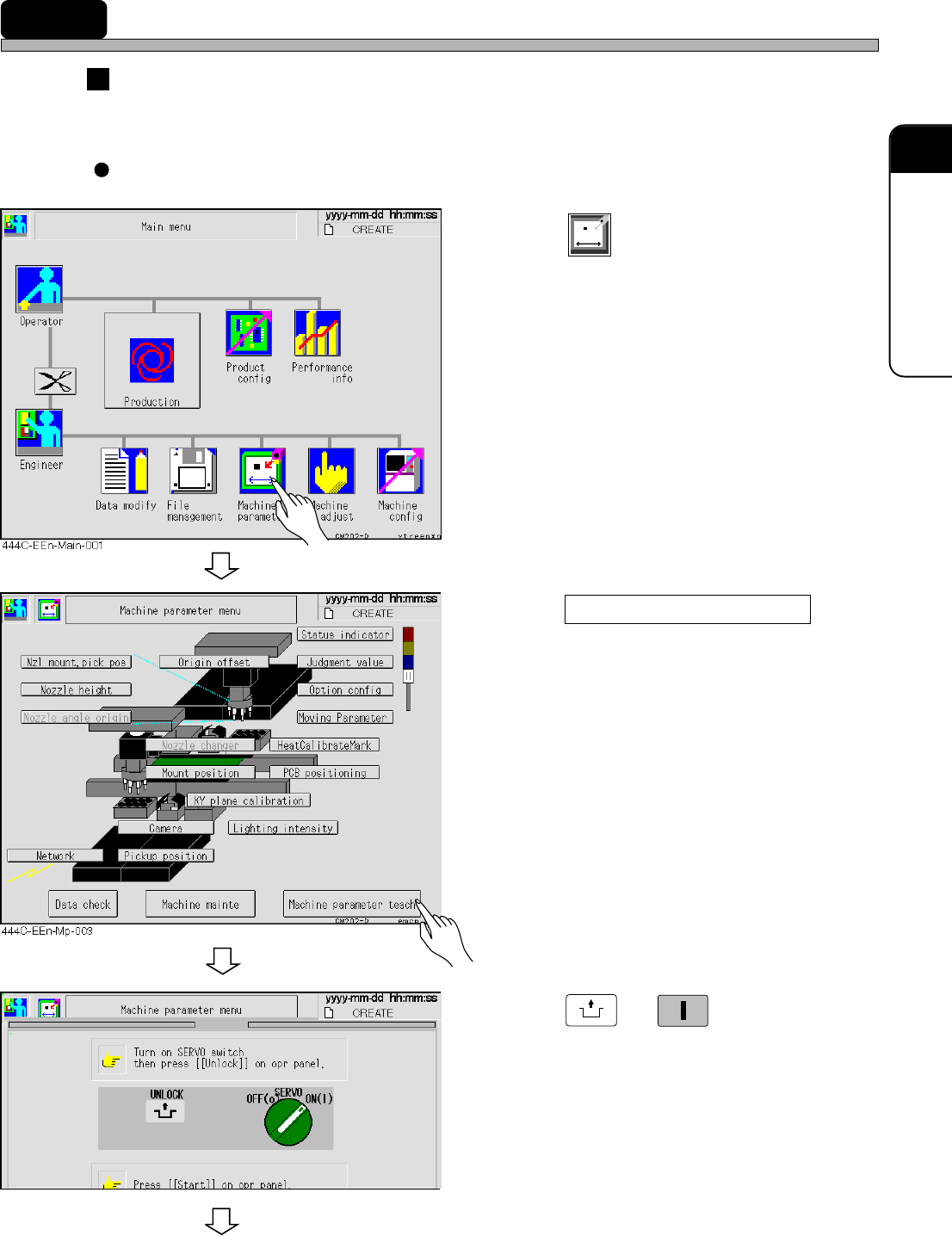
Each of “Machine Parameter Teaching” screen can be opened by the following steps.
1. Press
Machine
parameter
.
• The “Machine Parameter Menu” screen
appears.
2. Press Machine parameter teach .
3. Press
UNLOCK
→→
→→
→
START
.
• The “Machine prmtr teach menu” screen
appears.
To the next page
444C-E-MMA02-A02-03
433C-EEn-Mp-002
Page 2-14
Procedures of Machine Parameter Teaching
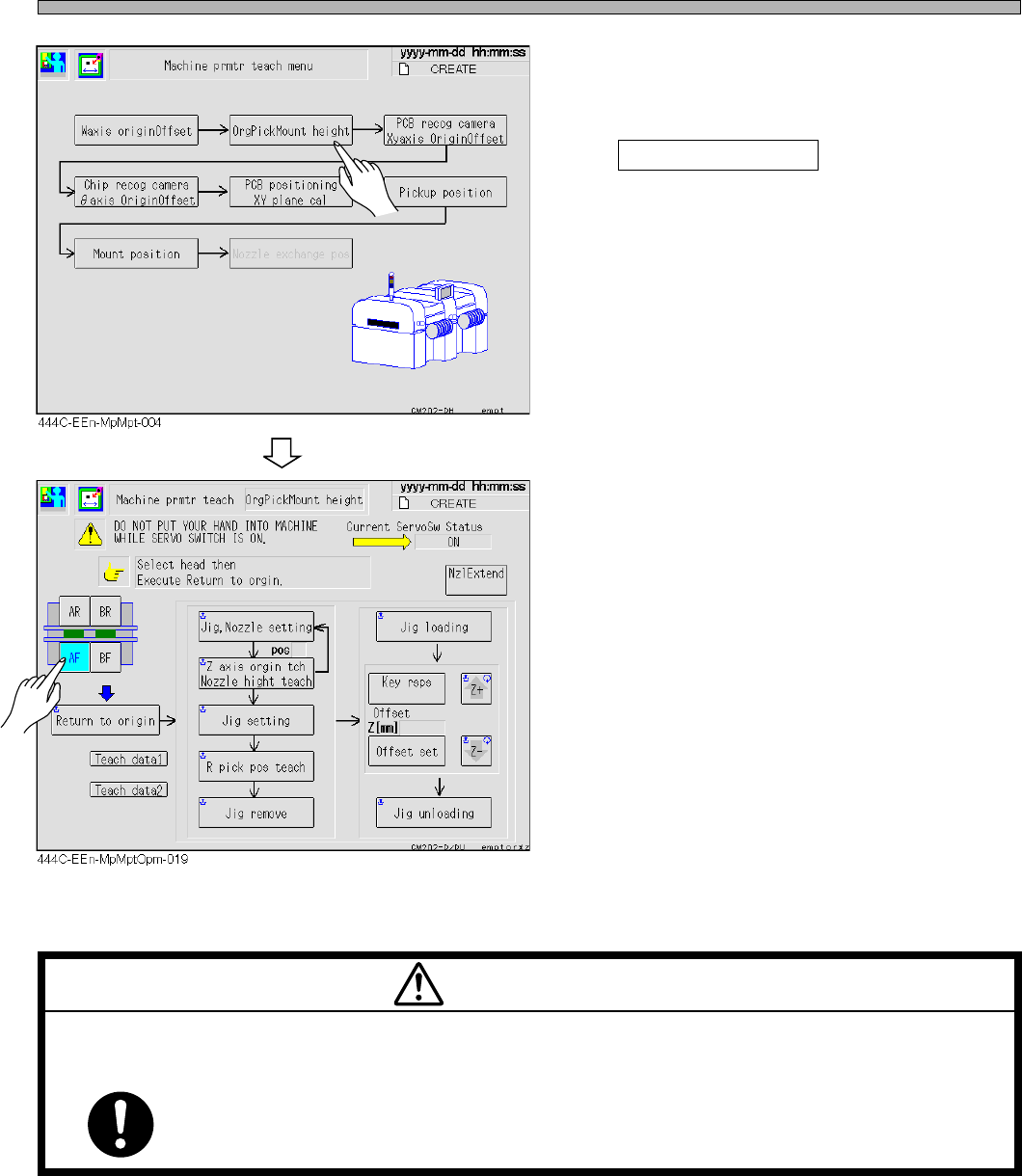
4. Press the key of the parameter for
teaching.
∗ Org Pick Mount height is pressed as an
example.
5. Select the table for teaching.
6. Start the machine parameter teaching
following the instruction of the
screen.
M67EB
TURN OFF THE SERVO SWITCH BEFORE PLACING YOUR HANDS IN ACTIVE
PART OF THE MACHINE FOR ADJUSTMENT.
You will have serious injury if the machine is actuated.
WARNING
444C-E-MMA02-A02-06
Page 2-15
MACHINE PARAMETER
2
2
2
Procedures of Machine Parameter Teaching
2-2-1 Origin Pickup Mounting Height
Preparations
Turn off the servo switch and carry out the operation.
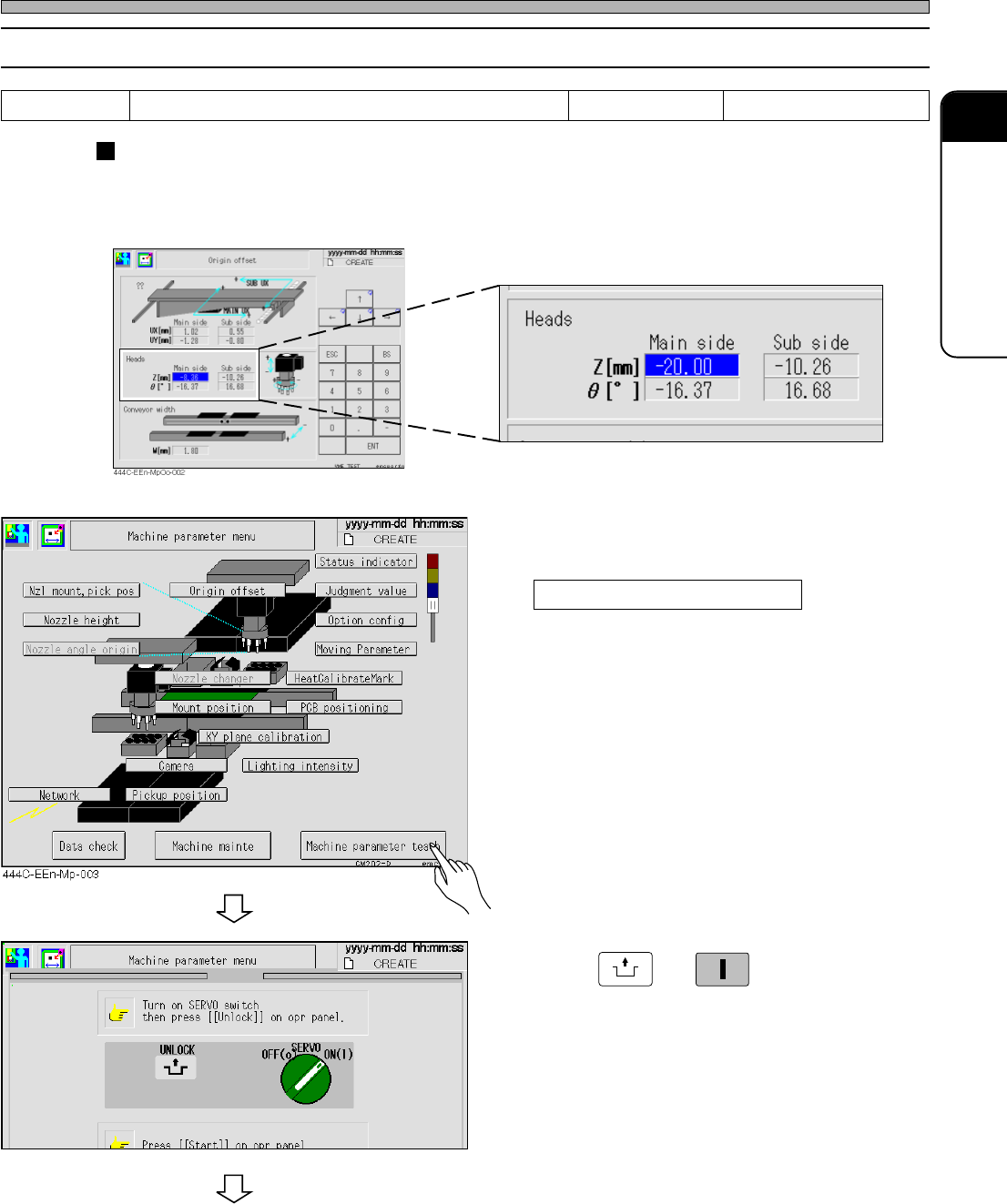
1. Input - 20 for the Z-axis of “Origin Offset” at the “Machine Parameter” screen.
1. Return to
“
Machine parameter menu
”
screen and press
Machine parameter teach .
2. Press
UNLOCK
→→
→→
→
START
.
• The “Machine prmtr teach menu” screen is
displayed.
To the next page
444C-E-MMA02-A02-03
Tools
Height teaching jig, thickness gauge 0.01 mm, and nozzle
Required time 15 minutes
433C-EEn-Mp-002