444CEMM2(CM201).pdf - 第22页
Page 2-22 Procedures of Machine Parameter T eaching 2-2-2 Board Recognition Camera XY -axis Origin Offset 1. Press . 2. Select the table for teaching. 3. Ensure that the safety cover is closed and turn ON the servo switc…
Page 2-21
MACHINE PARAMETER
2
2
2
444C-E-MMA02-A02-04
Procedures of Machine Parameter Teaching
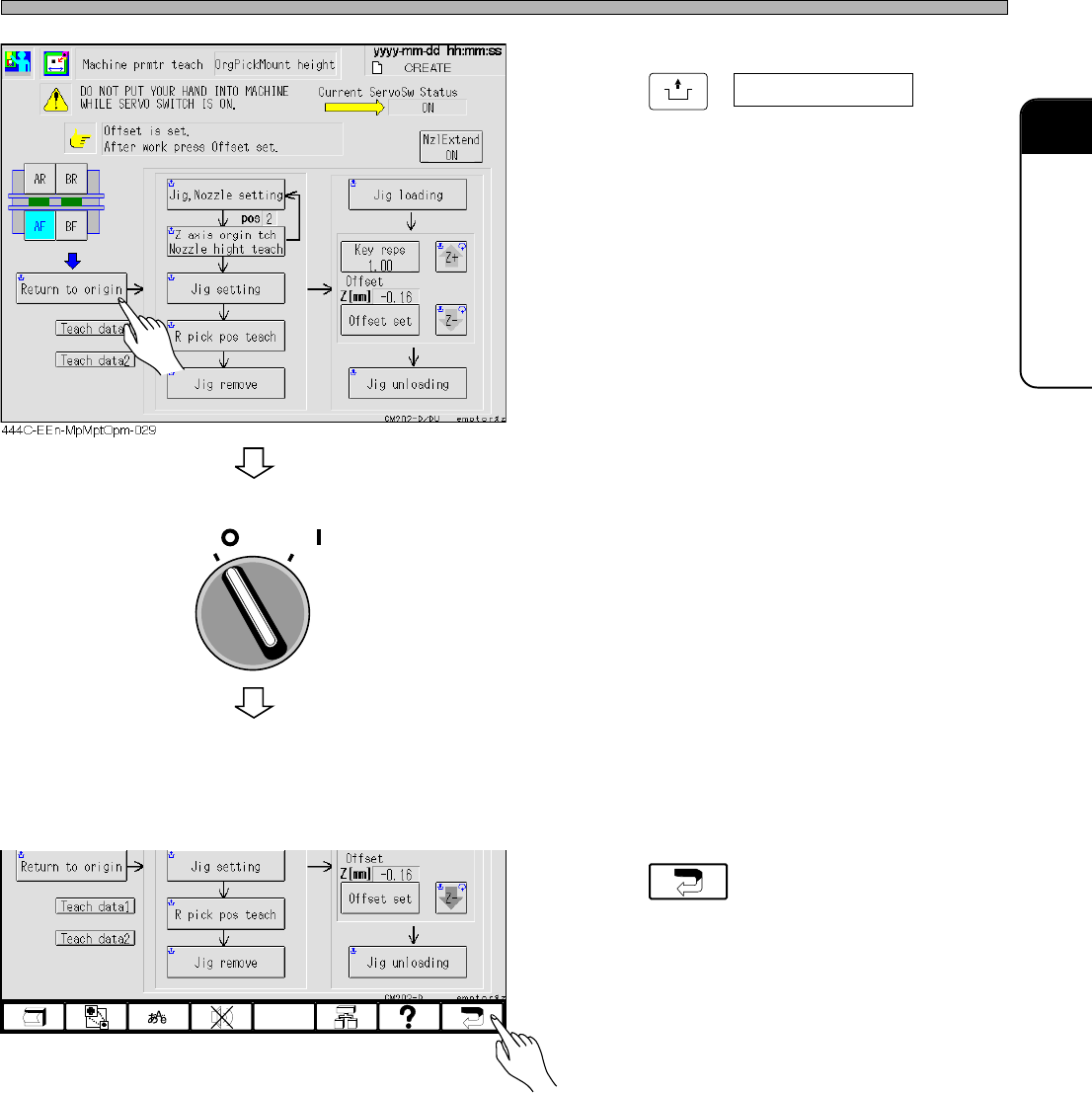
33. Press
UNLOCK
+ Return to origin .
• Each axis will move to its origin position.
34. Turn OFF the servo switch.
35. Open the safety cover.
36. Remove the nozzles and the height
teaching jig.
37. Press .
• The “Machine Prmtr Teach menu” screen is
displayed.
OFF ( )
ON ( )
SERVO
444C-EEn-MpMptOpm-016
Page 2-22
Procedures of Machine Parameter Teaching
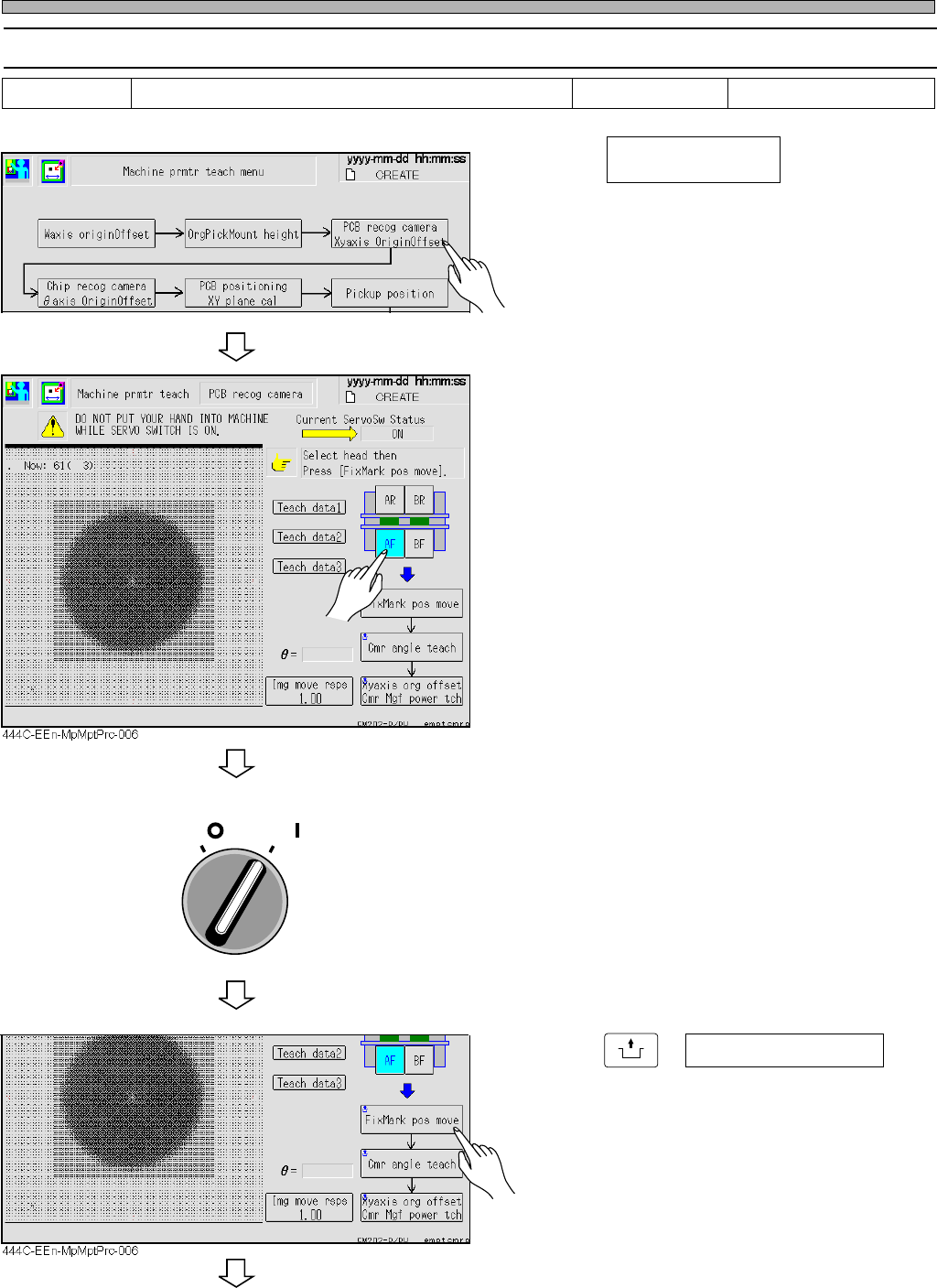
2-2-2 Board Recognition Camera XY-axis Origin Offset
1. Press .
2. Select the table for teaching.
3. Ensure that the safety cover is closed
and turn ON the servo switch.
4. Press
UNLOCK
+ Fix mark pos move .
• The head moves to the heat calibration mark.
To the next page
444C-EEn-MpMpt-004
444C-E-MMA02-A03-06
Tools Required time 5 minutes
PCB recog camera
Xy axis origin offset
OFF ( )
ON ( )
SERVO
Page 2-23
MACHINE PARAMETER
2
2
2
Procedures of Machine Parameter Teaching
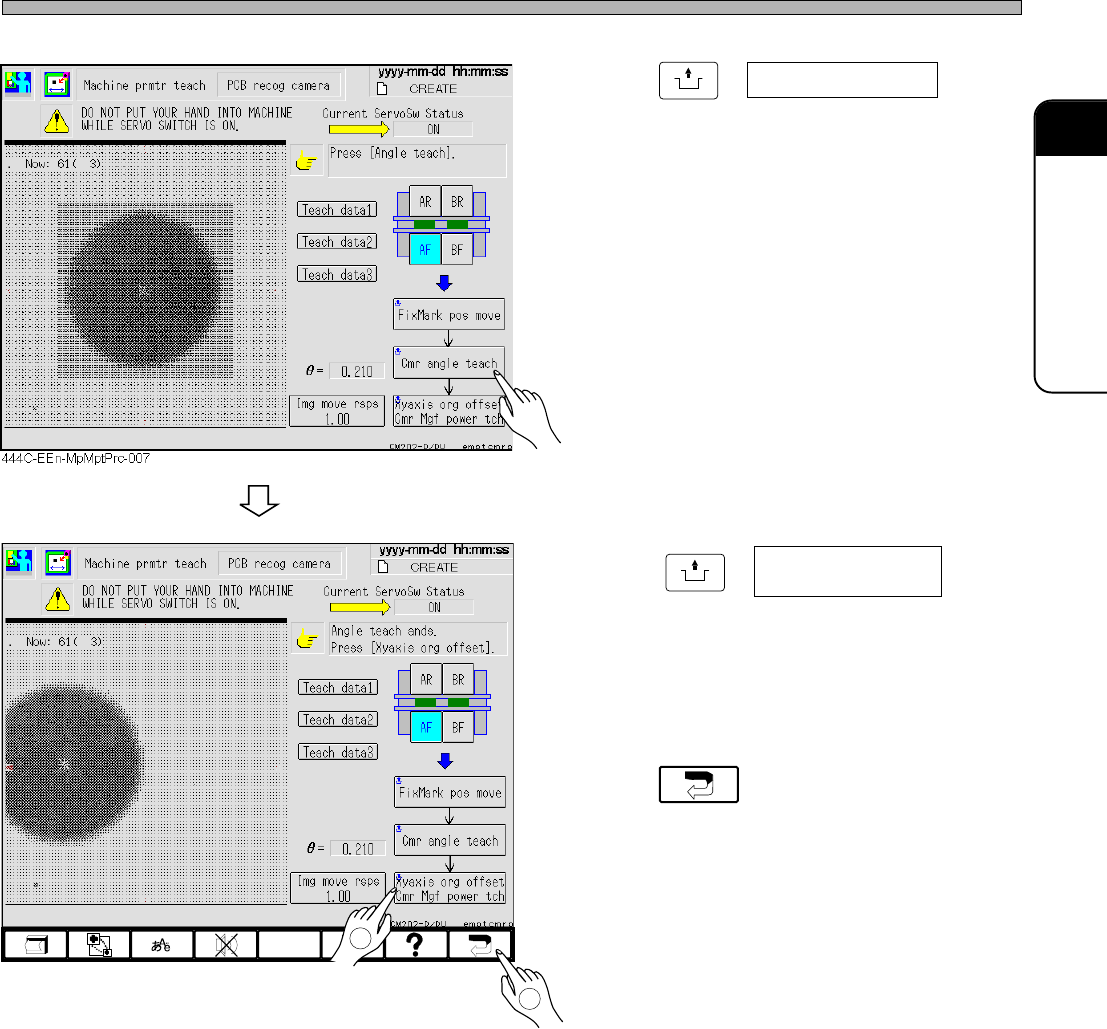
5. Press
UNLOCK
+ Cmr angle teach .
• Deviation in
θ
direction for setting the head
camera (rotation around Z-axis)
∗ When the deviation is over the tolerant value,
the message appears and the machine stops.
6. Press
UNLOCK
+ .
• Teaching for the pixel rate of the head camera
and the origin of the X- and Y-axis are carried
out.
7. Press .
• The “Machine prmtr teach menu” screen
reappears.
Xy axis org offset
Cmr Mgf power tch
444C-E-MMA02-A03-05
444C-EEn-MpMptPrc-008
2
1