444CEMM2(CM201).pdf - 第25页
Page 2-25 MACHINE P ARAMETER 2 2 2 Procedures of Machine Parameter T eaching 7. Close the safety cover . 8. T urn ON the servo switch. 9. Press UNLOCK + . 10. If the nozzle holder is at the position as shown on the follo…
Page 2-24
Procedures of Machine Parameter Teaching
2-2-3 Chip Recognition Camera
θθ
θθ
θ
-axis Origin Offset
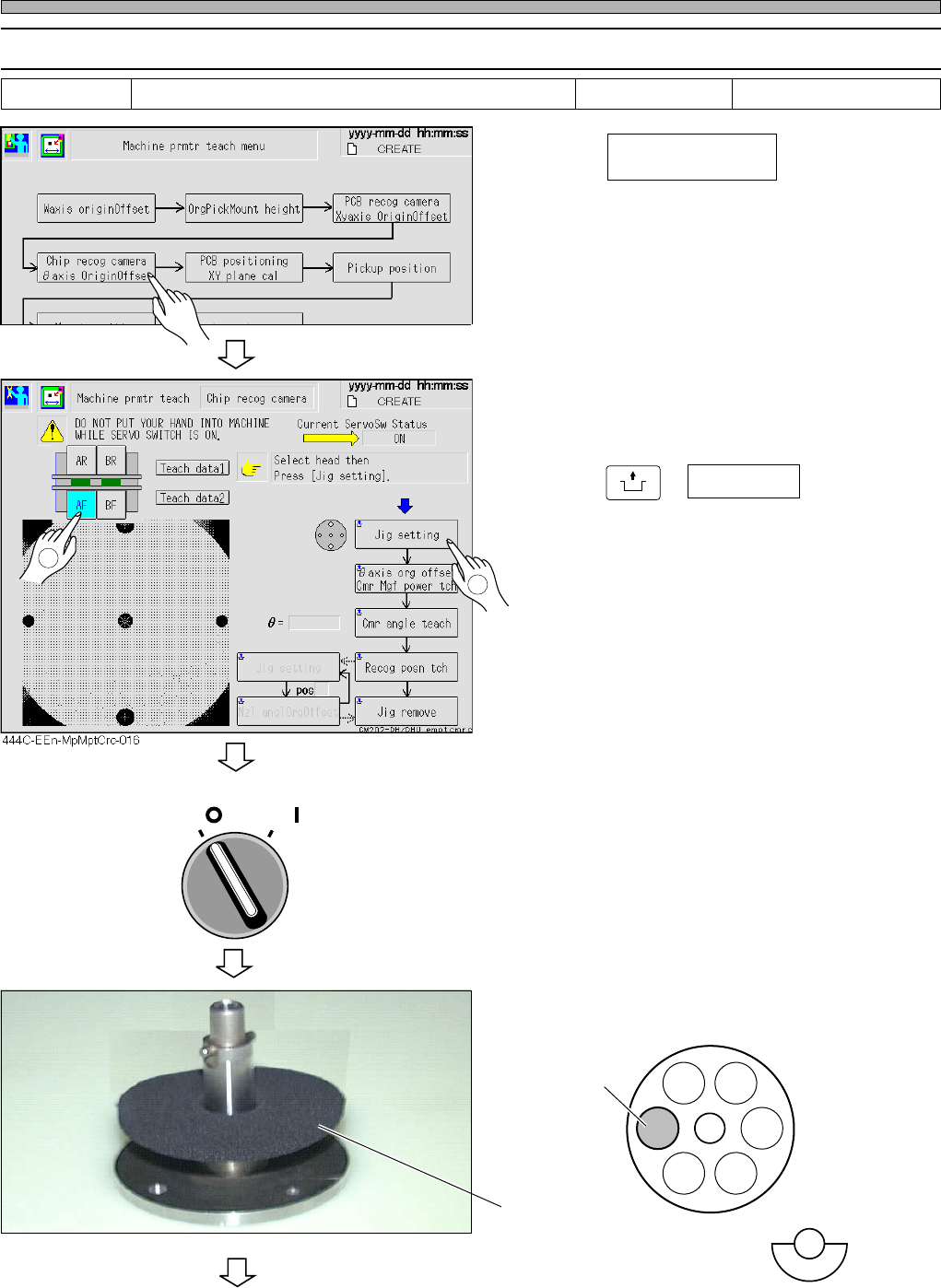
1. Press .
2. Select the table for teaching.
3. Press
UNLOCK
+ Jig setting .
• The head moves to the feeder table.
• After the head has traveled to the jig setting
position, the servo switch turns OFF automati-
cally.
4. Turn OFF the servo switch.
5. Open the safety cover.
6. Set the nozzle jig to pos 3.
To the next page
OFF ( )
ON ( )
SERVO
444C-E-MMA02-A03-06
Tools Required time 5 minutesNozzle jig
pos 3
Nozzle jig
Chip recog camera
θ
axis origin offset
444C-EEn-MpMpt-004
2
1
444C-453P
444C-417E
Page 2-25
MACHINE PARAMETER
2
2
2
Procedures of Machine Parameter Teaching
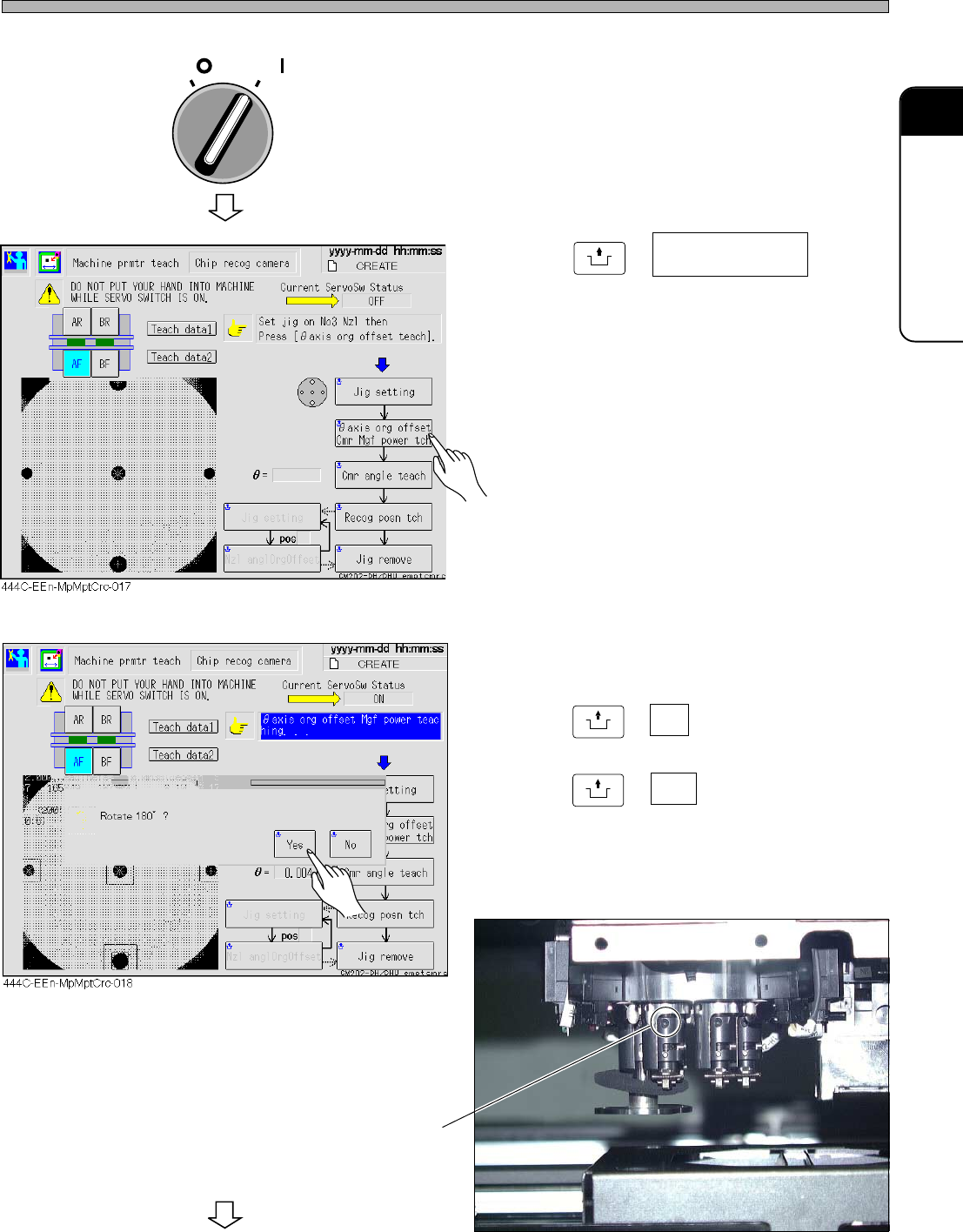
7. Close the safety cover.
8. Turn ON the servo switch.
9. Press
UNLOCK
+ .
10. If the nozzle holder is at the position
as shown on the following picture,
press
UNLOCK
+ No ,
otherwise,
press
UNLOCK
+ Yes .
To the next page
OFF ( )
ON ( )
SERVO
444C-455P
444C-E-MMA02-A03-05
You can see the set screw
θ
axis org offset
Cmr mgf power tch
Page 2-26
Procedures of Machine Parameter Teaching
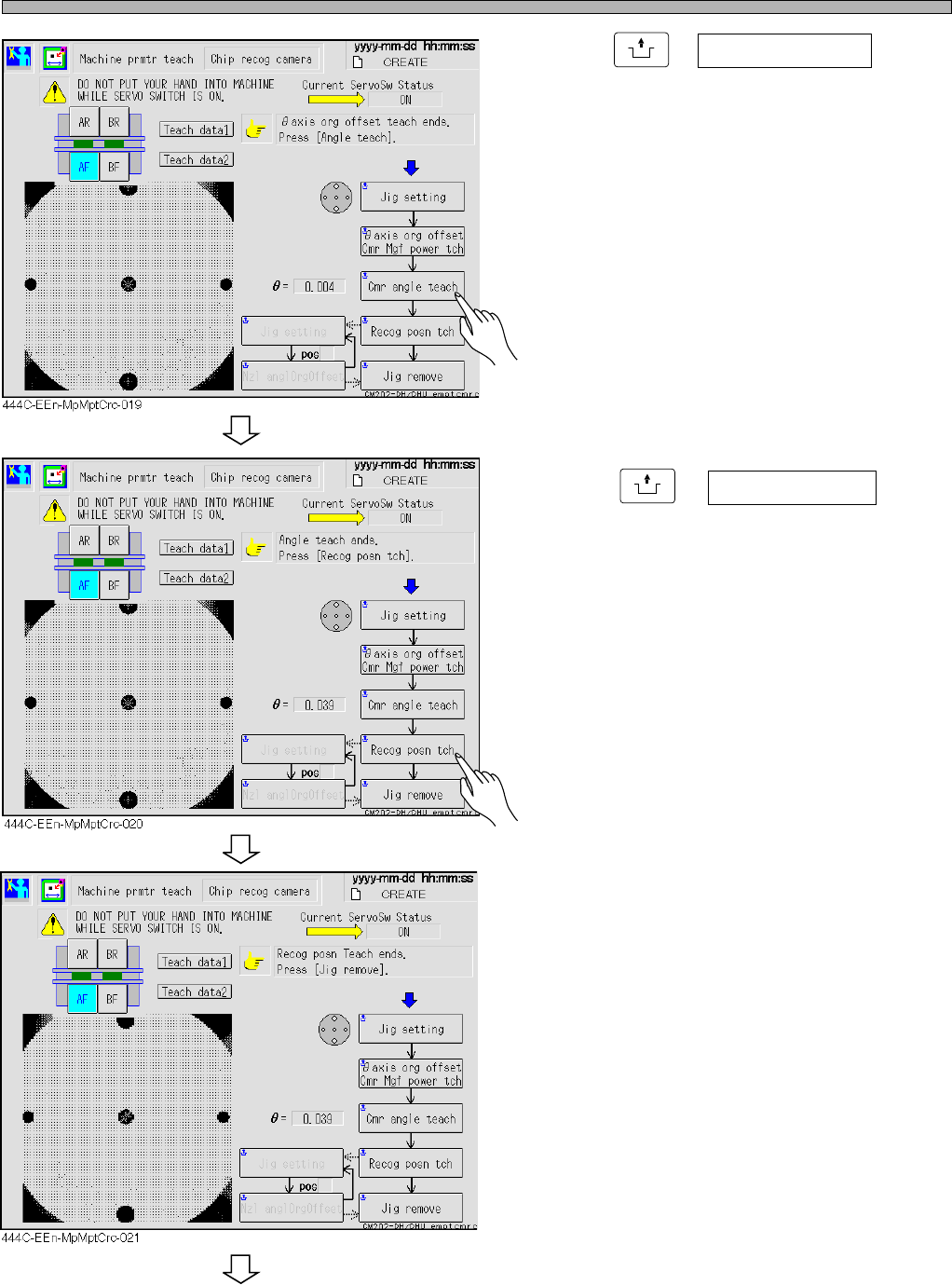
11. Press
UNLOCK
+ Cmr angle teach .
∗ If the angle offset is over the standard value,
the message appears, and the machine stops.
12. Press
UNLOCK
+ Recog posn tch .
• The message “Recog posn Teach ends” is
displayed.
To the next page
444C-E-MMA02-A03-04