444CEMM2(CM201).pdf - 第27页
Page 2-27 MACHINE P ARAMETER 2 2 2 OFF ( ) ON ( ) SERVO 444C-E-MMA02-A03-04 Procedures of Machine Parameter T eaching 13. T urn OFF the servo switch. 14. Press UNLOCK + Jig remove . • Remove the nozzle jig. 15. Press . •…
Page 2-26
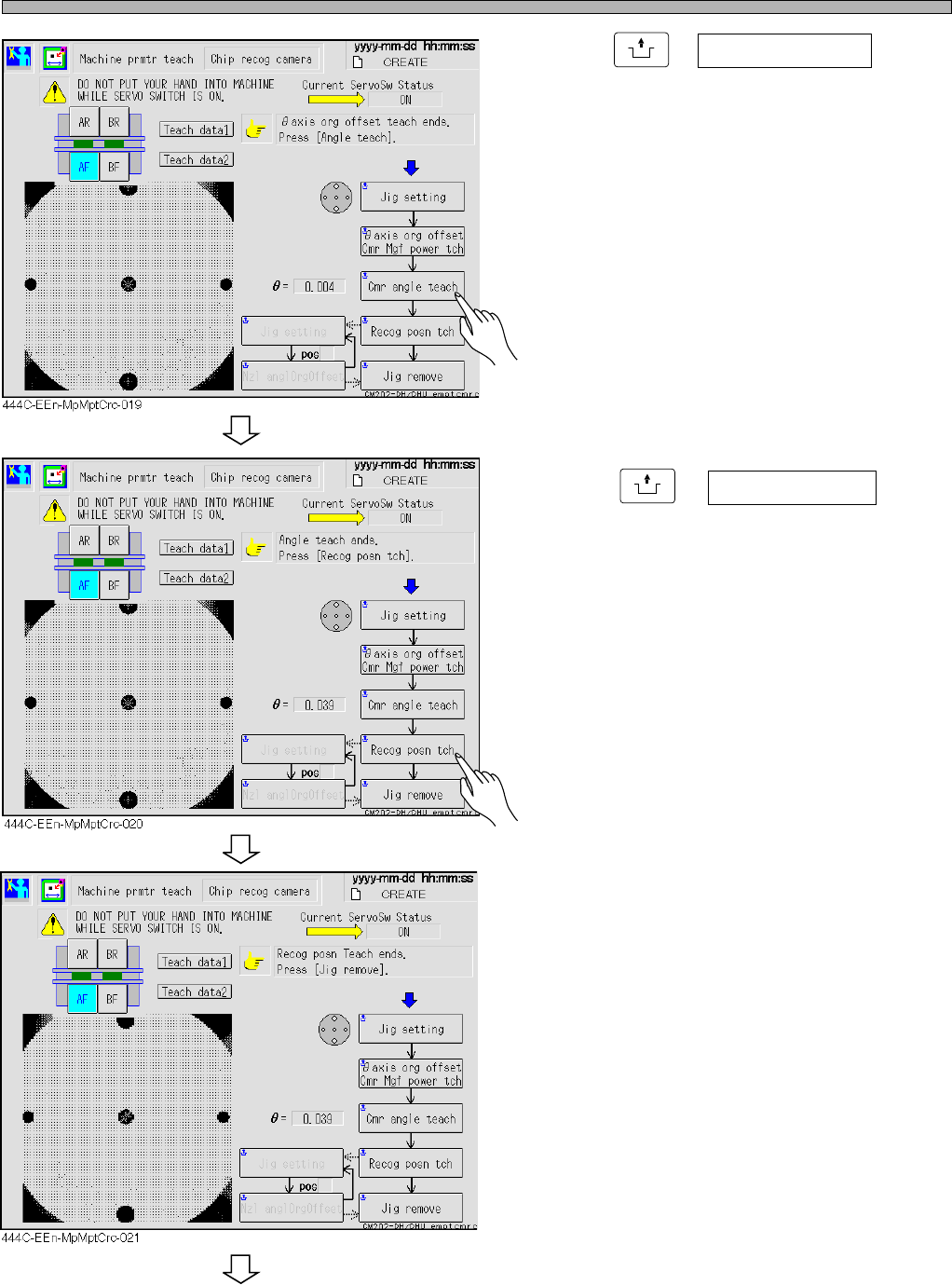
Procedures of Machine Parameter Teaching
11. Press
UNLOCK
+ Cmr angle teach .
∗ If the angle offset is over the standard value,
the message appears, and the machine stops.
12. Press
UNLOCK
+ Recog posn tch .
• The message “Recog posn Teach ends” is
displayed.
To the next page
444C-E-MMA02-A03-04
Page 2-27
MACHINE PARAMETER
2
2
2
OFF ( )
ON ( )
SERVO
444C-E-MMA02-A03-04
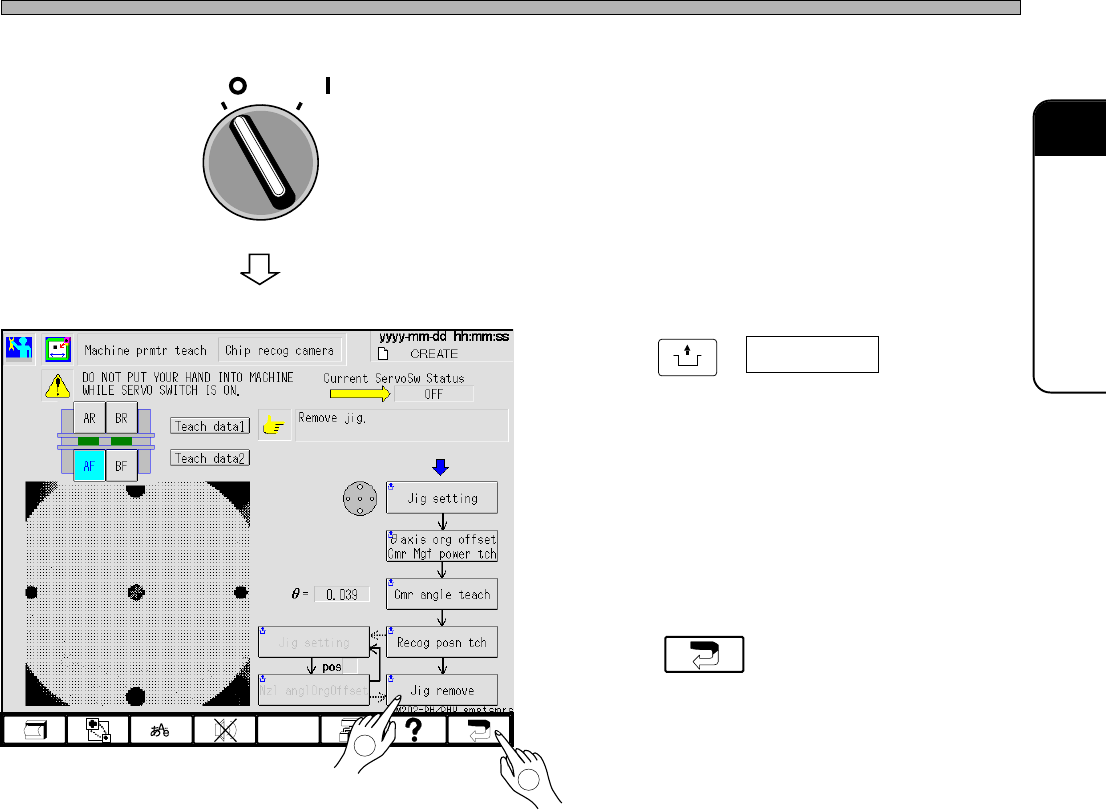
Procedures of Machine Parameter Teaching
13. Turn OFF the servo switch.
14. Press
UNLOCK
+ Jig remove .
• Remove the nozzle jig.
15. Press .
• The “Machine prmtr teach menu” screen
reappears.
444C-EEn-MpMptCrc-022
2
1
Page 2-28
444C-E-MMA02-A04-07
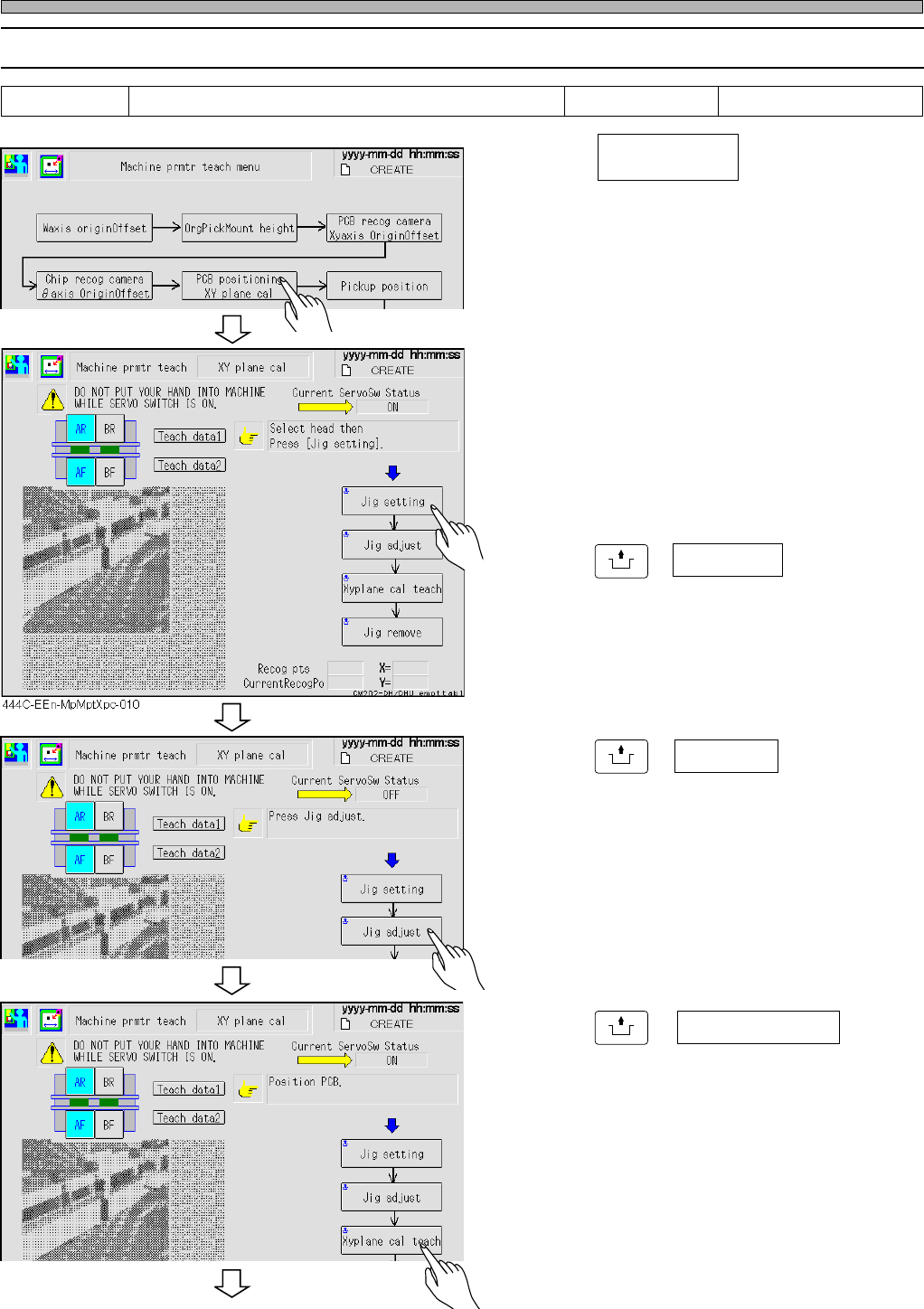
Procedures of Machine Parameter Teaching
2-2-4 XY Plane Calibration
1. Press .
2. Select the stage for teaching.
∗ Select AF or BF.
∗ After the front side is taught, the rear side is
taught continuously.
3. Press
UNLOCK
+ Jig setting .
4. Put the jig into the mounting parts,
and fit it to the stopper.
5. Press
UNLOCK
+ Jig adjust .
6. Stick the jig to the standard guide.
7. Press
UNLOCK
+ .
• The front side teaching is performed, then the
rear teaching is performed.
Tools Required time 60 minutes XY plane calibration jig
444C-EEn-MpMpt-004
444C-EEn-MpMptXpc-011
444C-EEn-MpMptXpc-012
PCB positioning
XY plane cal
Xy plane cal teach
To the next page