444CEMM2(CM201).pdf - 第40页
Page 2-40 444C-EEn-MpMpMp-010 Procedures of Machine Parameter T eaching 444C-E-MMA02-A04-01 21. Press UNLOCK + Jig remove . • A message appears. 22. If you perform the teaching on the other stage, press No ; then return …
Page 2-39
MACHINE PARAMETER
2
2
2
Procedures of Machine Parameter Teaching
444C-E-MMA02-A04-01
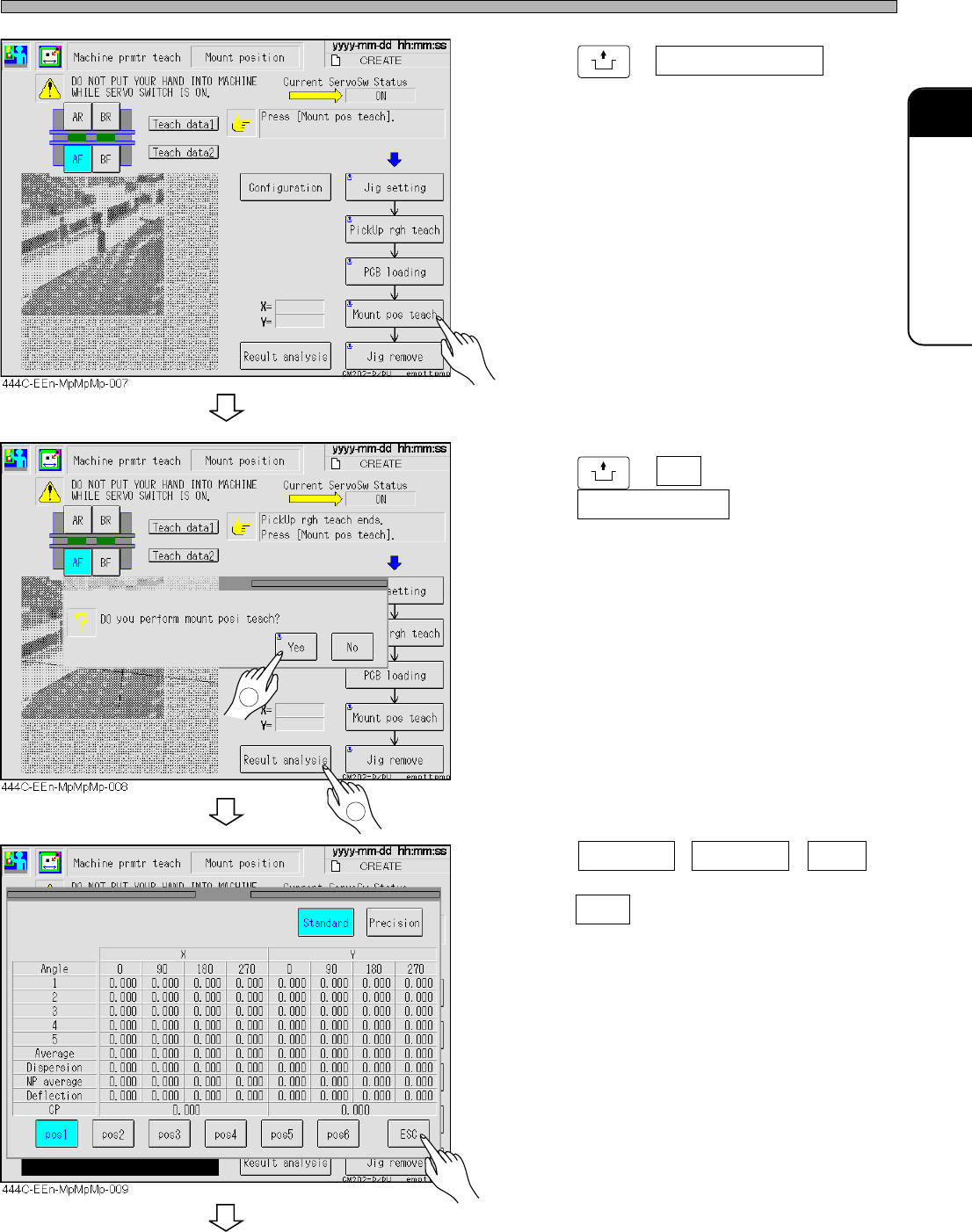
18. Press
UNLOCK
+ Mount pos teach .
19. Press
UNLOCK
+ Yes ; after completion,
press Result analysis .
20. Press Standard , Precision , pos2 ,
and the others to check, and then
press ESC .
To the next page
2
1
Page 2-40
444C-EEn-MpMpMp-010
Procedures of Machine Parameter Teaching
444C-E-MMA02-A04-01
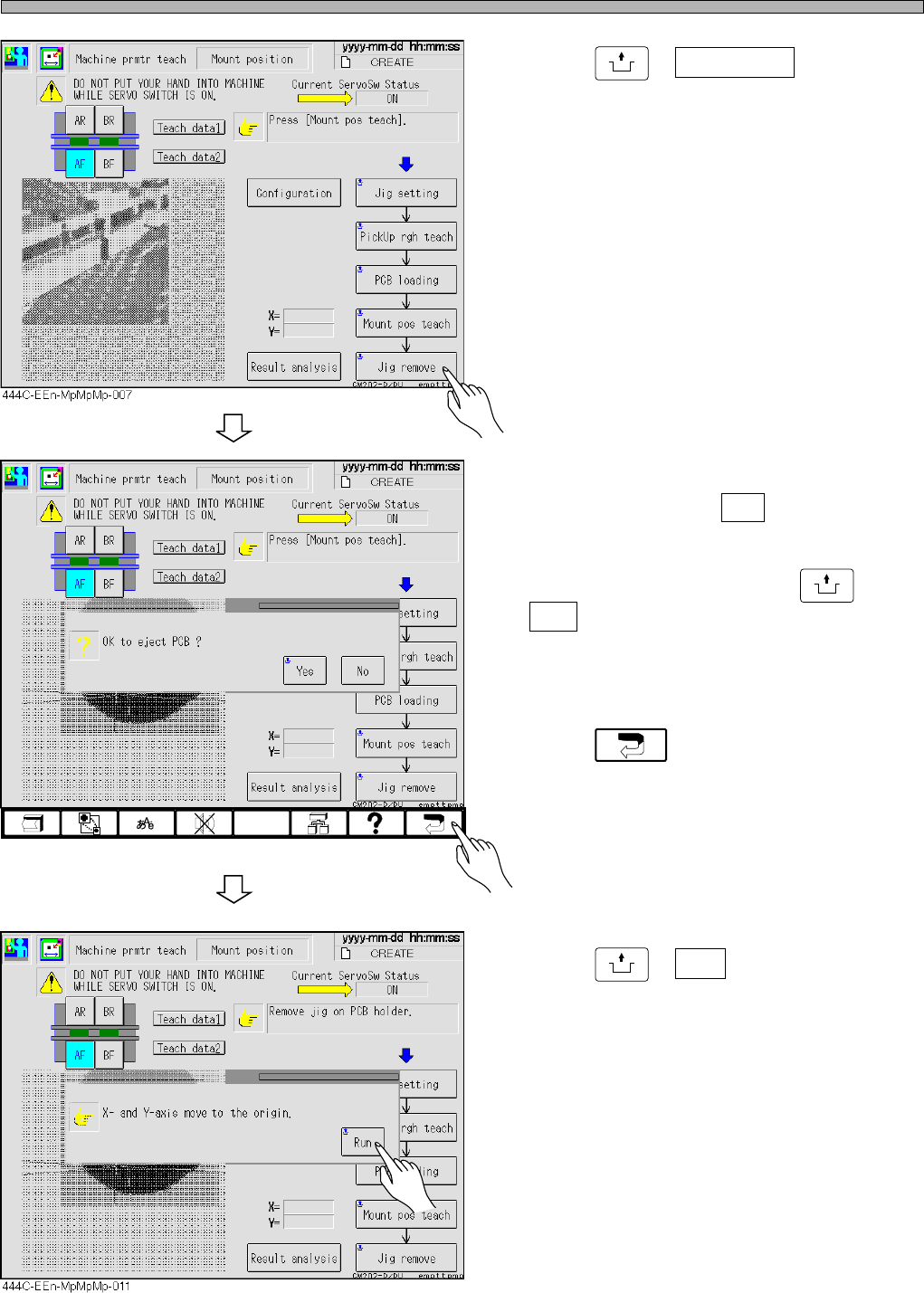
21. Press
UNLOCK
+ Jig remove .
• A message appears.
22. If you perform the teaching on the
other stage, press No ; then return to
step 2. When the teaching on all the
stages is complete, press
UNLOCK
+
Yes .
• Detach the illumination, which has been put on
the support blocks, and the 1005R feeder.
23. Press .
24. Press
UNLOCK
+ Run .
Page 3-1
Chapter 3
SOLUTIONS FOR ERROR
Solutions for error
This chapter describes solving errors.
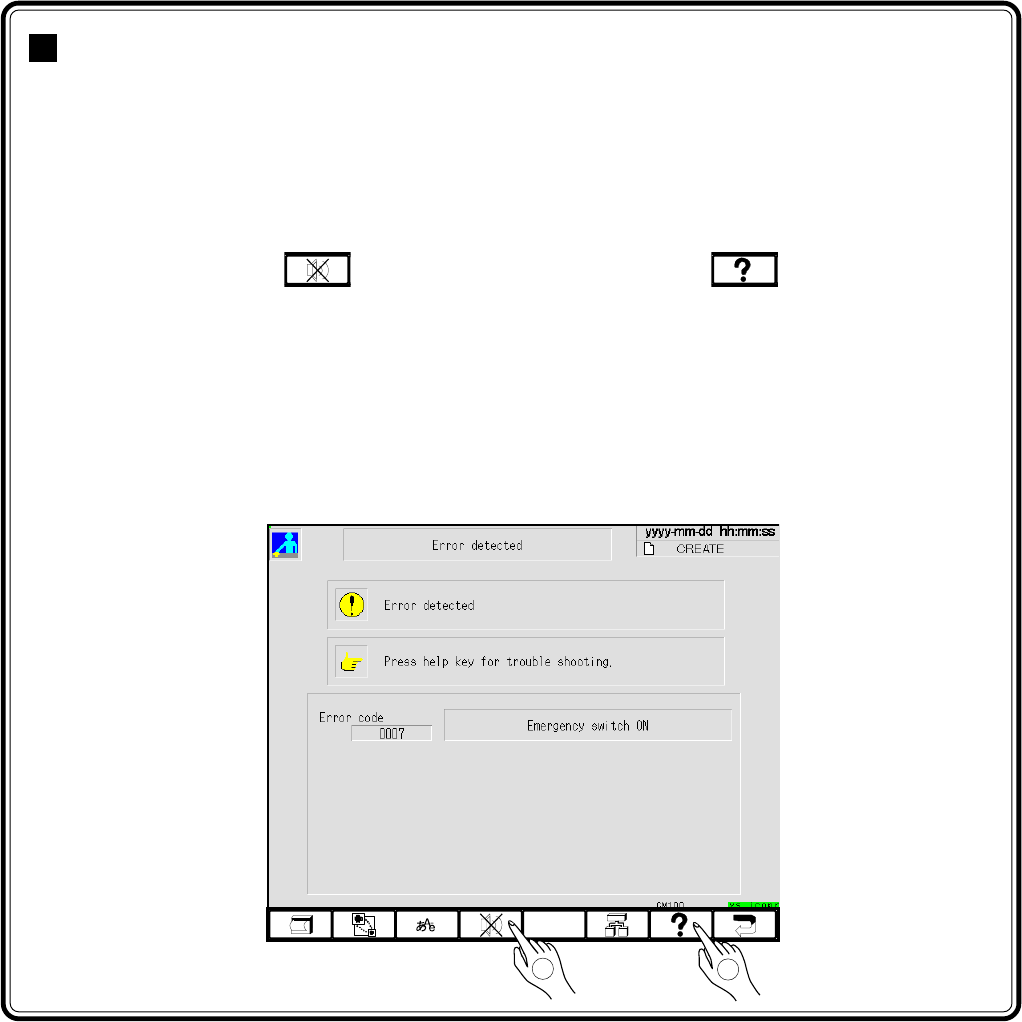
Many errors happen because sensors set on each point of the machine detect abnor-
mal condition, or the movable section of the machine has trouble. Check the name of
the sensor related to the errors by the error list, and the position of the sensor by the
load arrangement. Refer to the input and output checks of the machine, for the state
of the sensor and the movement of the movable section of the machine. When the
error happens, press to stop the buzzer. After that, see on the touch
panel or error list on the Maintenance Manual, and carry out the solution.
3-1 Error Messages (Error list)
3-2 Check and Solutions
3-3 Load Arrangement
3-4 Load List
3-5 Input and Output Check of the Machine (Checking the State of Sensor,
Movement of Movable part, and Checking Method)
1
2
444C-E-MMA03-A01-01
433C-JOp-Er-001