444CEMM2(CM201).pdf - 第50页
Page 3-10 Check and Solutions 3-2-4 PCB Recognition Error 1. Move the camera to the recognition mark position by inching and recognize again. (Fig. 1) Check the error screen, and when the recognition mark is not at the c…
Page 3-9
3
SOLUTIONS FOR ERROR
3
3
444C-E-MMA03-A02-01
Check and Solutions
3-2-3 CPU Box Over Heat
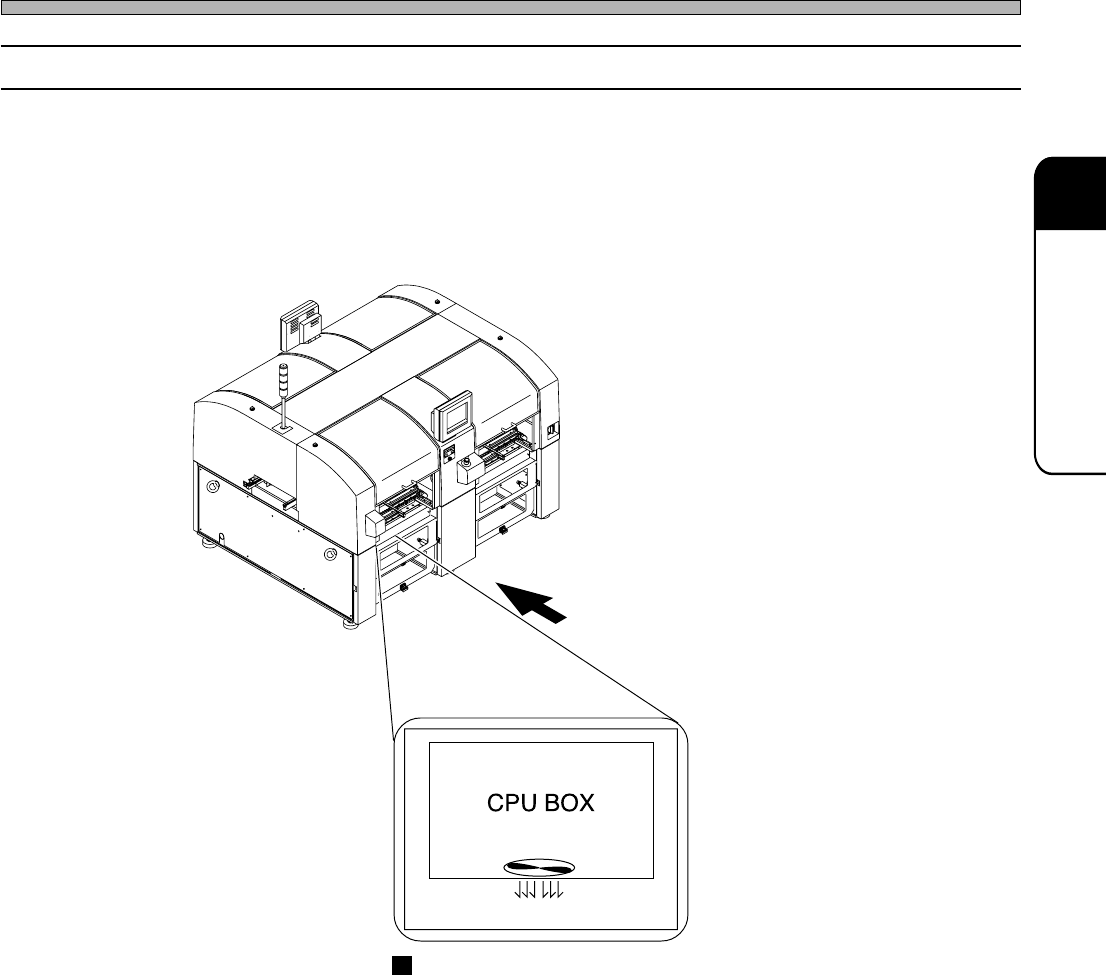
1. Ensure that the cooling fan is working
If the wind does not come out of the opening of the cooling fan, it may have trouble. Inform us of
exchanging the cooling fan.
4U4C-AB00
Front side of the main body
Opening of the CPU box cooling fan
(The bottom of the CPU box at the front side of the A stage)
444C-454E
Page 3-10
Check and Solutions
3-2-4 PCB Recognition Error
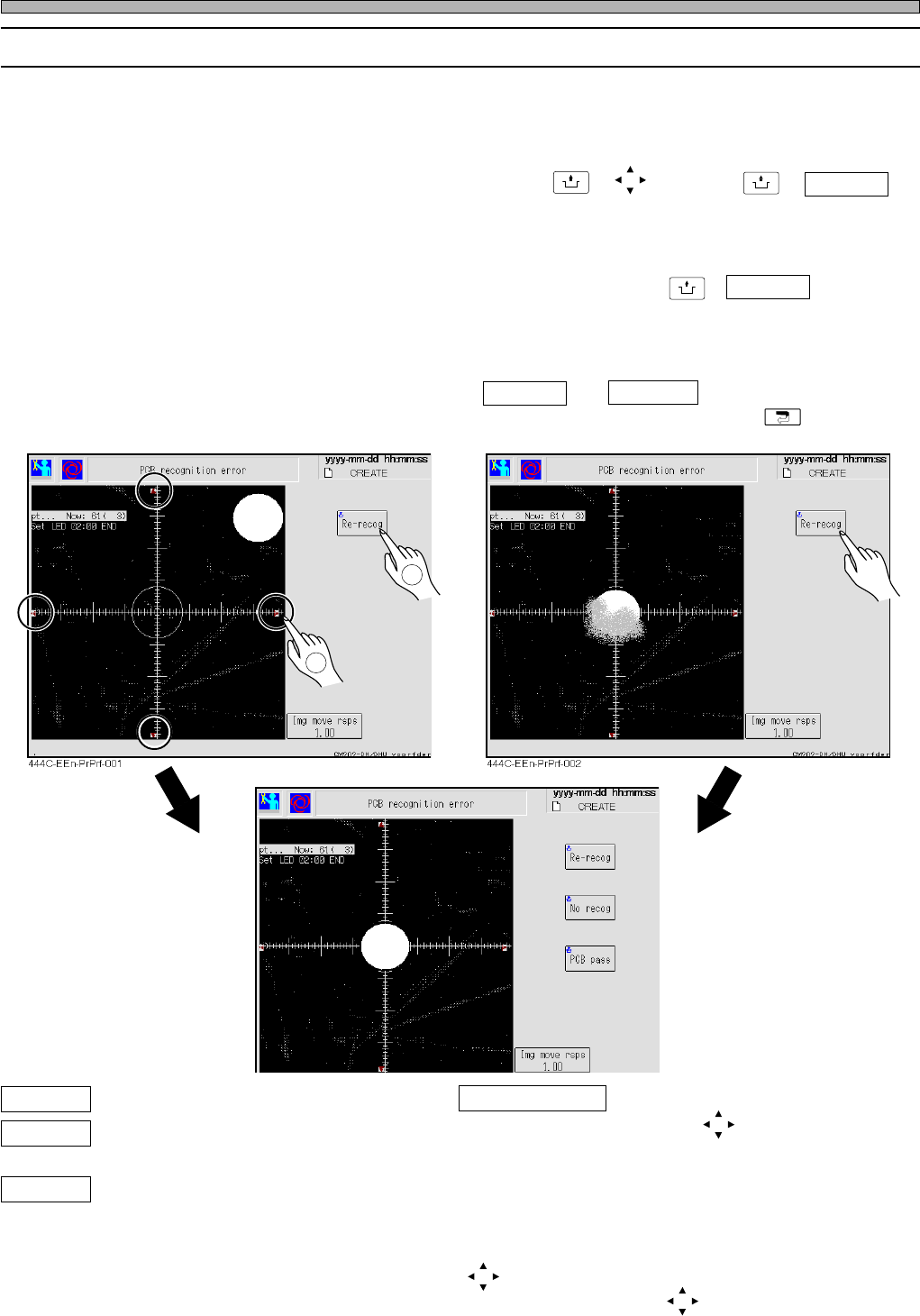
1. Move the camera to the recognition mark position by inching and recognize
again. (Fig. 1)
Check the error screen, and when the recognition mark is not at the center of the recognition
screen, move the recognition mark to the center with + , and press + Re-recog .
The operation is restarted.
2. Re-recognize after cleaning the recognition camera or board.(Fig. 2)
Check the error screen, and clean the mark if it has dirt, then press + Re-recog .
The operation is restarted.
3. Re-recognize after entering the proper coordinates.
∗ When the recognition error is found again, No recog and PCB pass are displayed additionally.
Select either of them (Fig. 3). To quit automatic operation and teaching, press .
(Fig. 1)
(Fig. 2)
(Fig. 3)
Re-recog The board recognition is carried out again.
No recog Next movement is carried out without
recognition.
PCB Pass The recognition error board is passed
during the automatic operation.
Img move rsps The moving distance of one
pressing is set.
Pressing it toggles its indication as
follows: 1.00 mm → 0.1 mm →
0.01 mm. However, when the
image transfer rate indicates
Direct, the center moves to the
point you pressed on the image.
(red arrows) The recognition screen moves to
the (red arrows) directions.
UNLOCK
UNLOCK
UNLOCK
2
1
444C-E-MMA03-A02-02
444C-EEn-PrPrf-003
Page 3-11
3
SOLUTIONS FOR ERROR
3
3
Check and Solutions
3-2-5 SSR Ready Error
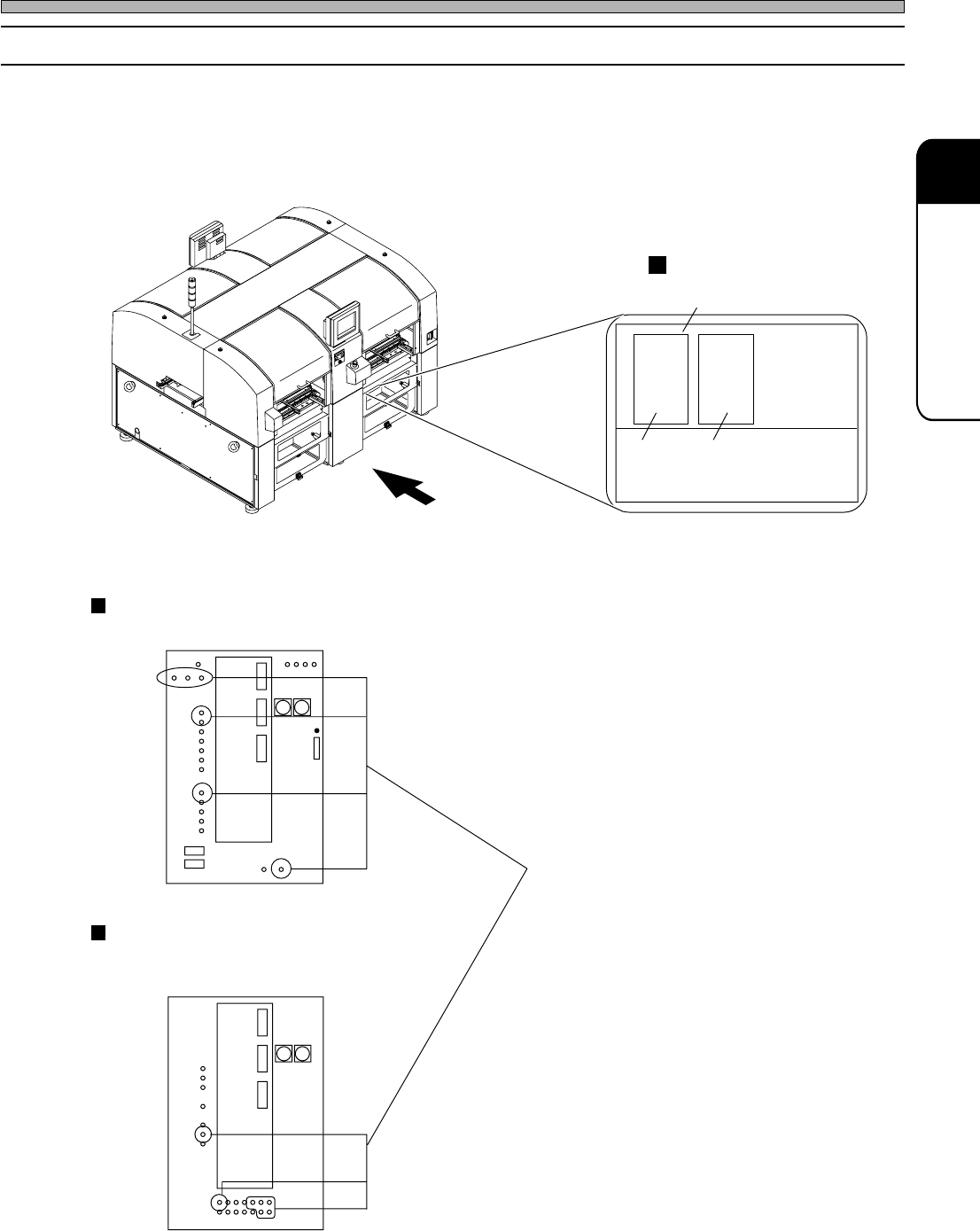
1. Check the state of the SSR board.
Check the connection of the connectors and the setting condition of the board
with them. If they are normal, the board may have trouble. Inform us of it.
444C-E-MMA03-A02-04
LED
If all LEDs which are specified with circles are
indicated, the board may have trouble or they
are disconnected. Inform us of it.
4U4C-AB00
444C-452E
SSR board without cover
Rear side of the main body
B stage
A stage
SSR board
∗ A stage only for 201
Case of CM201-D/DU, CM202-D/DU
SSR board (RL13CX)
4U4C-441E
Case of CM201-DH/DS, CM202-DH/DHU/DK/DS
SSR board (RL04CX)