LBO für minimale LP-Breite 50mm an D4.pdf - 第47页
LBO 50 mm SIPLACE D4 2 Assembly instructions SOKO Stopper LBO for minimum board size 50 mm SIPLACE D4 11/2007 Edition 47 2.2.3.2 Set-up : Select a set-up (see screenshot) . : For the PCB conveyor , select "Long boar…
2 Assembly instructions SOKO Stopper LBO for minimum board size 50 mm SIPLACE D4 LBO 50 mm SIPLACE D4
11/2007 Edition
46
2.2.3 Changes in SIPLACE PRO
The option must be entered in the line configuration in SIPLACE PRO and in the set-up. 2
2.2.3.1 Line configuration
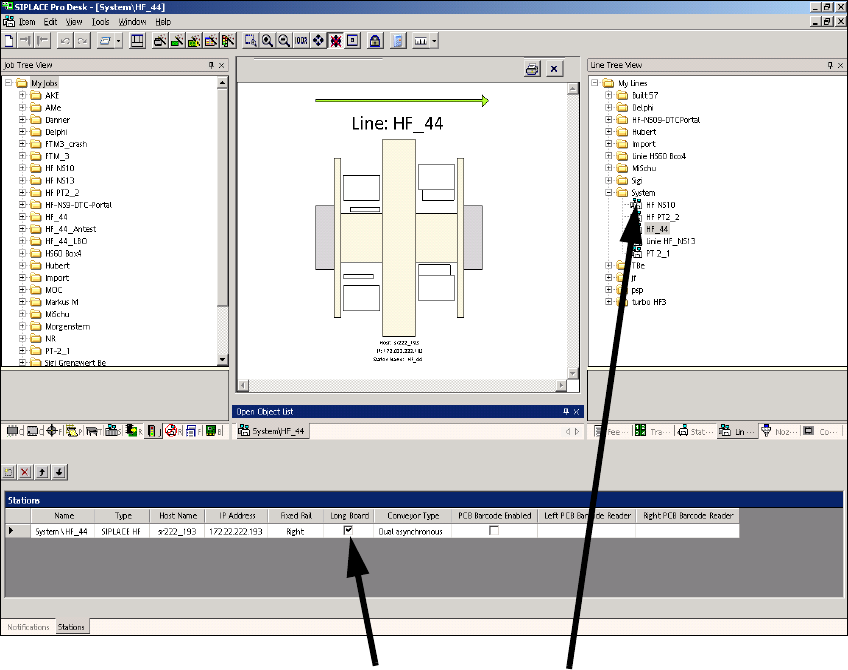
: Select a line and check the Long board check box.
2
2
2
2
2
2
2
2
Click on Long board
Select the line
Click on Long board
LBO 50 mm SIPLACE D4 2 Assembly instructions SOKO Stopper LBO for minimum board size 50 mm SIPLACE D4
11/2007 Edition
47
2.2.3.2 Set-up
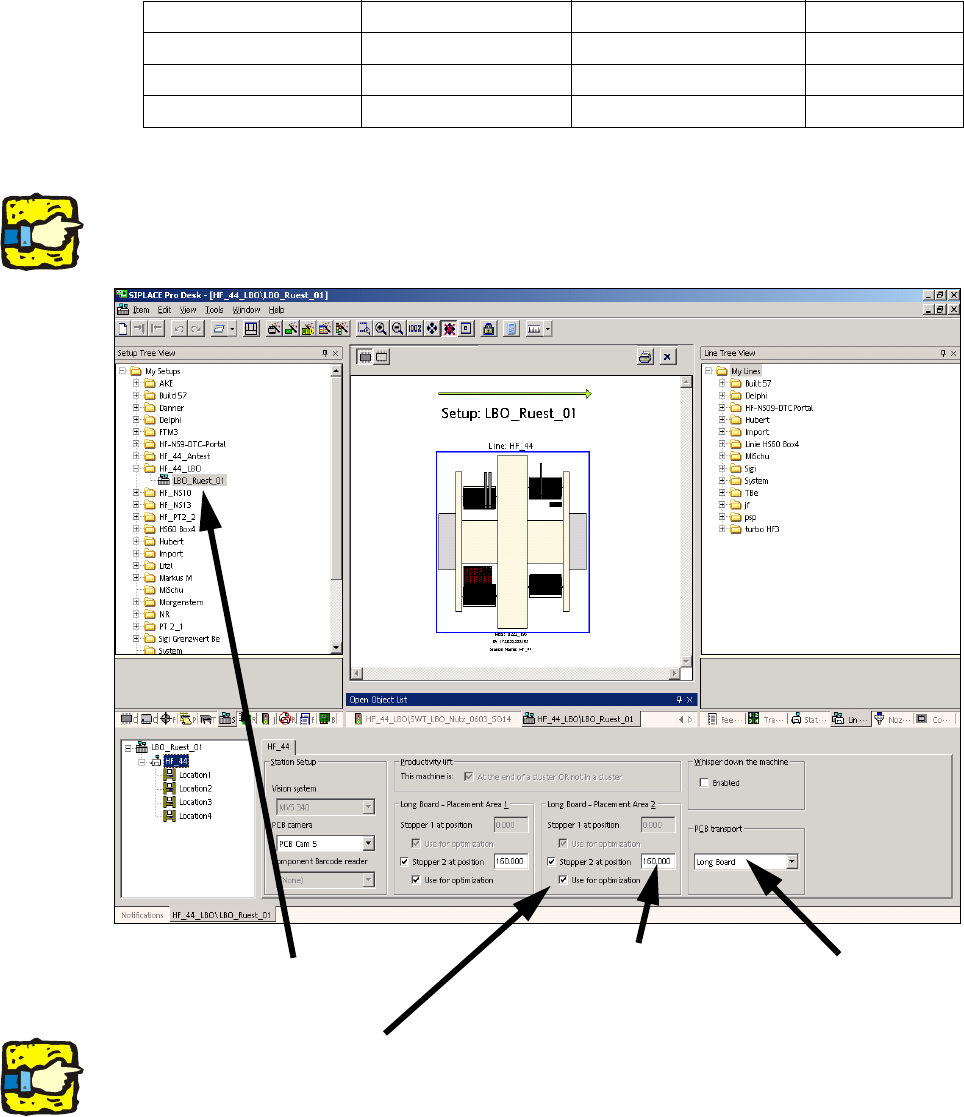
: Select a set-up (see screenshot).
: For the PCB conveyor, select "Long board" and enter one of the values in the table under
"Stopper 2 at position" for both processing areas.
2
2
The screenshot below is from SIPLACE HF-series. At HS-60 no stopper can be entered at place-
ment area 2. 2
2
2
The stopper position is not included in the optimization unless the "Use for optimization" box is
checked. 2
Stopper position PCB length Stopper position Offset
pos 1 550 mm 610 mm 242 mm
pos 2 580 mm 640 mm 272 mm
pos 3 610 mm 670 mm 302 mm
Select the set-up
Select Long board
Enter offset value
(e.g. 242 for pos. 2)
2 Assembly instructions SOKO Stopper LBO for minimum board size 50 mm SIPLACE D4 LBO 50 mm SIPLACE D4
11/2007 Edition
48
2.3 Verification of the stopper position and evaluation
of the offset
: Use the standard procedure for the LBO function ofm the setup department.
: If fiducial errors appear in the LBO mode, adjust the board position as follows:
– Feed the PCB to placement area 2 and mark the corner of the PCB at the conveyor rails for
the first placement positon in area 2.
– Cycle the PCB to the second position in placement area 2 and measure the distance bet-
ween the first and the second position in placement area 2.
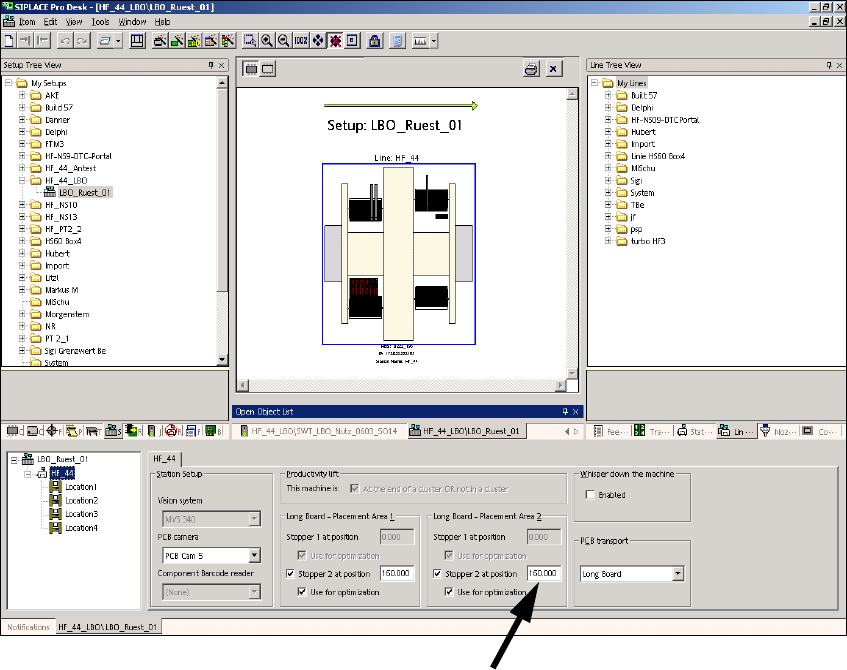
This distance will be edited in SIPLACE Pro (stopper 2 at position) in the setup.
2
: Download the placement program with the edited offset positions to the placement machine
and check the fiducial positions.
Enter offset value for stopper position