00197855-04_JC_PM_WF4_SX12_EN.pdf - 第58页
19 WF4 SX1/2 Endurance run. 4 min 2 / 2 C A U T I O N ! R e f e r t o s a f e t y i n s t r u c t i o n s i n u s e r m a n u a l b e f o r e c o m m e n c i n g M a i n t e n a n c e Machine Status ON Transport Empty …
19 WF4 SX1/2 Endurance run. 4 min 1 / 2
CAUTION! Refer to safety instructions in user manual before commencing Maintenance
Machine Status ON Transport Empty
NOTICE! ESD guidelines are to be followed Tool: Wear Part: Consumables:
www.asm-smt.com
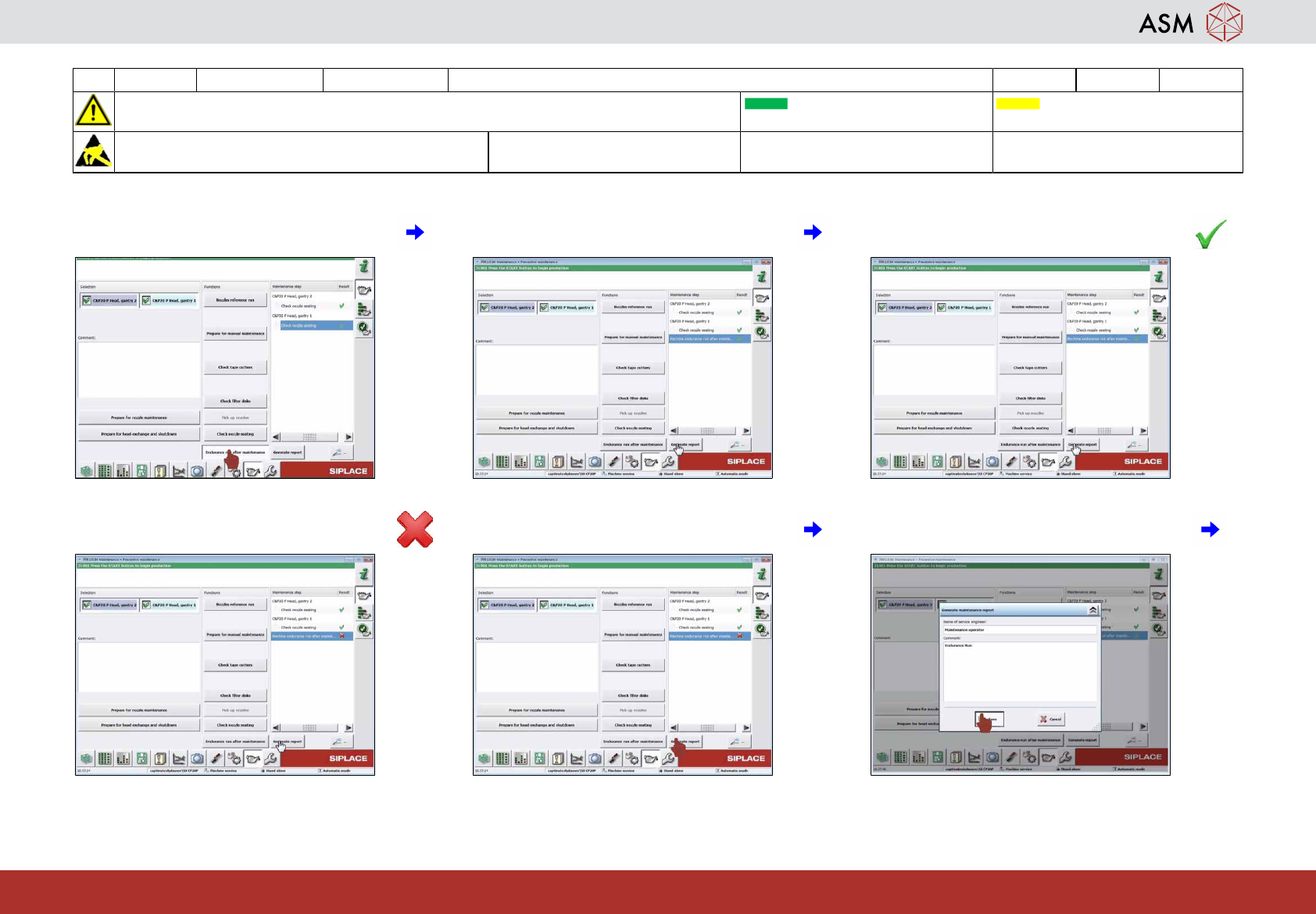
1 Click on "Endurance run after mainten-
ance".
2 Check results. 3 If the result is OK (green hook) proceed
with step 7.
4 If the result is not OK (red cross) save re-
port and contact service.
5 Click on "Generate report". 6 Enter comment and click on "Save".
19 WF4 SX1/2 Endurance run. 4 min 2 / 2
CAUTION! Refer to safety instructions in user manual before commencing Maintenance
Machine Status ON Transport Empty
NOTICE! ESD guidelines are to be followed Tool: Wear Part: Consumables:
www.asm-smt.com
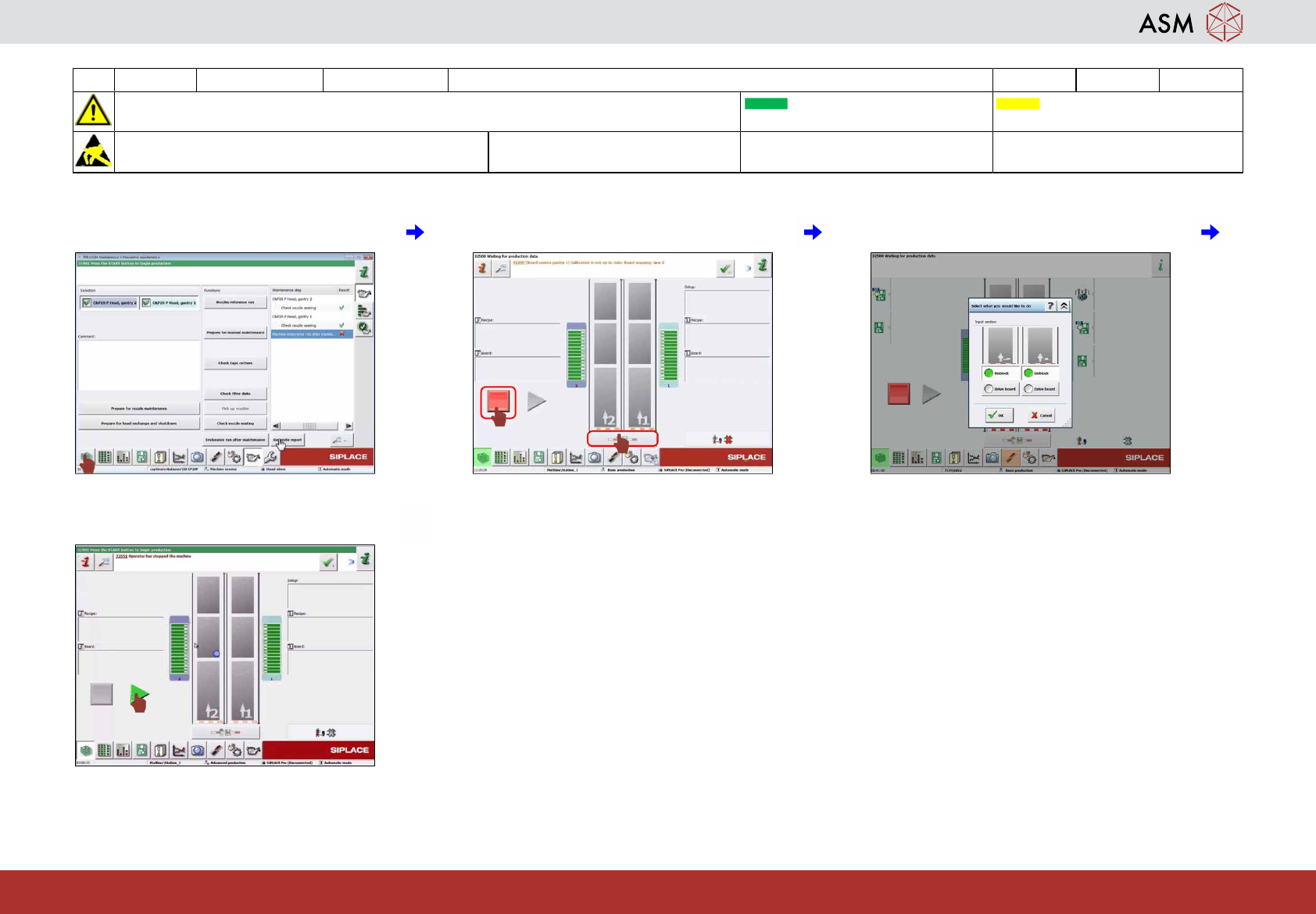
7 Click on "Display production status". 8 Click on "Block transport". 9 Unlock all lanes and click "OK".
10 Click on "Start production".
20 WF4 SX1/2 Clean the protection covers. 0.5 min 1 / 1
CAUTION! Refer to safety instructions in user manual before commencing Maintenance
Machine Status ON Transport Empty
NOTICE! ESD guidelines are to be followed Tool: Wear Part: Consumables:
C3, C35, C45
www.asm-smt.com
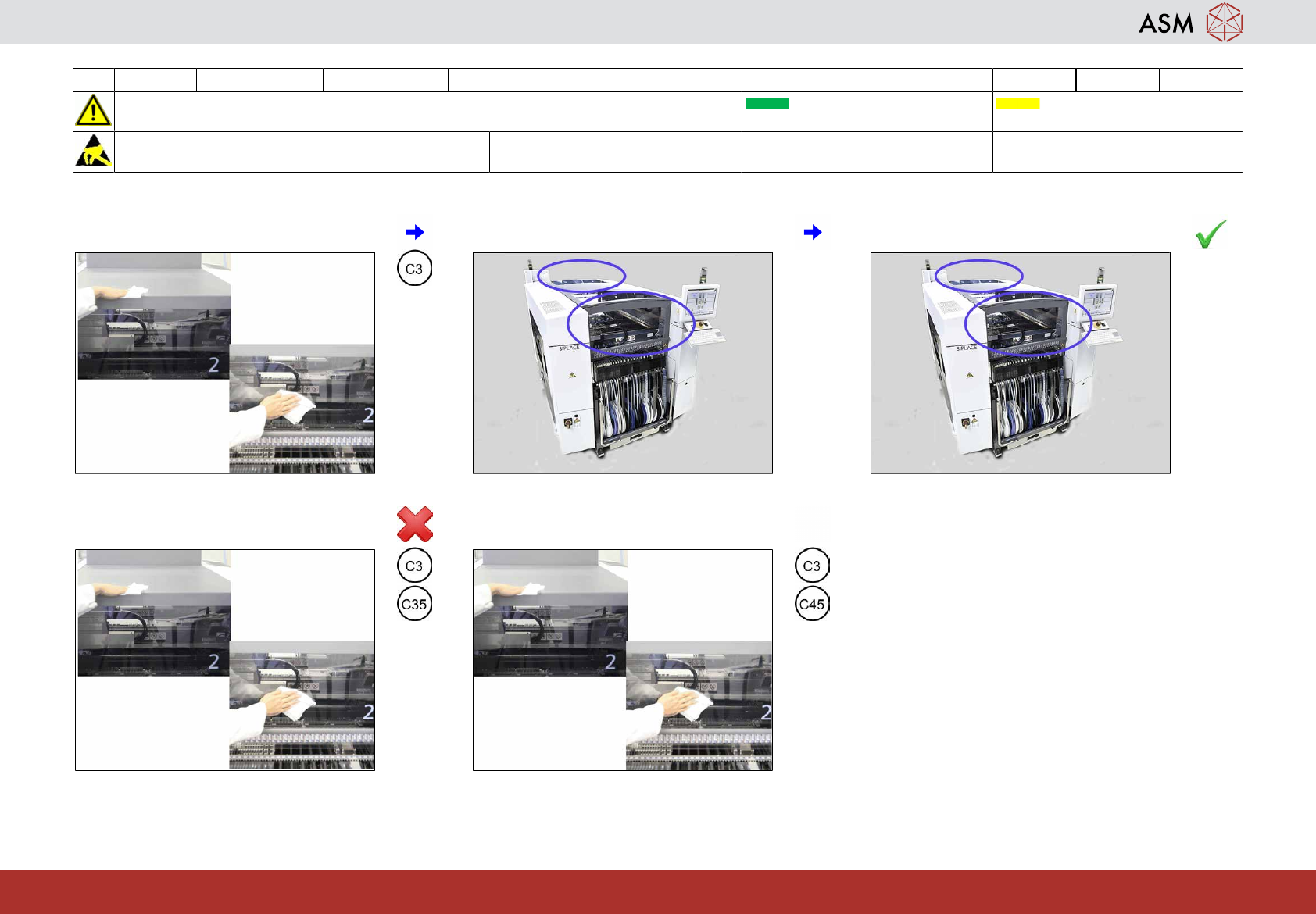
1 Clean all covers at the side and on top. 2 Are the covers clean ? 3 If OK than next task.
4 If not OK clean them once more with
cleaner.
5 Dry all covers.