03217917-01-01E By DEK Technical Reference Manual Vol 1_enPDFA.pdf - 第217页
15 BOARD STOP 15.6 ADJUSTMENTS AND SETTINGS TECHNICAL REFERENCE MANUAL Vol 1 E By DEK 04/2019 217 ► Fit the base clamp locating nut (5) into the attachment slot (6) on the right hand side of the rising table. 5 6 ► Attac…
15 BOARD STOP
15.6 ADJUSTMENTS AND SETTINGS
216 TECHNICAL REFERENCE MANUAL Vol 1 E By DEK 04/2019
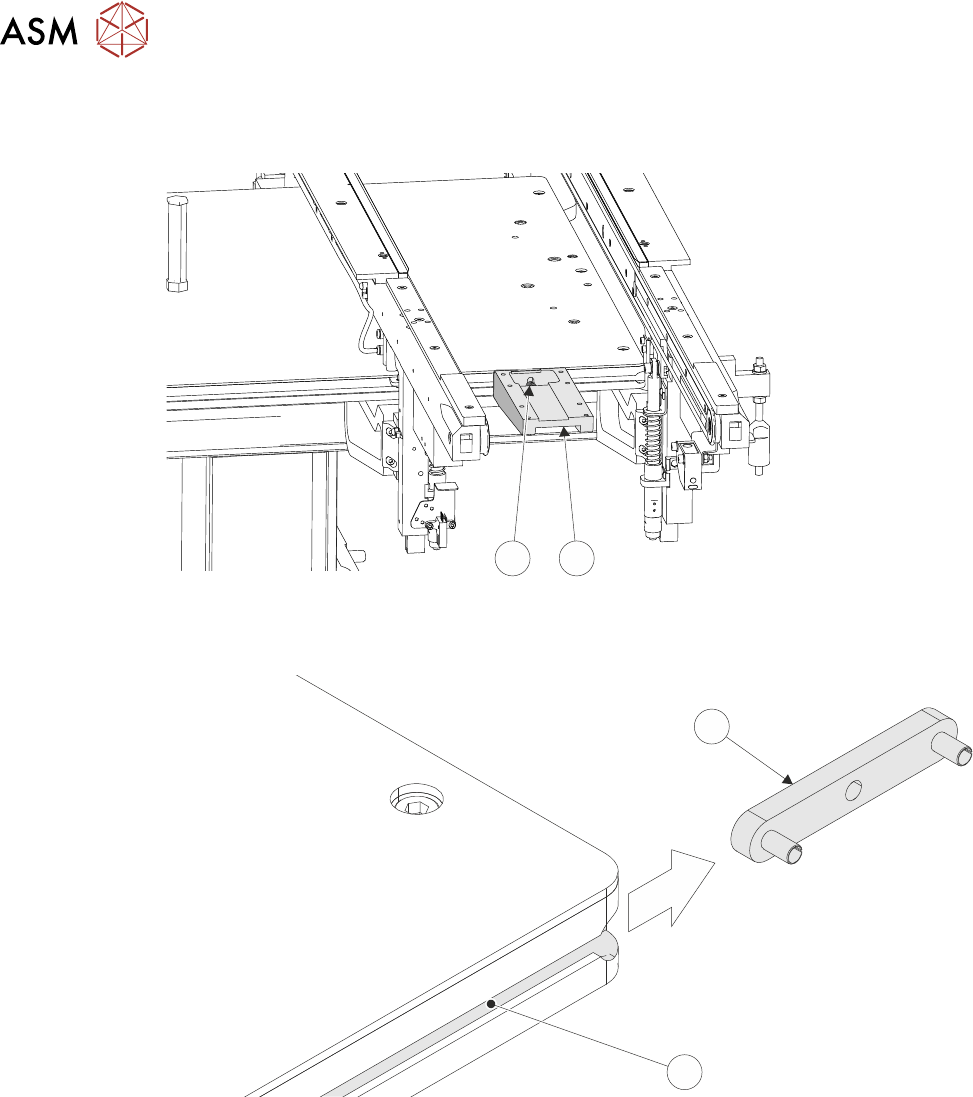
► Loosen the base clamp securing screw (4) sufficiently, using a 4mm Allen key, to remove the
base clamp (3) from the machine.
4
3
► Remove the base clamp locating nut (5) from the attachment slot (6) on the left hand side of
the rising table.
5
6
15 BOARD STOP
15.6 ADJUSTMENTS AND SETTINGS
TECHNICAL REFERENCE MANUAL Vol 1 E By DEK 04/2019 217
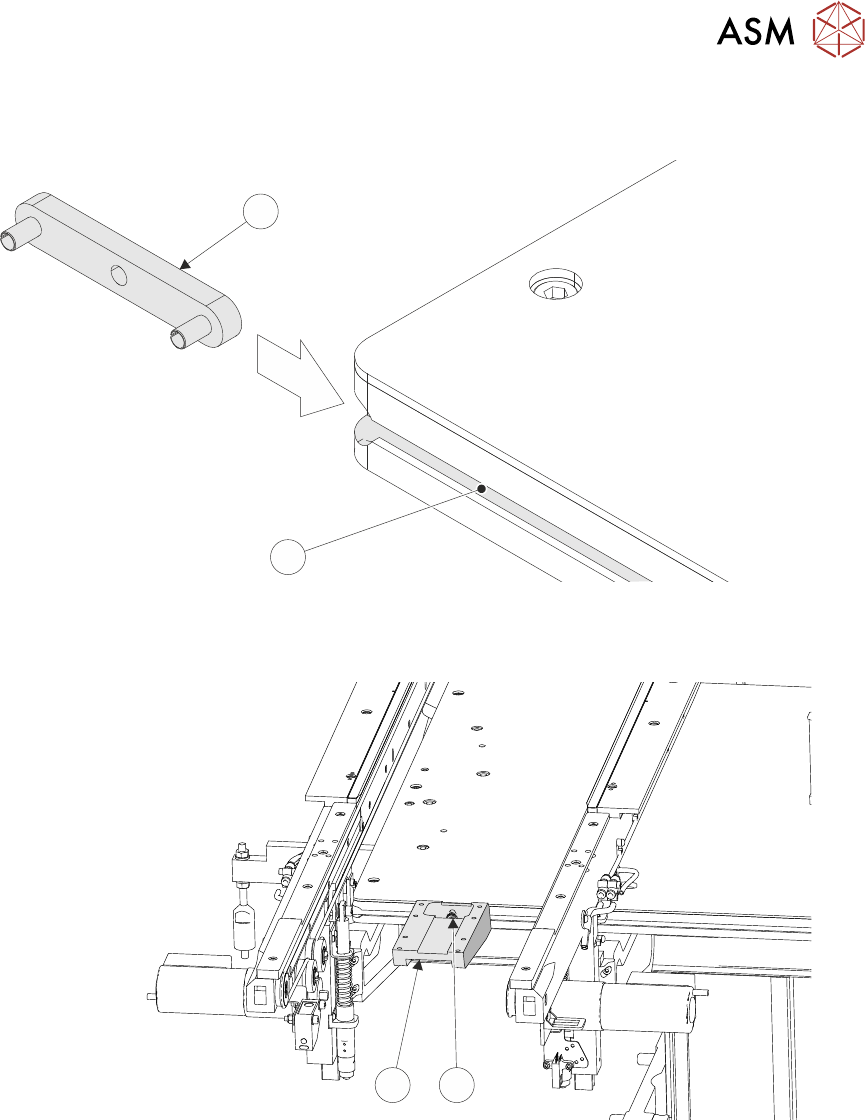
► Fit the base clamp locating nut (5) into the attachment slot (6) on the right hand side of the
rising table.
5
6
► Attach the base clamp (3) to the locating nut (1), in the correct position in the Y axis for the
product, using a 4mm Allen key and M5 securing screw and washer (4).
3
4
► Mark the centre point, in the X axis, on the front of the product board.
► Place the product board on the rails with the board centre point at the Camera Reference Po-
sition (white dot on front rail).
► Before fitting the remote board stop assembly (2) to the base clamp (3), ensure that the board
stop is configured for right hand side operation, carry out 15.6.2.2 "RHS Configuration" [}201]
section of this chapter.
15 BOARD STOP
15.6 ADJUSTMENTS AND SETTINGS
218 TECHNICAL REFERENCE MANUAL Vol 1 E By DEK 04/2019
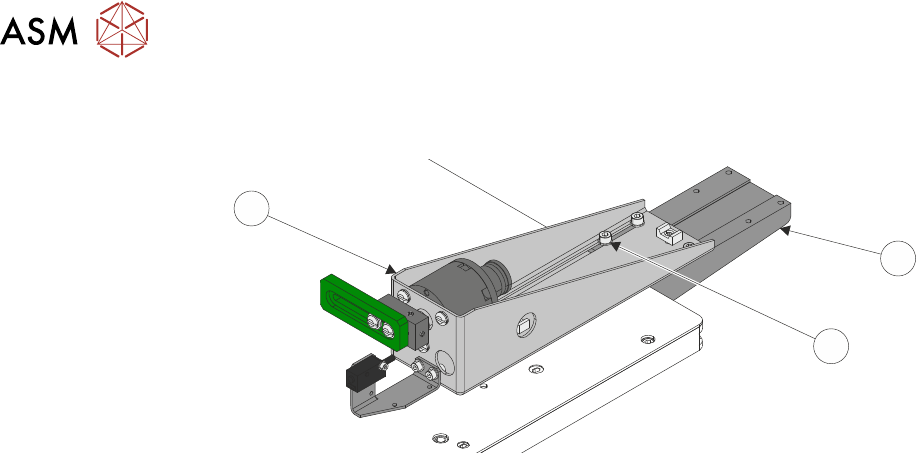
► Lay the remote board stop assembly onto the base clamp so that the board stop is clear of the
board.
1
3
2
► Using the appropriate slots, loosely secure the remote board stop assembly (2) to the base
clamp (3), using the four M5 cap head screws (1).
► Connect plug 8PL05 to socket 8SK05R.
► Connect the pipe marked Remote/B/Stop R1 to the in-line connector on the pipe marked 1 on
the remote board stop.
► Connect the pipe marked Remote/B/Stop R2 to the in-line connector on the pipe marked 2 on
the remote board stop.
► Refit the right and left hand side safety covers.
► Reconnect the mains air quick release connection to the machine.
► Switch the mains isolator to ON.
► Press the Start button.
► When prompted select Diagnostics.
► When prompted press the System button.
► Carry out 15.6.3 "Setting the Remote Board Stop" [}203].