03217917-01-01E By DEK Technical Reference Manual Vol 1_enPDFA.pdf - 第237页
16 TRANSPORT RAILS MODULE 16.4 ADJUSTMENTS AND SETTINGS TECHNICAL REFERENCE MANUAL Vol 1 E By DEK 04/2019 237 16.4.2.1 Ultrasonic Sensors 5 1 2 3 5 4 3 2 1 1 M4x10 Cap Head Screws 4 View on RH Side of Board at Right Sens…
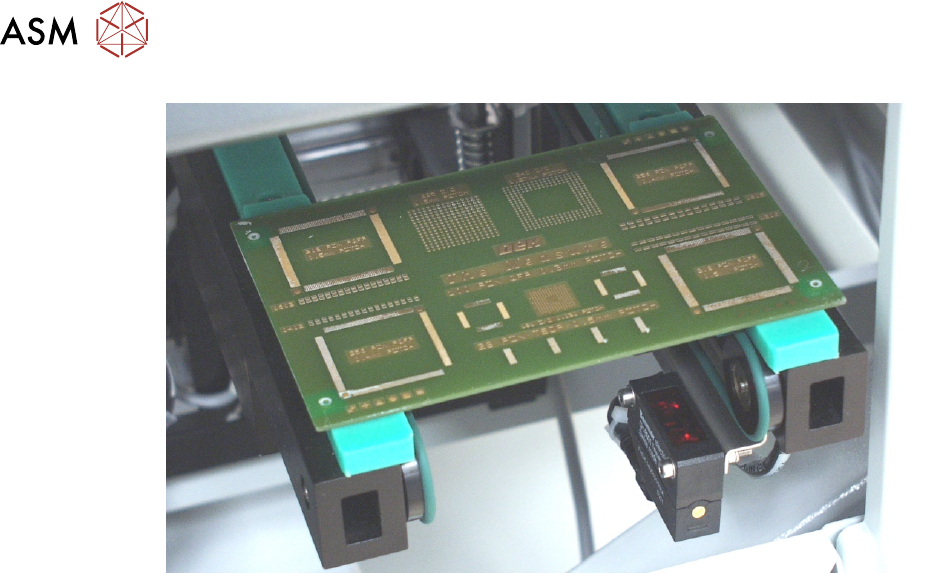
16 TRANSPORT RAILS MODULE
16.4 ADJUSTMENTS AND SETTINGS
236 TECHNICAL REFERENCE MANUAL Vol 1 E By DEK 04/2019
► Confirm that the amber LED is OFF. If the amber LED is ON, turn the sensitivity control anti-
clockwise until the amber LED is OFF.
► Remove the board.
► Position the board back on the rail system, as in Step 1, and confirm that the amber LED is
ON.
► If the board has holes or cut-outs, go to continue at next Step. If the board has no holes or
cut-outs remove the board from the rails and confirm that the amber LED is OFF.
► Slide the board backward and forward across the sensor ensuring that the LED is only
triggered by the leading and trailing edges of the board.
► If the LED flickers when encountering holes or cut-outs, turn the sensitivity control clockwise a
further quarter turn.
► Repeat previous two Steps until the correct setting is achieved.
► Remove the board from the rails and confirm that the amber LED is OFF.
► On completion of adjustment, refit the top safety cover removed previously.
16 TRANSPORT RAILS MODULE
16.4 ADJUSTMENTS AND SETTINGS
TECHNICAL REFERENCE MANUAL Vol 1 E By DEK 04/2019 237
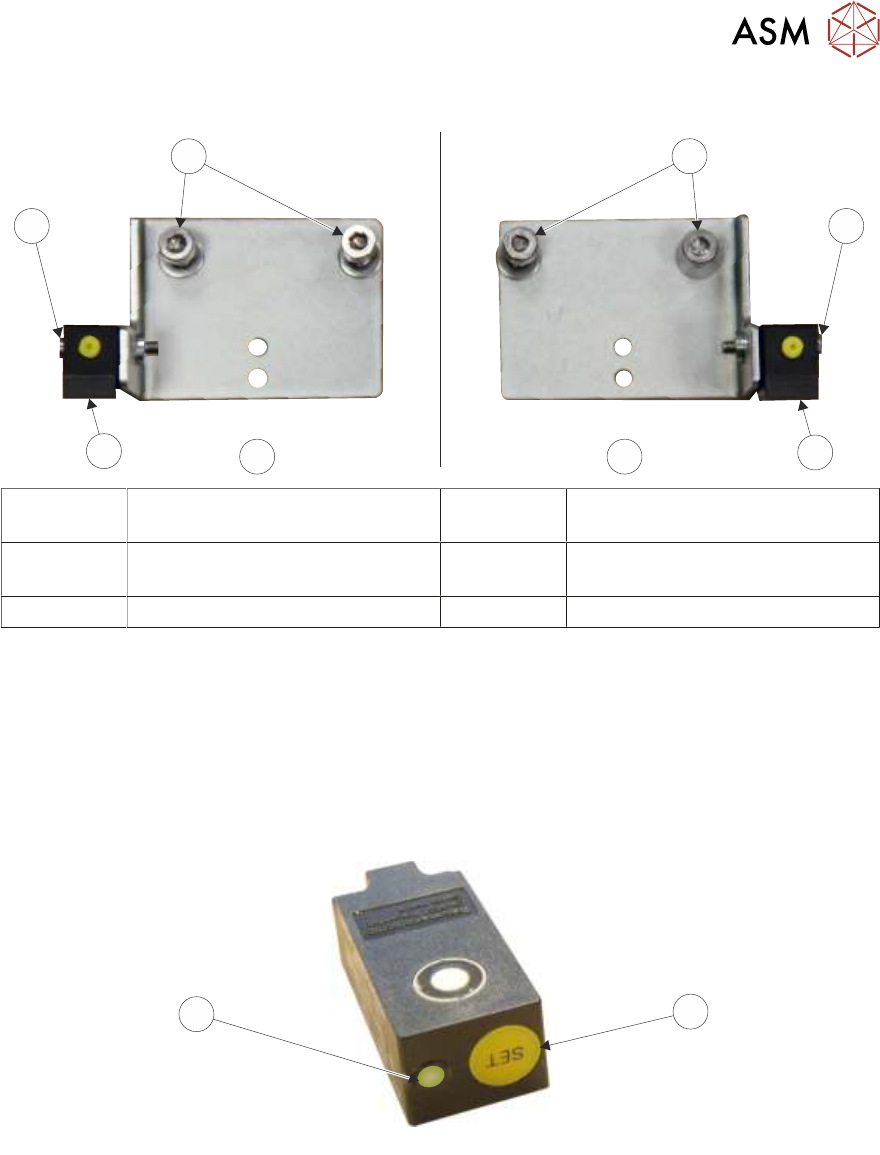
16.4.2.1 Ultrasonic Sensors
5
1
2
3
5
4
3
2
1
1 M4x10 Cap Head Screws 4 View on RH Side of Board at
Right Sensor Bracket
2 M3x16 Cap Head Screw 5 View on LH Side of Board at Left
Sensor Bracket
3 Ultrasonic Sensor
► Remove the top safety cover.
► Ensure that there is no board on the rails or objects near the sensor.
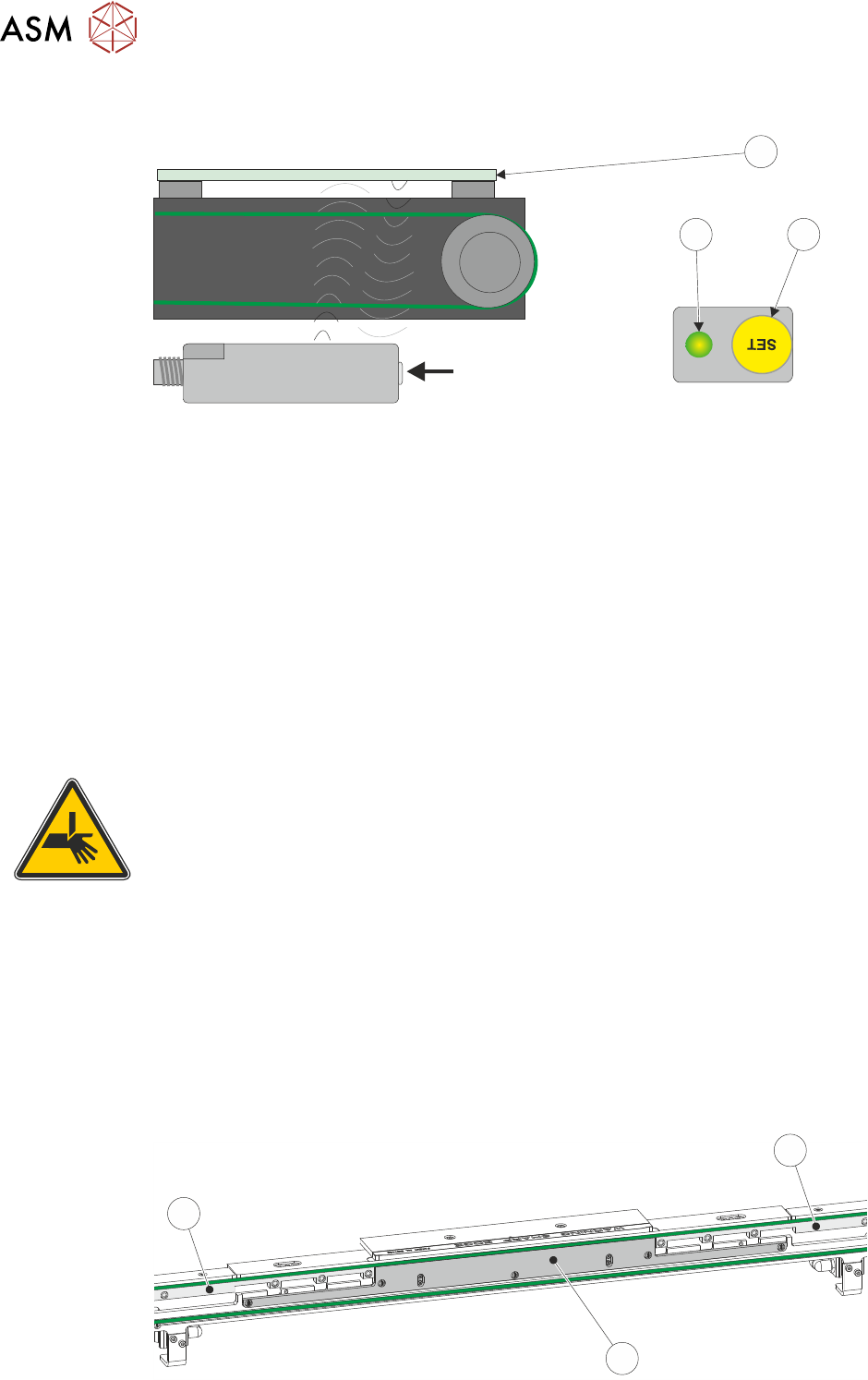
► Press and hold the yellow SET button (1) on the sensor until the status LED (2) flashes green
(approximately 2 seconds).
NOTE
Ensure that use of the Set button (1) is not approached from above the sensor to avoid the sensor
detecting hand movement.
1
2
16 TRANSPORT RAILS MODULE
16.4 ADJUSTMENTS AND SETTINGS
238 TECHNICAL REFERENCE MANUAL Vol 1 E By DEK 04/2019
► Place a board (3) across the top of the rails (not on the belts) as shown in the graphic below:
View on Arrow
12
3
► Press the SET button (1) on the sensor. The status LED (2) remains on for approximately 2
seconds.
► Remove the board (3) from the top of the rails, ensure that the status LED (2) remains OFF.
► Place the board (3) on the transport belts covering the sensor, ensure that the status LED (2)
is lit.
► Move the board back and forth on the belts ensuring that the status LED switches at the point
that the board is meant to stop.
NOTE
The sensor is mounted on an adjustable bracket so that the stop position may be altered and the
sensor can be adjusted in the X and Y directions to avoid large holes or cut-outs.
On completion of adjustment, refit the top safety cover removed previously.
16.4.3 Board Clamp Setting
WARNING
BOARD CLAMPS. EXTREME CARE MUST BE EXERCISED WHEN WORKING IN
THE TOOLING AREA OF THE MACHINE TO AVOID INJURY. THE FOILS ON THE
FRONT AND REAR BOARD CLAMPS ARE VERY SHARP.
NOTES
1. Board clamps are used in the following procedure, the procedure is identical for foil-less
clamps and snuggers.
2. If carrying out the setting on 500mm board clamps, it is recommended to remove the board
clamp foils prior to commencing this procedure to allow for thorough checking of the gap
between the rear board clamp and the belt support plate.
Rear Board Clamp Gap Check
► Remove the belt guide (1) from either side of the belt support plate (2) on the rear rail.
1
1
2