CP-7[732-742]-series Mechanical Reference(2.9E).pdf - 第125页
The standard conveyor belt tension values are as stated in the diagram below. Check the tension using a tension meter at the points indicated by the arrows as shown. CP-732E 373Hz ± 15 CP-742ME / 742E 298Hz ± 15 57.34 mm…
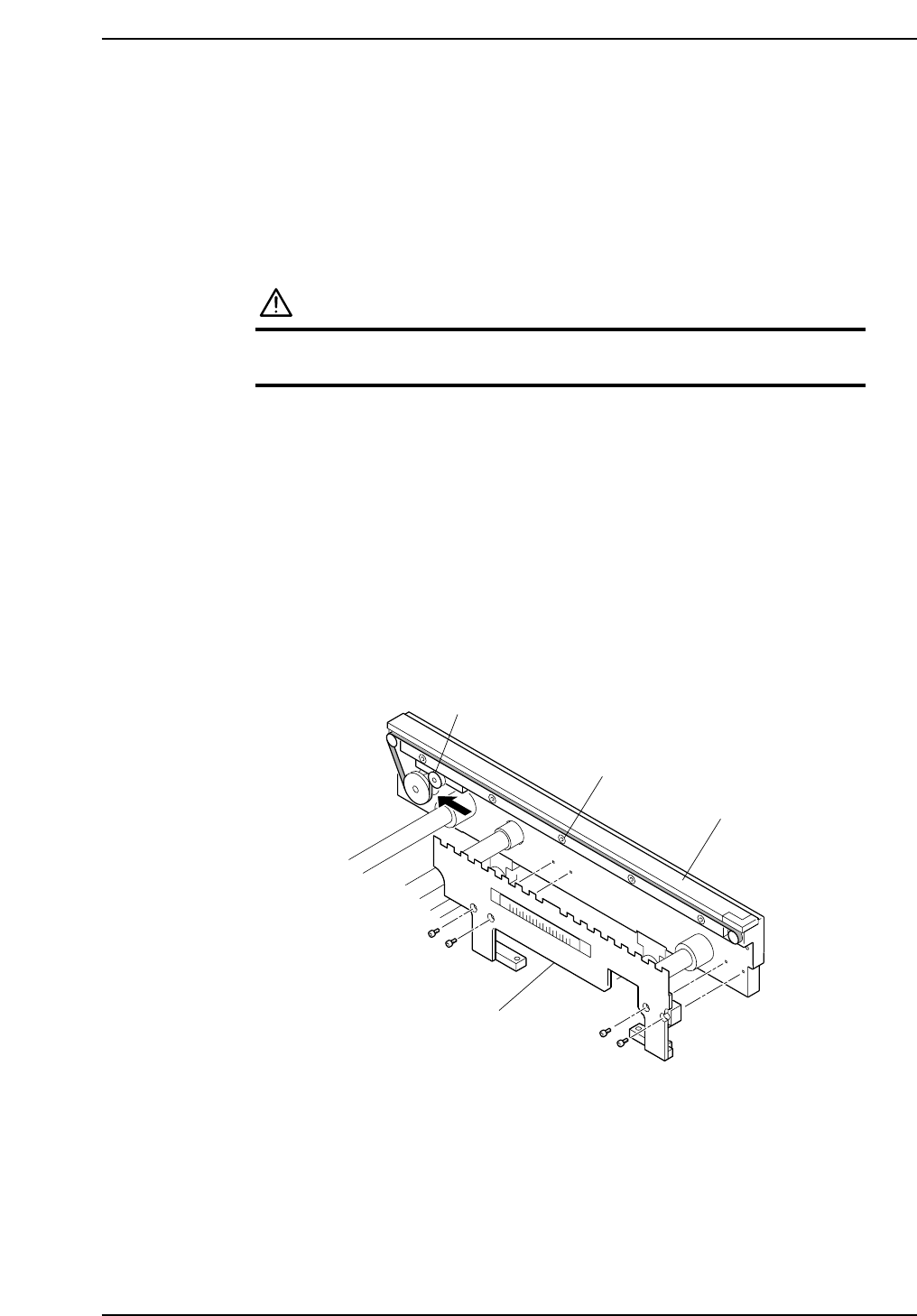
3.4 Replacing Conveyor Belts
Point
Broken or damaged conveyor belts must be replaced.
Procedure
WARNING
Be sure to turn the main power off before performing this
procedure.
1. Remove the panel lifter.
2. Loosen the bolt which secures the tension pulley and weaken the tension.
3. Loosen the belt guide bolts.
4. Replace the conveyor belt.
5. Insert a 0.3 mm clearance gauge between the belt’s top surface and the plate, then
tighten the belt guide bolts while maintaining this 0.3 mm clearance.
6. Tighten the belt by applying 1 to 1.5 kg of force to the tension pulley in the
direction indicated by the arrow, then tighten the tension pulley bolt.
Note: The belt can also be tightened to the prescribed tension by tightening the tension
pulley bolt while pushing the tension pulley 1 to 2 mm in the direction indicated by
the arrow.
C7SM3053a
Belt guide bolt
Panel lifter
Tension pulley
Plate
Part 3 Chapter 3 Replacing Consumable Parts
Edition 2.7 3-3-5 CP-7 series Mechanical Reference
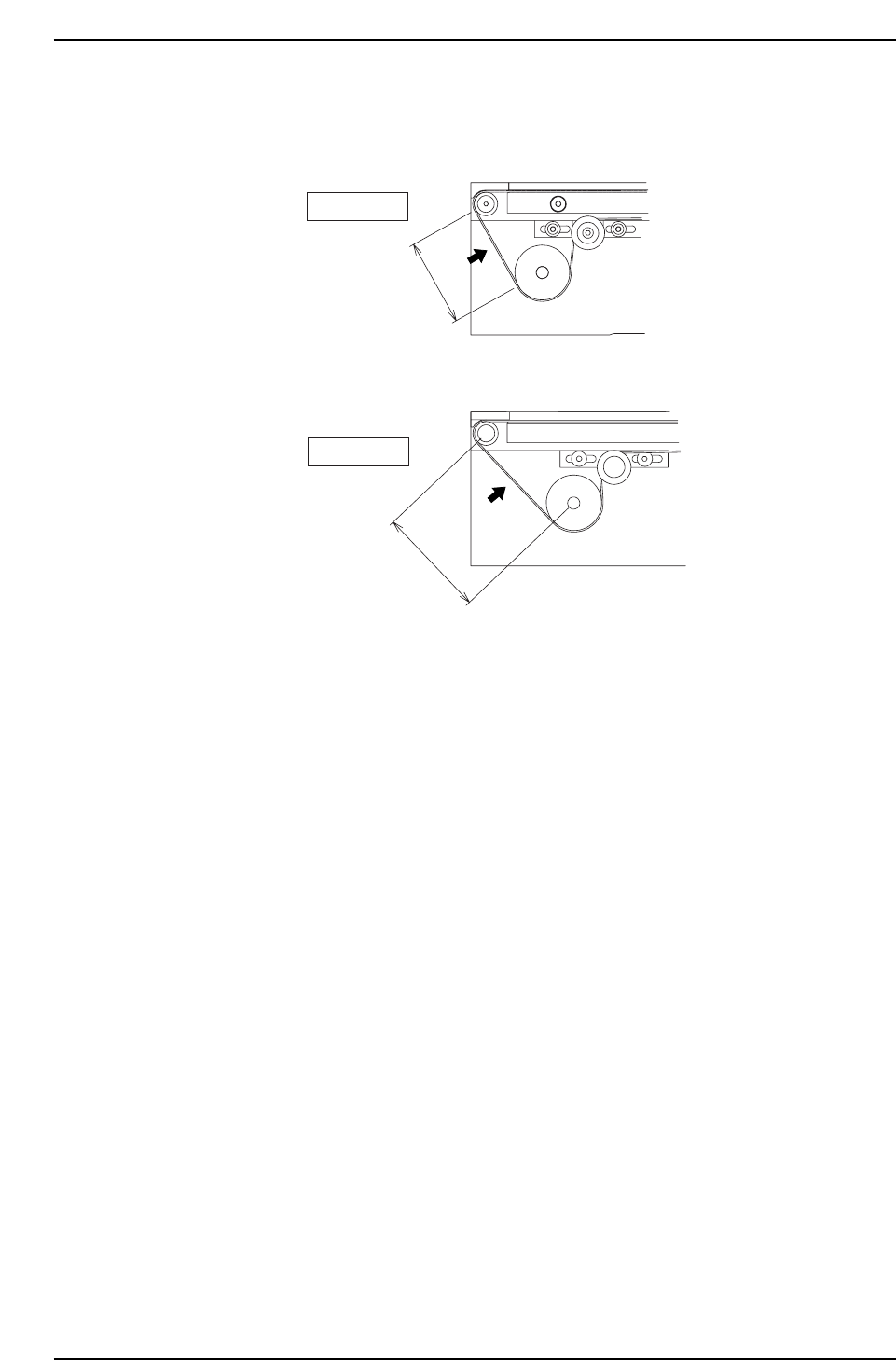
The standard conveyor belt tension values are as stated in the diagram below.
Check the tension using a tension meter at the points indicated by the arrows as shown.
CP-732E
373Hz ± 15
CP-742ME / 742E
298Hz ± 15
57.34 mm
71.888 mm
Part 3 Chapter 3 Replacing Consumable Parts
Edition 2.7 3-3-6 CP-7 series Mechanical Reference
3.5 Replacing the Halogen Lamp for the
Frontlight
Point
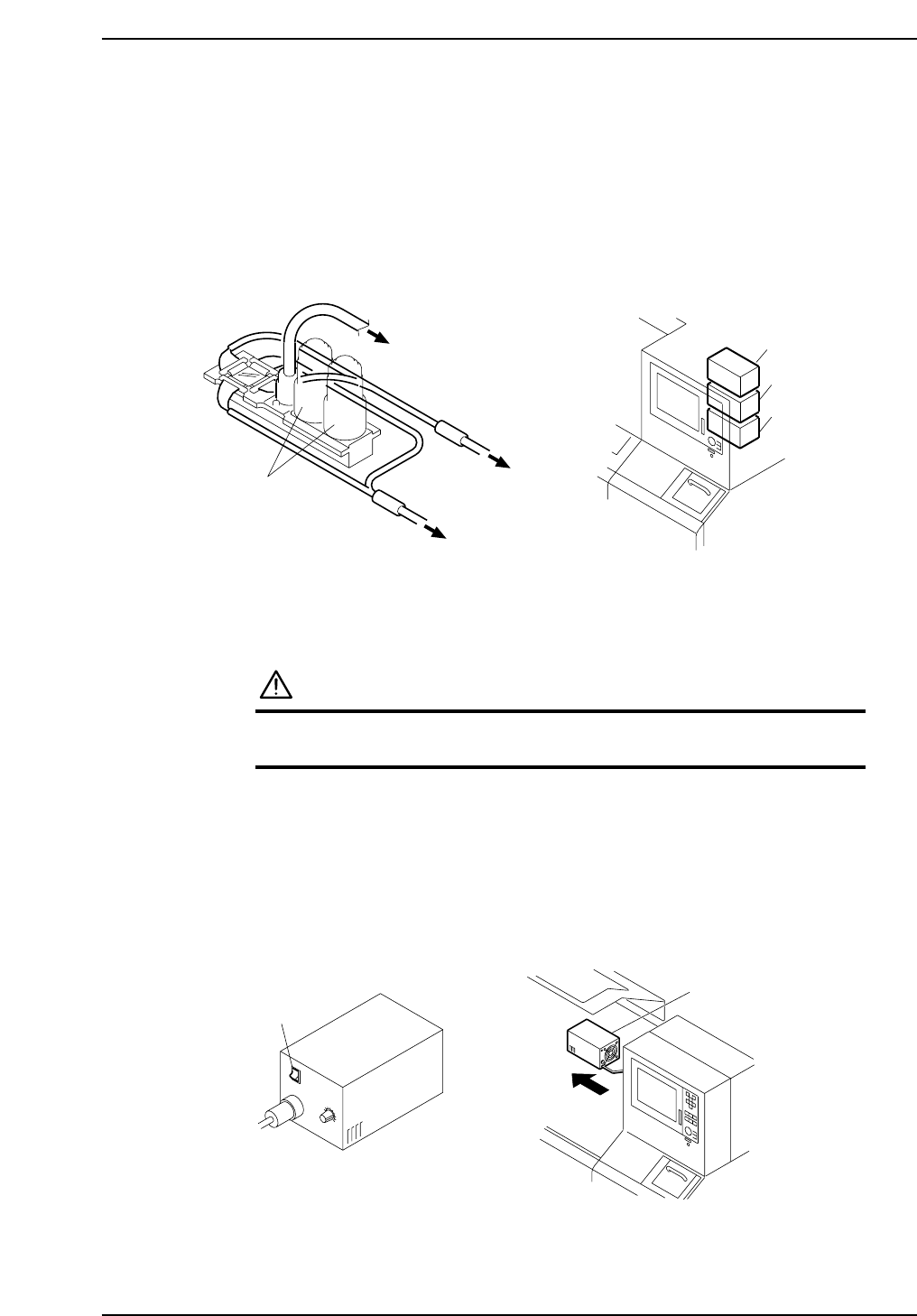
If the vision processing camera’s frontlight fails to work, inspect the halogen lamps
inside the light source box. There are three light source boxes at the back of the operation
box.
Procedure
WARNING
Be sure to turn the main power off before performing this
procedure.
1. Turn the light source box’s switch off and remove the box from the machine.
Caution:
1. After switching the light source box off, be sure to wait for the box to cool before
changing the halogen lamp.
2. Do not touch the filter for the cooling fan at the rear end of the light source box.
C7SM3031E
Light source box
Switch
I
O
C7SM3030E
Light source box 1
To light source box 1
To light source box 2
Vision processing
camera
To light source box 3
Light source box 2
Light source box 3
Part 3 Chapter 3 Replacing Consumable Parts
Edition 2.7 3-3-7 CP-7 series Mechanical Reference