CP-7[732-742]-series Mechanical Reference(2.9E).pdf - 第189页
1.12.3 Clutch Meshing Check Sensor Amp Adjustment Adjust the sensor amp so that it goes off when the clutches mesh properly and it goes on when the clutches do not mesh properly and the dog is pushed down. Remove the cov…
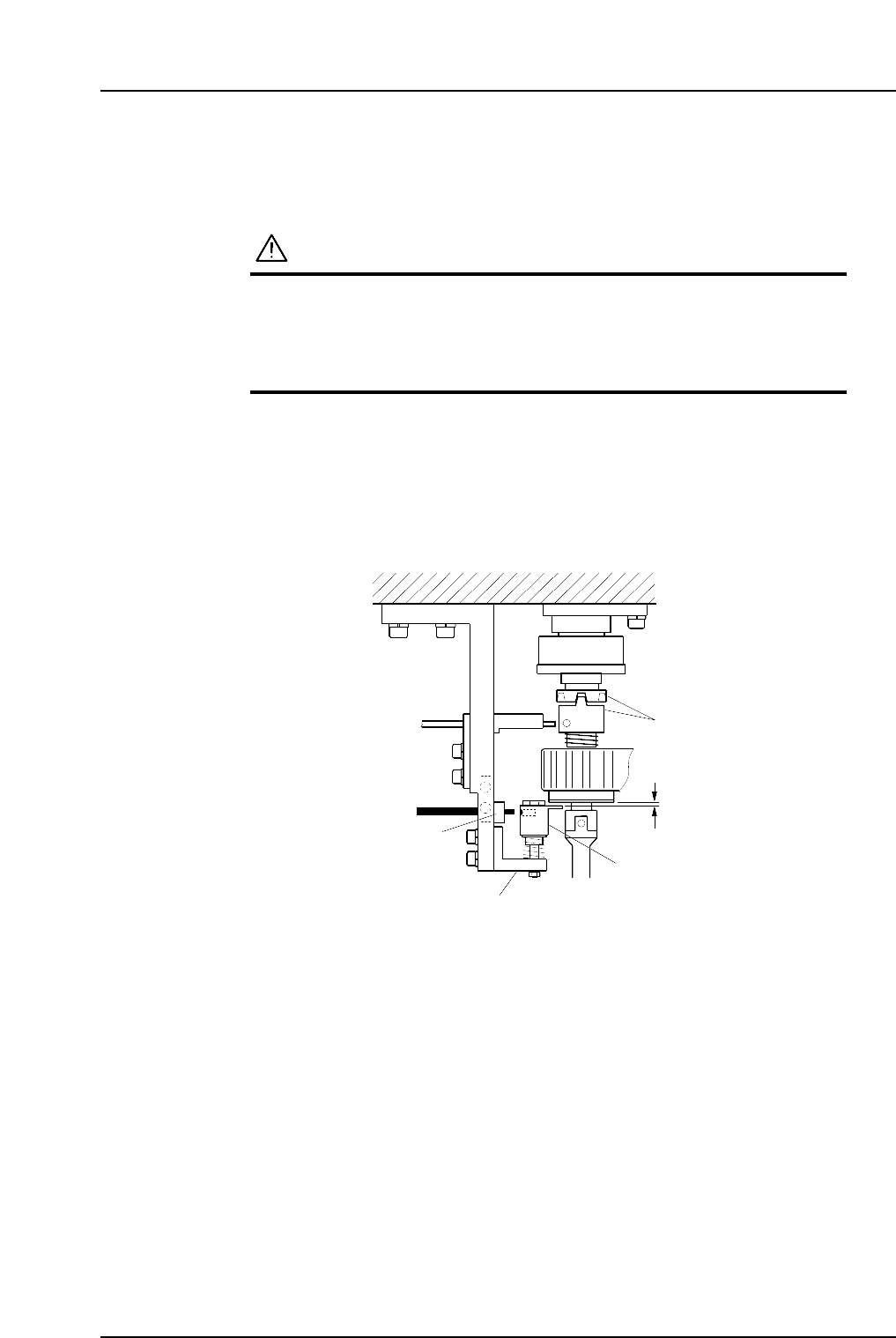
1.12.2 Clutch Meshing Check Sensor Position Adjustment
1. Press the EMERGENCY STOP button to take the 200V down to 100V.
WARNING
• Always be sure to cut off the 200V power before carrying
out any work.
• Exercise extreme caution when working on the machine if
the cam is not at its origin (0 deg.). Recoil of the cam
axis can endanger the operator.
2. Use the cam handle to rotate the cam to 200°.
3. Execute inching to align the RQ-axis with the RQ-data position.
4. Make sure the clutches engage properly. Adjust the height of Bracket A so that
Gap C in the figure is 0.2 mm.
5. At this position, adjust the position of Bracket B so that the sensor beam hits the
hole on the dog.
Dog
Clutch
Bracket A
Bracket B
C7SM4039a
0.2 mm
C
Part 4 Chapter 1 Station Adjustments
Edition 2.4 4-1-38 CP-7 series Mechanical Reference
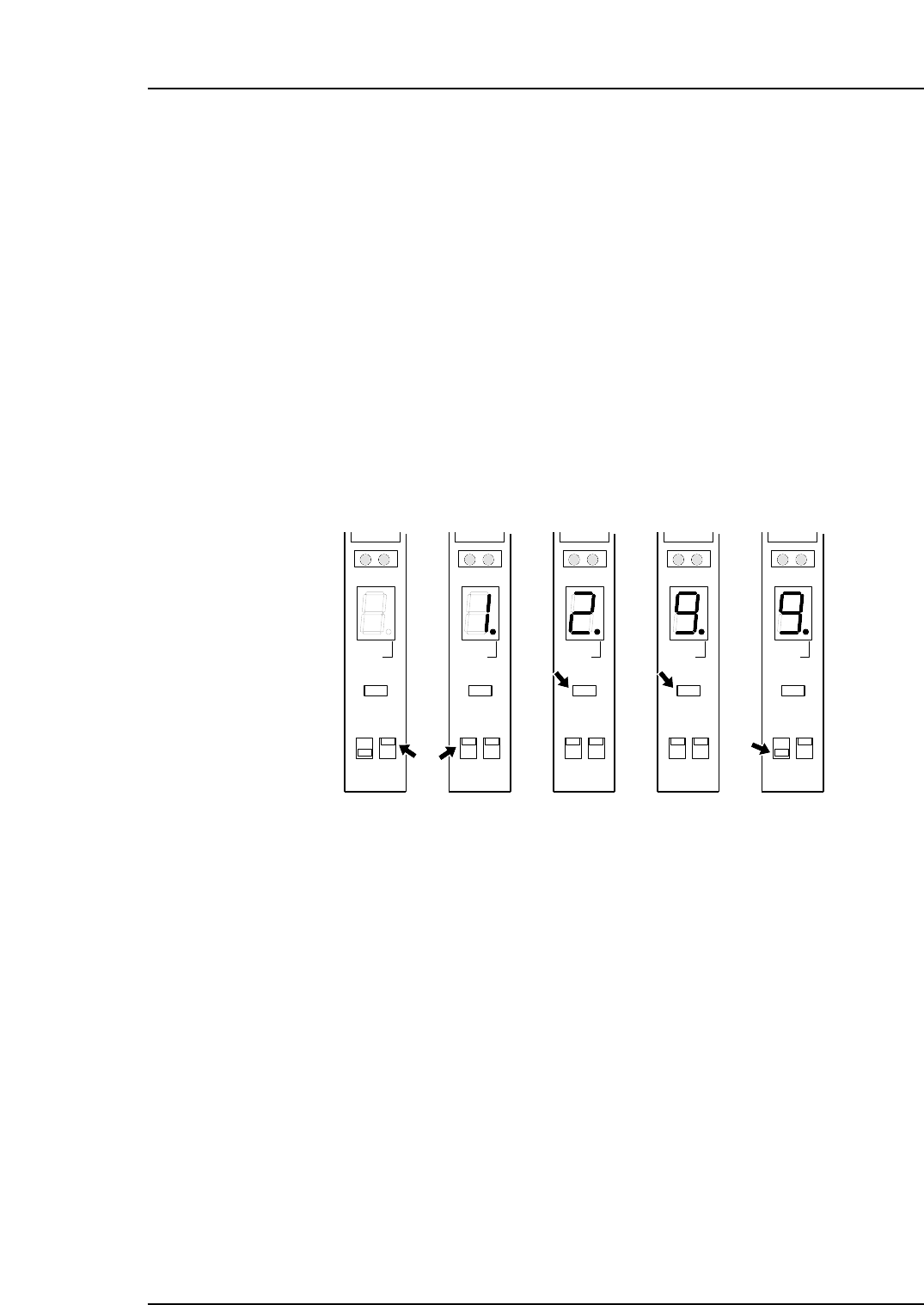
1.12.3 Clutch Meshing Check Sensor Amp Adjustment
Adjust the sensor amp so that it goes off when the clutches mesh properly and it goes on
when the clutches do not mesh properly and the dog is pushed down.
Remove the cover of the amp and follow the procedures below.
Note: Be careful not to drop the cover inside the machine.
1. Set the setting switch to “D ON”.
2. Set the mode selector switch to “SET”. The digital display will then indicate “1”.
3. With the clutch engagement sensor on (sensor is detecting the hole in the dog),
press the [TUNING] button. The digital display will then indicate “2”.
4. With the clutch engagement sensor off (sensor is not detecting the hole in the dog),
press the [TUNING] button. The digital display will then indicate “9”.
5. Set the mode selector switch to “RUN”.
6. After completing the amplifier setting procedure, verify that the digital display
indicates 0 ~ 1 when the sensor is on, and 8 ~ 9 at all other times.
( 1 )
C7SM4040
SO
DELAY
TUNING
SET D ON
RUN L ON
( 2 )
SO
DELAY
TUNING
SET D ON
RUN L ON
( 3 )
SO
DELAY
TUNING
SET D ON
RUN L ON
( 4 )
SO
DELAY
TUNING
SET D ON
RUN L ON
( 5 )
SO
DELAY
TUNING
SET D ON
RUN L ON
Sensor ON Sensor OFF
Part 4 Chapter 1 Station Adjustments
Edition 2.4 4-1-39 CP-7 series Mechanical Reference
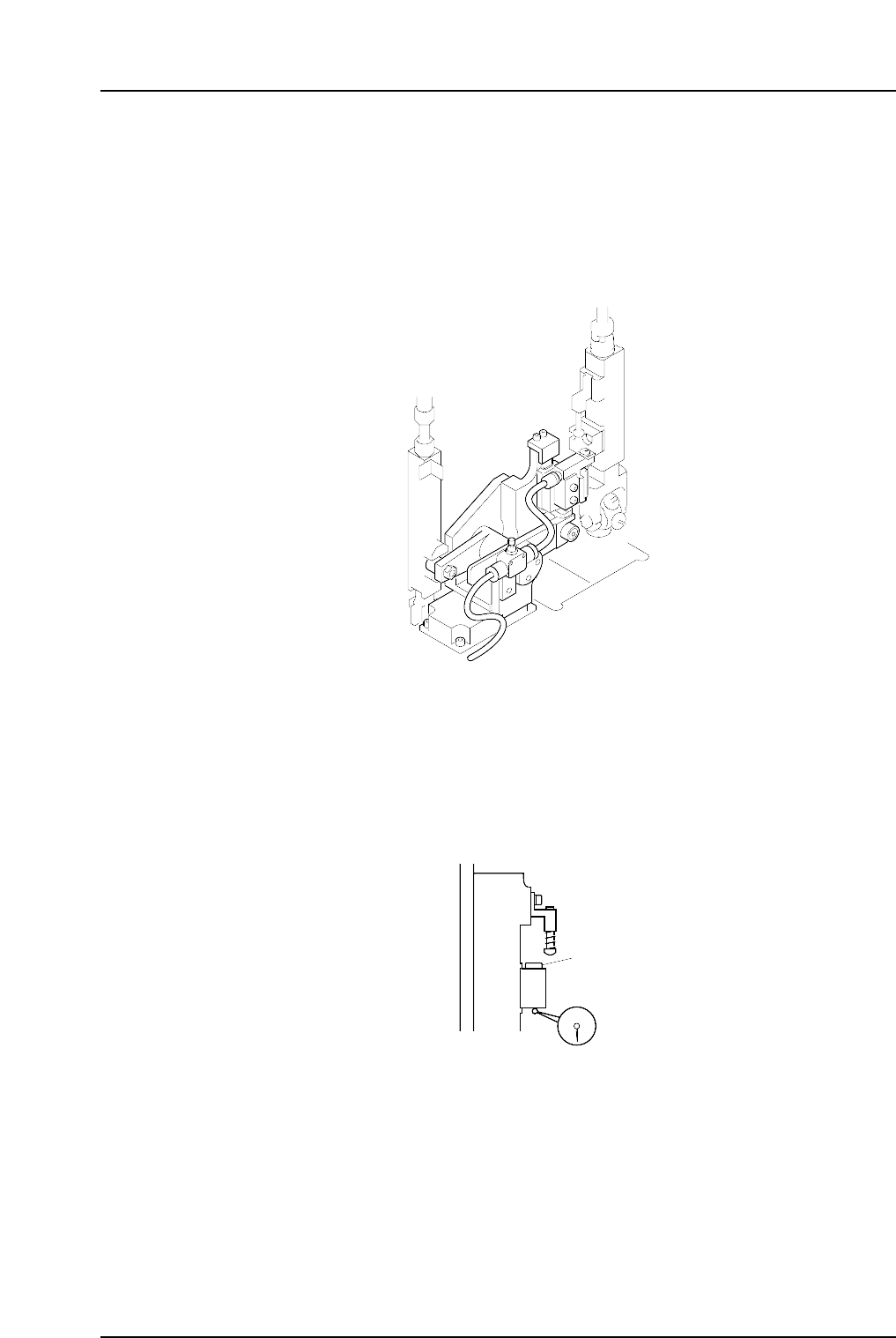
1.13 Mechanical Valve Switching (Station 13)
Point
The station 13 mechanical valve is used to switch the vacuum off inside the nozzle. This
releases the negative pressure in the nozzle, and the nozzle can no longer hold a part.
Verify that parts which fail vision processing are discarded at station 13.
1.13.1 Valve Switching Unit Position Adjustment
This adjustment should be performed on the high valve head after completing adjustments to
the vertical movement of the nozzle during the placement (Refer to 1. 10 “Nozzle Vertical
Movement During Placement” for details). The high valve head can be identified by its
height. The heights of the spool lower surface are measured for all placing heads with spools
lifted, and the highest one is referred to as the high valve head.
Spool
C7SM4055
C7SM4041a
Part 4 Chapter 1 Station Adjustments
Edition 2.4 4-1-40 CP-7 series Mechanical Reference