CP-7[732-742]-series Mechanical Reference(2.9E).pdf - 第198页
6. Attach the adjustment jig to the placing heads at stations 14 and 15. Note: Do not turn the cam with the jig attached to the placing heads; otherwise the heads might be damaged. 7. Loosen the fixing bolts and adjust t…
1.15 Nozzle Change Function (Station 14)
Point
Station 14 changes the No.1 ~ 6 nozzles according to the part data and the nozzle check
data received at station 13.
1.15.1 Nozzle Change Clutch Position Adjustment
1. Press the EMERGENCY STOP button to take the 200V down to 100V.
WARNING
• Always be sure to cut off the 200V power before carrying
out any work.
• Exercise extreme caution when working on the machine if
the cam is not at its origin (0 deg.). Recoil of the cam
axis can endanger the operator.
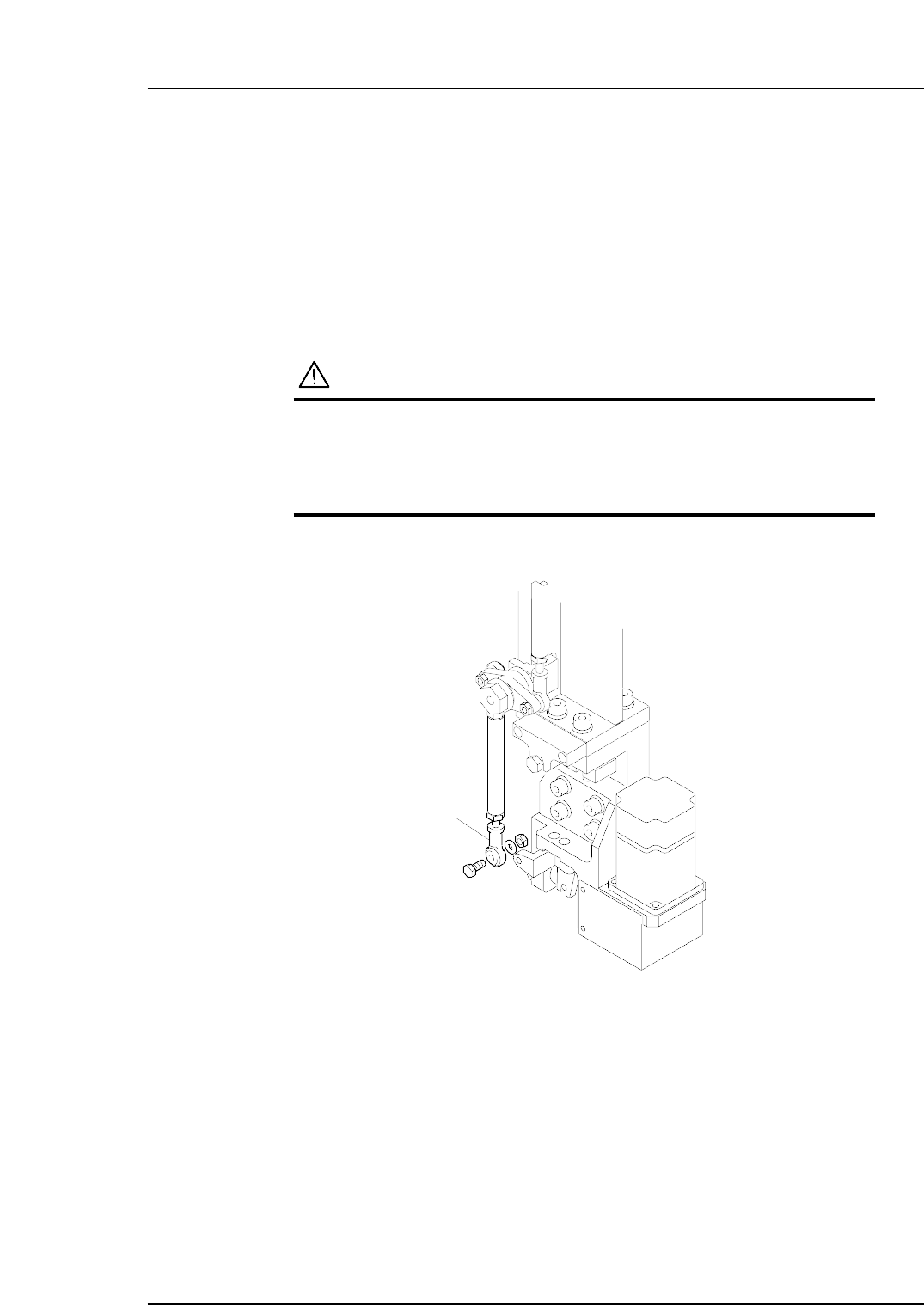
2. Detach the rod end from the nozzle changer.
3. Remove the nozzle holders of the reference head and the neighboring heads.
4. Use an inching operation and move the reference head to 14 station.
5. Use the cam handle to rotate the cam to 200°.
C7SM4064
Rod end
Part 4 Chapter 1 Station Adjustments
Edition 2.4 4-1-47 CP-7 series Mechanical Reference
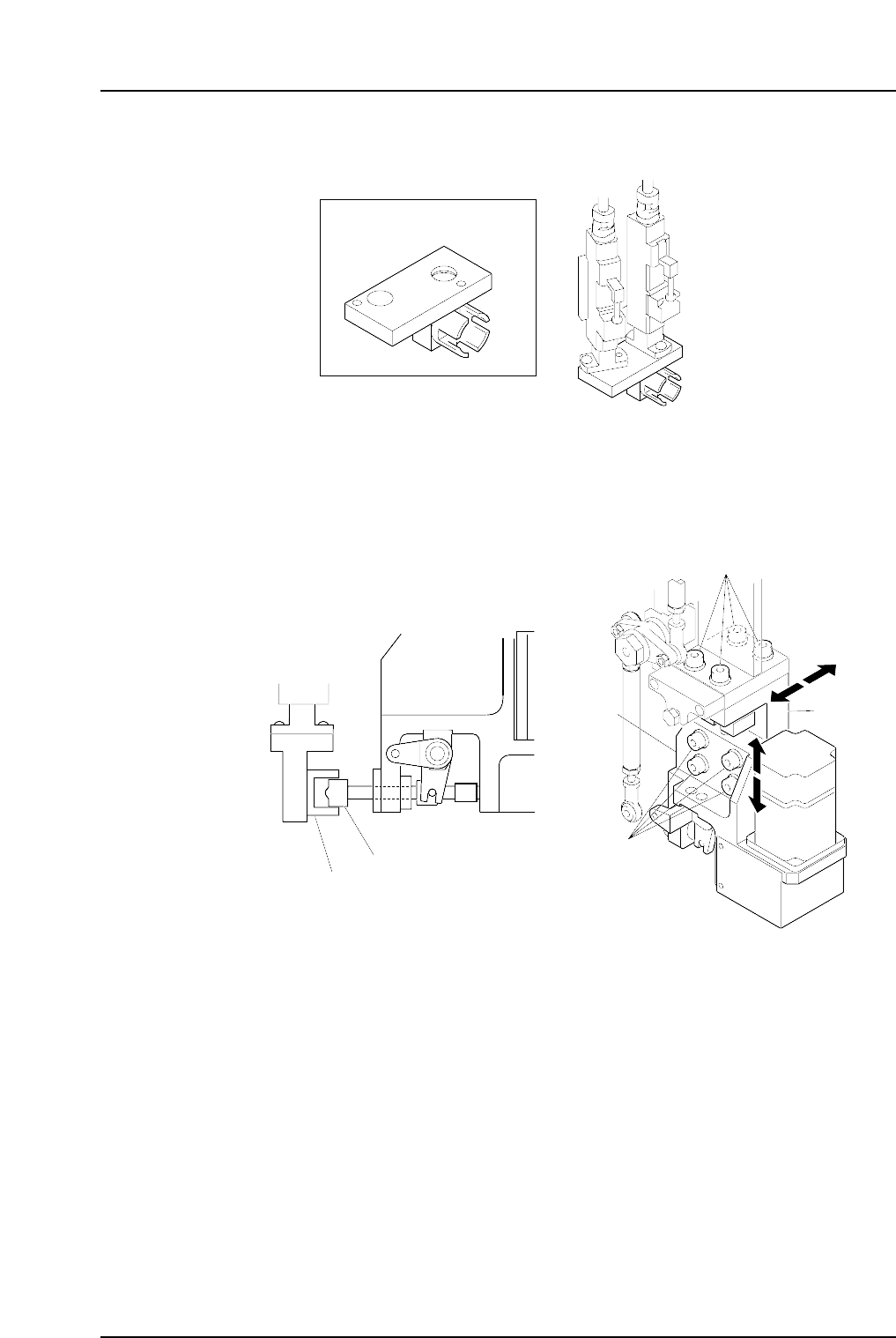
6. Attach the adjustment jig to the placing heads at stations 14 and 15.
Note: Do not turn the cam with the jig attached to the placing heads; otherwise the heads
might be damaged.
7. Loosen the fixing bolts and adjust the clutch position so that it can be smoothly
inserted to the cavity of the jig block.
C7SM4065
Clutch
Bracket
Bracket
Fixing bolt
Fixing bolt
Adjustment jig
C7SM4063
ADCPJ8040
14 st
15 st
Adjustment jig
Part 4 Chapter 1 Station Adjustments
Edition 2.4 4-1-48 CP-7 series Mechanical Reference
1.15.2 Nozzle Change Stroke Adjustment
1. Press the EMERGENCY STOP button to take the 200V down to 100V.
WARNING
• Always be sure to cut off the 200V power before carrying
out any work.
• Exercise extreme caution when working on the machine if
the cam is not at its origin (0 deg.). Recoil of the cam
axis can endanger the operator.
2. Position the cam at an angle of 0° and turn the station 14 solenoid to ON (Y037
ST14 NOZZLE CHANGE SOL ENGAGED) to activate the cam lever.
3. Use the cam handle to rotate the cam to 141°.
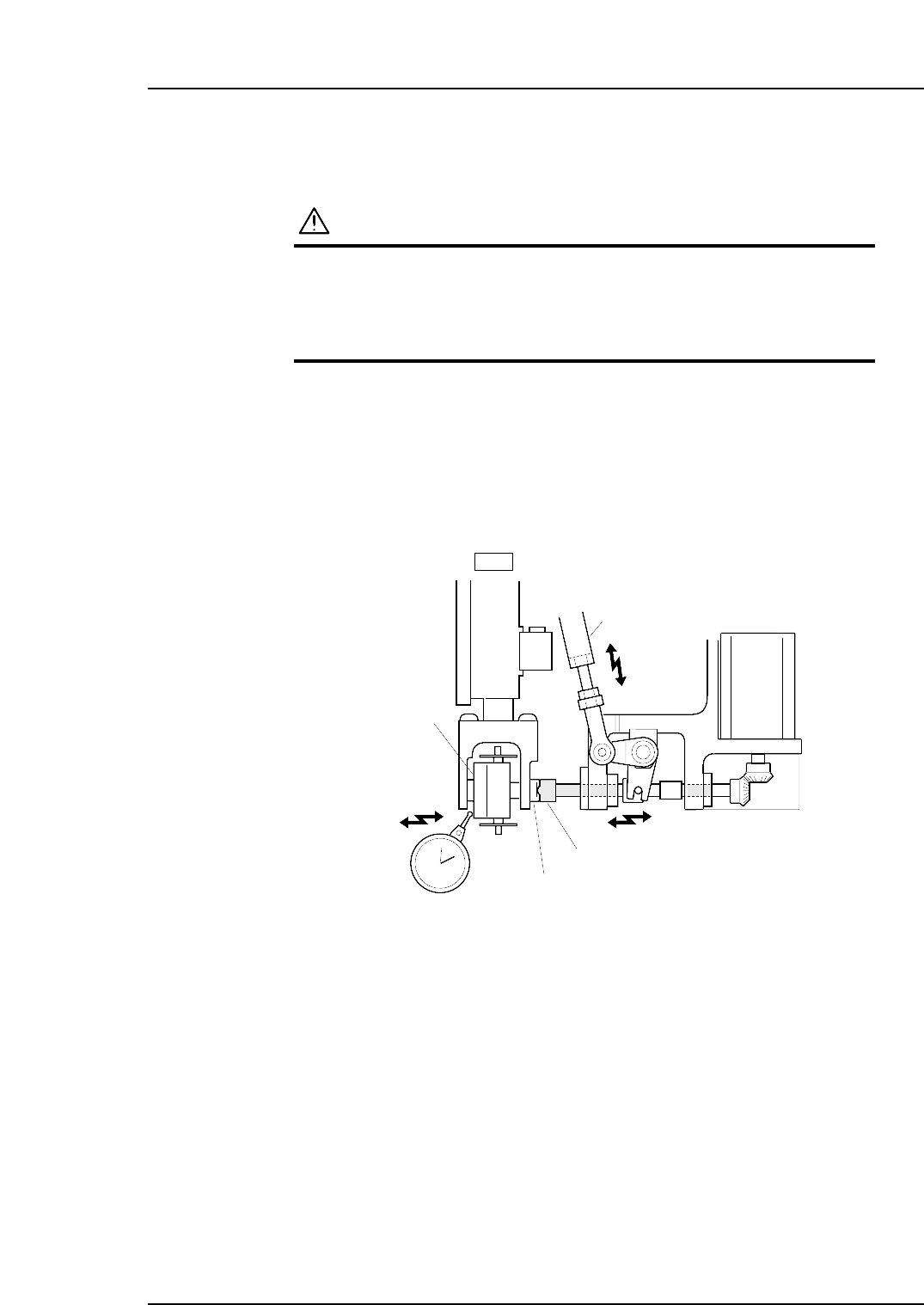
4. Verify that the nozzle change clutch is engaged with the holder clutch, and that
the rotary holder is pushed 0.01 to 0.05 mm as shown in the figure below.
5. If the push amount is outside this range, adjust by turning the adjusting rod.
Nozzle change clutch
Holder clutch
Adjustment rod
Rotary holder
14st
0.01
~
0.05 mm
C7SM4048
Part 4 Chapter 1 Station Adjustments
Edition 2.4 4-1-49 CP-7 series Mechanical Reference