CP-7[732-742]-series Mechanical Reference(2.9E).pdf - 第66页
<When using rubber blocks> Snap the blocks into suitable lengths and use double-faced tape to stick them to the panel lifter’s back-up plate. C7SM2003a Rubber block Part 2 Chapter 2 Changing the Panel Back-up Pin P…
2. Changing the Panel Back-up Pin Positions
Point
The positions and quantity of back-up pins or rubber blocks which are required depends
on the panel shape and size, with consideration given to pre-mounted parts on the lower
side of the panel.
For panels where upward warping is a problem, back-up pins with vacuum pads should
be used to keep the panel flat.
Procedure
1. Execute the necessary commands to move the XY-table to the loading position.
2. Raise the XY-table.
3. Press the EMERGENCY STOP button.
WARNING
Turn the main power off before performing this procedure.
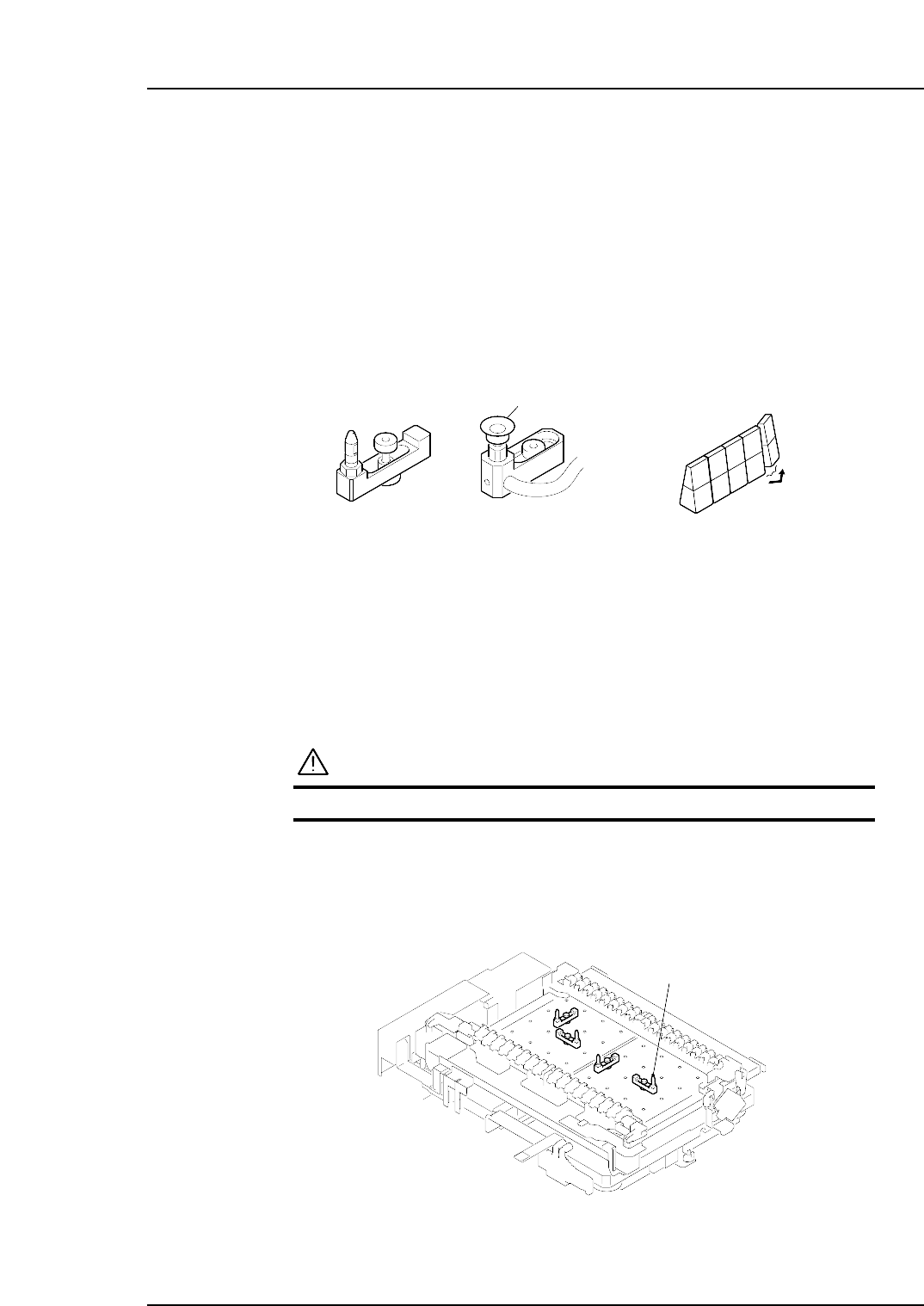
4. Change the positions of the back-up pins or rubber blocks as required.
<When using back-up pins>
Loosen the pin mounting bolts and reconfigure the pins as necessary.
C7SM2004a
Back-up pin
C7SM2002a
Vacuum pad
Back-up pin Rubber block
Part 2 Chapter 2 Changing the Panel Back-up Pin Positions
Edition 2.0 2-2-1 CP-7 series Mechanical Reference
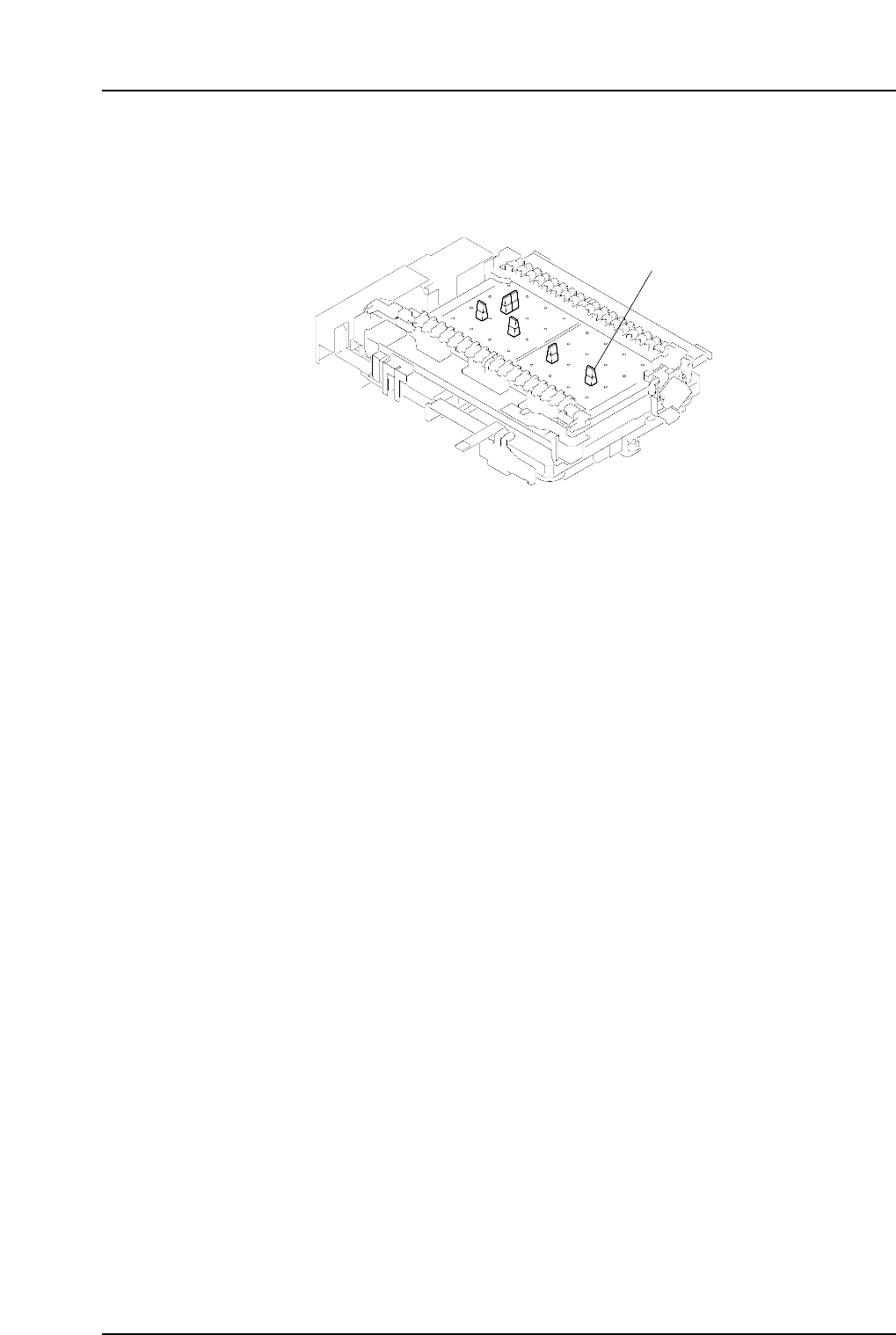
<When using rubber blocks>
Snap the blocks into suitable lengths and use double-faced tape to stick them to
the panel lifter’s back-up plate.
C7SM2003a
Rubber block
Part 2 Chapter 2 Changing the Panel Back-up Pin Positions
Edition 2.0 2-2-2 CP-7 series Mechanical Reference
3. Setting the Feeders
Point
Feeders must be set on the pallets in the correct manner in order for the nozzles to pick
up parts. Refer to the CP Feeders Mechanical Reference (MEC-CPFDR-x.xE) for details.
Procedure
WARNING
Turn the main power off before performing this procedure.
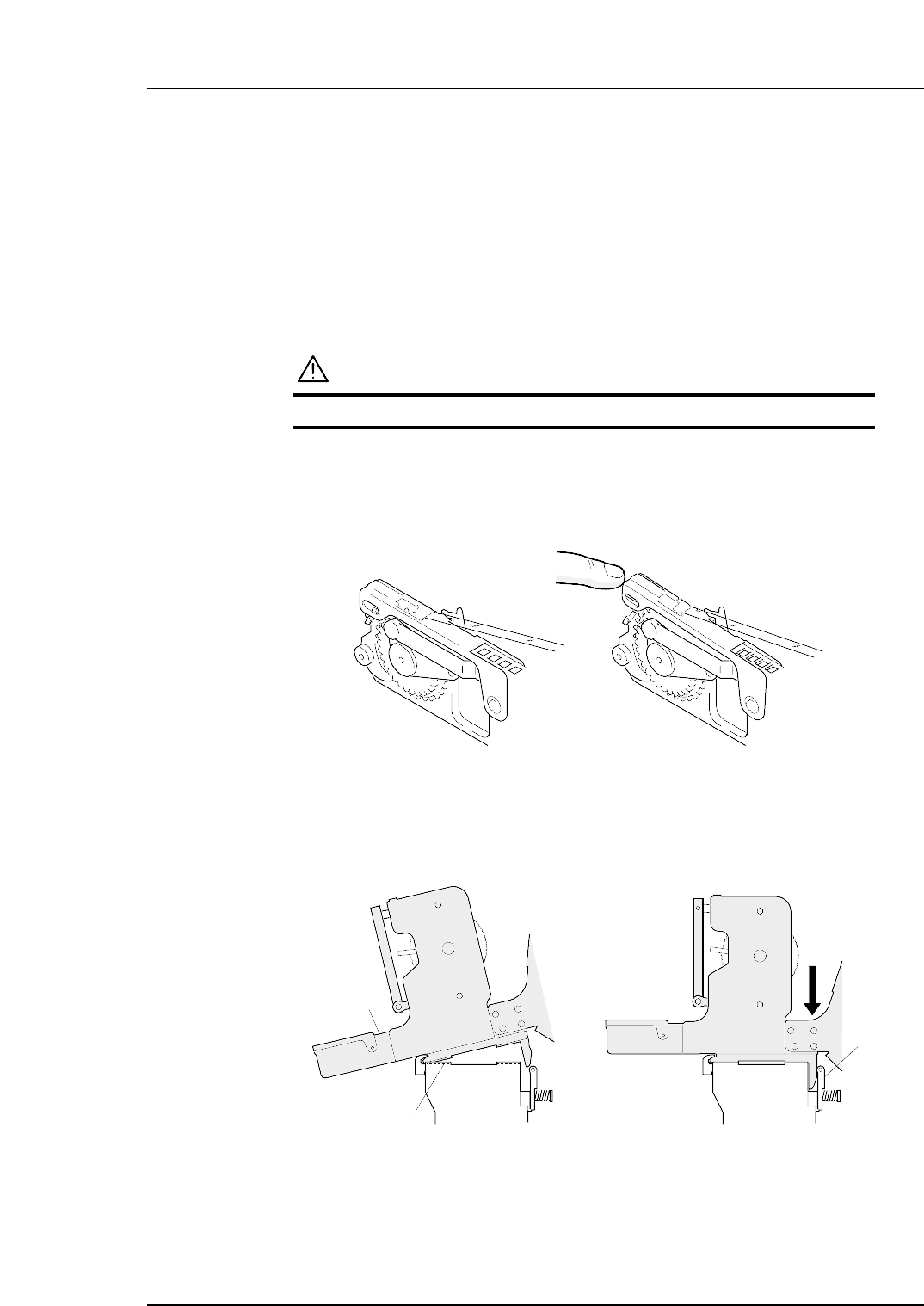
1. Verify that the tape guide is not deformed.
2. Place the various part tapes in their dedicated feeders. If a part tape is placed in
the wrong feeder, the tape guide may not close properly.
3. Insert the catch on the base of the feeder into the channel beneath the guide. Push
the feeder forwards and then press the back of the feeder down to clamp it firmly
in position.
Clamper
Guide channel
Feeder
C7SM2009
C7SM2005a
Correct Incorrect
Part 2 Chapter 3 Setting the Feeders
Edition 2.4 2-3-1 CP-7 series Mechanical Reference