00195011-01.pdf - 第20页
Installation Manual Station Software Version 408.01 Registration confirmation → Check your entries again. → Depending on whether you answer Yes or No , you can modify your entries or continue the actual query procedure. …
Installation Manual, Station Software Version 408.01 Edition 03/2006
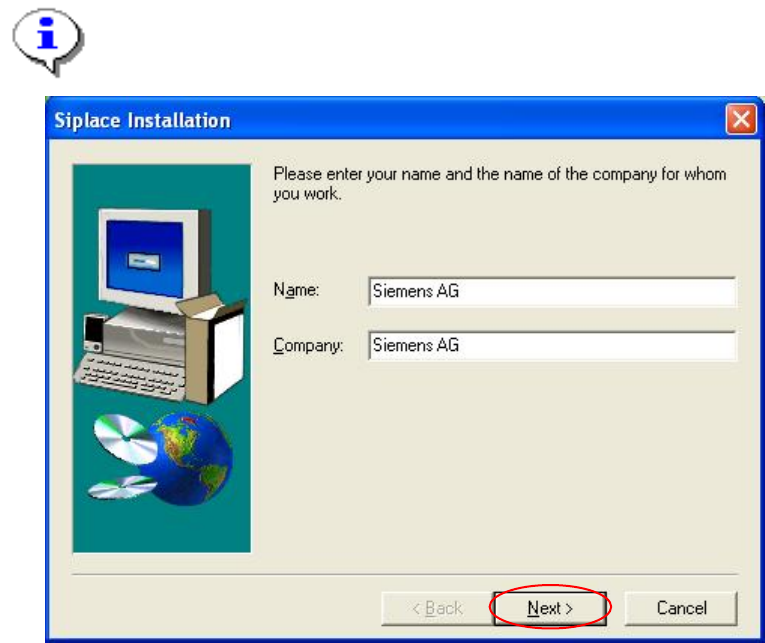
Registration
→ Enter the Name and the Company.
Note:
The information which you enter here is saved in a log file. This log file is created by the
installation program.
Fig. 4-6: Registration
→ Click the Next button.
19 of 104
Installation Manual Station Software Version 408.01
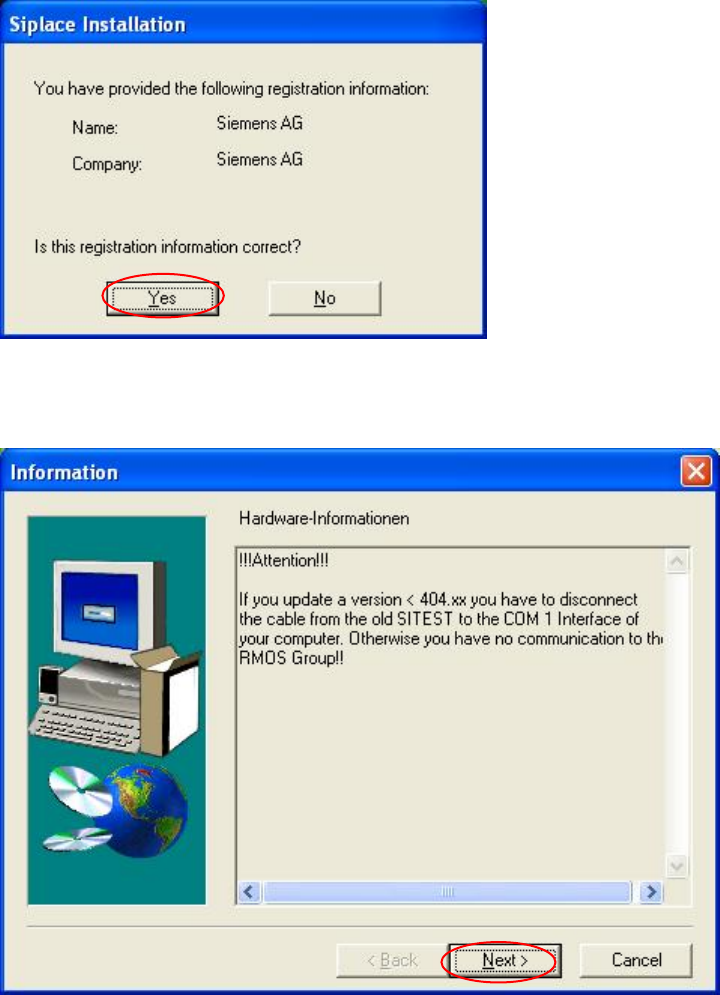
Registration confirmation
→ Check your entries again.
→ Depending on whether you answer Yes or No, you can modify your entries or continue the
actual query procedure.
Fig. 4-7: Registration confirmation
Hardware information
Fig. 4-8: Hardware information
→ Read the hardware information.
→ Click the Next button.
20 of 104
Installation Manual, Station Software Version 408.01 Edition 03/2006
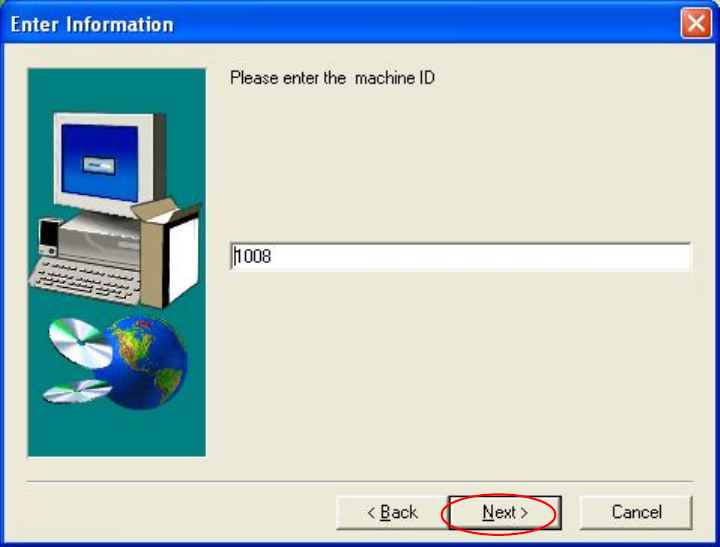
Machine ID
Fig. 4-9: Machine ID
→ Enter the unique machine ID. You find the ID on the serial number plate mounted to the
machine.
→ Click the Next button.
21 of 104