00195011-01.pdf - 第21页
Installation Manual, Station Software Version 408.01 Edition 03/2006 Machine ID Fig. 4-9: Machine ID → Enter the unique machine ID. You find the ID on the serial number plate mounted to the machine. → Click the Next butt…
Installation Manual Station Software Version 408.01
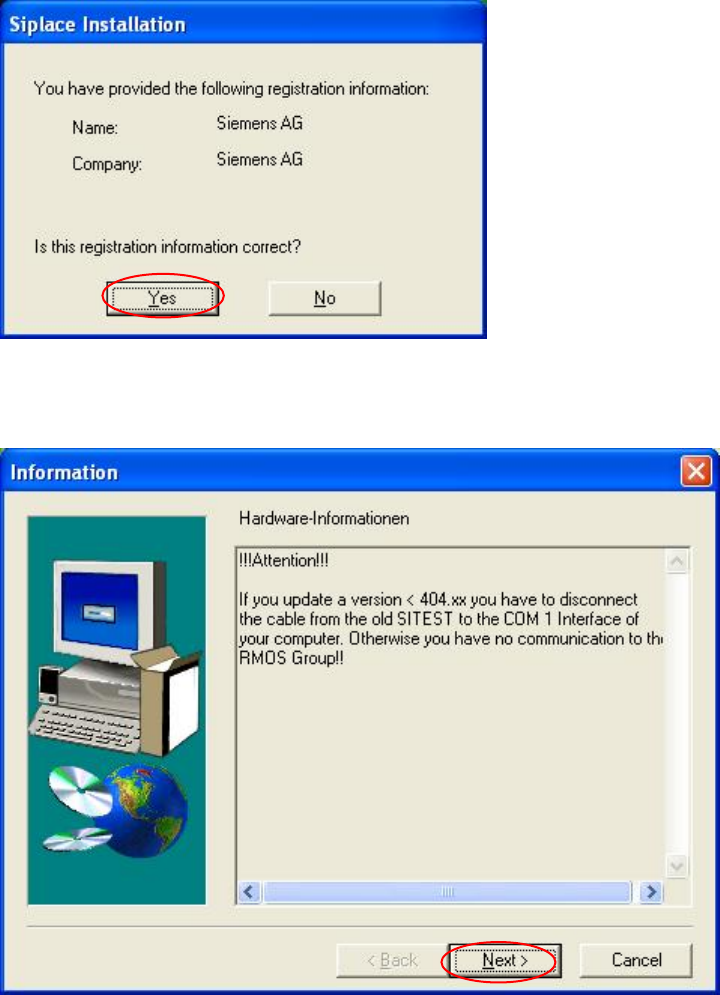
Registration confirmation
→ Check your entries again.
→ Depending on whether you answer Yes or No, you can modify your entries or continue the
actual query procedure.
Fig. 4-7: Registration confirmation
Hardware information
Fig. 4-8: Hardware information
→ Read the hardware information.
→ Click the Next button.
20 of 104
Installation Manual, Station Software Version 408.01 Edition 03/2006
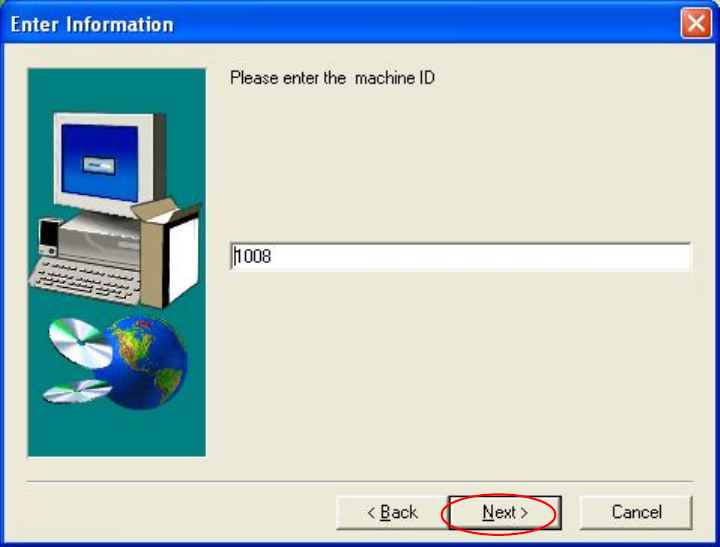
Machine ID
Fig. 4-9: Machine ID
→ Enter the unique machine ID. You find the ID on the serial number plate mounted to the
machine.
→ Click the Next button.
21 of 104
Installation Manual Station Software Version 408.01
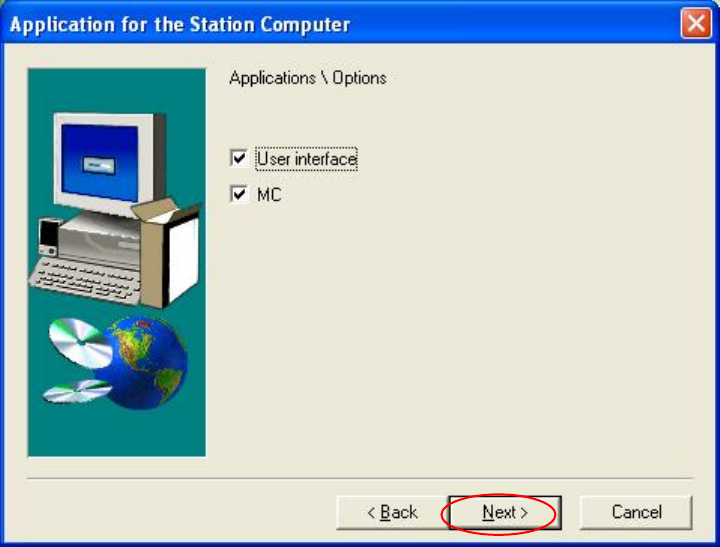
Applications for the placement station
Fig. 4-10: Application selection
→ Here you can select the program packages that you wish to install.
→ Click the Next button.
22 of 104