00196497-07_SM_SXDX12_en.pdf - 第114页
Service Work Conveyor Gantries 3.4.19 Replacing the Y Axis Axial Fan [03056479-xx] 114 Service Manual SIPLACE SX1/SX2/DX1/DX2 FS02 3.4.19 3 . 4 . 1 9 R e p la c in g t h e Y A x is A x ia l F a n [ 0 3 0 5 6 4 7 9 - x x …
Service Work Conveyor
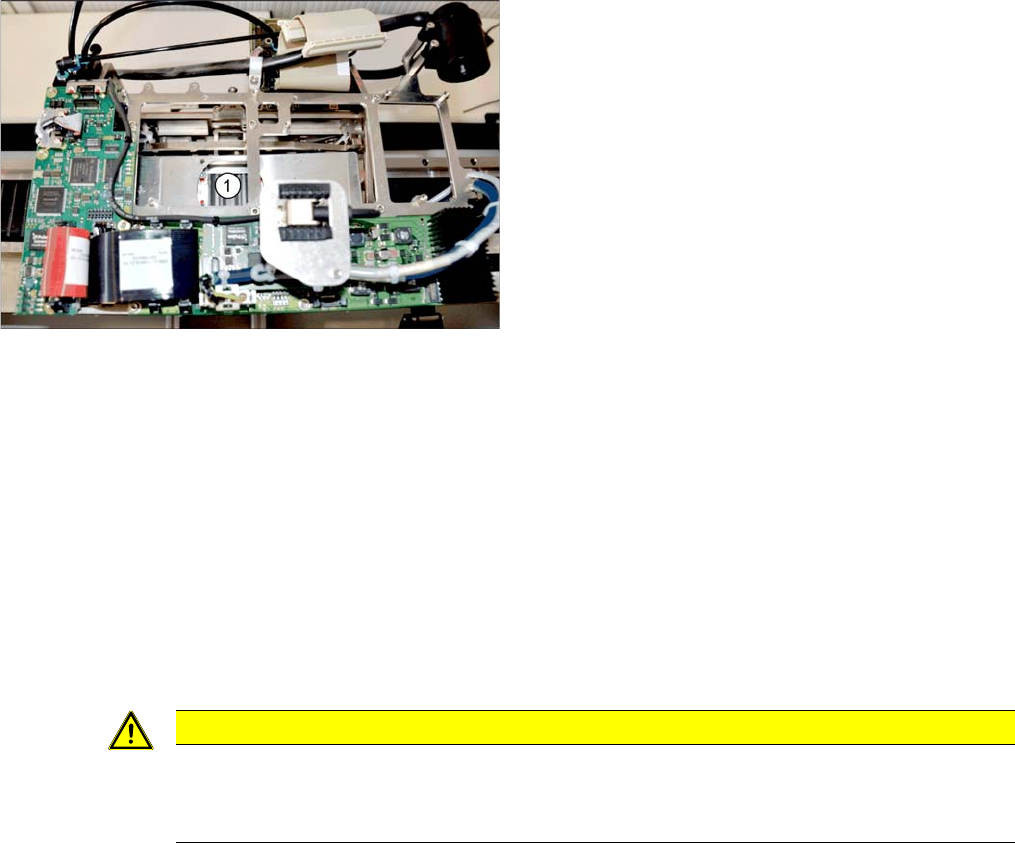
3.4.18 Replacing the X Axis Axial Fan [03056479-xx] Gantries
Service Manual SIPLACE SX1/SX2/DX1/DX2 FS02 113
3.4.18
3.4.18 Replacing the X Axis Axial Fan [03056479-xx]
Replacing the X Axis Axial Fan [03056479-xx]
Parts, equipment and tools
▪ Fan X/Y motor [03085456-xx]
▪ Locking varnish Loctite 241 [02101037-xx]
Overview
Removal
► Switch off the machine, disconnect it from the power supply and secure it to prevent unauthorized
reactivation. Observe the instructions in section "1.2 Preparatory Work..." [ ➙ 13].
► Dismantle the head adapter HCU. (See "3.4.20 Replacing the Head Adapter for the HCU and MHCU/
HCU" [ ➙ 115])
► Disconnect the fan from the power supply.
► Loosen the 4 screws fastening the fan and remove the fan.
Installation
► Follow the removal instructions in reverse order for installation. Also observe the following instruc-
tions:
1. Installation point for X axis axial fan
CAUTION
Installation instructions
► Secure the fastening screws with Loctite 241.
► Replace any cable ties which you have removed.
Service Work Conveyor
Gantries 3.4.19 Replacing the Y Axis Axial Fan [03056479-xx]
114 Service Manual SIPLACE SX1/SX2/DX1/DX2 FS02
3.4.19
3.4.19 Replacing the Y Axis Axial Fan [03056479-xx]
Replacing the Y Axis Axial Fan [03056479-xx]
Parts, equipment and tools
▪ Fan X/Y motor [03085456-xx]
▪ Locking varnish Loctite 241 [02101037-xx]
Overview
Removal
► Switch off the machine, disconnect it from the power supply and secure it to prevent unauthorized
reactivation. Observe the instructions in section "1.2 Preparatory Work..." [ ➙ 13].
► Loosen the connection cable of the fan. Depending on the gantry side, this is either fitted on the sen-
sor module Y or on the sensor interface. You may want to mark the position, to make clear assign-
ment easier later on.
► Loosen the 4 screws fastening the fan and remove the fan.
Installation
► Follow the removal instructions in reverse order for installation. Also observe the following instruc-
tions:
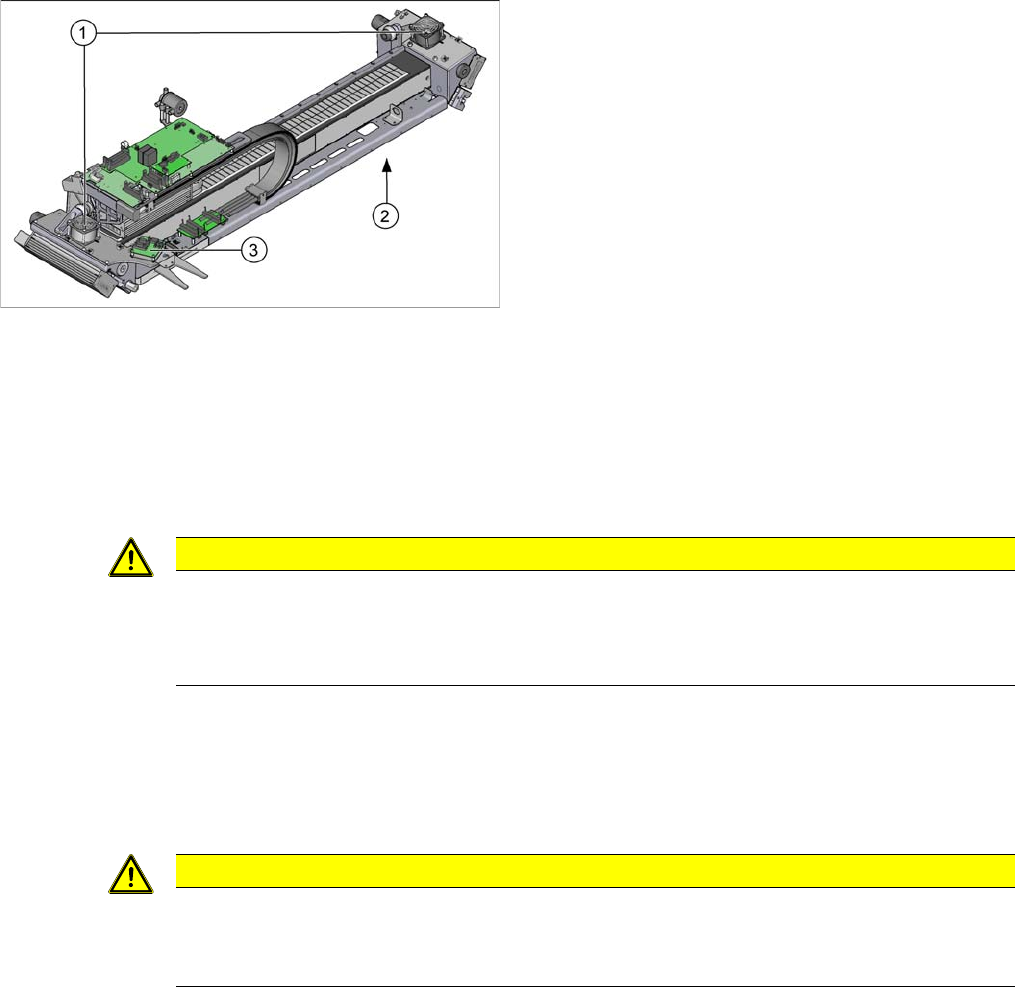
1. Axial fan Y axis on gantry
2. Sensor interface (on the underside of the gantry)
3. Sensor module Y
CAUTION
Do not pull on the cable!
► When disconnecting the cables from the sensor module Y, do not pull on the cable but only
on the black plastic connector. If you pull on the cable, this could damage the sensor mod-
ule.
CAUTION
Installation instructions
► Secure the fastening screws with Loctite 241.
► Replace any cable ties which you have removed.
Service Work Conveyor
3.4.20 Replacing the Head Adapter for the HCU and MHCU/HCU Gantries
Service Manual SIPLACE SX1/SX2/DX1/DX2 FS02 115
3.4.20
3.4.20 Replacing the Head Adapter for the HCU and MHCU/HCU
Replacing the Head Adapter for the HCU and MHCU/HCU
Parts, Equipment and Tools
The head adapter version needed depends on the head which is installed:
▪ Head adapter HCU for CPP and C&P20A [03065868-xx]
(consists of 1x PCB/B base adapter C&P [03055516-xx] and 1x HCU assembly [03054884-xx])
▪ Head adapter HCU for TwinHead [03065969-xx]
(consists of 1x PCB/B base adapter TWIN [03055517-xx] and 2x HCU assembly [03054884-xx])
▪ Head adapter HCU for VHF PP SX1/SX2 [03098389-xx]
(consists of 1x PCB/B base adapter TWIN [03055517-xx] and 2x HCU assembly [03054884-xx])
▪ MHCU assembly compatible [03090990-xx] from FS04 (replaces: HCU assembly [03054884-xx])
Overview
Removal
► Switch off the machine, disconnect it from the power supply and secure it to prevent unauthorized
reactivation. Observe the instructions in section "1.2 Preparatory Work..." [ ➙ 13].
► If there is a cover above the boards, dismantle it.
NOTICE
C&P20 P
The following additional conditions must be fulfilled for operating a C&P20 P:
► The base adapter needs at least function state -06.
► Make sure to use MHCU [03090990-xx].
► You find a complete list of the prerequisites in section Replacing the C&P20 P Head.
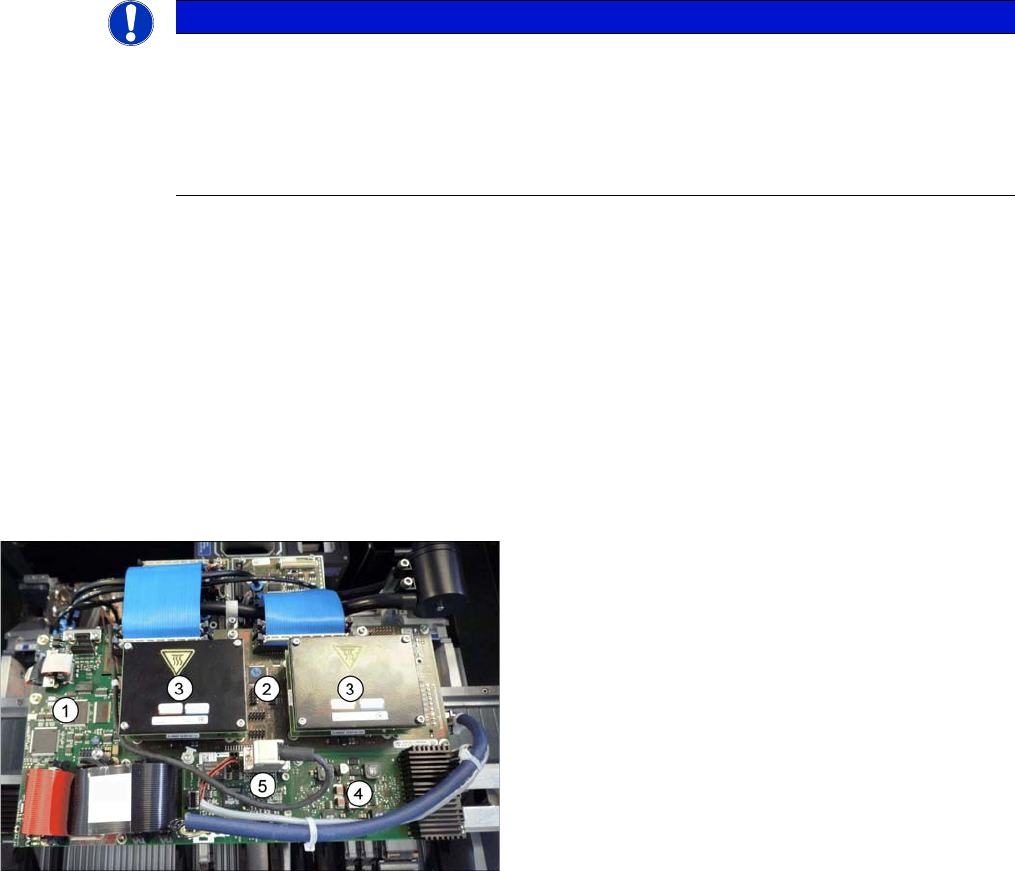
Boards on the Gantry
1. Vision board spread spectrum
2. Head adapter (here the version for the TwinHead with
2 HCUs)
3. HCU
4. Head interface
5. Sensor module