00196497-07_SM_SXDX12_en.pdf - 第181页
Service Work Conveyor 3.6.9 Changing Fixed Side Left/Right (EC Only) Conveyor Service Manual SIPLACE SX1/SX2/DX1/DX2 FS02 181 3.6.9 3 . 6 . 9 C h a n g in g F ix e d S id e L e f t / R ig h t ( E C O n ly ) Changing Fixe…
Service Work Conveyor
Conveyor 3.6.8 PCBs
180 Service Manual SIPLACE SX1/SX2/DX1/DX2 FS02
3.6.8
3.6.8 PCBs
PCBs
3.6.8.1
3.6.8.1 Replacing the Conveyor Control TSP400 [03060811-xx]
Replacing the Conveyor Control TSP400 [03060811-xx]
Parts, equipment and tools
▪ Conveyor control TSP400 assembly [03060811-xx]
Overview
Removal
► Use the software to move the conveyor sides into the position which allows you best access. Alter-
natively, you can also loosen the conveyor side clamps on the dual conveyor (see "3.6.1 Loosening
the Conveyor Side Clamps" [ ➙ 143]).
► Switch off the machine, disconnect it from the power supply and secure it to prevent unauthorized
reactivation. Observe the instructions in section "1.2 Preparatory Work..." [ ➙ 13].
► Loosen the screw fastening the cover and remove the cover.
► Unplug all electrical connections to the conveyor control. Mark their positions, to make clear assign-
ment easier later on.
► Loosen the screws fastening the mount and remove the conveyor control from the machine, together
with the bracket.
► Loosen the screws fastening the conveyor control to the mount and take the conveyor control off the
mount.
Installation
► Follow the removal instructions in reverse order for installation. Also observe the following instruc-
tions:
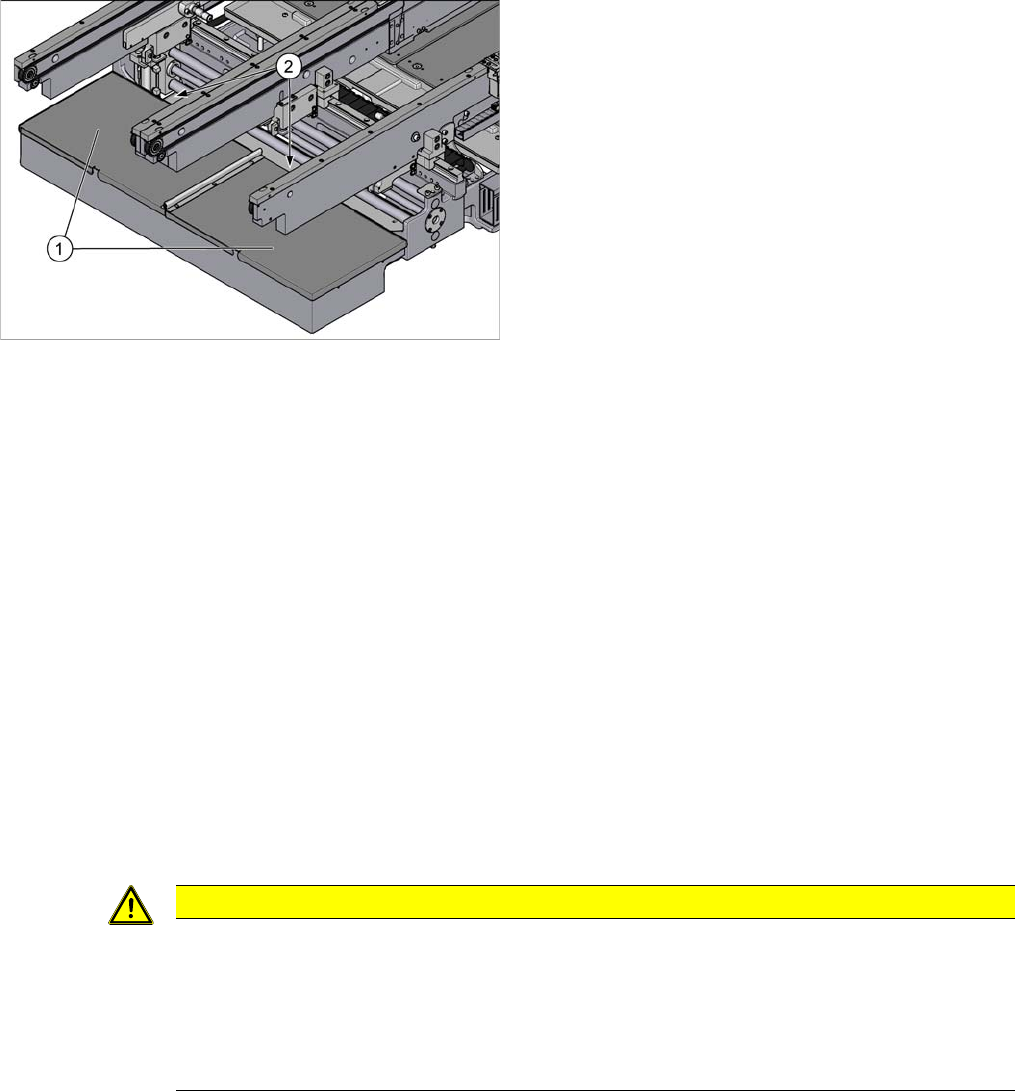
1. TSP400 (under the cover)
2. Screws fastening the covers (1x each, may not apply
for some machine versions)
For an overview of the connectors, switches etc. of the
TSP400, refer to section "5.3 Conveyor" [ ➙ 321].
One TSP400 is fitted on single conveyors; two are fitted
on dual conveyors.
CAUTION
Installation instructions
► If the old conveyor control has an options board, this needs to be refitted on the new con-
veyor control. To do this, unplug all connections for the options board, loosen the fastening
screws and remove the options board.
► Check the firmware and perform a download, if needed. (see "4.9.1 Firmware Download
(SW 70x)" [ ➙ 293]).
Service Work Conveyor
3.6.9 Changing Fixed Side Left/Right (EC Only) Conveyor
Service Manual SIPLACE SX1/SX2/DX1/DX2 FS02 181
3.6.9
3.6.9 Changing Fixed Side Left/Right (EC Only)
Changing Fixed Side Left/Right (EC Only)
Parts, equipment and tools
▪ Setting gauge for ultrasonic sensors [03076989-xx]
▪ Programming cable for PXS240 sensor [03073330-xx]
▪ Dowel pin (supplied with conveyor) [03064582-xx]
Overview
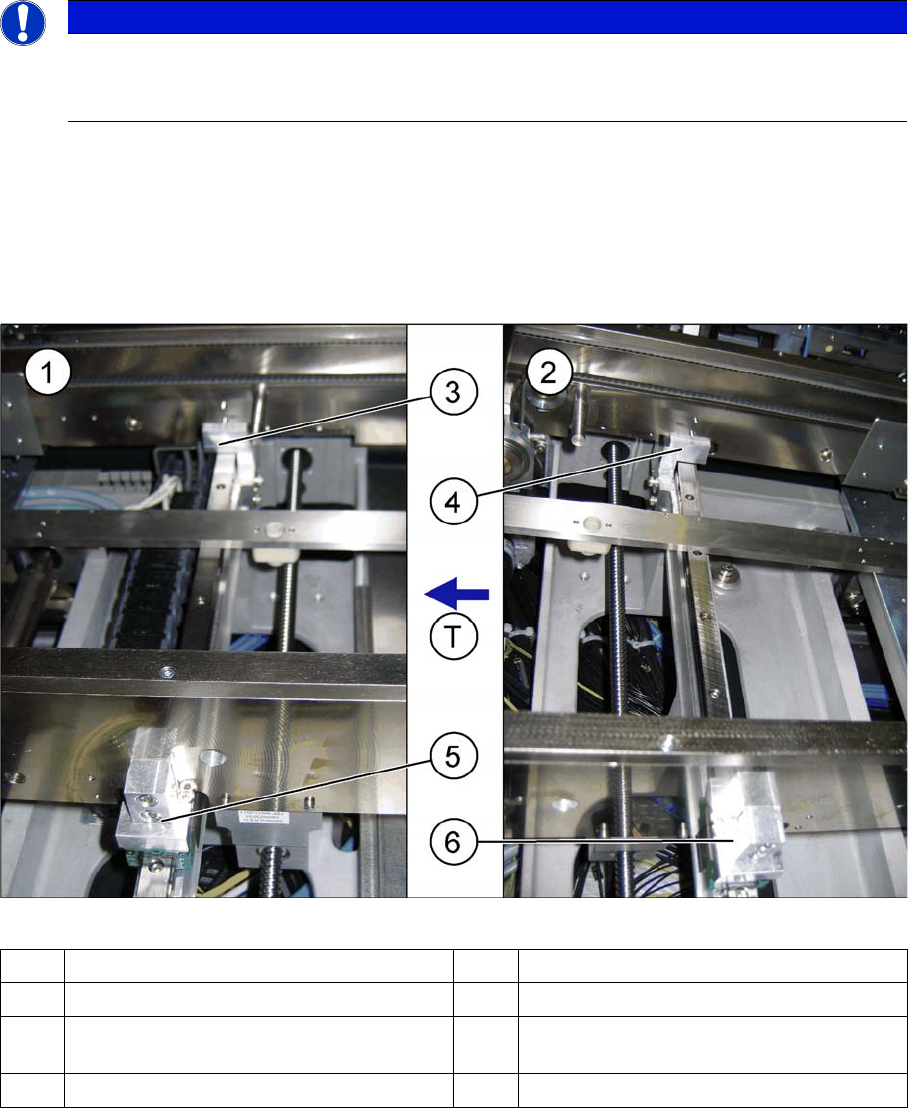
Single conveyor: flexible side left
NOTICE
Minimum conveyor width at conveyor with FS02
After conversion to "fixed side left", the minimum conveyor width on the conveyor with FS02 is
100 mm.
(1) Output side (2) Input side
(3) Side flange 2, fixed (output side) (4) Side flange 1, fixed (input side)
(5) Side flange on the flexible conveyor side
(output side)
(6) Side flange on the flexible conveyor side
(input side)
T Transport direction
Service Work Conveyor
Conveyor 3.6.9 Changing Fixed Side Left/Right (EC Only)
182 Service Manual SIPLACE SX1/SX2/DX1/DX2 FS02
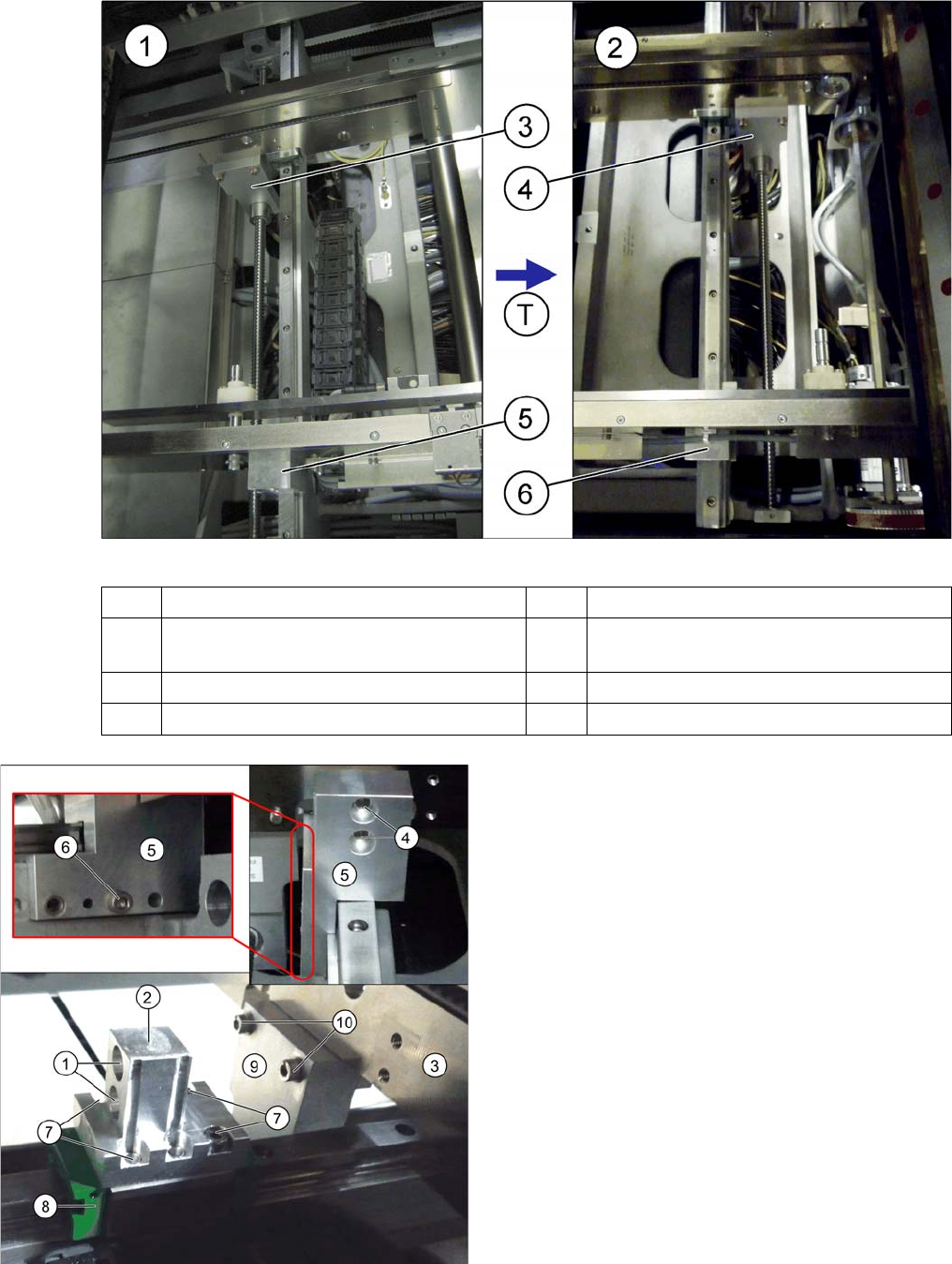
Single conveyor: fixed side right
(1) Input side (2) Output side
(3) Connecting plate (adjustment unit for the
flexible side – input side)
(4) Connecting plate (adjustment unit for the
flexible side – output side)
(5) Side flange, fixed (input side) (6) Side flange, fixed (output side)
T Transport direction
Diagrams above: fixed conveyor side
Diagrams below: flexible conveyor side
1. Fastening screw
2. Side flange 2 (2x on the flexible conveyor side)
3. Flexible conveyor side wall
4. Fastening screw
5. Side flange 1 and 2 (on the fixed conveyor side)
6. Fastening screw
7. Fastening screw
8. Carriage (for the flexible conveyor side)
9. Connecting plate (adjustment unit for the flexible
side)
10. Fastening screw