00196497-07_SM_SXDX12_en.pdf - 第206页
Service Work Conveyor COT inse rt 3.10.1 Replacing the Unlocking Pins [03088220-xx] 206 Service Manual SIPLACE SX1/SX2/DX1/DX2 FS02 3.10 3 . 1 0 C O T in s e r t COT insert Fragmen t for DX12 3.10.1 3 . 1 0 . 1 R e p la …
Service Work Conveyor
3.9.10 Replacing the Insert Feeder [03002898-xx] Manual table
Service Manual SIPLACE SX1/SX2/DX1/DX2 FS02 205
3.9.10
3.9.10 Replacing the Insert Feeder [03002898-xx]
Replacing the Insert Feeder [03002898-xx]
Parts, equipment and tools
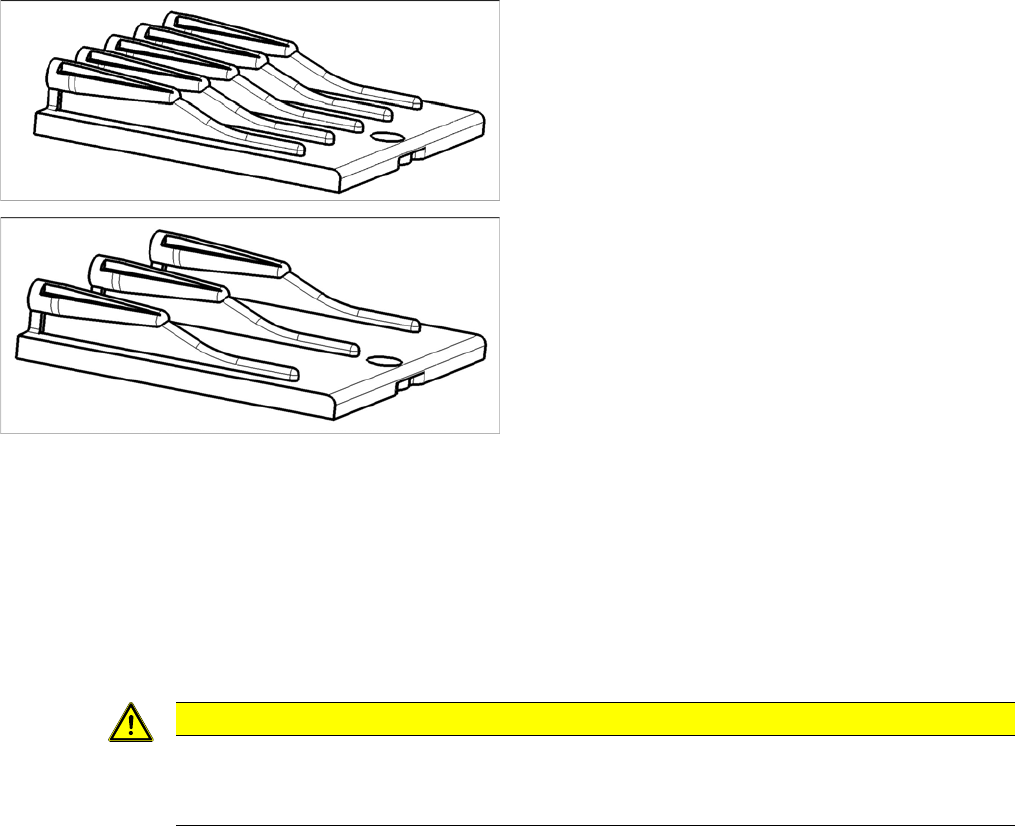
Select the right insert feeder:
Removal
► Move the component trolley out of the machine.
► Loosen the screw fastening the guide profile and remove the guide profile.
Installation
► Follow the removal instructions in reverse order for installation. Also observe the following instruc-
tions:
Insert feeder [03002898-xx]
Suitable for:
▪ X-Series component trolley
▪ Component trolley SX1/SX2 (30 or 60 tracks)
▪ Manual table X-Series S
Insert feeder [03085635-xx]
Suitable for:
▪ Manual table DX series
CAUTION
Installation instructions
► Make sure that the insert is aligned properly with the guidance behind it. You must be able
to push feeder modules into the feeder location without edge interference.
Service Work Conveyor
COT insert 3.10.1 Replacing the Unlocking Pins [03088220-xx]
206 Service Manual SIPLACE SX1/SX2/DX1/DX2 FS02
3.10
3.10 COT insert
COT insert
Fragmen t for DX12
3.10.1
3.10.1 Replacing the Unlocking Pins [03088220-xx]
Replacing the Unlocking Pins [03088220-xx]
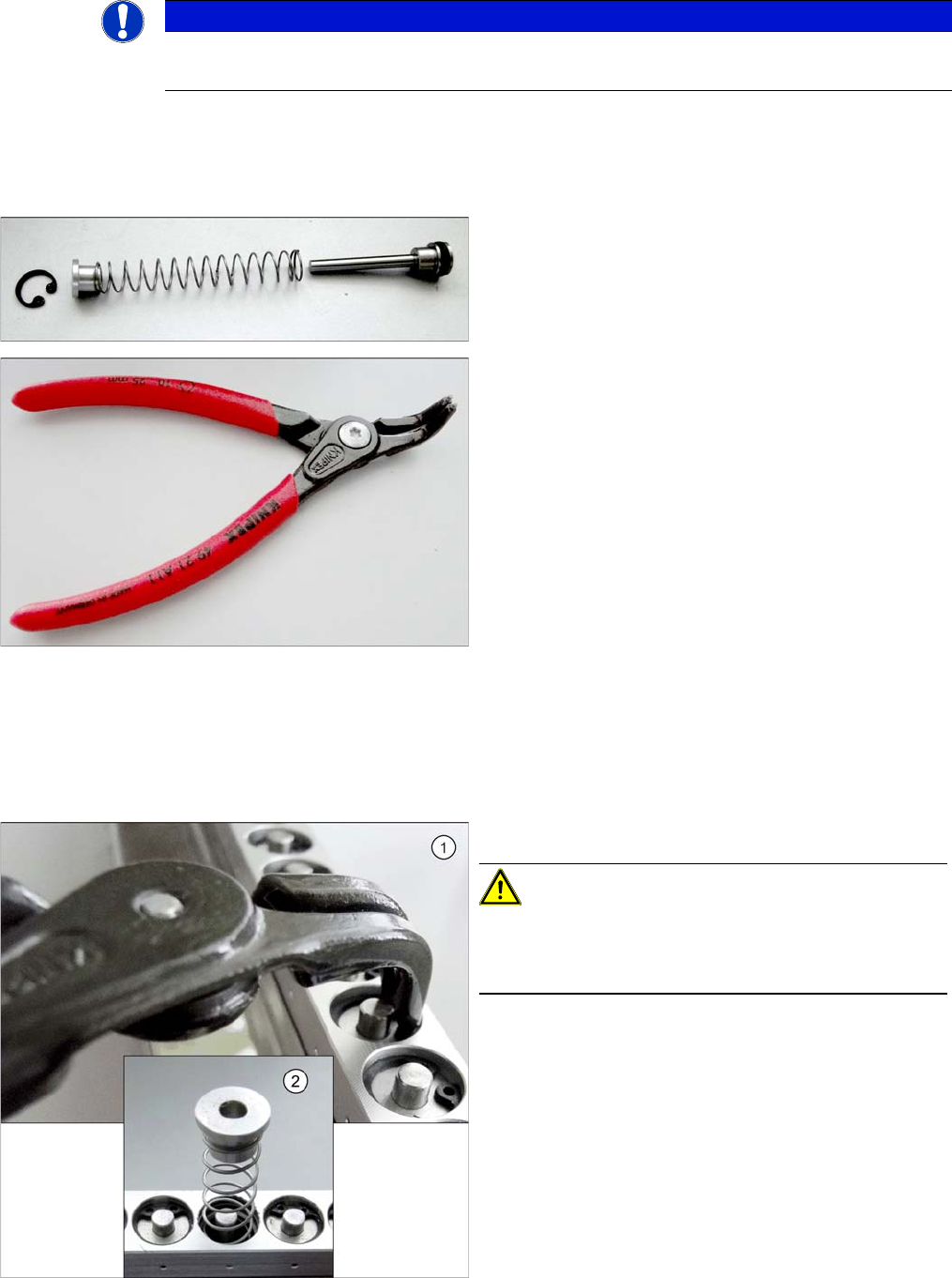
Parts, Equipment and Tools
▪ Snipe nose pliers [00353833-xx]
Removal
► Dismantle the feeder unlocking device. (See "3.10.3 Replacing the Feeder Unlocking Device 60-fold
[03057772-xx]" [ ➙ 215])
NOTICE
SX- and DX-Series
Unless specified otherwise, all specifications apply to both the SX and DX Series.
▪ SPP feeder unlock device [03088220-xx]
▪ Inside circlip pliers, bent tips J01 [00365186-xx]
► Use the circlip pliers to remove the circlip.
CAUTION!
Under the circlip you will find a spring (2).
Make sure that the circlip and the upper guidance bush-
ing do not blow away and get lost.
Service Work Conveyor
3.10.2 Replacing the SX1/SX2 Component Trolley Feed Device Assembly [03059353-xx] COT insert
Service Manual SIPLACE SX1/SX2/DX1/DX2 FS02 207
Installation
► Follow the removal instructions in reverse order for installation.
3.10.2
3.10.2 Replacing the SX1/SX2 Component Trolley Feed Device Assembly [03059353-xx]
Replacing the SX1/SX2 Component Trolley Feed Device Assembly [03059353-xx]
Parts, Equipment and Tools
▪ Standard: COT insert for SX1/SX2 [03059353-xx] or
With WPC: COT insert 30 [03082560-xx]
▪ Fit-up aid [03072615-xx]
▪ Suitable lifting device (e.g. Flexolift 175 [03072616-xx])
Overview
Removal
► Switch off the machine and secure it to prevent unauthorized reactivation. Observe the instructions
in section "1.2 Preparatory Work..." [ ➙ 13].
► Unplug all connection cables and hoses on the nozzle changer. You may want to mark their posi-
tions, to make clear assignment easier later on.
► Dismantle the nozzle changer.
► Dismantle the cutter (see "3.11.1 Replacing the Cutter [03063781Sxx]" [ ➙ 223]).
► Dismantle the downholder (see also "3.10.2.1 Fitting the Downholder" [ ➙ 209]).
► Unplug all connection cables and hoses for the insert. These are in sectors 2 and 4, on the right of
the location. You may want to mark their positions, to make clear assignment easier later on.
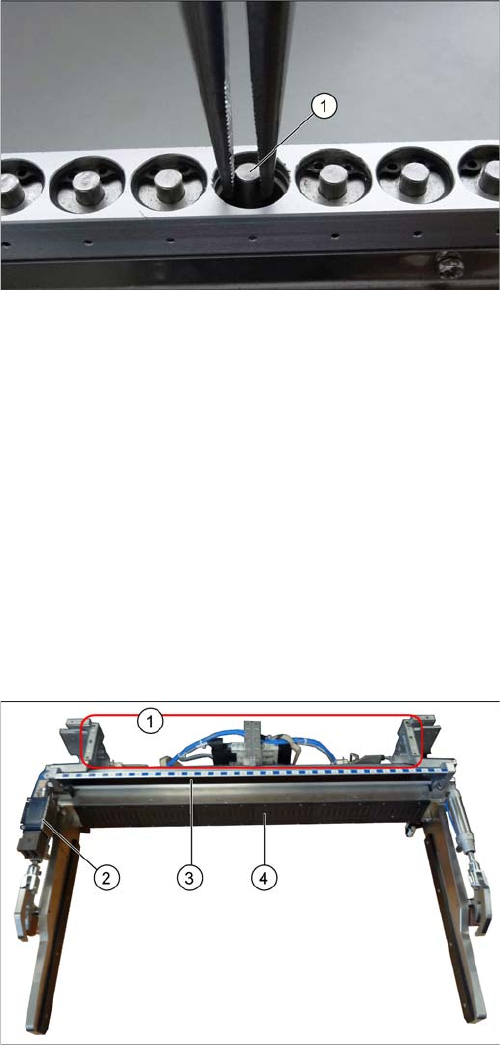
► Use the snipe pliers to remove the unlocking pin.
1. Assembly positions for the nozzle changers
2. Safety Switch for the Component Trolley
3. Empty tape duct
4. Feeder control unit (FCU)