00196497-07_SM_SXDX12_en.pdf - 第251页
Settings 4.2.1 Setting the Machine Covers Settings on the Basic Machine Service Manual SIPLACE SX1/SX2/DX1/DX2 FS02 251 4.2.1.4 4 . 2 . 1 . 4 S e t t in g t h e C o v e r S w it c h Setting the Cover Switch Cover switch …
Settings
Settings on the Basic Machine 4.2.1 Setting the Machine Covers
250 Service Manual SIPLACE SX1/SX2/DX1/DX2 FS02
4.2.1.2
4.2.1.2 Setting the Cover Guidance
Setting the Cover Guidance
4.2.1.3
4.2.1.3 Checking the Loss Protection
Checking the Loss Protection
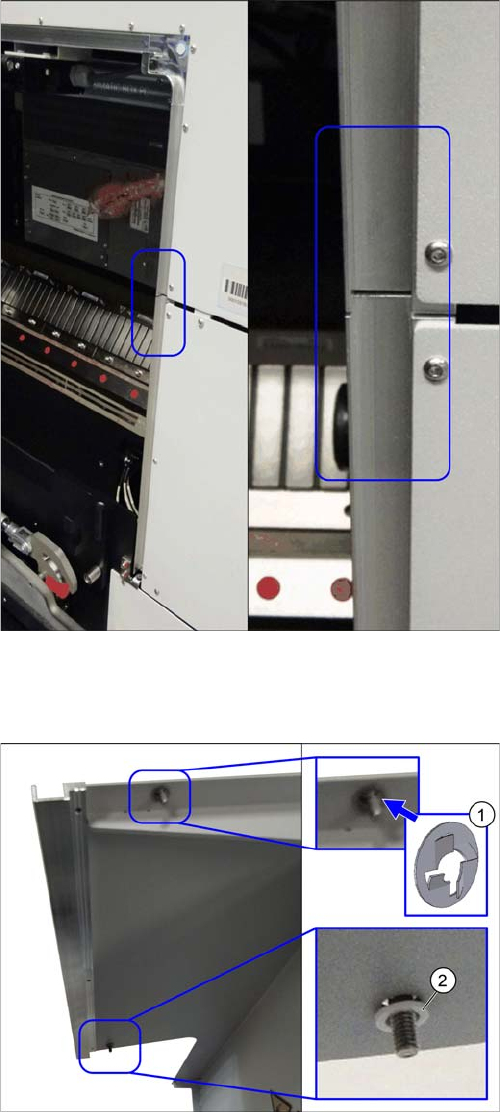
Cover guidance (example of SX2 shown)
The cover guidance transitions must be set when the
gantry changer doors are closed, so that the guidances
are flush with one another. Make sure that there is no pro-
truding edge, against which the cover guide roller could
be knocked.
► (1) Check if the loss protection [03103501-xx] is pre-
sent at the top.
► (2) Check if the plastic washer [00201148Sxx] and
the loss protection [03103501-xx] are still present at
the bottom.
► See also the Technical Information "New stopper on
folding covers for SIPLACE SX1 / DX1" [DE: TI2014-
04D05] [EN: TI2014-04E05].
Settings
4.2.1 Setting the Machine Covers Settings on the Basic Machine
Service Manual SIPLACE SX1/SX2/DX1/DX2 FS02 251
4.2.1.4
4.2.1.4 Setting the Cover Switch
Setting the Cover Switch
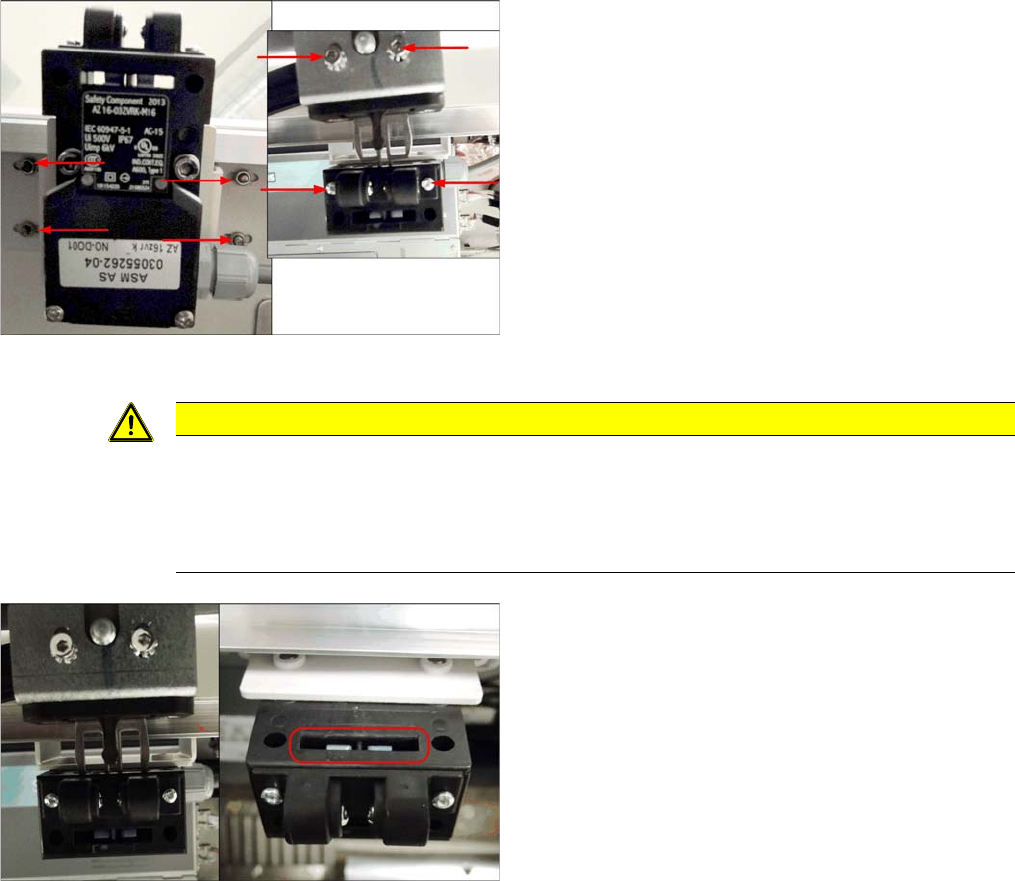
Cover switch (using example of SX2)
Cover switch [03055262-xx]
► Loosen the screws fastening the cover switch, the
centering device and the actuator, so that the assem-
blies can be easily moved.
CAUTION
Screws on actuator
With enforcement of the Machinery Directive DIN EN 1088 (2009), the following has been ex-
ecuted to avoid misuse (e.g. putting the safety features out of action): the actuator and machine
protective switch screws have been replaced by Torx screws with pins. The relevant set of tools
may only be used for performing repair work.
Cover switch (using example of SX2)
► Close the cover far enough for the actuator to be just
over the switch. Align them so that the metal bracket
is parallel to the opening in the switch. The metal
bracket may not scrape against the cover switch.
► Tighten the cover switch screws in this position.
Settings
Settings on the Basic Machine 4.2.1 Setting the Machine Covers
252 Service Manual SIPLACE SX1/SX2/DX1/DX2 FS02
4.2.1.5
4.2.1.5 Setting the Cover Switch Centering Device
Setting the Cover Switch Centering Device
4.2.1.6
4.2.1.6 Setting the Actuator
Setting the Actuator
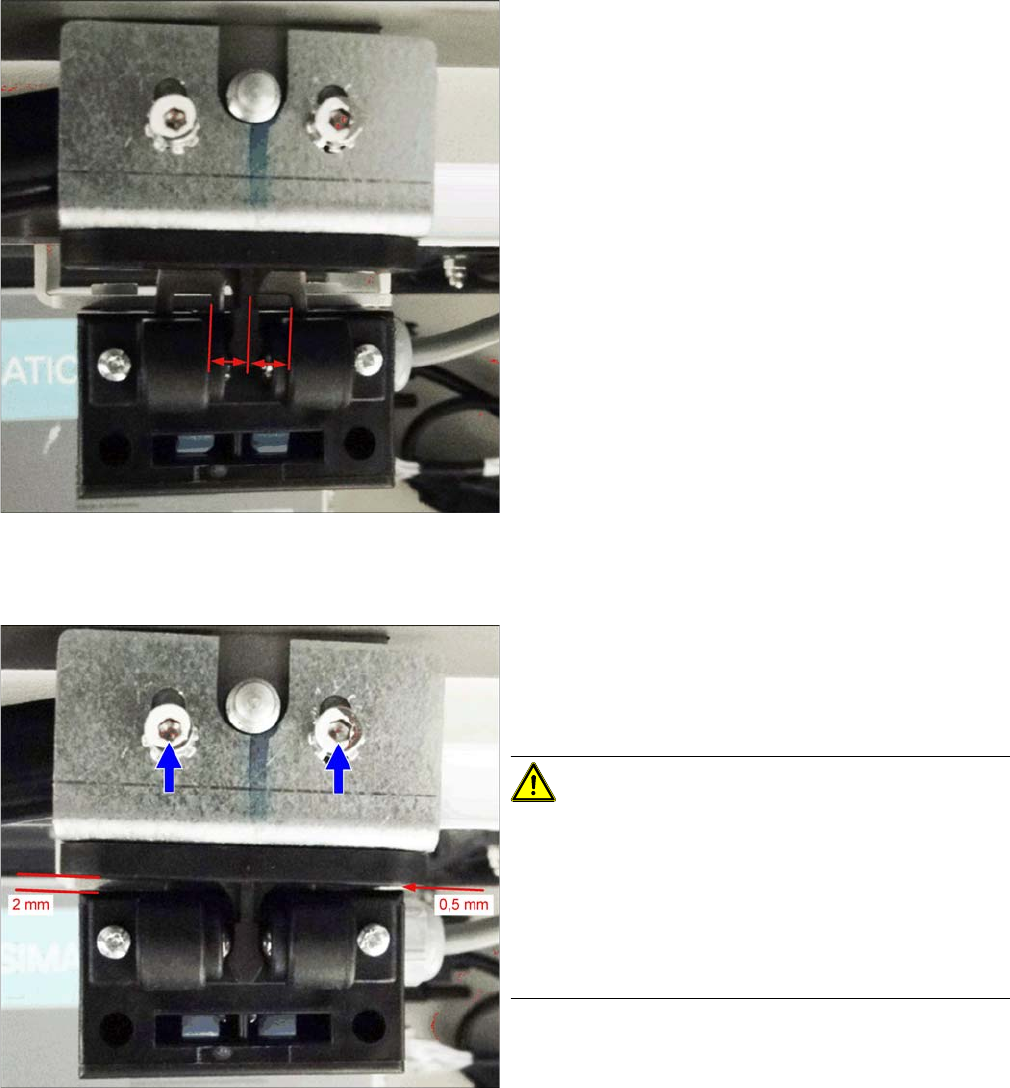
Cover switch (using example of SX2)
► Close the cover a little more until the plastic centering
device for the actuator is against the cover switch
centering device. These two must be centered to-
wards one another.
► Tighten the screws for the cover switch centering de-
vice.
Setting (example of SX2 shown)
Actuating bracket B1-2053 for AZ15/16 [00321649-xx]
► Close the cover completely.
► Set the actuator so that it stands approx. 2 mm above
the machine center and tighten the screws.
CAUTION!
The cover switch is not suitable as a stop.
The cover switch is not a stop or a support for the ma-
chine cover. Use the bottom stops of the rollers for this
(see next section).
Neither the cover nor the actuator may be supported on
the cover switch. There must be a visible gap between
the actuator and the cover switch.