00196497-07_SM_SXDX12_en.pdf - 第266页
Settings Gantry Settings 4.4.3 Checking Track Signals and Zero Pulse 266 Service Manual SIPLACE SX1/SX2/DX1/DX2 FS02 Test Device PG1-I (MS22/MS30 ) [03102699-xx] – Operation
Settings
4.4.3 Checking Track Signals and Zero Pulse Gantry Settings
Service Manual SIPLACE SX1/SX2/DX1/DX2 FS02 265
4.4.3.1
4.4.3.1 Track Signals and Zero Pulse
Track Signals and Zero Pulse
SX12?
Checking the connector on the testing device
Check
Proceed as follows to check the zero pulse.
► Switch off the machine.
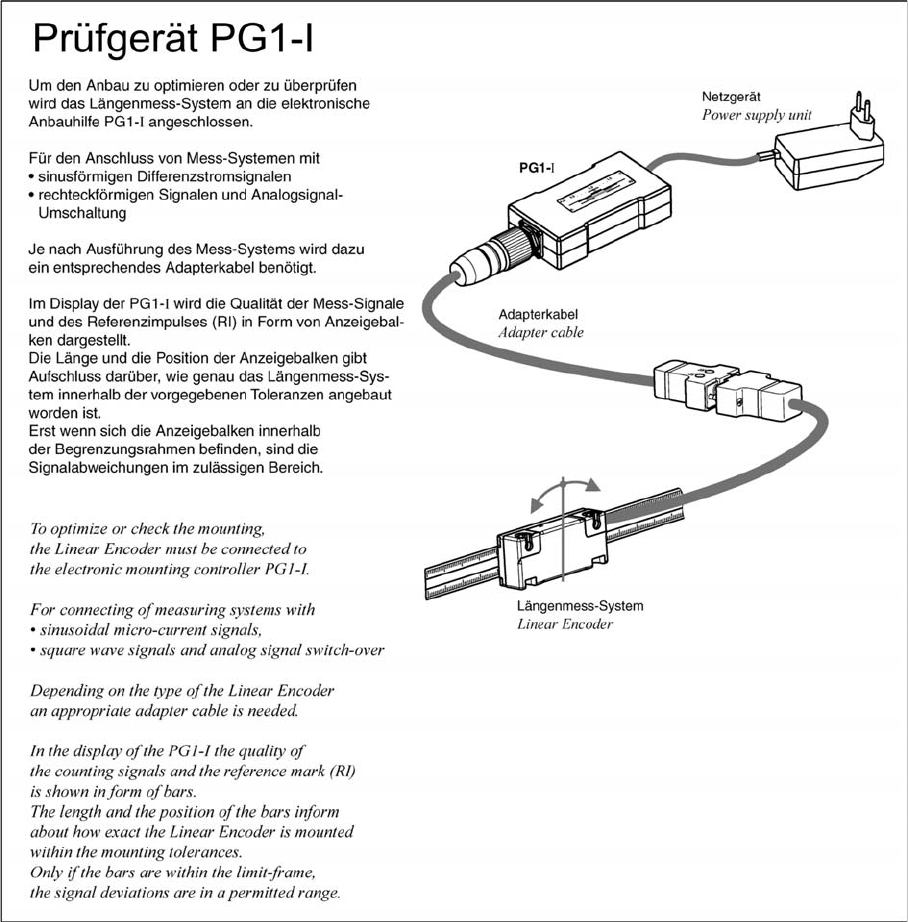
► Unplug the incremental encoder from the head board or the gantry interface and connect it to the
test device. (See "4.4.3.1.1 Test Device PG1-I (MS22/MS30) [03102699-xx] – Operation" [ ➙ 266])
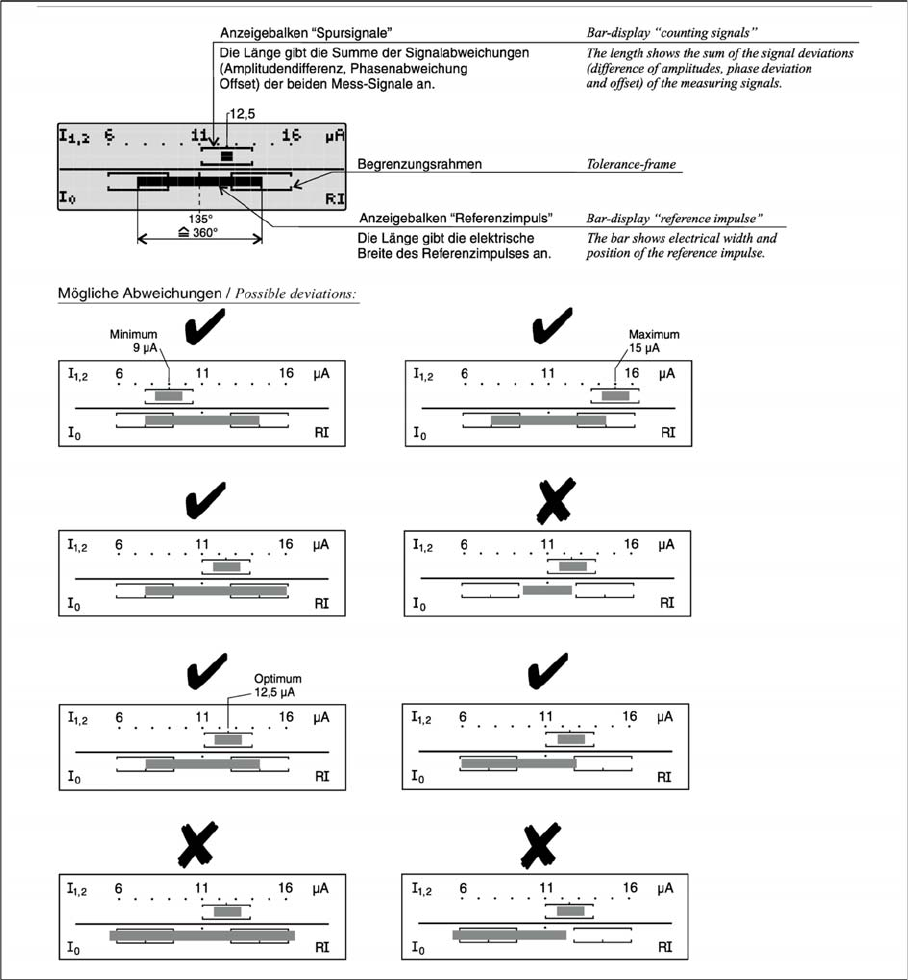
► Move the head or gantry manually back and forth. This movement enables you to read the correct
track signal progress from the test device.
► If the track signal is not within the tolerance range, you will need to reset the incremental encoder.
The incremental encoder has then been fitted either too near, too far away, inclined and/or displaced.
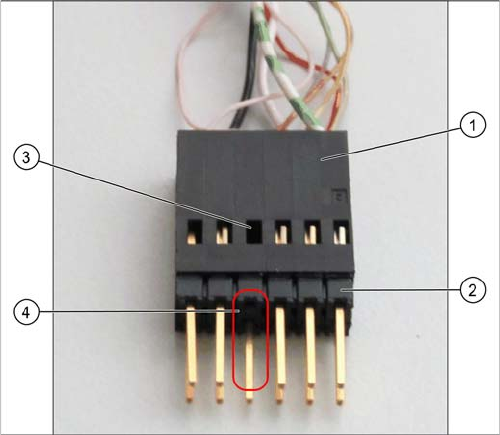
► Make sure that the pin adapter (2) is fitted correctly
on the connector (1) of the testing device.
You should not be able to see any cable in the
opening (3) in place of the missing pin (4).
Settings
Gantry Settings 4.4.3 Checking Track Signals and Zero Pulse
266 Service Manual SIPLACE SX1/SX2/DX1/DX2 FS02
Test Device PG1-I (MS22/MS30) [03102699-xx] – Operation
Settings
4.4.3 Checking Track Signals and Zero Pulse Gantry Settings
Service Manual SIPLACE SX1/SX2/DX1/DX2 FS02 267