00196497-07_SM_SXDX12_en.pdf - 第287页
Settings 4.6.5 Calibrating the Motors in the Conveyor Conveyor Settings Service Manual SIPLACE SX1/SX2/DX1/DX2 FS02 287 4.6.5 4 . 6 . 5 C a lib r a t in g t h e M o t o r s in t h e C o n v e y o r Calibrating the Motors…
Settings
Conveyor Settings 4.6.4 Setting the Parallelism of the Conveyor Sides
286 Service Manual SIPLACE SX1/SX2/DX1/DX2 FS02
► Tighten the screws fastening the drive again and set the belt tension to 20 +/-2 Hz. (see "4.6.1.3 Set-
ting the Tension of the Width Adjustment Toothed Belt" [ ➙ 276]).
► If the conveyor side clamps have loosened, fix these again.
Check
Check the parallelism of the conveyor sides.
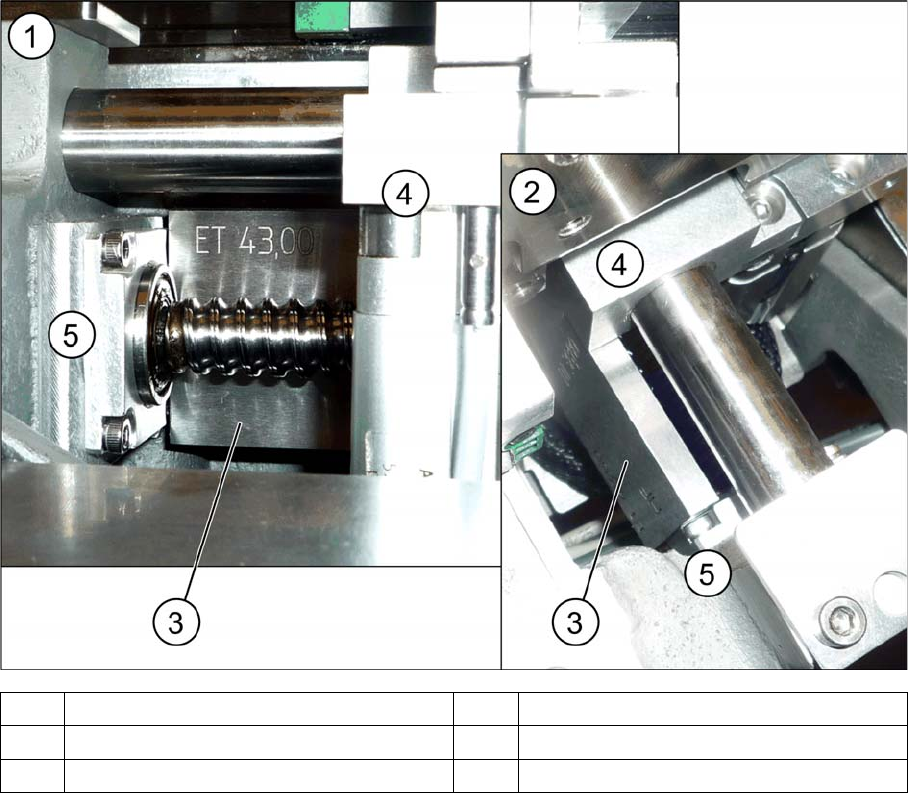
► Measure and compare the distance of the adjustment units to the stops. The distance must be the
same at both adjustment units.
► Pull the toothed belt to move the adjustment units manually as far as the edge. The adjustment units
must touch the two stops at the same time.
► Calibrate the width adjustment motor (see "4.6.5 Calibrating the Motors in the Conveyor" [ ➙ 287]).
► Displace the fixed conveyor side wall. This ensures that the fixed conveyor side is parallel to the flex-
ible sides. Readjust the fixed conveyor side to its original value after that.
► Calibrate the conveyor width (see "4.6.6 Conveyor Width Calibration" [ ➙ 288]).
See also
4.6.5 Calibrating the Motors in the Conveyor [ ➙ 287]
1 View from the side 2 View from above
3 Spacer piece (here: metal platelet) 4 Adjustment unit
5Frame 6Bearing
Settings
4.6.5 Calibrating the Motors in the Conveyor Conveyor Settings
Service Manual SIPLACE SX1/SX2/DX1/DX2 FS02 287
4.6.5
4.6.5 Calibrating the Motors in the Conveyor
Calibrating the Motors in the Conveyor
If the motors for the automatic width adjustment or for the lifting tables are replaced, they need to be
calibrated via the software afterwards. This is necessary since each motor has a different zero point and
calibration is the only way to enter the correct zero point into the machine data.
Calibration
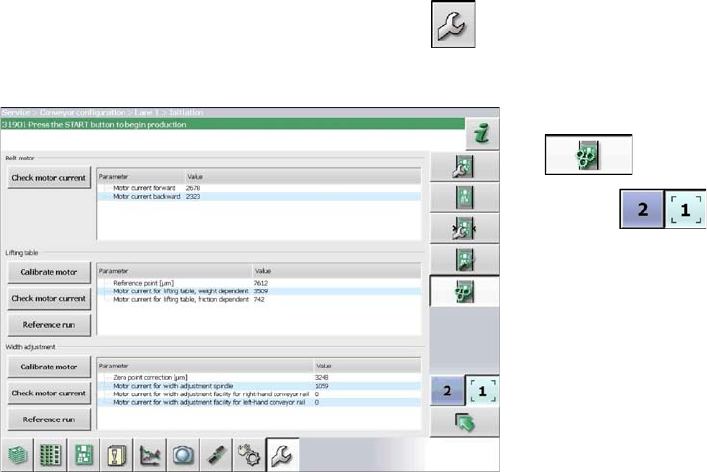
► Start up the station.
► Switch over to the activity level Service (Customer) (or better still)
► Switch over to the service menu .
► Select the Conveyor configuration button.
► Select the Initiate conveyor parameters
button.
► Use the button to select the required con-
veyor lane.
► Calibrate the relevant motor by either clicking the Mo-
tor calibrationorWidth adjustment button in the Lifting
table section.
Settings
Conveyor Settings 4.6.6 Conveyor Width Calibration
288 Service Manual SIPLACE SX1/SX2/DX1/DX2 FS02
4.6.6
4.6.6 Conveyor Width Calibration
Conveyor Width Calibration
► Open the Service view.
► Click on the Single calibration button.
► Click on the Conveyor Lane 1 or Conveyor Lane 2 button.
► Click on the Calibrate conveyor width... button. The dialog box Calibrate conveyor width will open.
► Place a 100 mm wide board into the selected conveyor lane and click on the Increase (small step)
or Decrease (small step), buttons to set the conveyor width stepwise to the board width.
► Click on the Cancel... button, to close the dialog box.
► Open the Manual operations > Subsystems view.
► Click on the Conveyor Lane 1 or Conveyor Lane 2 button, to switch over to the Manual operations >
Subsystems > Conveyor Lane x > Functions view.
► Test whether the board can be transported smoothly through the machine, without problems.
► Press the following buttons one after the other: Input section, placement section, intermediate sec-
tion, placement section and output section.
► Click on the icon, to return to the Service > Manual operations > Conveyor Lane x view.
► Click on the Calibrate conveyor width... button. The dialog box Calibrate conveyor width will open.
► Click on the OK button. The dialog box will close and the conveyor width will be calibrated to the
board width.
► Click on the Save machine data for conveyor
button, to save the data generated during calibration
in the machine data.
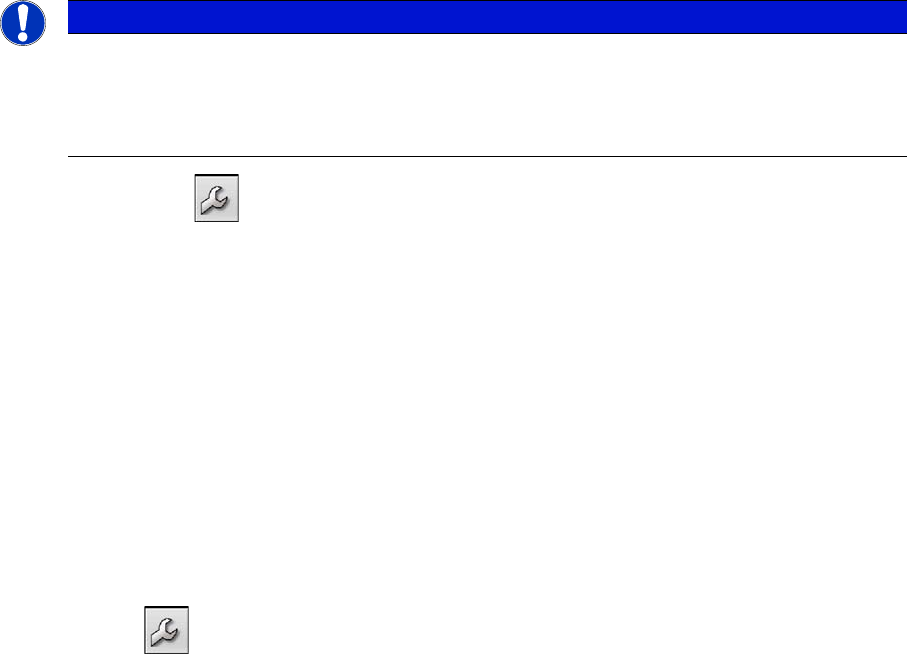
NOTICE
Calibration
► Use a 100 mm wide board to calibrate the conveyor width.
► Switch the dual conveyor between "fixed right" and "fixed left". This ensures that all convey-
or sides are calibrated.