00196497-07_SM_SXDX12_en.pdf - 第73页
Service Work Conveyor 3.3.3 Replacing the Control Computer BoxPC Control Service Manual SIPLACE SX1/SX2/DX1/DX2 FS02 73 BoxPC ABP402-A CPU1020E 2xPCI SSD-80GB (iBase) [031204 23-xx] - from machine no.: N001 Removal ► Tak…
Service Work Conveyor
Control 3.3.3 Replacing the Control Computer BoxPC
72 Service Manual SIPLACE SX1/SX2/DX1/DX2 FS02
3.3.3
3.3.3 Replacing the Control Computer BoxPC
Replacing the Control Computer BoxPC
Parts, Equipment and Tools
▪ Machines Up To Serial Number Mxxx:
– BoxPC 627B with hotlink cable [03084494-xx] or
– Control Computer BoxPC 627C [03094731Sxx] (station computer and 3D Coplan option)
▪ Machines from Serial Number N001:
– BoxPC ABP402-A CPU1020E 2xPCI SSD-80GB [03120423-xx] (iBase)
1)
Please note that the new CAN card may need a new driver. Observe the instructions in section "4.3.4
Installing the CAN Card Driver" [ ➙ 258].
▪ Installation Manual Windows Embedded Standard 7 [00197737-xx]
Overview
NOTICE
Additional hardware for the BoxPC
The BoxPC is supplied without the following parts. If required, these must be removed from the
old BoxPC and fitted in the new one or ordered as new parts:
DX1/DX2,
SX1/SX2 up to Mxxx
SX1/SX2 from N001
Hotlink Interface PCI-A24-K01 [03052135-xx]
Hotlink interface/Power cable [03042074-xx]
CAN card CAN card PowerCAN-
PCI [03079973-xx]
1)
(replaces:
03052590-xx])
The CAN interface CINX takes over this task (see
Replacing the CAN Interface CINX [03108598-xx]
(from machine no.: N001))
RAM See "3.3.7 Replacing the RAM in the BoxPC" [ ➙ 80]
Ethernet adapter Permanently installed Permanently installed
If a 3D Coplan or a barcode scanner is installed, the
"LAN card PCI Gigabit SEMPRE NC1000-1"
[03112190-xx] is needed in addition.
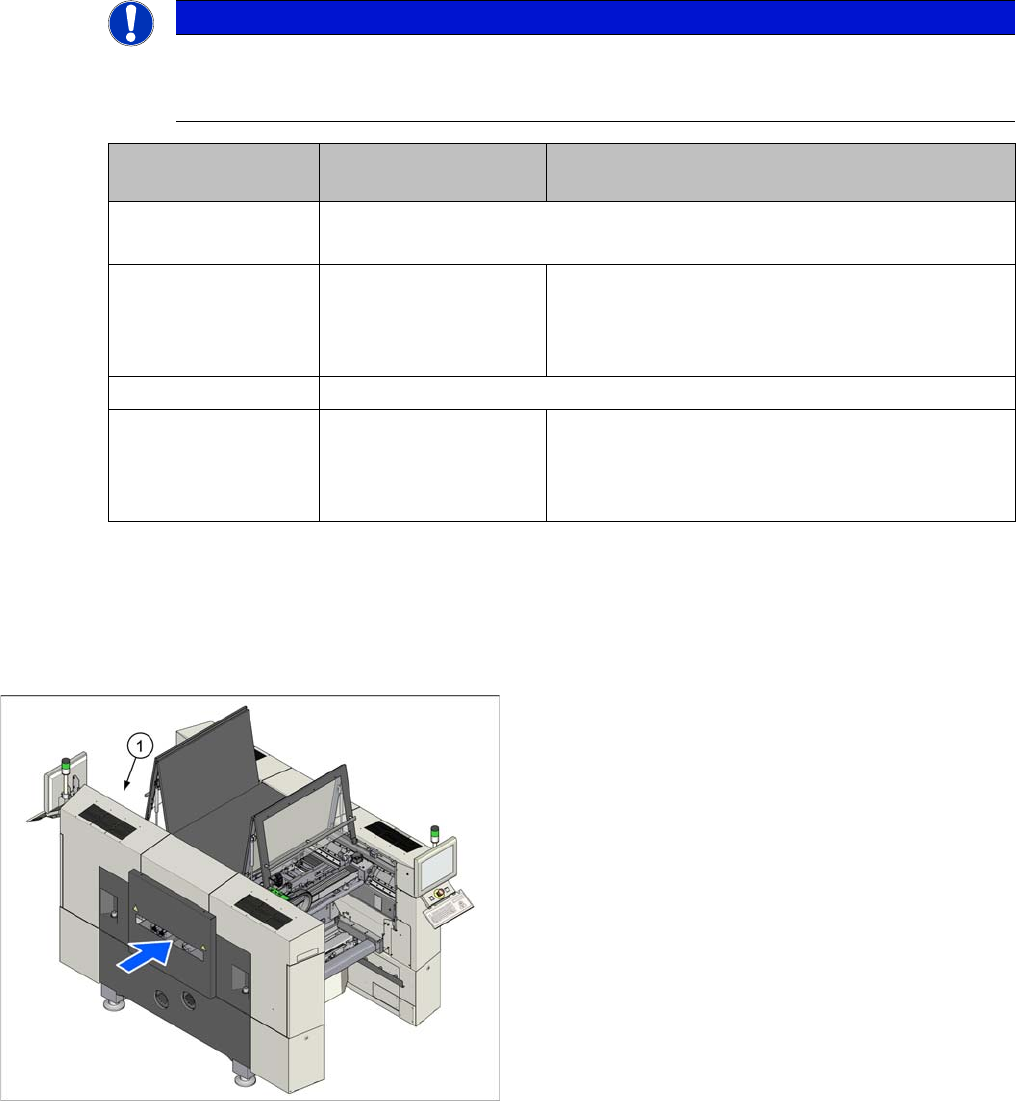
The BoxPC (1) can be found at the top right of location 2.
Service Work Conveyor
3.3.3 Replacing the Control Computer BoxPC Control
Service Manual SIPLACE SX1/SX2/DX1/DX2 FS02 73
BoxPC ABP402-A CPU1020E 2xPCI SSD-80GB (iBase) [03120423-xx] - from machine no.: N001
Removal
► Take a note of the component counter reading at the software user interface.
► Switch off the machine, disconnect it from the power supply and secure it to prevent unauthorized
reactivation. Observe the instructions in section "1.2 Preparatory Work..." [ ➙ 13].
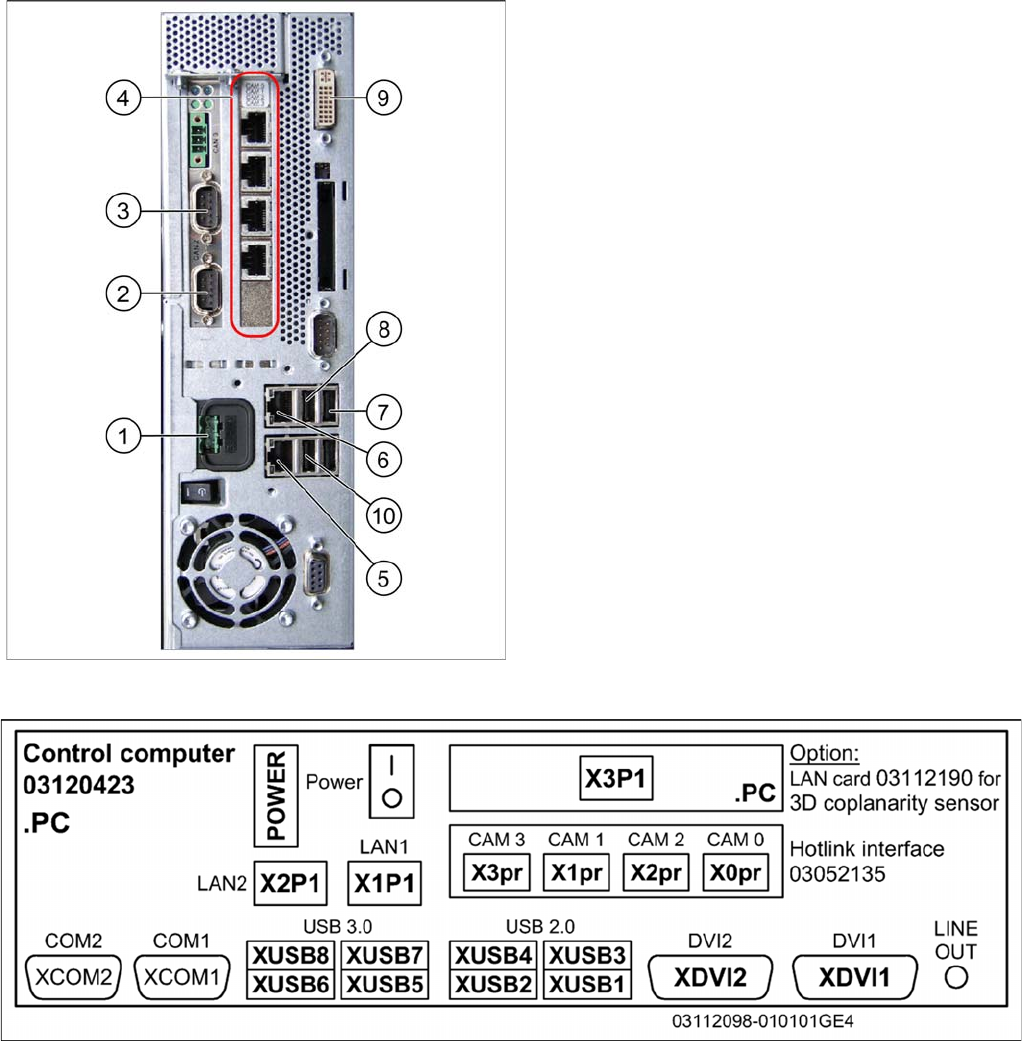
► Unplug all press-fit connections to the BoxPC. Mark their positions, to make clear assignment easier
later on.
BoxPC 627C [03094731-xx] – up to machine no.: Mxxx
1. Power supply DC 24 V
2. CAN 1 on the CAN bus card
3. CAN 2 on the CAN bus card
4. Hotlink card
5. LAN 2 – connection to Vision computer
(optional second BoxPC 3D Coplan)
6. LAN 1 – connection to SIPLACE Pro
(connection to line hub)
7. USB 0 – connection for keyboard/touchscreen (con-
nection to USB hub)
8. USB 2 – connection for an external DVD drive
9. DVI/VGA monitor connection
(connection to video multiplexer)
10. USB video multiplexer
Service Work Conveyor
Control 3.3.3 Replacing the Control Computer BoxPC
74 Service Manual SIPLACE SX1/SX2/DX1/DX2 FS02
Installation
► Follow the removal instructions in reverse order for installation. Also observe the following instruc-
tions:
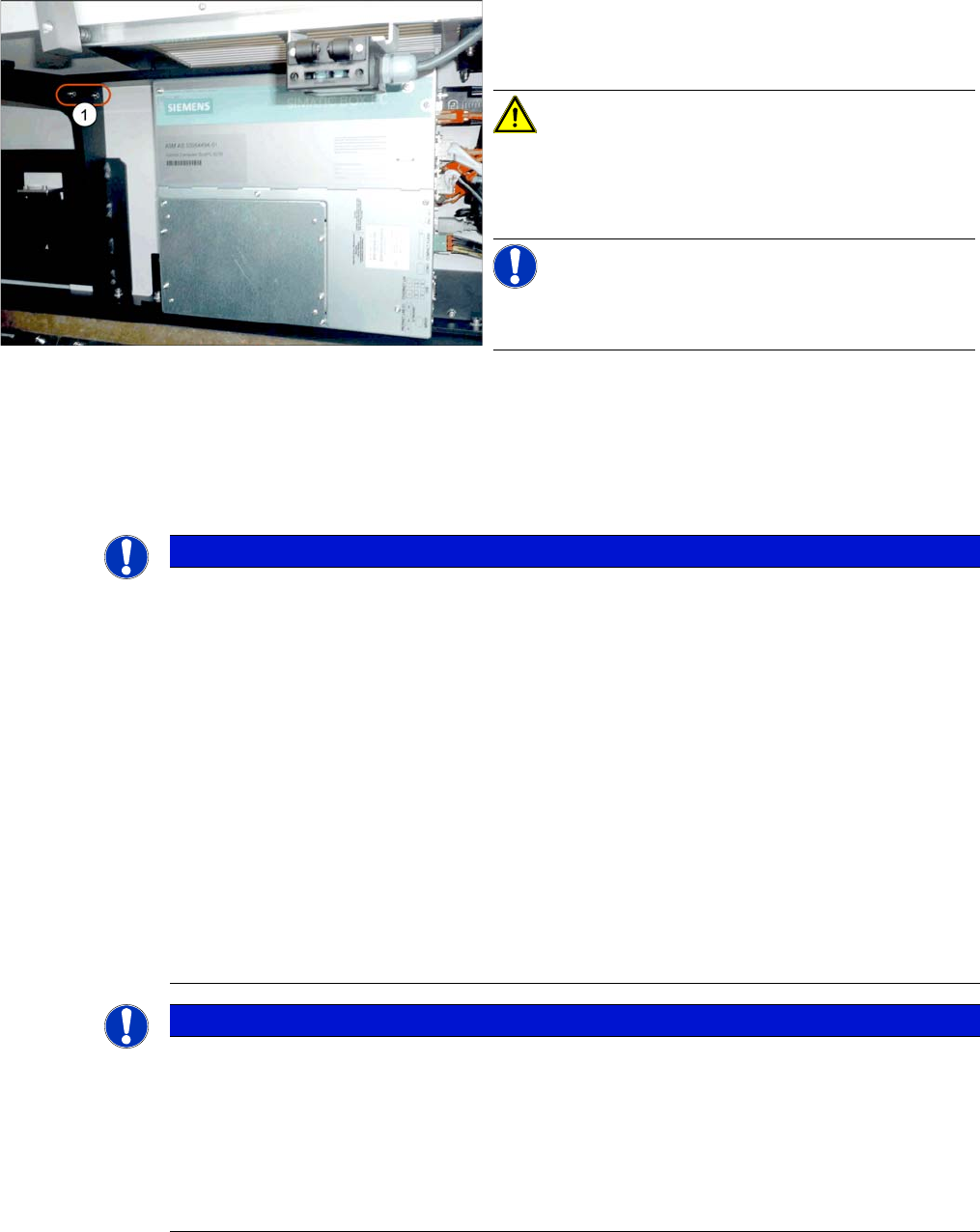
► Remove the screws(1) fastening the fixture bracket
for the BoxPC. You can now swing the BoxPC down
and away.
CAUTION!
Magnets (magnetic force 400 Nm)
Make sure that you do not move the BoxPC too near to
the magnets.
NOTICE!
The BoxPC has rubber feet on its base. These sit in spe-
cial recesses.
► Unscrew the fixture bracket from the BoxPC.
NOTICE
Installation instructions
► If required, several parts must be removed from the old BoxPC and fitted in the new one or
added as new parts:
⇨ CAN card (See "3.3.4 Replacing the CAN Card [03079973-xx] (Machine Nos.: Kxxx,
Lxxx and Mxxx only)" [ ➙ 75])
⇨ Hotlink Interface (see "3.3.5 Replacing the Hotlink Interface Card [03052135-xx]"
[ ➙ 76])
⇨ Rubber feet (if required, with adapter plate)
⇨ Mount
► When inserting the BoxPC in the machine, place it in the recesses on the machine base.
► The BoxPC needs to be installed and configured after it has been built in: BIOS settings,
operating system, station software (see also the following instructions).
► After you have installed the station software and performed a reboot, check the component
counter reading. (This counter is also stored on the E/A module and is then written back in
the station computer.)
NOTICE
Installing the BoxPC
The BoxPC needs to be installed and configured after it has been built in. Also observe the
following instructions:
► Read the relevant installation guide.
► The BIOS update and settings images are no longer included on the station software CD.
The CDs for the BIOS settings are only available via the SIPLACE Software Download
Center (SDC).