00196497-07_SM_SXDX12_en.pdf - 第76页
Service Work Conveyor Control 3.3.5 Replacing th e Hotlink Interface Card [03052135-xx] 76 Service Manual SIPLACE SX1/SX2/DX1/DX2 FS02 3.3.5 3 . 3 . 5 R e p la c in g t h e H o t lin k I n t e r f a c e C a r d [ 0 3 0 5…
Service Work Conveyor
3.3.4 Replacing the CAN Card [03079973-xx] (Machine Nos.: Kxxx, Lxxx and Mxxx only) Control
Service Manual SIPLACE SX1/SX2/DX1/DX2 FS02 75
3.3.4
3.3.4 Replacing the CAN Card [03079973-xx] (Machine Nos.: Kxxx, Lxxx and Mxxx only)
Replacing the CAN Card [03079973-xx] (Machine Nos.: Kxxx, Lxxx and Mxxx only)
Parts, Equipment and Tools
▪ 1x CAN card COM168V2-PCI [old: 03052590-xx] [new: 03079973-xx]
▪ Drivers, if needed (see below)
Overview
Removal
► Switch off the machine, disconnect it from the power supply and secure it to prevent unauthorized
reactivation. Observe the instructions in section "1.2 Preparatory Work..." [ ➙ 13].
► Dismantle and remove the BoxPC from the machine.
(See "3.3.3 Replacing the Control Computer BoxPC" [ ➙ 72])
► Open the covers above the plug-in cards.
► Undo the screw fastening the CAN card and remove the CAN card.
Installation
► Follow the removal instructions in reverse order for installation. Also observe the following instruc-
tions:
NOTICE
BoxPC 627B only
This CAN card is only used in machines with BoxPC [03084494-xx] or BoxPC 627C
[03094731Sxx].
These BoxPCs are installed in machines with serial numbers Kxxx, Lxxx and Mxxx.
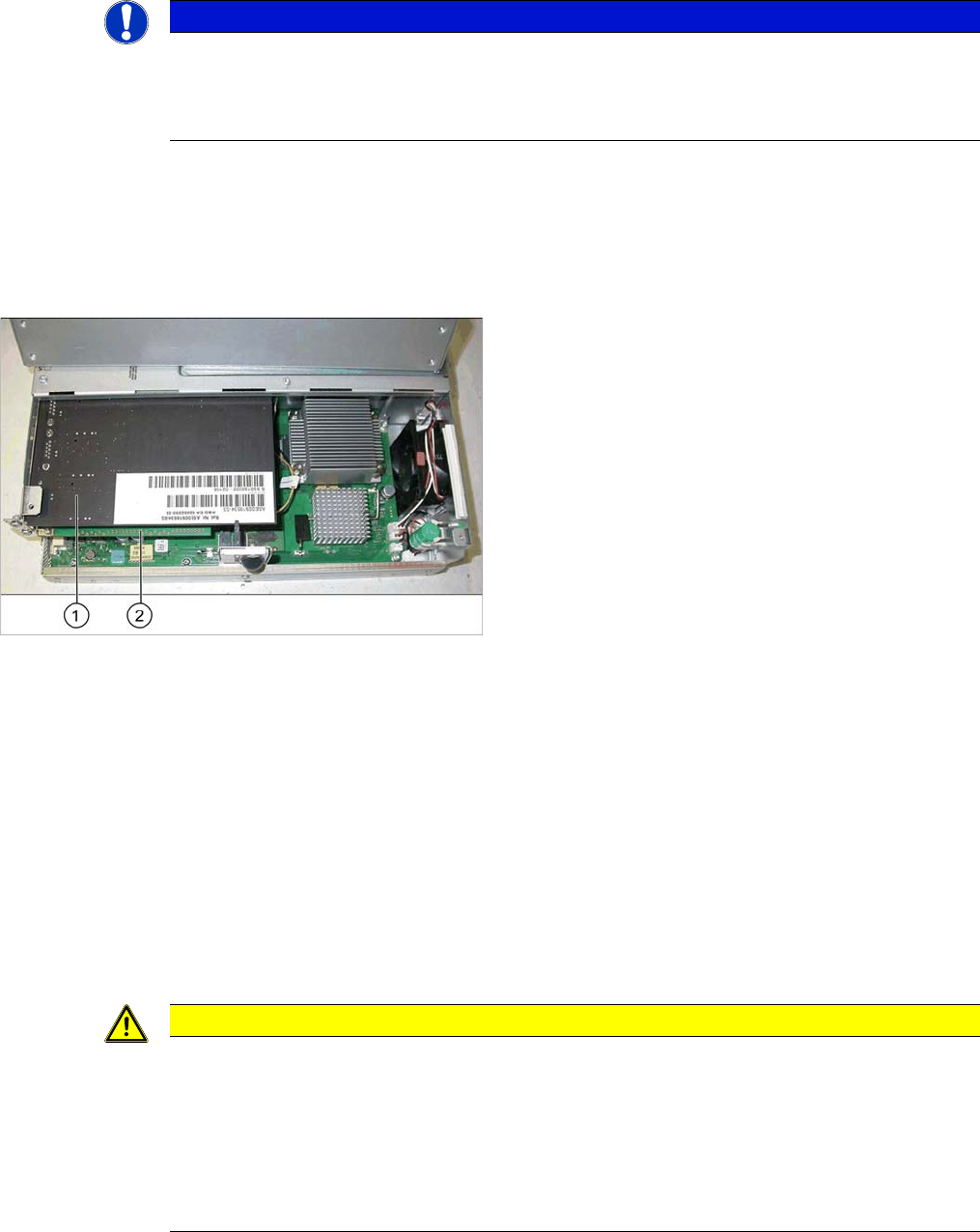
1. CAN bus card
2. Hotlink card (under the CAN bus card)
CAUTION
Installation instructions
When using machines with SW60x and SW<705.04, you also need to install the driver version
7.4.14 or higher. This driver can be found in the Software Download Center.
If this driver version is not available, please contact the SIPLACE hotline.
.This driver version is installed automatically from SW705.04 onwards.
► Observe the instructions in section "4.3.4 Installing the CAN Card Driver" [ ➙ 258].
► Make sure that the plug-in card is correctly fitted into its slot.
Service Work Conveyor
Control 3.3.5 Replacing the Hotlink Interface Card [03052135-xx]
76 Service Manual SIPLACE SX1/SX2/DX1/DX2 FS02
3.3.5
3.3.5 Replacing the Hotlink Interface Card [03052135-xx]
Replacing the Hotlink Interface Card [03052135-xx]
Parts, Equipment and Tools
Overview
▪ Hotlink interface PCI-A24-K01 [03052135-xx]
BoxPC 627B/C
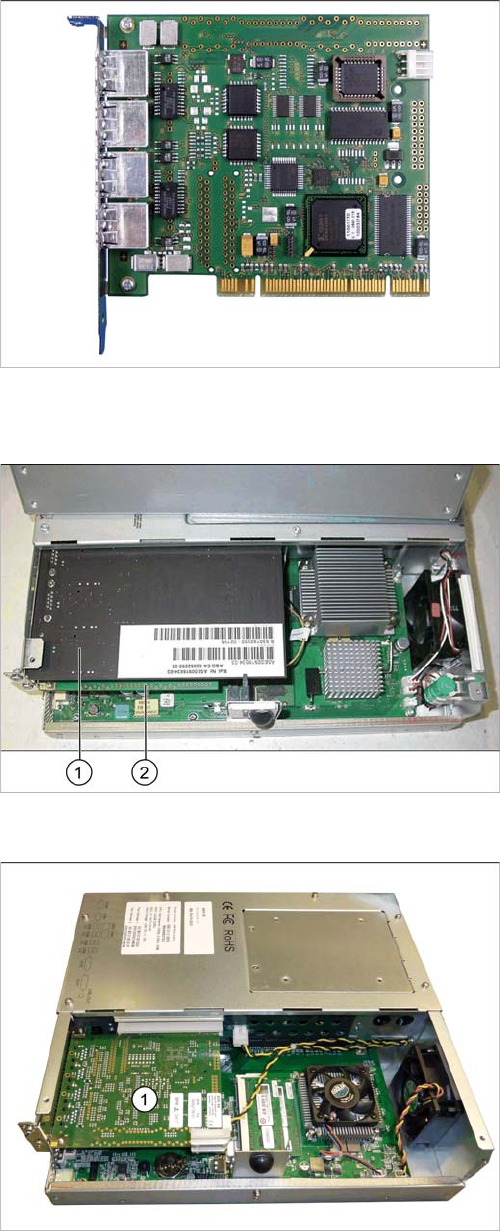
1. CAN bus card
2. Hotlink card (under the CAN bus card)
BoxPC ABP402-A iBase
1. Hotlink card
Service Work Conveyor
3.3.5 Replacing the Hotlink Interface Card [03052135-xx] Control
Service Manual SIPLACE SX1/SX2/DX1/DX2 FS02 77
Removal
► Switch off the machine, disconnect it from the power supply and secure it to prevent unauthorized
reactivation. Observe the instructions in section "1.2 Preparatory Work..." [ ➙ 13].
► Dismantle and remove the BoxPC from the machine.
(See "3.3.3 Replacing the Control Computer BoxPC" [ ➙ 72])
► Open the covers above the plug-in cards.
► Undo the screw fastening the Hotlink card and remove the Hotlink card.
Installation
► Follow the removal instructions in reverse order for installation. Also observe the following instruc-
tions:
CAUTION
Installation instructions
► Make sure that the plug-in card is correctly fitted into its slot.
► Check whether the correct driver is installed and, if it is not, install it.
► Connect the "hotlink interface/power" cable [03042074-xx]. Follow the diagram below for
this.
BoxPC 627B/C
BoxPC ABP402-A iBase
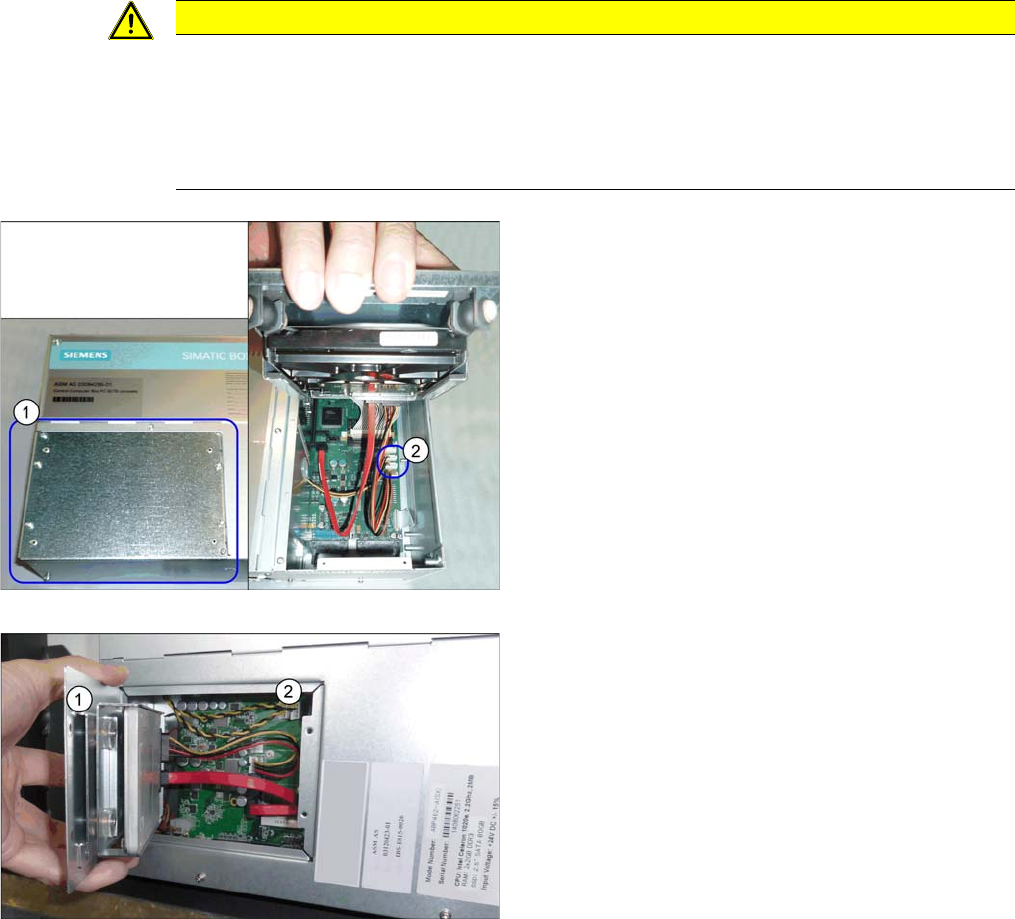
"Hotlink interface/power" cable
► If you are replacing the hotlink interface/power cable
(2), you will need to loosen and open the cover (1) on
the hard drives.
However, if you are continuing to use the old hotlink
interface/power cable, this step is not required.