00196497-07_SM_SXDX12_en.pdf - 第77页
Service Work Conveyor 3.3.5 Replacing the Hotlink Interface Card [0 3052135-xx] Control Service Manual SIPLACE SX1/SX2/DX1/DX2 FS02 77 Removal ► Switch off the machine, disconnec t it from the po wer supply and secure it…
Service Work Conveyor
Control 3.3.5 Replacing the Hotlink Interface Card [03052135-xx]
76 Service Manual SIPLACE SX1/SX2/DX1/DX2 FS02
3.3.5
3.3.5 Replacing the Hotlink Interface Card [03052135-xx]
Replacing the Hotlink Interface Card [03052135-xx]
Parts, Equipment and Tools
Overview
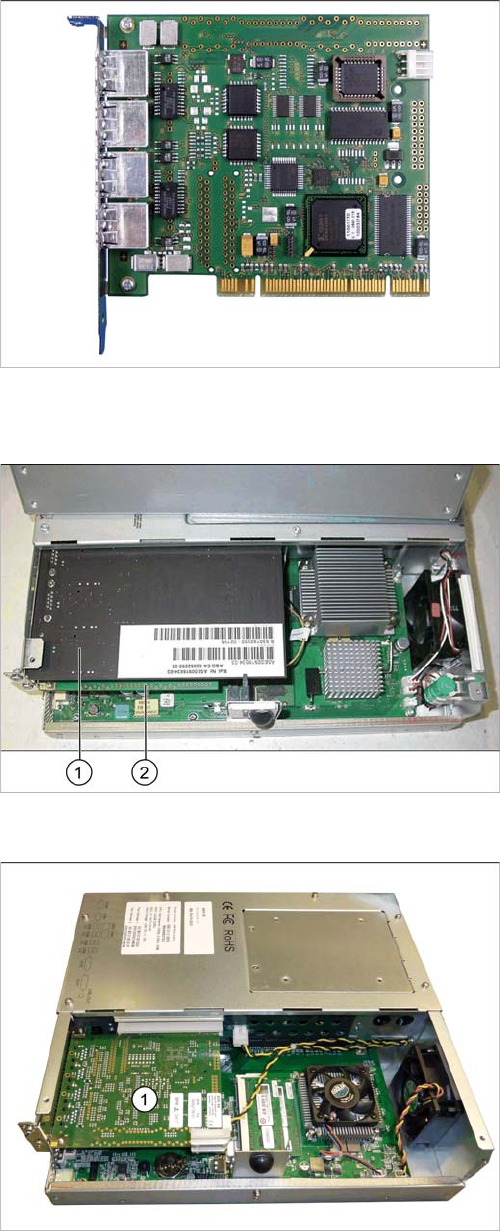
▪ Hotlink interface PCI-A24-K01 [03052135-xx]
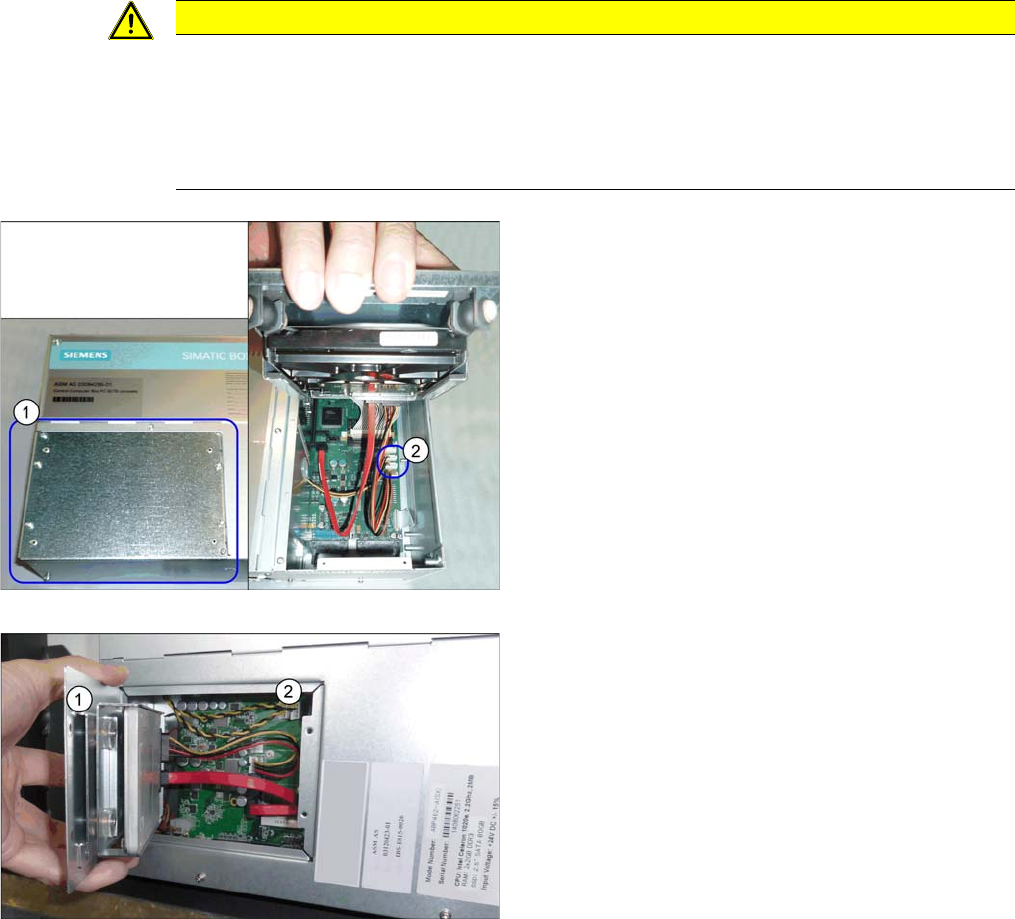
BoxPC 627B/C
1. CAN bus card
2. Hotlink card (under the CAN bus card)
BoxPC ABP402-A iBase
1. Hotlink card
Service Work Conveyor
3.3.5 Replacing the Hotlink Interface Card [03052135-xx] Control
Service Manual SIPLACE SX1/SX2/DX1/DX2 FS02 77
Removal
► Switch off the machine, disconnect it from the power supply and secure it to prevent unauthorized
reactivation. Observe the instructions in section "1.2 Preparatory Work..." [ ➙ 13].
► Dismantle and remove the BoxPC from the machine.
(See "3.3.3 Replacing the Control Computer BoxPC" [ ➙ 72])
► Open the covers above the plug-in cards.
► Undo the screw fastening the Hotlink card and remove the Hotlink card.
Installation
► Follow the removal instructions in reverse order for installation. Also observe the following instruc-
tions:
CAUTION
Installation instructions
► Make sure that the plug-in card is correctly fitted into its slot.
► Check whether the correct driver is installed and, if it is not, install it.
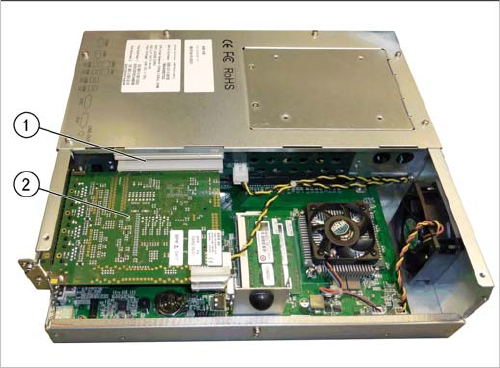
► Connect the "hotlink interface/power" cable [03042074-xx]. Follow the diagram below for
this.
BoxPC 627B/C
BoxPC ABP402-A iBase
"Hotlink interface/power" cable
► If you are replacing the hotlink interface/power cable
(2), you will need to loosen and open the cover (1) on
the hard drives.
However, if you are continuing to use the old hotlink
interface/power cable, this step is not required.
Service Work Conveyor
Control 3.3.6 Replacing the LAN Card [03112190-xx]
78 Service Manual SIPLACE SX1/SX2/DX1/DX2 FS02
3.3.6
3.3.6 Replacing the LAN Card [03112190-xx]
Replacing the LAN Card [03112190-xx]
If a 3D Coplan or a barcode scanner is installed, the "LAN card PCI Gigabit SEMPRE NC1000-1"
[03112190-xx] is needed in addition.
This LAN card is used in the "BoxPC ABP402-A CPU1020E 2xPCI SSD-80GB (iBase)" [03120423-xx]
in machines from serial number N001.
Parts, Equipment and Tools
▪ LAN Card PCI Gigabit SEMPRE NC1000-1 [03112190-xx]
Overview
Removal
► Switch off the machine, disconnect it from the power supply and secure it to prevent unauthorized
reactivation. Observe the instructions in section "1.2 Preparatory Work..." [ ➙ 13].
► Dismantle and remove the BoxPC from the machine.
(See "3.3.3 Replacing the Control Computer BoxPC" [ ➙ 72])
► Open the covers above the plug-in cards.
► Undo the screw fastening the LAN card and remove the LAN card.
BoxPC ABP402-A iBase
1. Free slot for the LAN card
2. Hotlink card