00196497-07_SM_SXDX12_en.pdf - 第80页
Service Work Conveyor Control 3.3.7 Replacing the RAM in the BoxPC 80 Service Manual SIPLACE SX1/SX2/DX1/DX2 FS02 3.3.7 3 . 3 . 7 R e p la c in g t h e R A M in t h e B o x P C Replacing the RAM in the BoxPC Parts, Equip…

Service Work Conveyor
3.3.6 Replacing the LAN Card [03112190-xx] Control
Service Manual SIPLACE SX1/SX2/DX1/DX2 FS02 79
Installation
► Follow the removal instructions in reverse order for installation. Also observe the following instruc-
tions:
Overview of IP Ad dresses
Overview of IP Addresses
For further information on making the IP settings, refer to the installation manual
Installation Manual Windows Embedded Standard 7 [00197737-xx]
CAUTION
Installation instructions
► Make sure that the plug-in card is correctly fitted into its slot.
► Make the IP settings for the LAN card (see below).
IP address Subnet mask Comment
SIPLACE LAN 172.22.xxx.xxx 255.255.0.0 LAN connection on the
computer
CIN box 192168255239 255255255224 LAN connection on the
computer
Station computer 192168255249 255255255224 Additional LAN card for
the coplan computer
Coplan computer 192168255253 255255255224
Service Work Conveyor
Control 3.3.7 Replacing the RAM in the BoxPC
80 Service Manual SIPLACE SX1/SX2/DX1/DX2 FS02
3.3.7
3.3.7 Replacing the RAM in the BoxPC
Replacing the RAM in the BoxPC
Parts, Equipment and Tools
Overview
SXDX12V1V2
NOTICE
Memory extension
The Windows 7/8 operating system requires 2 GB of RAM.
Machine type PC type Operating sys-
tem
RAM module
X-Series S from no.:
H001
BoxPC 427D
[03114177Sxx]
Windows 8 4 GB DDR 1333Mhz PC3-10600
SO-DIMM
X-Series S up to no.:
Gxxx, SX4/DX4
BoxPC 827C
[03094732-xx]
Windows 7/8 At least 2 GB DDR3 1066 DIMM
SX1/SX2 up to no.:
Mxxx
BoxPC 627
[03055281-xx]
Windows 7/8 2 GB SDRAM DDR3 PC3-8500
[03099405-xx]
SX1/SX2 from no.:
N001
BoxPC ABP402-A
CPU1020E 2xPCI SSD-
80GB [03120423Sxx]
Windows 8 2x 2GB DDR3 SO-DIMM
BoxPC 627B/C
1. Memory extension
BoxPC ABP402-A iBase
1. Memory extension

Service Work Conveyor
3.3.7 Replacing the RAM in the BoxPC Control
Service Manual SIPLACE SX1/SX2/DX1/DX2 FS02 81
Removal
► Switch off the machine, disconnect it from the power supply and secure it to prevent unauthorized
reactivation. Observe the instructions in section "1.2 Preparatory Work..." [ ➙ 13].
► Dismantle and remove the BoxPC from the machine (see "3.3.3 Replacing the Control Computer
BoxPC" [ ➙ 72]).
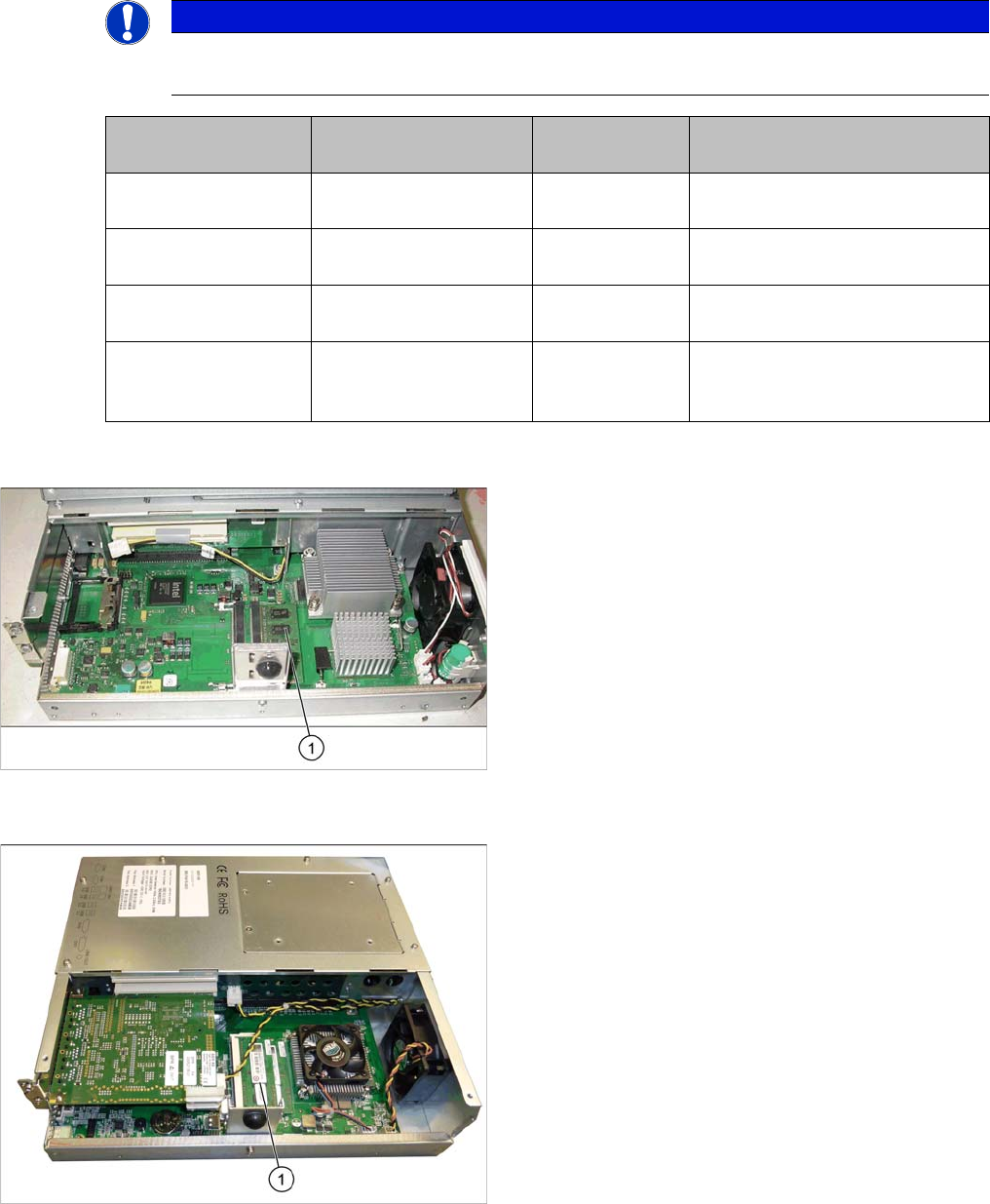
► Loosen the screws fastening the cover of the BoxPC and open the cover.
► Loosen the locks on both sides of the memory extension and remove the memory extension.
Installation
► Follow the removal instructions in reverse order for installation. Also observe the following instruc-
tions:
CAUTION
Installation instructions
► Make sure that you insert the memory extension the right way round. The new memory ex-
tension must audibly engage into its slot.