00198605-01_AI_EbS_SST25_Camera_EN.pdf - 第14页
2 Installation 2.3 Installation of the SST25 camera 14 Assembly Instructions E by SIPLACE SST25 Camera Option 03/2018 2.3 Installation of the SST25 camera Fig.3: Interface plate ► Mount the interface plate W/Fastening […
2 Installation
2.3 Installation of the SST25 camera
Assembly Instructions E by SIPLACE SST25 Camera Option 03/2018 19
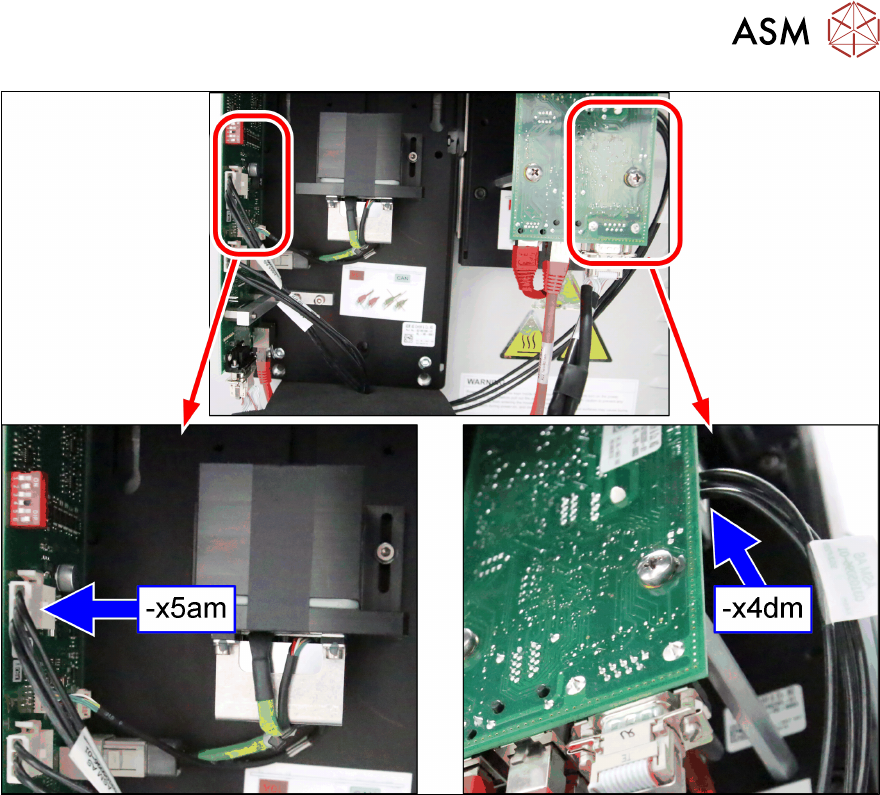
Fig.8: Cable 1
► Connect the cable x4dm [03105096‑xx] to the flip chip camera and cable x5am [03105096‑xx]
to the stationary camera as shown.
2 Installation
2.3 Installation of the SST25 camera
14 Assembly Instructions E by SIPLACE SST25 Camera Option 03/2018
2.3 Installation of the SST25 camera
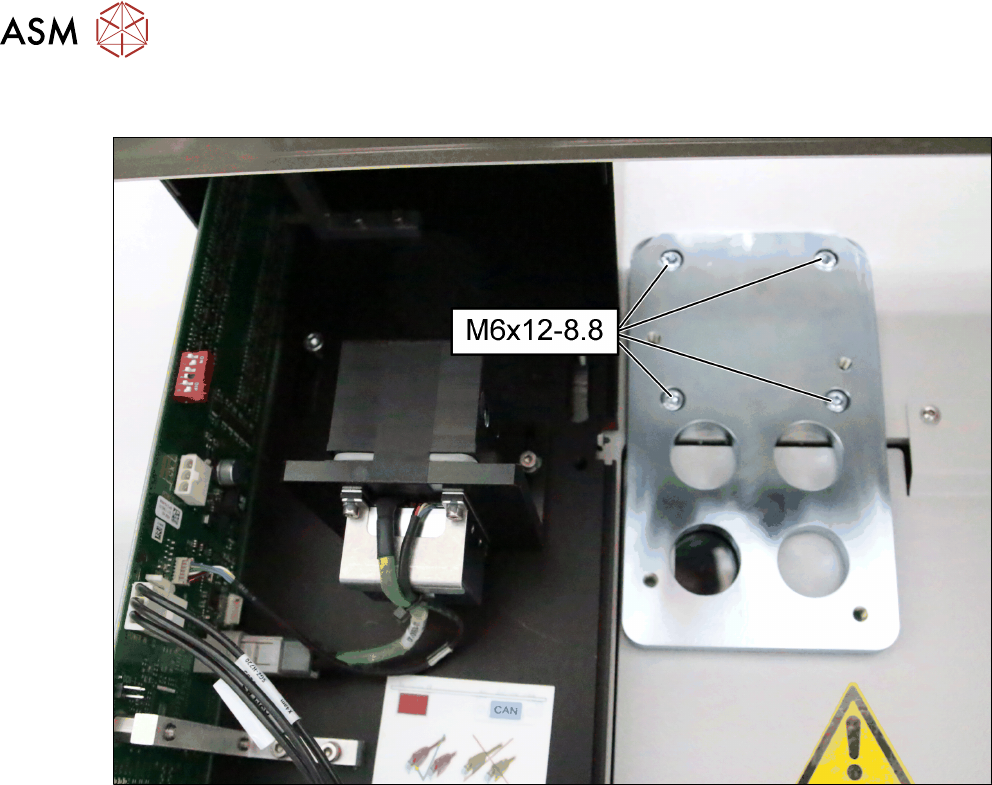
Fig.3: Interface plate
► Mount the interface plate W/Fastening [03112787‑xx] onto the machine frame as shown with
four cap screws (ISO-M6x12-8.8).
2 Installation
2.3 Installation of the SST25 camera
Assembly Instructions E by SIPLACE SST25 Camera Option 03/2018 15
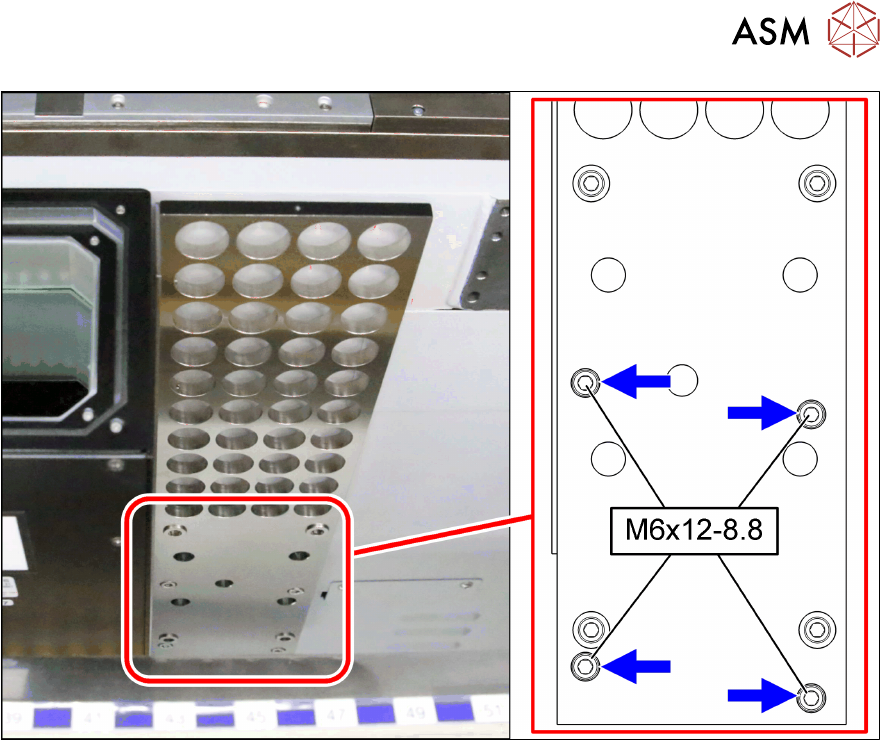
Fig.4: Support plate
► Mount the support plate complete [03112717‑xx] onto the machine frame as shown with four
cap screws (ISO-M6x12-8.8).