00192662-01.pdf - 第252页
6 Vision functions User Manua l SIPLACE F5/F5 HM 6.4 Access to the ’ Teach Fiducial ’ and ’ Tes t Component ’ Options Software version SR. 407.xx 01/2001 US E dition 252 6 Fig. 6.4 - 3 T est component option: menus Y ou …
User Manual SIPLACE F5/F5 HM 6 Vision functions
Software version SR.407.xx 01/2001 US Edition 6.4 Access to the ’Teach Fiducial’ and ’Test Component’ Options
251
6
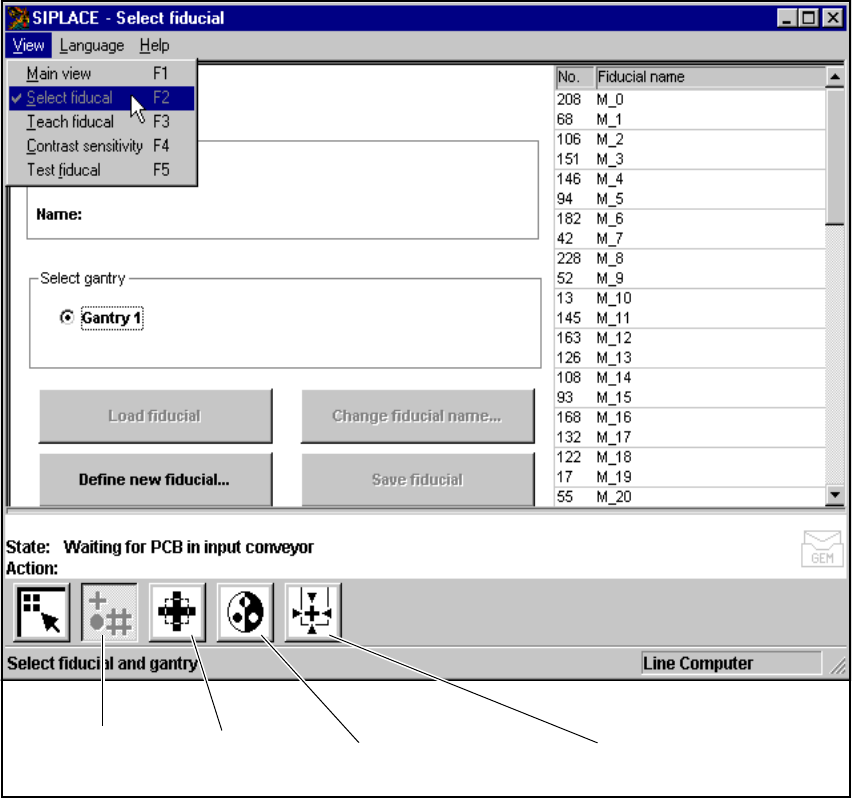
Fig. 6.4 - 2 Teach fiducial option: menus
You can select the following menus from the Teach fiducial option either by clicking on the icons
in the symbols bar or by using function keys F2 to F5: 6
– Select fiducial
– Teach fiducial
– Contrast sensitivity, and
– Test fiducial.
You can return to the Main view menu either by clicking on the Main view icon or by pressing
function key F1. 6
Contrast sensitivity
icon
Test fiducial
icon
Select fiducial
icon
Test fiducial
icon
6 Vision functions User Manual SIPLACE F5/F5 HM
6.4 Access to the ’Teach Fiducial’ and ’Test Component’ Options Software version SR.407.xx 01/2001 US Edition
252
6
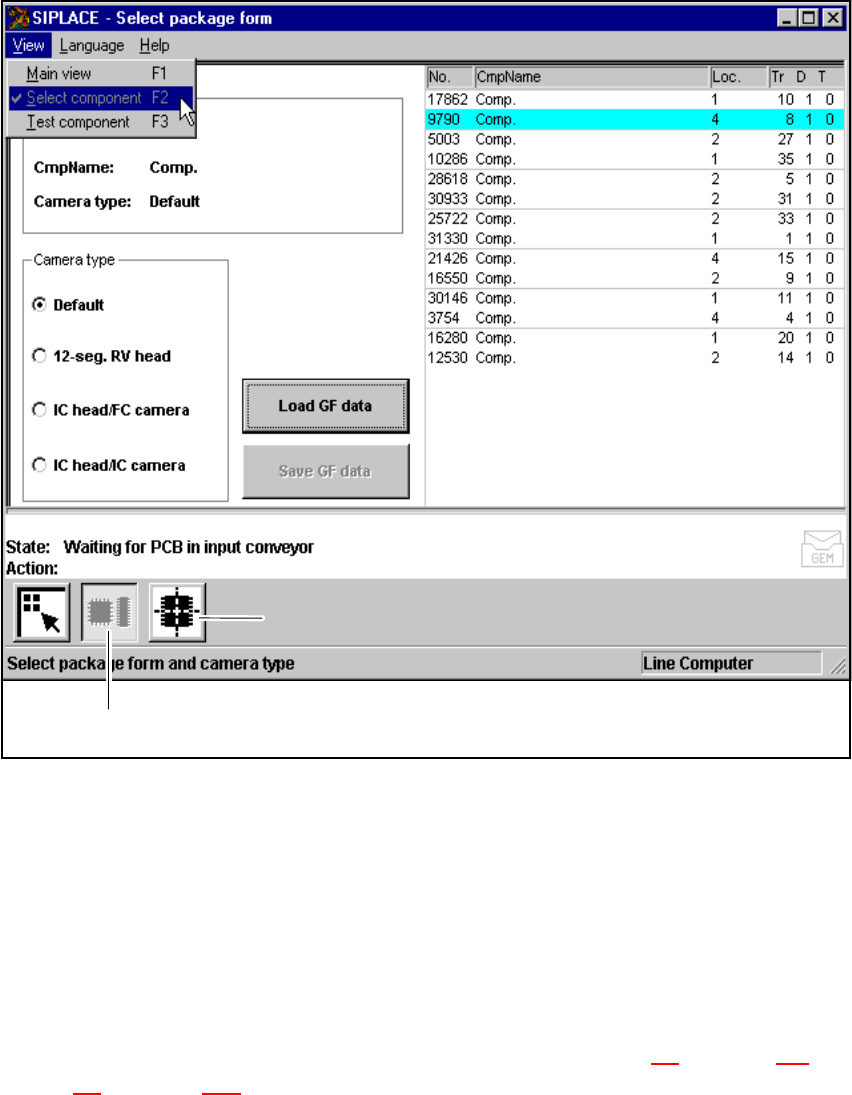
Fig. 6.4 - 3 Test component option: menus
You can select the following menus from the Test component option either by clicking on the
icons (buttons) or by pressing function keys F2 to F3: 6
– Select package form
– Test component
You can return to the Main view menu either by clicking on the Main view icon or by pressing
function key F1. 6
The options Teach fiducial and Test component are described in Section 6.5
from page 254 and
Section 6.6
from page 289. 6
’Select package form’ icon
’Test component’ icon

User Manual SIPLACE F5/F5 HM 6 Vision functions
Software version SR.407.xx 01/2001 US Edition 6.4 Access to the ’Teach Fiducial’ and ’Test Component’ Options
253
To provide you with some orientation, at the start of each section you will find a flow chart and a
brief description for the Teach fiducial and Test component options. Each flow chart begins with
Main view menu and shows you the hierarchical structure of all of the menu options. 6
NOTE 6
Section 3
includes a general description of 6
– using the menus with trackball, touch screen and function keys F1 to F12.
– the layout of the screen.
– the screen displays.