00192662-01.pdf - 第419页
User Manual SIPLAC E F5/F5 HM 8 Error In formation Software version SR.407.xx 01/2001 US Edition 8.2 Calling e rror information 419 8.2.2 Displaying information on a selected error 8 Å Click the icon in th e tool bar in …
8 Error Information User Manual SIPLACE F5/F5 HM
8.2 Calling error information Software version SR.407.xx 01/2001 US Edition
418
8
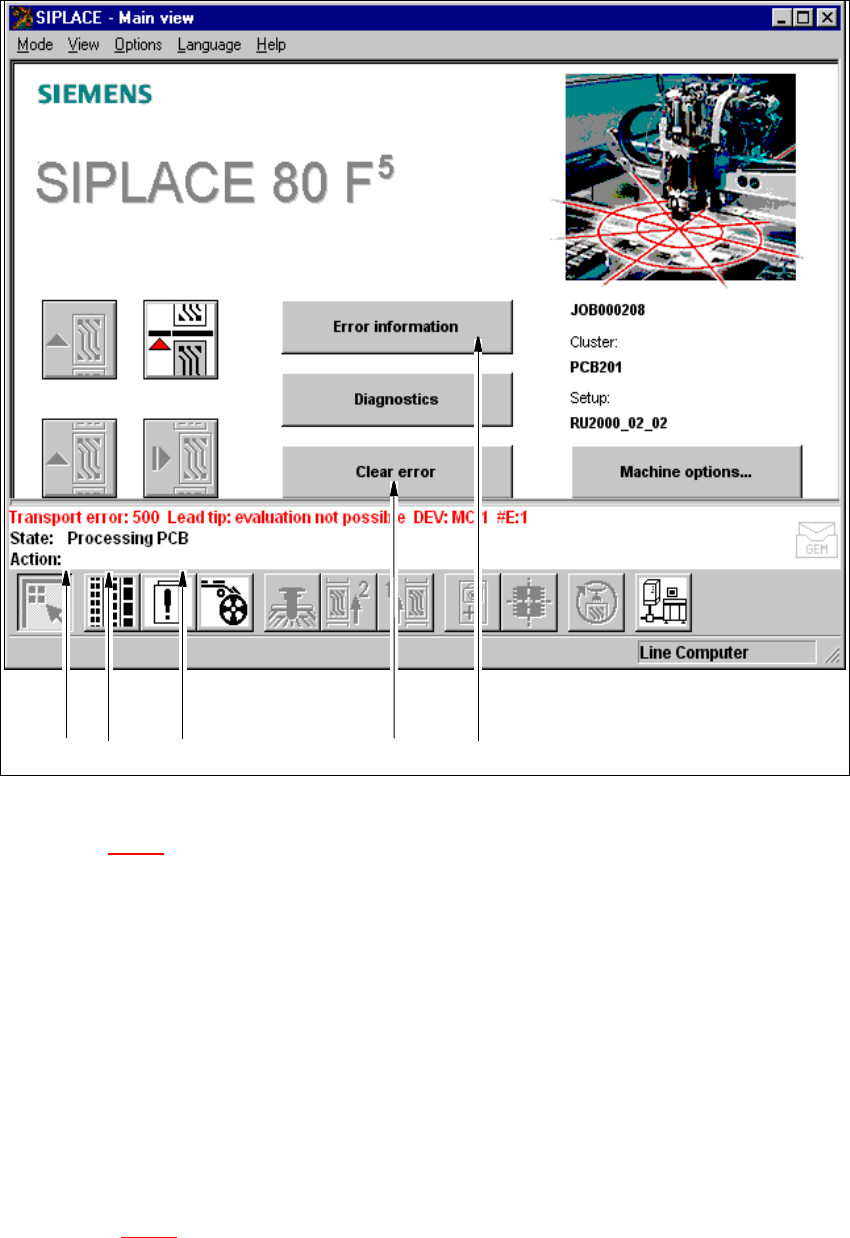
Fig. 8.2 - 1 Main view with error message
Key to Fig. 8.2 - 1
(1) Type of error (track, machine, transport or general error)
(2) Error number (the error number assigned to the error)
(3) Error message (summary information on error)
(4) "Clear error" button (to acknowledge the error after error elimination)
(5) "Error information" button (to call up help on the current error)
8.2.1 Displaying information on the current error
Å In the main view, click the Error information button.
The main help system window is opened with error information on the current error (see exam-
ple in Fig. 8.2 - 3
).
12 3 4 5
User Manual SIPLACE F5/F5 HM 8 Error Information
Software version SR.407.xx 01/2001 US Edition 8.2 Calling error information
419
8.2.2 Displaying information on a selected error
8
Å Click the icon in the toolbar in main view.
The user interface switches to the error display for the last error type to be active. All the errors
of the current error type which have occurred are listed in the display area.
Å If necessary, use the corresponding toolbar icon to switch the view to the required error type
(see Chapter 4
, Section 4.2).
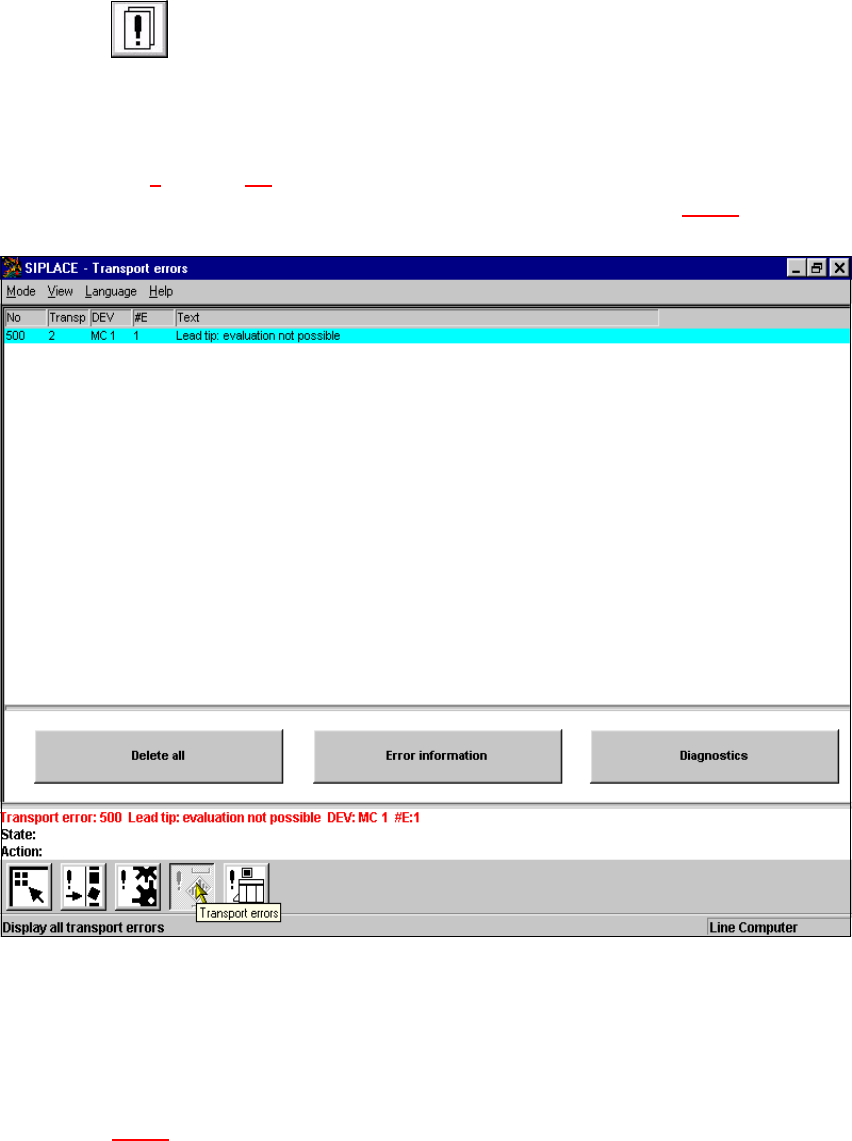
The display area is switched to the selected error type (see example in Fig. 8.2 - 2
).
8
Fig. 8.2 - 2 Example: Error type "transport error"
Å In the error table, select the entry for the error about which you want to be informed. The se-
lected line is displayed in light blue in the table. The "Error information" button is now active.
Å Click the Error information button.
The main help system window is opened with information on the currently selected error
(see Fig. 8.2 - 3
).
8 Error Information User Manual SIPLACE F5/F5 HM
8.2 Calling error information Software version SR.407.xx 01/2001 US Edition
420
8
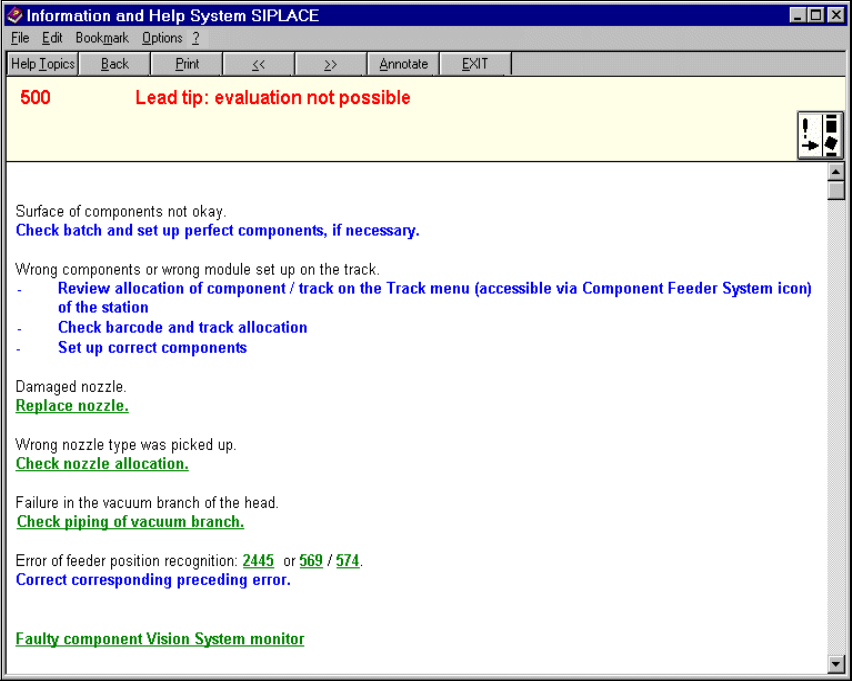
Fig. 8.2 - 3 Example: Error information on the current error
8
8.2.2.1 Meaning of the colors in the error information display
– Red text Error number and error message
– Black text Possible cause(s) of the error
– Blue text Instructions on how to eliminate the error
– Green, underlined text Click to call up additional information on the cause of the error
and further instructions on how to handle the error