00192662-01.pdf - 第428页
9 Online Help System User Manua l SIPLACE F5/F5 HM 9.1 General Software version SR. 407.xx 01/2001 US E dition 428 9.1.1.3 Displaying help on th e current vi ew Å In the He lp menu, cl ick the Hel p item or press the key…
User Manual SIPLACE F5/F5 HM 9 Online Help System
Software version SR.407.xx 01/2001 US Edition 9.1 General
427
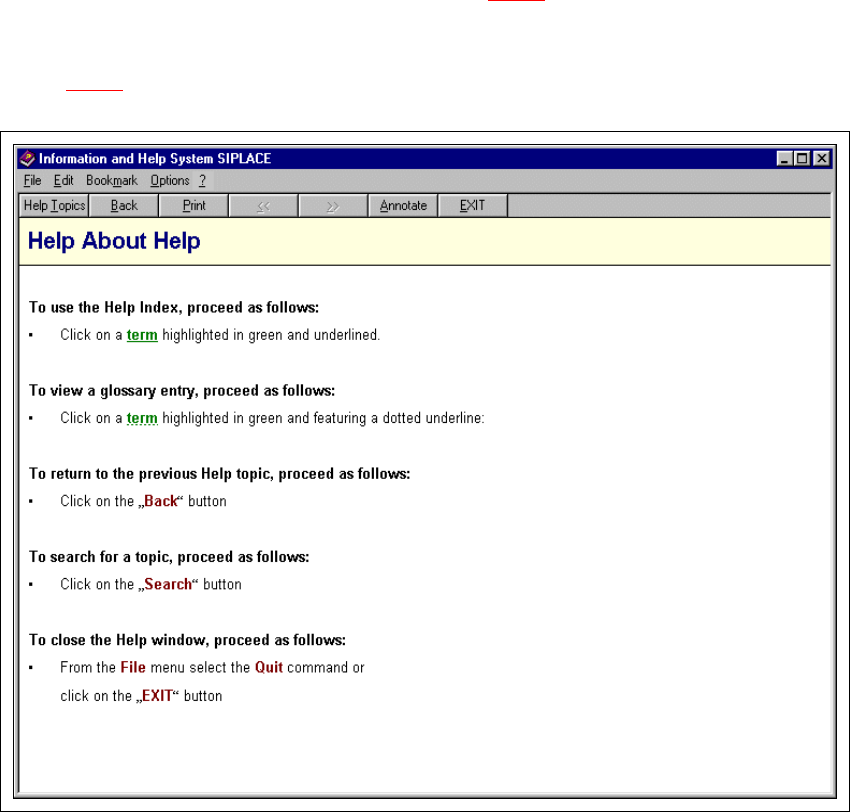
9.1.1.2 Displaying help on a topic area
Å In the help system’s "Contents" screen (see section 9.1 - 1), click the entry for the required
topic area (e.g. "Help About Help").
Help information on the selected topic area is now presented in the display area (see example in
Fig. 9.1 - 2
).
9
Fig. 9.1 - 2 Example: Topic area "Help About Help"
9
9
9
9
9 Online Help System User Manual SIPLACE F5/F5 HM
9.1 General Software version SR.407.xx 01/2001 US Edition
428
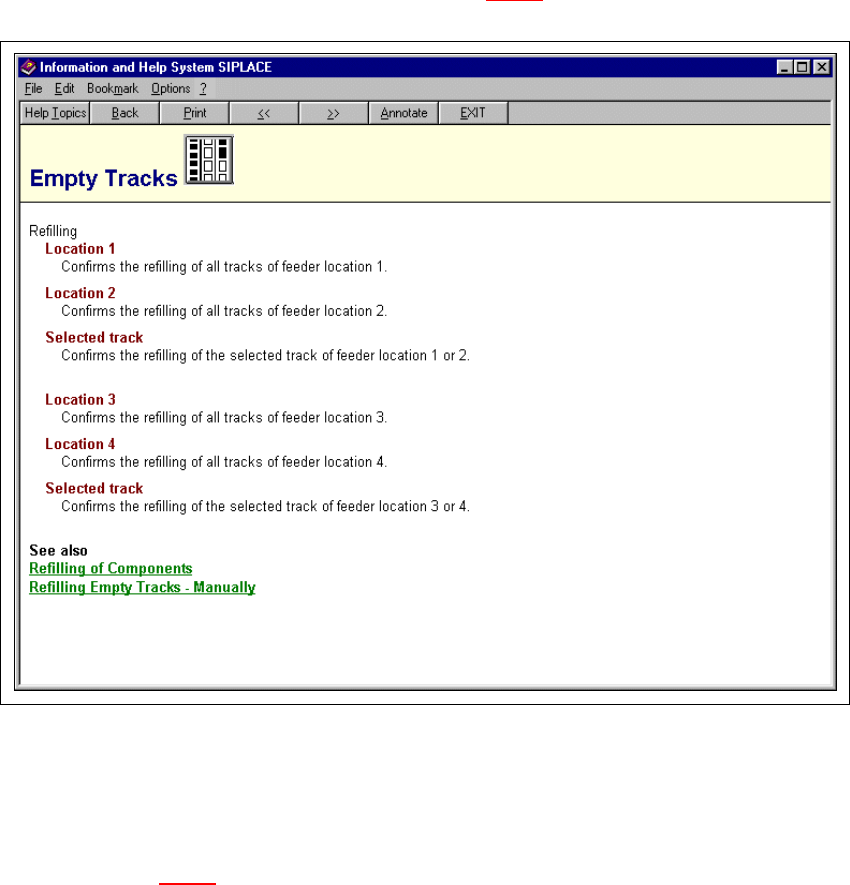
9.1.1.3 Displaying help on the current view
Å In the Help menu, click the Help item or press the key combination Alt + F1.
The main help system window is opened.
The display area now displays help information on the functions of the view which is currently
active in the SC user interface (see example in Fig. 9.1 - 3
).
9
Fig. 9.1 - 3 Example: Help on the current view "Empty Tracks"
9
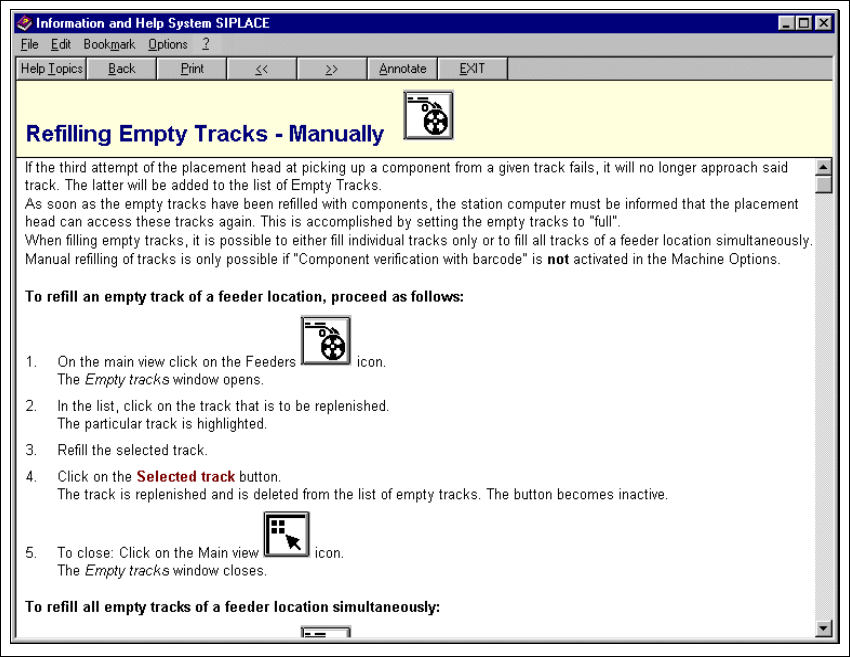
Any entry which is linked to supplementary help information is displayed in green and under-
lined. When you click on such an entry, the display area switches to help on the corresponding
topic (see Fig. 9.1 - 4
). 9
9
User Manual SIPLACE F5/F5 HM 9 Online Help System
Software version SR.407.xx 01/2001 US Edition 9.1 General
429
9
Fig. 9.1 - 4 Example: Help on the topic "Refilling Empty Tracks - Manually"
9