00192662-01.pdf - 第435页
User Manual SIPLAC E F5/F5 HM 9 Online Help S ystem Software version SR.407.xx 01/2001 US Edition 9.1 General 435 Å Click the Displ ay button. If there ar e no help t opics associate d with th e select ed inde x entry , …
9 Online Help System User Manual SIPLACE F5/F5 HM
9.1 General Software version SR.407.xx 01/2001 US Edition
434
9.1.2.3 Searching for a help topic
The station computer’s help system allows you to search for specific help topics. 9
Å To do this, open the main help system window (e.g. as described in section 9.1.1.3).
Å In this window, click the Help Topics button (below the menu bar).
The "Help Topics" window is opened with the tabs "Index" and "Find".
9
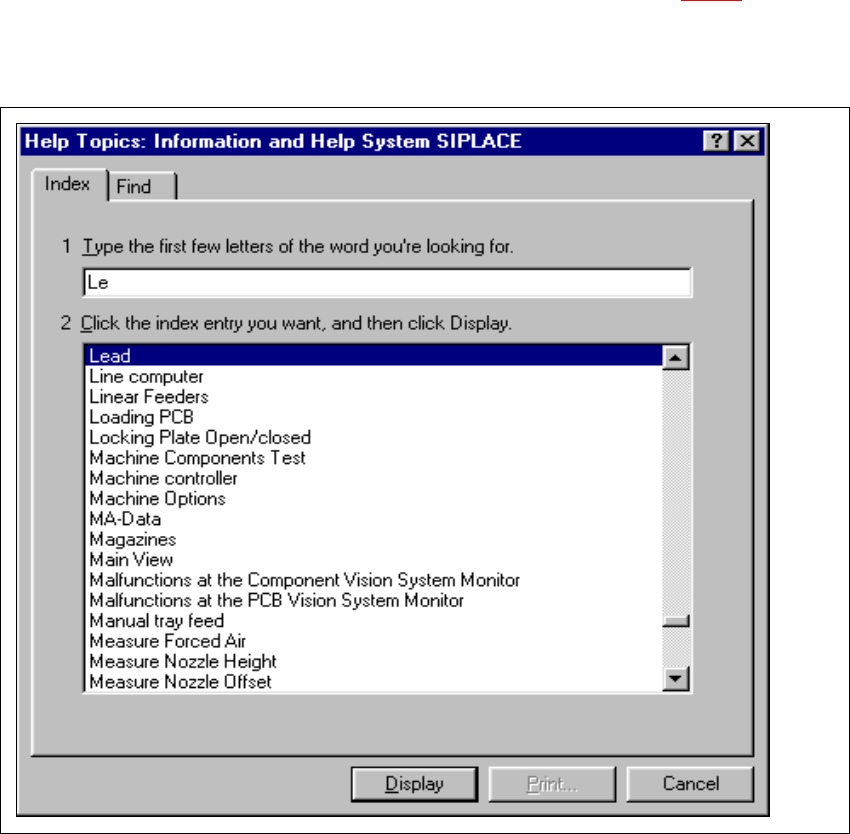
Fig. 9.1 - 7 "Help Topics" window (Index)
9
Å Enter the first few letters of the required term in the edit field.
The first index entry that starts with the entered letters is selected in the list.
User Manual SIPLACE F5/F5 HM 9 Online Help System
Software version SR.407.xx 01/2001 US Edition 9.1 General
435
Å Click the Display button.
If there are no help topics associated with the selected index entry, the "Help Topics" window
closes and the corresponding topic is immediately displayed in the main help system window.
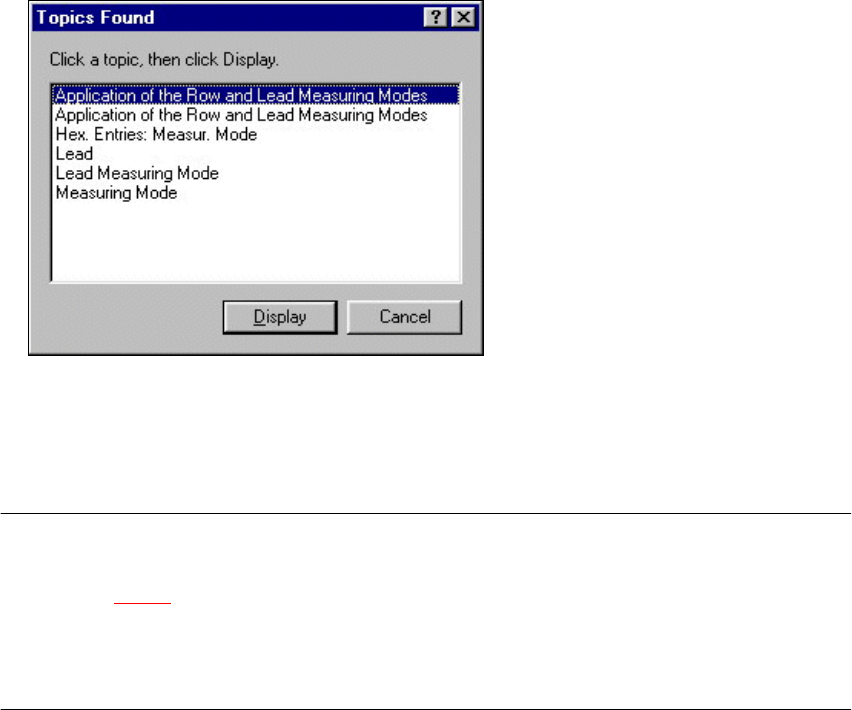
If further help topics are associated with the selected index entry, the following window is first
opened.
9
Å Select the entry for the required topic and click the Display button. Both windows are closed
and the selected topic is displayed in the main help system window.
9
NOTE
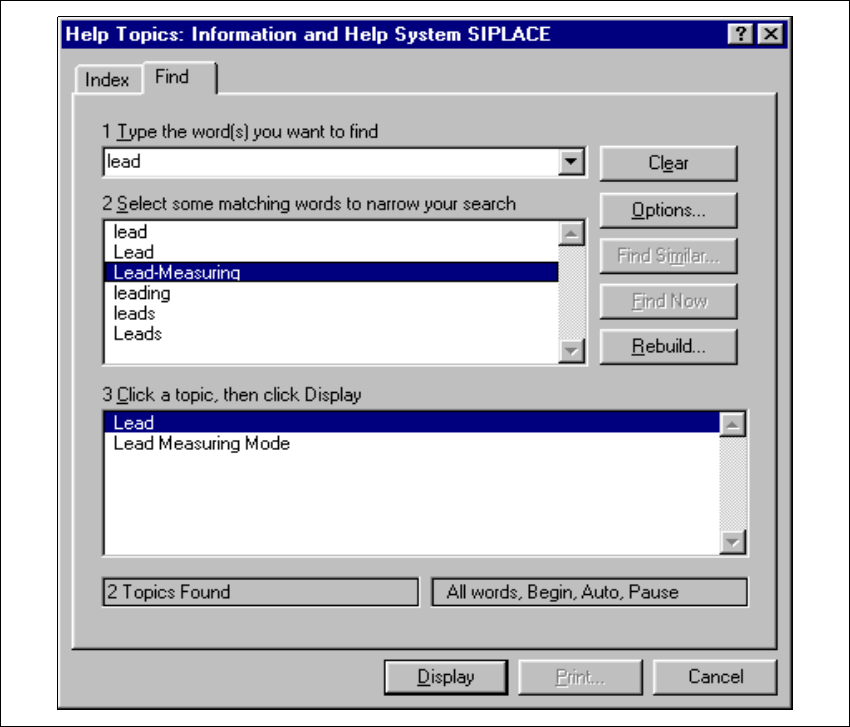
If you click the "Find" tab in the "Help Topics" window, the extended search functions are displayed
(see section 9.1 - 8
). You can use these functions to search for words or composite expressions
which are present in the help topics.
By clicking the "?" button (top right of window), you can call up a description of or help on the
different objects in this window 9
9 Online Help System User Manual SIPLACE F5/F5 HM
9.1 General Software version SR.407.xx 01/2001 US Edition
436
9
Fig. 9.1 - 8 "Help Topics" window (Find)
9
9