00192662-01.pdf - 第499页
User Manual SIPLAC E F5/F5 HM 11 Station extensions /Hardware Software version SR.407.xx 01/2001 US Edition 11.4 PC B barcode 499 1 1 .4.6 Configuring the PCB barcode reader The PCB barcode rea der i s configu red usin g…
11 Station extensions /Hardware User Manual SIPLACE F5/F5 HM
11.4 PCB barcode Software version SR.407.xx 01/2001 US Edition
498
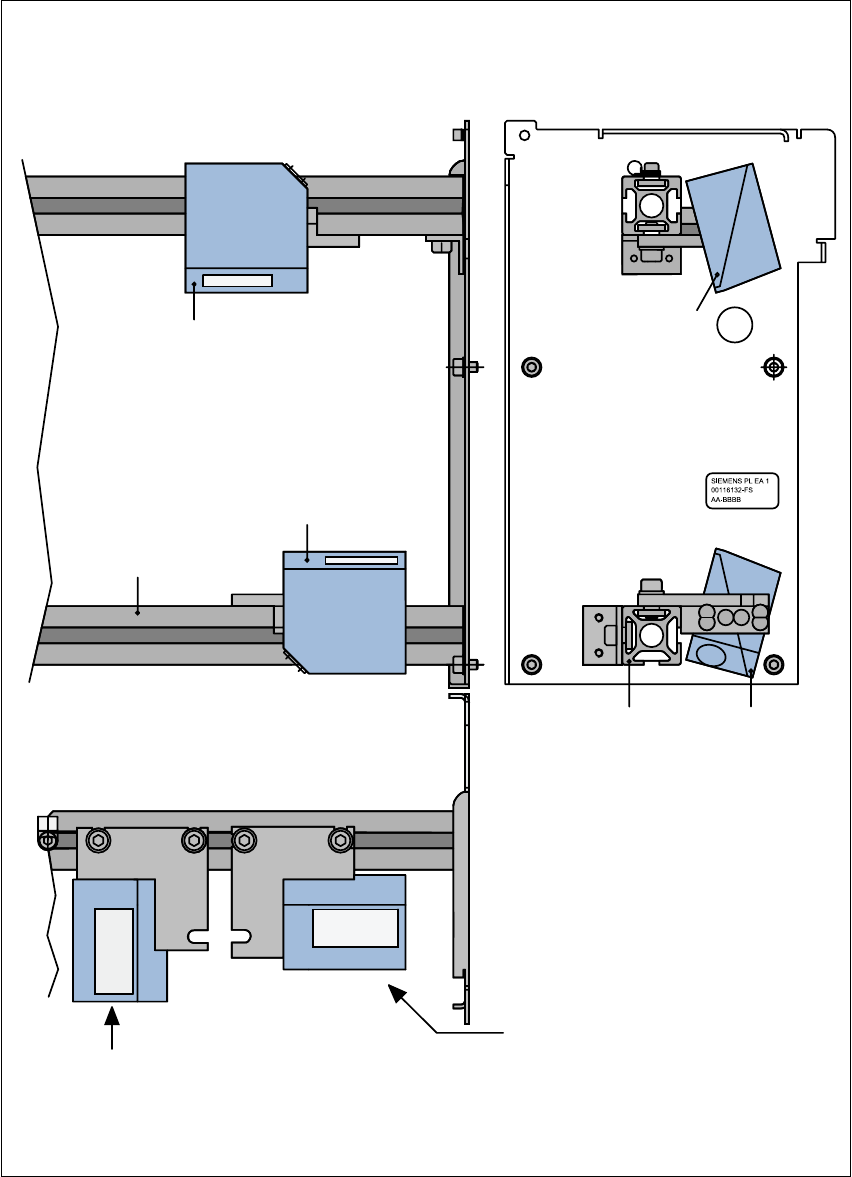
11.4.5 Assembly options for the PCB barcode reader
Fig. 11.4 - 3 Assembly options for the PCB barcode reader
Front view 11 Side view 11
Assembly for
PCB barcode on
the PCB topside
Assembly for
PCB barcode on
the PCB underside
Plan view 11
Position of the PCB barcode
reader if the barcode strip
is aligned parallel to
the PCB transport direction.
Position of the PCB barcode
reader if the barcode strip
is aligned perpendicular to
the PCB transport direction.
Profiled rail
PCB barcode
reader ‘topside’
PCB barcode
reader ‘underside’
Profiled rail
User Manual SIPLACE F5/F5 HM 11 Station extensions /Hardware
Software version SR.407.xx 01/2001 US Edition 11.4 PCB barcode
499
11.4.6 Configuring the PCB barcode reader
The PCB barcode reader is configured using barcode labels. The retrofit kit contains the program
for defining these labels. 11
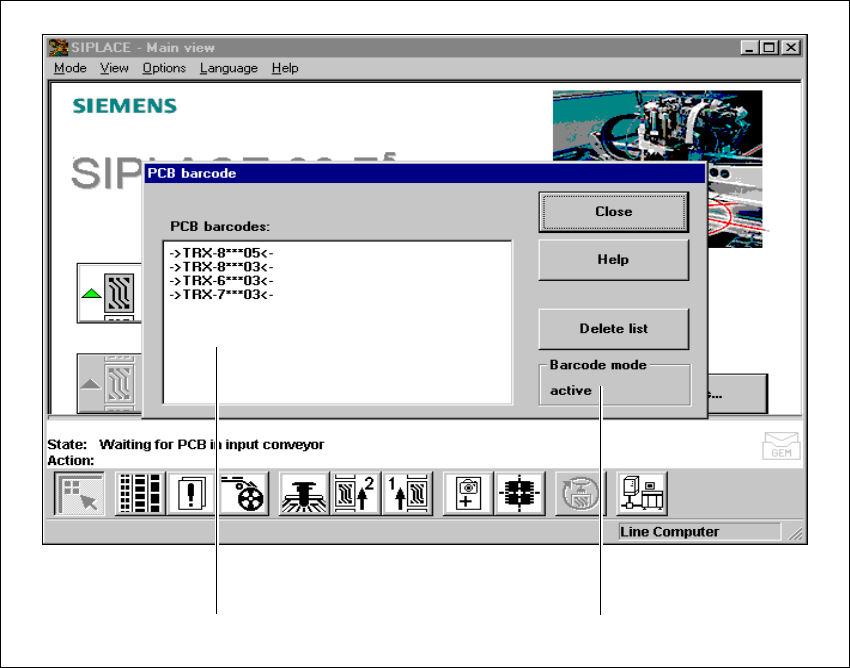
11.4.7 Displaying the PCB barcode
This menu is used to display in a list box the last barcode to be read by the PCB barcode reader.11
The box also indicates if the barcode was read incorrectly, a start signal was received, the wrong
format was identified or no data was available. 11
Å Select the PCB barcode submenu under Options from the menu bar.
. 11
Fig. 11.4 - 4 Displaying the PCB barcode
(1) List box
(2) Status display
Å To delete the list, click on the Delete list button.

11 Station extensions /Hardware User Manual SIPLACE F5/F5 HM
11.4 PCB barcode Software version SR.407.xx 01/2001 US Edition
500
Å The barcode mode operating state is shown in the status display of the menu window. This op-
erating state is activated and deactivated by the line computer.
PLEASE NOTE
This menu is only active if the PCB barcode option is installed, and has been activated in the ma-
chine options. 11