00192662-01.pdf - 第502页
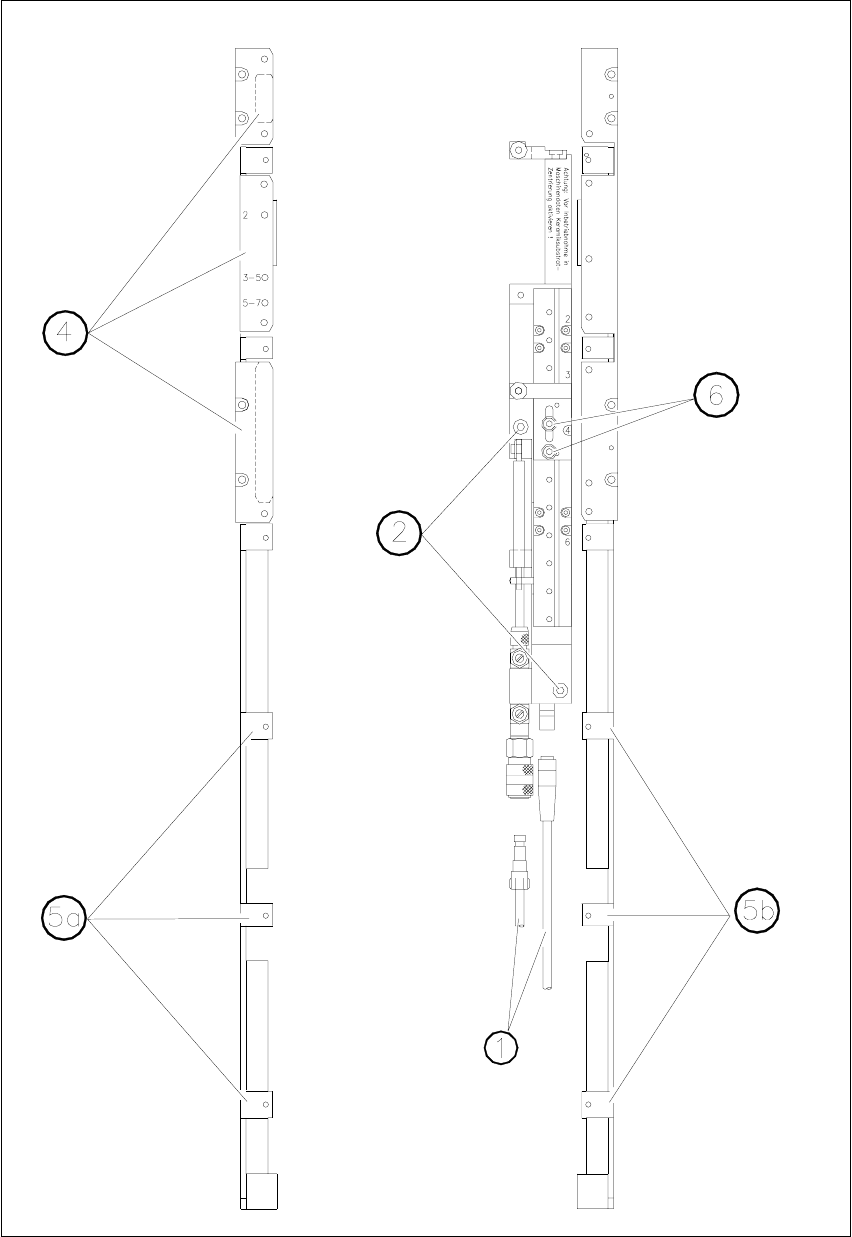
11 Station extensions /Hardware User Manua l SIPLACE F5/F5 HM 11.5 Ceramic substrate centering Software version SR.407.xx 01/2001 US E dition 502 Fig. 1 1.5 - 1 General overview (plan view)

User Manual SIPLACE F5/F5 HM 11 Station extensions /Hardware
Software version SR.407.xx 01/2001 US Edition 11.5 Ceramic substrate centering
501
11.5 Ceramic substrate centering
11.5.1 General
The ceramic substrate can be centered either mechanically or optically. 11
With optical centering, the fiducials can be detected with either normal or oblique lighting. 11
11.5.2 Possible centering types
The following centering types for ceramic substrates can be entered in the transport type machine
data (REAL.MA). 11
11.5.3 Mechanical centering
11.5.3.1 General
Mechanical substrate centering is used to lock ceramic substrates firmly in position in the X and
Y directions in such a way that the material is not damaged. Ceramic substrates can also be
placed right up to the edge. 11
11.5.3.2 Changing the ceramic substrate on the PCB
Å Disconnect the air line and power cable (see point 1 in Fig. 11.5 - 1).
Å Remove the ceramic substrate centering (see point 2 in Fig. 11.5 - 1).
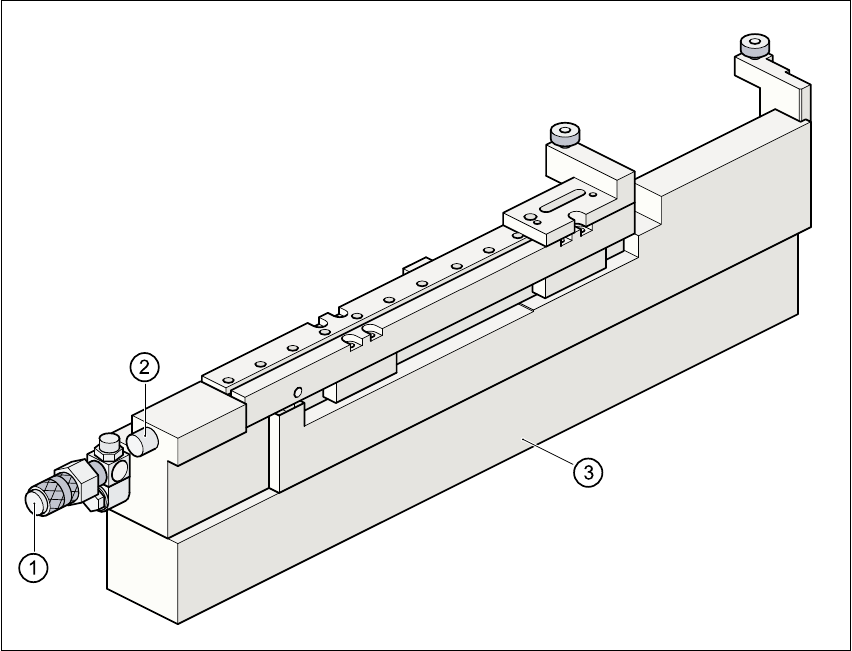
Å Detach the base of the ceramic substrate centering unit (see point 3 in Fig. 11.5 - 2).
Å Remove the three clamping parts (see point 4 in Fig. 11.5 - 1), and fit the standard guide at this
point.
Å Fit the hold-down bracket (see point 5a and 5b in Fig. 11.5 - 1).
Å Adjust the size of the PCB (see point 6 in Fig. 11.5 - 1).
Å Use the SITEST program to edit the transport type (see table in 11.5.2) in the machine data.
Å See also Section 5.3.1.1 of this user manual for use of the “Single Functions”.
Transport
type
Centering
4 Mechanical substrate centering with normal lighting
5 Oblique lighting only with Y axis PCB clamping unit
6 Mechanical substrate centering with oblique lighting
11 Station extensions /Hardware User Manual SIPLACE F5/F5 HM
11.5 Ceramic substrate centering Software version SR.407.xx 01/2001 US Edition
502
Fig. 11.5 - 1 General overview (plan view)
User Manual SIPLACE F5/F5 HM 11 Station extensions /Hardware
Software version SR.407.xx 01/2001 US Edition 11.5 Ceramic substrate centering
503
11
Fig. 11.5 - 2 Ceramic substrate centering (side view)
(1) Connecting nozzle
(2) ‘Ceramic substrate centering’ sensor
(3) Base
11.5.3.3 Maintenance
– Clean and grease the ball race in the X-axis centering unit.
– If necessary, check that the pneumatic driving mechanism is running smoothly.
– The conveyor should be maintained as described in the maintenance instructions.