00192662-01.pdf - 第508页
11 Station extensions /Hardware User Manua l SIPLACE F5/F5 HM 11.5 Ceramic substrate centering Software version SR.407.xx 01/2001 US E dition 508 base mate rial, s uch as c eramic or CEM. Fi ducia ls cove red with solde …
User Manual SIPLACE F5/F5 HM 11 Station extensions /Hardware
Software version SR.407.xx 01/2001 US Edition 11.5 Ceramic substrate centering
507
11.5.6 Optical centering with the multicolor PCB camera
11.5.6.1 General
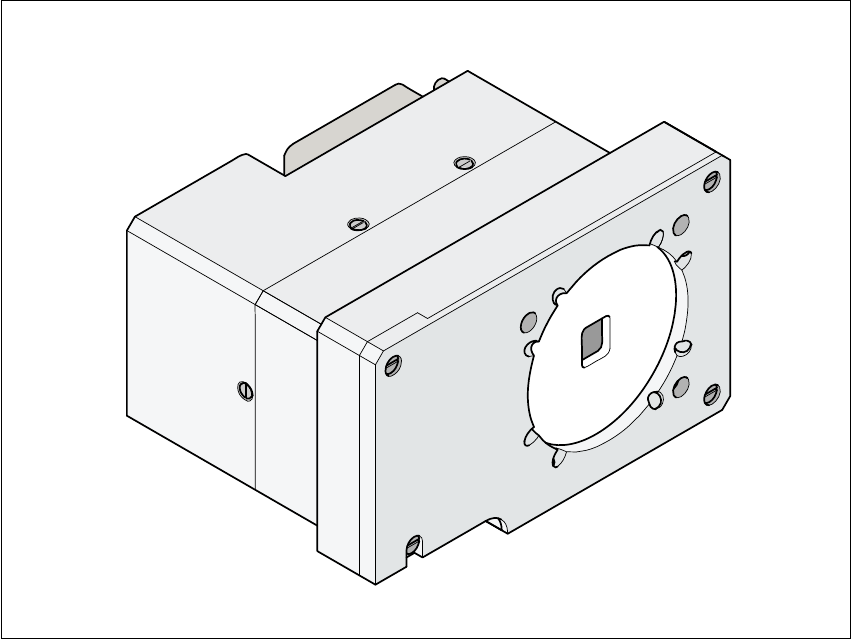
As an option, a multicolor PCB camera can be installed in place of the sub-gantry camera. The
multicolor PCB camera offers four different types of illumination. This greatly increases fiducial
recognition, and thus centering accuracy.
Fig. 11.5 - 5 Multicolor PCB camera
11.5.6.2 Types of illumination for the multicolor PCB camera
The following types of illumination can be selected on the multicolor PCB camera.
– Standard lighting
This mixture of white and infrared lighting can be used to detect a broad range of fiducials. The
image contrast can be improved by varying the illumination, thus optimizing the centering of
different fiducials.
– White lighting
This type of illumination is used for standard PCBs with tinned fiducials.
– Blue oblique lighting
In most cases, this can be used to greatly improve the contrast with bright fiducials on a light
11 Station extensions /Hardware User Manual SIPLACE F5/F5 HM
11.5 Ceramic substrate centering Software version SR.407.xx 01/2001 US Edition
508
base material, such as ceramic or CEM. Fiducials covered with solder resist can also be
detected better on a light background.
– Infrared lighting
This type of illumination is particularly useful for fiducials that are covered with solder resist or
for fiducials on flex materials. It is also sometimes possible to improve recognition of silver/
platinum fiducials on ceramic. This should be tested by carrying out a test centering /
placement run.
User Manual SIPLACE F5/F5 HM 11 Station extensions /Hardware
Software version SR.407.xx 01/2001 US Edition 11.6 Nozzle changer for the Pick&Place head
509
11.6 Nozzle changer for the Pick&Place head
11.6.1 Overview
11
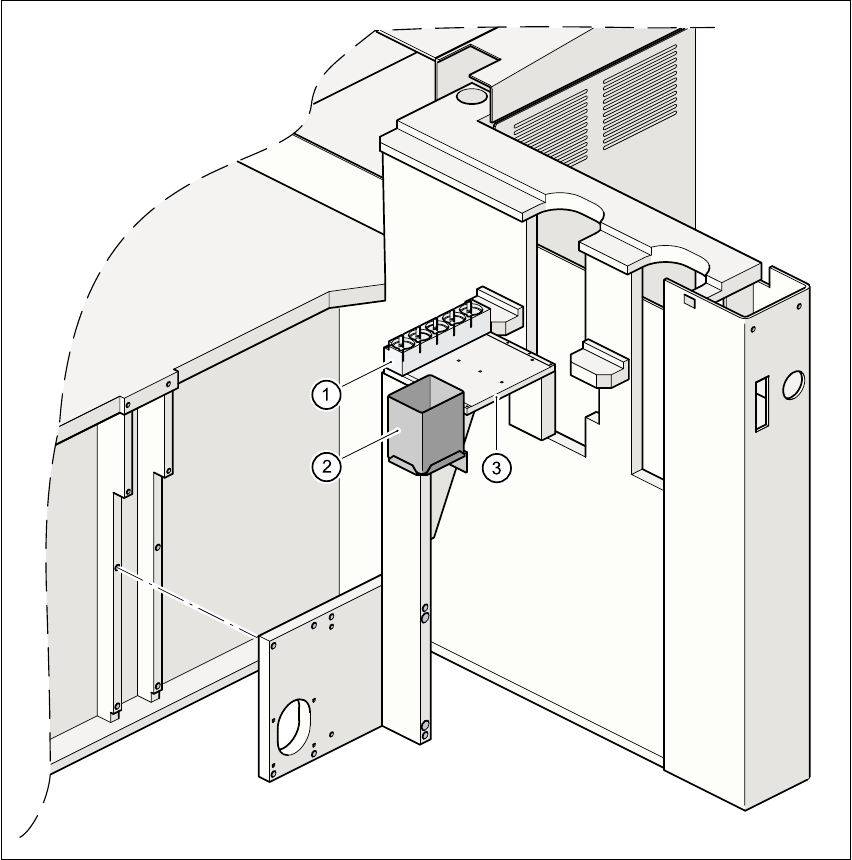
Fig. 11.6 - 1 Mounting position of the nozzle changer for the Pick&Place head
(1) Magazine for 5 nozzles
(2) Reject bin
(3) Mounting plate