TRS GEM Manual for Intel Ver 1.1.pdf - 第42页
GEM Manual for DEK P rinters Capabilities Issue 1.1 March 20th, 2014 Page 42 of 152 Page 42 of 152 Scenarios: Host sends message to equipment display: Comm ents Host Equipment Comm ents Host sends text for display S10F3 …
GEM Manual for DEK Printers Capabilities
Issue 1.1 March 20th, 2014 Page 41 of 152 Page 41 of 152
5.8 Equipment Terminal Services
This capability enables factory operators to exchange messages with the host. It is particularly
useful for passing instructions to the operator.
When the host sends a terminal message to a DEK printer, an indication of a message is
displayed at the equipment console. This indication message will remain displayed until either,
the operator presses a button indicating it has been read or, the host sends a new zero length
text. When the operator presses the read complete button, an event report CEID is sent to the
host.
The operator can enter a terminal message, at the equipment console, which will then be sent to
the host.
For Operator procedures see Appendix B.
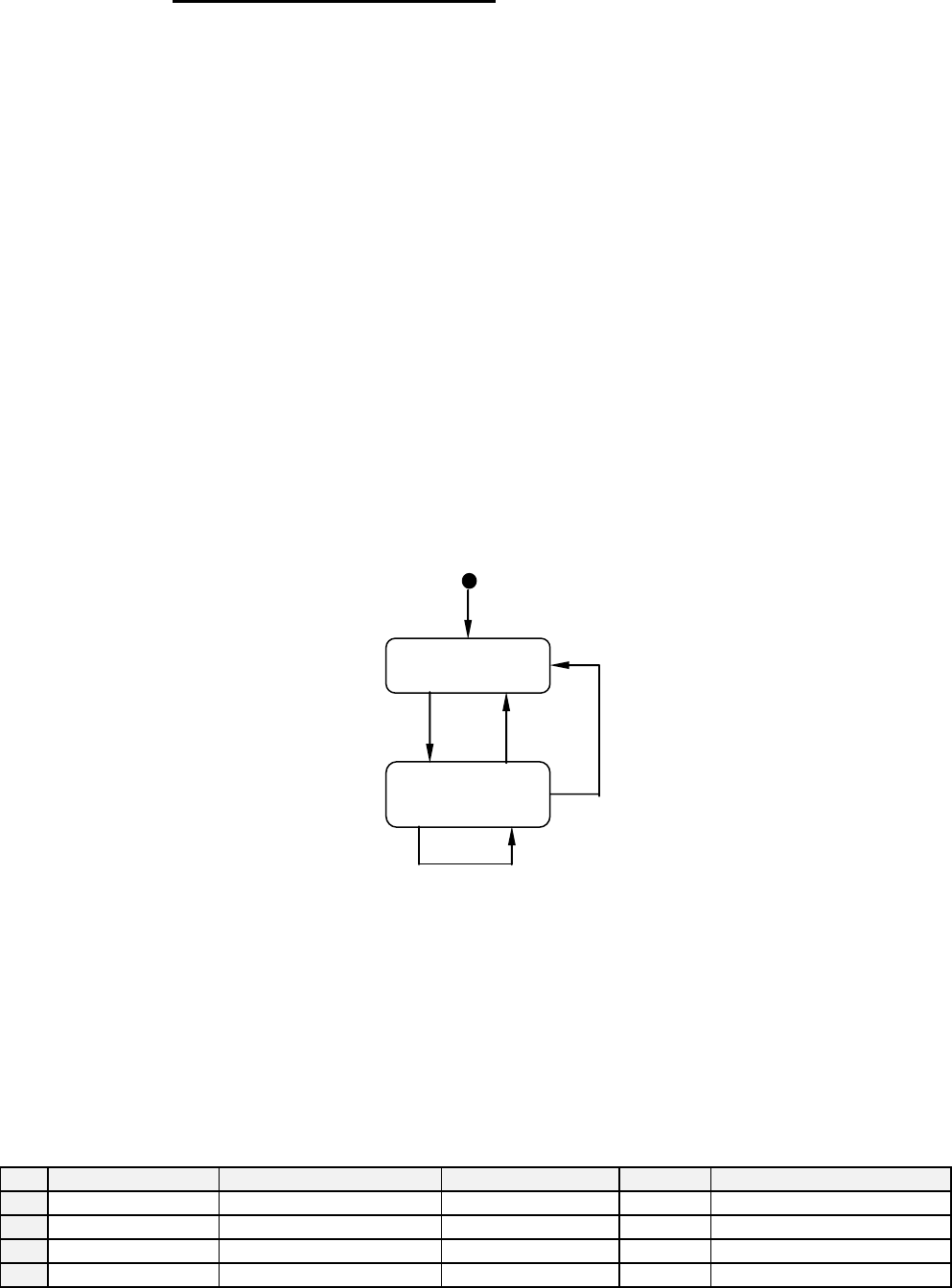
Terminal Services State Model:
The terminal services state model is implemented on the DEK printer.
State Diagram:
State Definitions:
Idle - No host text is displayed on the terminal.
Not Acknowledged - Host text is displayed and not yet acknowledged by the operator.
Transition Table:
#
Current State
Trigger
New State
Action
Comment
1
Idle
Host display message.
Not Acknowledged
Display
Waiting for operator button
2
Not Acknowledged
Operator Acknowledge
Idle
none
3
Not Acknowledged
New host message
Not Acknowledged
Display
Waiting for operator button
4
Not Acknowledged
New zero length message
Idle
none
IDLE
NOT
ACKNOWLEDGE
D
1
2
3
4
GEM Manual for DEK Printers Capabilities
Issue 1.1 March 20th, 2014 Page 42 of 152 Page 42 of 152
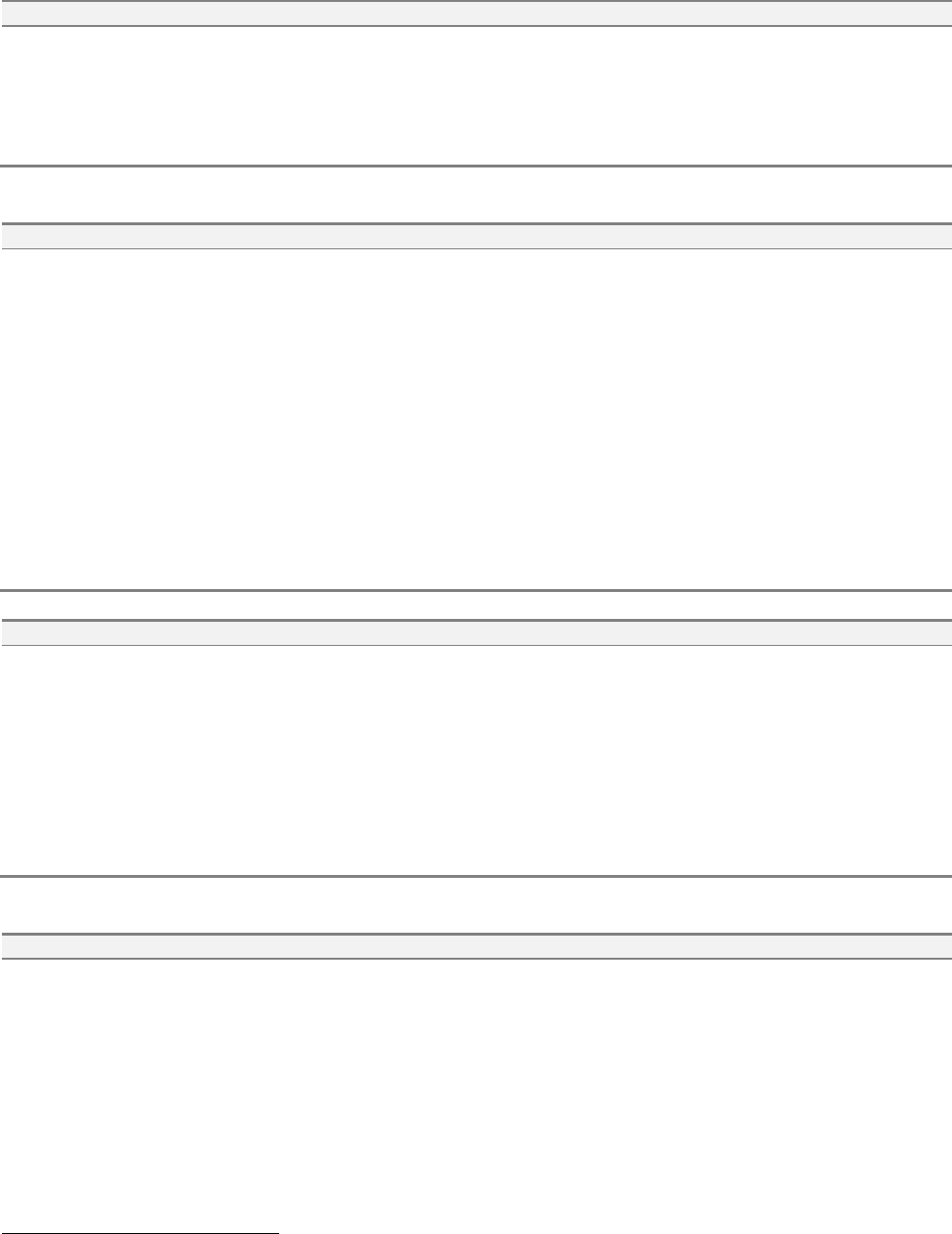
Scenarios:
Host sends message to equipment display:
Comments
Host
Equipment
Comments
Host sends text for display
S10F3 -->
<-- S10F4
Acknowledge sent and text displayed.
Operator reads message and presses button
<-- S6F11
[IF] Acknowledge Terminal Message event
enabled [THEN] send event report
4
.
Host acknowledges event.
S6F12 -->
Host sends message to equipment display and queue behind last message:
Comments
Host
Equipment
Comments
Host sends single line text for display
S10F3 -->
<-- S10F4
Acknowledge sent and text displayed.
Host sends single line text for display
that is overwritten.
S10F3 -->
<-- S10F4
Acknowledge sent and text displayed.
<-- S6F11
Operator reads first message and presses Accept
button.
[IF] Acknowledge Terminal Message event
enabled [THEN] send event report.
Second message will be displayed.
Operator reads second message and presses
Accept button
[IF] Acknowledge Terminal Message event
enabled [THEN] send event report.
Host acknowledges event.
S6F12 -->
Host sends multiple lines message to equipment display:
Comments
Host
Equipment
Comments
Host sends multiple text for display
S10F5 -->
<-- S10F6
Acknowledge sent and text displayed.
[IF] text page contains more lines then page size
[THEN] Up/Down key will be available to scroll
through message.
Operator reads message and presses Accept
button.
<-- S6F11
[IF] Acknowledge Terminal Message event
enabled [THEN] send event report
5
.
Host acknowledges event.
S6F12 -->
Host sends multiple lines message to equipment to queue behind first message:
Comments
Host
Equipment
Comments
Host sends multiple lines text for
display
S10F5 -->
<-- S10F6
Acknowledge sent and text displayed.
[IF] text page contains more lines then page size
[THEN] Up/Down key will be available to scroll
through message.
Host sends multiple lines text for
display that will be queued.
S10F5 -->
<-- S10F6
Acknowledge sent.
4
See section 7-6 Acknowledge Terminal Message Event.
5
See section 7-6 Acknowledge Terminal Message Event.
GEM Manual for DEK Printers Capabilities
Issue 1.1 March 20th, 2014 Page 43 of 152 Page 43 of 152
<-- S6F11
Operator reads first message and presses Accept
button.
[IF] Acknowledge Terminal Message event
enabled [THEN] send event report.
Second message will be displayed.
[IF] text page contains more lines then page size
[THEN] Up/Down key will be available to scroll
through message.
Operator reads second message and presses
Accept button
[IF] Acknowledge Terminal Message event
enabled [THEN] send event report.
Host acknowledges event.
S6F12 -->
5.9 Error Messages
This capability provides reporting of communications link errors to the host. All of the stream 9
messages as define in SEMI standard E5 are supported. The message structures are included in
section 4.9.
5.10 Clock
The DEK printer maintains an internal, host viewable, clock that is used for event report time
stamps. In order to differentiate between near simultaneous events, the clock has a precision of
0.01 seconds. It is not guaranteed to be accurate to the same level.
Note that the host must use the set time message S2F31 to synchronise the equipment. This
message contains the TIME variable defined in the machine variables, which has a precision of
1 second when the 12 byte format is used. When the 16 byte format is used it has a precision of
0.01 of a second. The format that is in use depends on the value of variable TimeFormat.
Scenarios:
Host requests that the equipment time is set:
Comments
Host
Equipment
Comments
Set time TIME = Host time
S2F31 -->
Adjust equipment to host time offset.
<-- S2F32
Acknowledge new time.
Host requests equipment current time:
Comments
Host
Equipment
Comments
Time request
S2F17 -->
<-- S2F18
Value TIME = host offset time sent.