CP43操作手册.pdf.pdf - 第188页
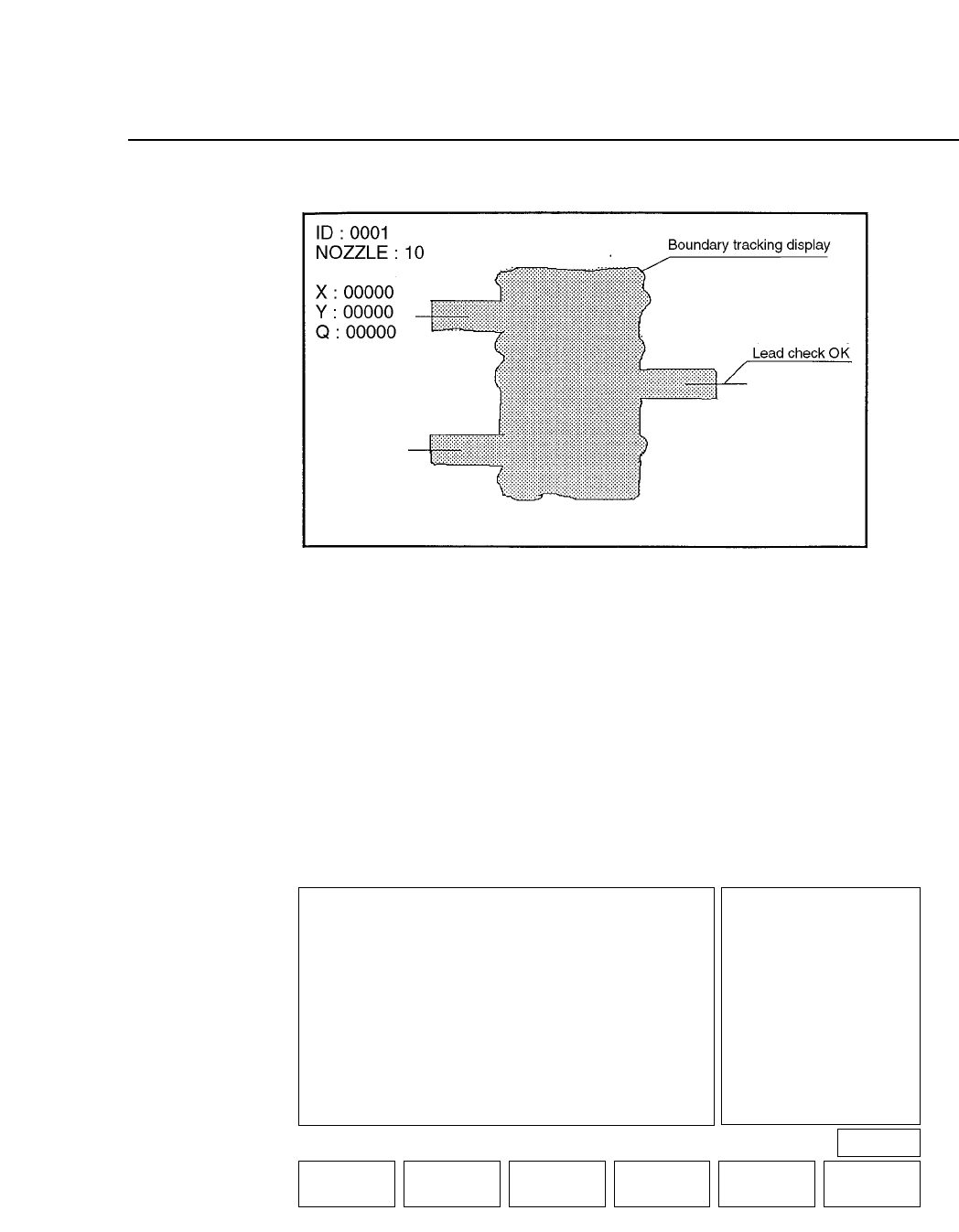
• Action of the Function Keys BUFFER IMG1 : Pr ess to display the most recent image in memory on the vision processing boar d. (Normally the acquired image is of the part at station 4.) BUFFER IMG2 : Pr ess to display th…
FCP IV-3 Operation
12. No. 30 AcqTime
This is used for the timing of acquisition when output is being sent to a
parallel port.
13. No. 31 InsTime
This is used for the timing of inspection when output is being sent to a
parallel port.
Note: For more details concerning trace mode settings refer to Part 5, Chapter 2 of this
manual.
• First Display Area
• First Status Area
TRACE
VISION TRACE STATUS
No
0 Result OFF
1 Tole OFF
2 Window OFF
3 Point OFF
4 Line OFF
5 RS232C OFF
6 * * * * * * * *
7 * * * * * * * *
8 * * * * * * * *
9 * * * * * * * *
Mode
No Mode
10 * * * * * * * *
11 * * * * * * * *
12 * * * * * * * *
13 Color OFF
14 Detail OFF
15 Pause OFF
16 Clp OFF
17 Place OFF
18 Results OFF
19 Timers OFF
No
20 Inspect OFF
21 * * * * * * * *
22 * * * * * * * *
23 * * * * * * * *
24 Clp * * *
25 Blob OFF
26 Agf OFF
27 BT OFF
28 * * * * * * * *
29 * * * * * * * *
30 Acqtime OFF
31 Instime OFF
select No
▲▼ON / OFF QTY.CLEAR THROUGH RETURN
PAGE 522
Operation : FRONT
Ready
Chapter 3 Description of Commands
Part 3
3 – 62
Version 5.0
• Action of the Function Keys
BUFFER IMG1 : Press to display the most recent image in
memory on the vision processing board.
(Normally the acquired image is of the part
at station 4.)
BUFFER IMG2 : Press to display the image prior to the most
recent image in memory on the vision
processing board. (Normally this is the
image of the part that is at station 5.)
ZOOM IN : Press this key to zoom in on the image
displayed on the vision processing monitor.
ZOOM OUT : Press this key to zoom out the image
displayed on the vision processing monitor.
However the image cannot be zoomed out
farther than the original image.
REINSPECT : Press to vision process the selected image
one more time.
RETURN : Press to return to Page 522/110.
There will be no display if there is nothing in memory on the
vision processing board. Even if the image in memory on the
vision processing board is something other than a part image
this image will display if it is selected.
• First Display Area
DEVICE
DSP MEM-IMG
BUFFER IMG 1
BUFFER IMG 2
• Function Key Menu
Chapter 3 Description of Commands
To Page 522/110
Displaying Memory of Parts
Part 3
3 – 63
DSP MEM-IMG
Page
522 111
BUFFER IMG 1 BUFFER IMG 2 ZOOM IN ZOOM OUT REINSPECT RETURN
Version 5.0
FCP IV-3 Operation
• Action of the Function Keys
SLCT CAMERA : Press to select either the wide view or
narrow view camera for image
acquisition.
LIT ON/OFF : Press to select either the frontlight or the
backlight as the image acquisition
method.
INSPECT : Press to vision process the acquired image.
The results of vision processing will
display on the screen.
RETURN : Press to return to Page 522/110.
Execute these commands at a cam angle of 240° in order to
acquire the image and carry out vision processing under the
same conditions as during automatic operation. Even if the
image is acquired at a cam angle where the index is between
340° and 170°, vision processing will not be carried out
accurately.
• First Display Area
The results of vision processing will display inside the [ ]
brackets as shown above.
VISION PROCESSING
RESULT X: 10[um]
RESULT Y: 8[um]
RESULT A: 0.000[deg]
SLCT CAMERA LIT ON/OFF
WIDE FRONT LIT
NARROW OFF
ON
• Function Key Menu
Chapter 3 Description of Commands
To Page 522/110
Acquiring Part Image
Part 3
3 – 64
ACQR INSPECT
Page
522 112
SLCT CAMERA LIT ON/OFF INSPECT RETURN
Version 5.0
FCP IV-3 Operation