CP43操作手册.pdf.pdf - 第92页
Chapter 1 Automatic Operation Part 2 2. T wo Camera System Because some parts requir e highly accurate placing, the vision processing system uses two cameras: a wide view and a narrow view camera. 2.1 System Configuratio…

Chapter 1 Automatic OperationPart 2
1.19 Backlight and Frontlight
Vision processing is carried out at Station 4. This process uses a backlight,
but an optional frontlight is also available. See the Maintenance Manual
for details.
Details on setting the light type in Proper and Part data follow:
[Proper]
126. Front Light : This determines whether or not a front light is
being used.
Non : Not in use
Use : In use
When using a standard machine always set this to Non.
[Part data]
Vision_data
13. Lighting : This item selects which surface will be lit by image
processing.
Back_Light Back light in use (standard setting)
Front_Light Front light in use
When using the Front_Light setting, be sure to also
set Proper data item 126 to Use.
2 – 23Version 2.0
FCP IV-3 Operation
Chapter 1 Automatic OperationPart 2
2. Two Camera System
Because some parts require highly accurate placing, the vision processing
system uses two cameras: a wide view and a narrow view camera.
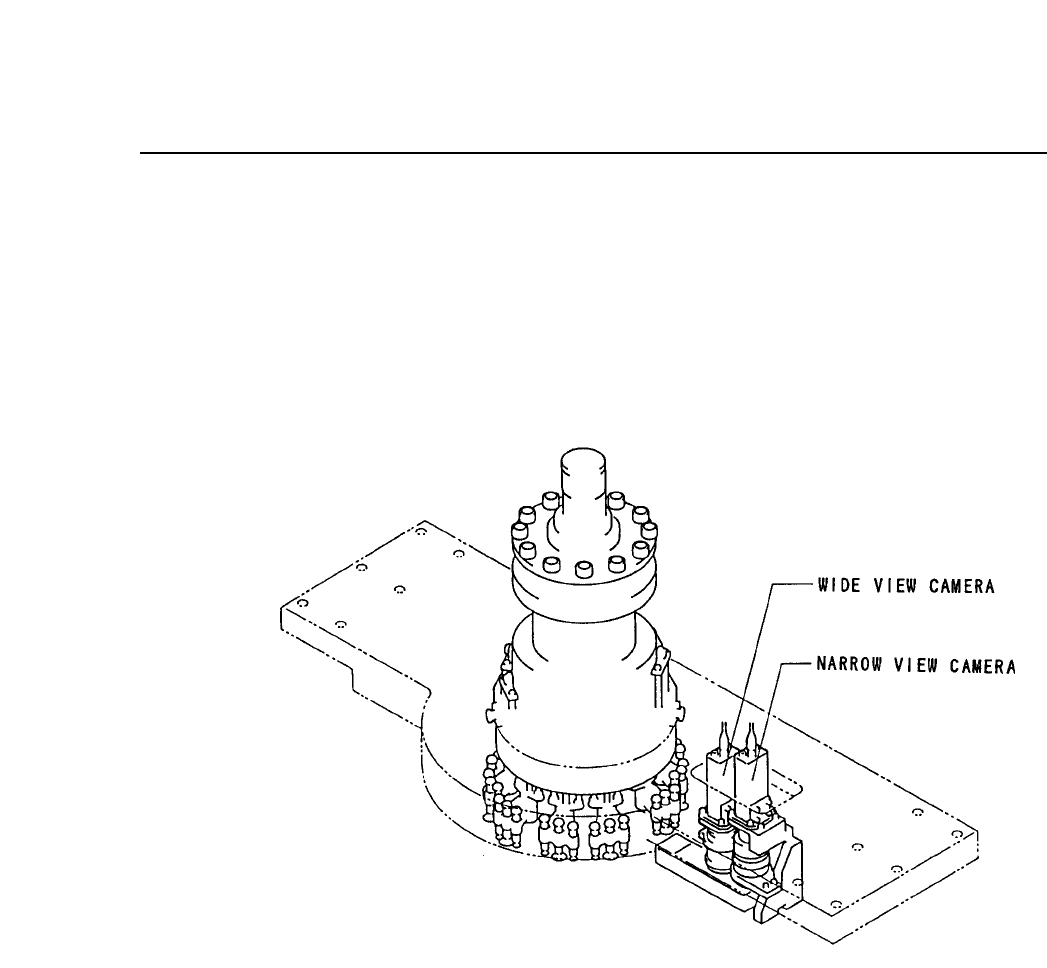
2.1 System Configuration
The cameras are mounted as shown below.
2.2 Wide View Camera and Narrow View Camera
2.2.1 Wide View camera
The wide view camera has a field of view as described below.
• Using a backlight, the camera can handle a part with a surface
of up to 16.5 square millimeters and dimensions of up to 12.5 X
20 mm.
• Using a frontlight, the camera can handle a part with a surface
of up to 20 square millimeters.
Generally speaking, the wide view camera can handle parts
between size 1608 and SQFP 48 pin. It can also handle parts
smaller than 1608 but with reduced placing accuracy.
2 – 24Version 2.0
FCP IV-3 Operation

Chapter 2 Two Camera SystemPart 2
2.2.2 Narrow View Camera
The field of view for the narrow view camera is up to 9 square
millimeters.
This camera can handle parts as small as size 1005.
The narrow view camera takes a small part and magnifies the
picture so that high accuracy placement can be carried out.
The narrow view camera can handle large parts, but since it
computes highly accurate placing coordinates vision processing on
large parts takes a long time.
2.3 Data Necessary to Use the 2 Camera System
To make use of the 2 camera system, the following data must be entered
into Proper and Part data.
2.3.1 Necessary Proper Data
125.Narrow Camera Use
For machines which come equipped with a narrow view camera
this is always set to "Use". It is not necessary for the user to make
this setting.
2.3.2 Necessary Part Data
12.Camera_type Wide Narrow
When using the wide camera for vision processing, set this entry in
vision data to "Wide;" and when using the narrow camera set it to
"Narrow."
2 – 25Version 2.0
FCP IV-3 Operation