00196624-04_Service Manual WPC5_6_EN_01-2019.pdf - 第112页
Service Ma nual W PC5 / WPC6 ➢ Select the req uired location (1). (location 1 in this example) ➢ Select the button. The relevant axis can be selected in the followin g view. See: • "4.1 Calibrating the Lifti ng Axis…
Service Manual WPC5 / WPC6
4 Calibrating the Sensors in the Station Software
After replacing the sensors, you need to calibrate the new sensors. This can take several
minutes.
➢ Before calibration, perform a complete reference run of the machine.
➢
Before calibration, remove all waffle-pack tray carriers (WPTCs) from the WPC.
➢
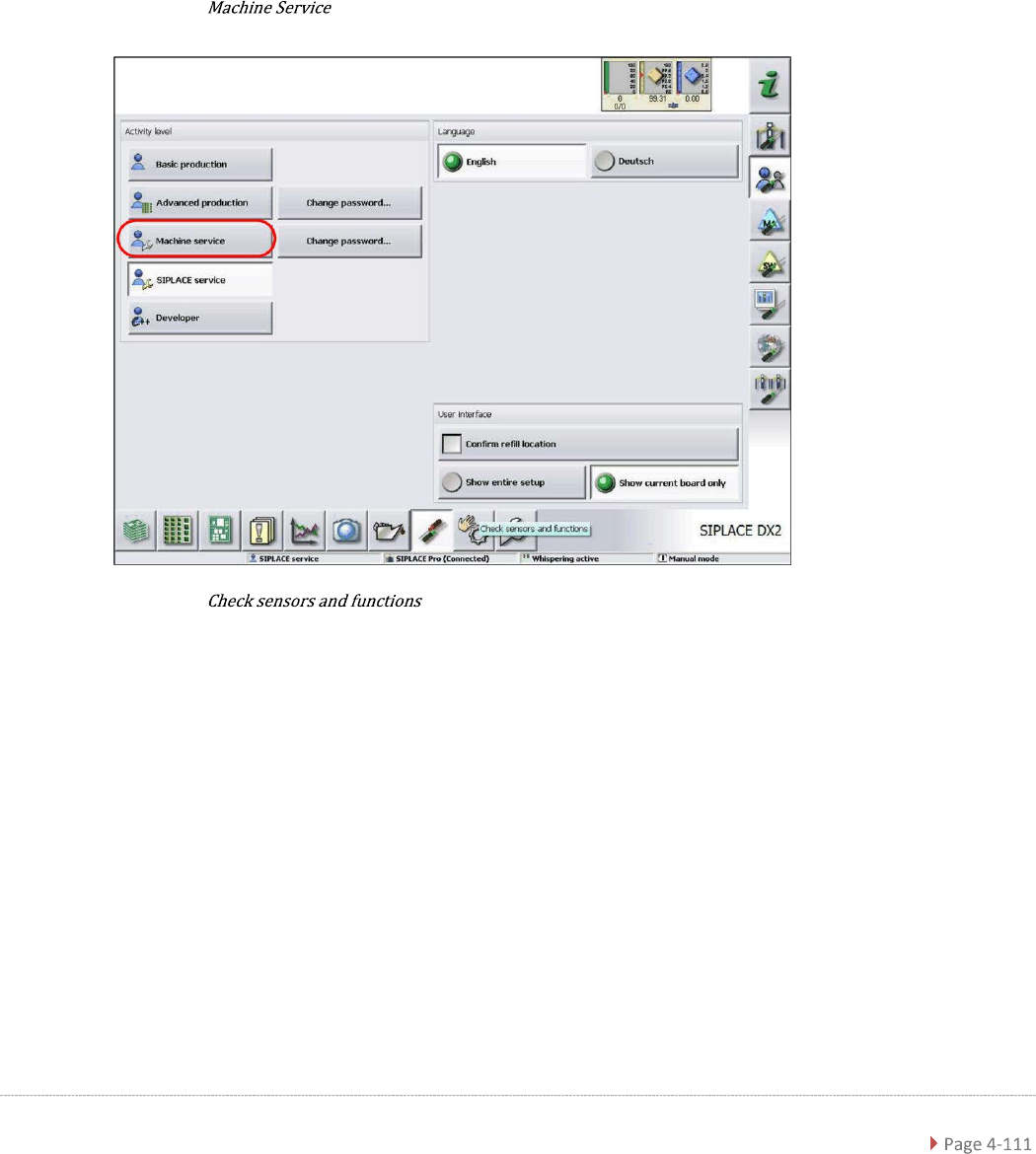
Log in as
.
➢
Select the button.
Service Manual WPC5 / WPC6
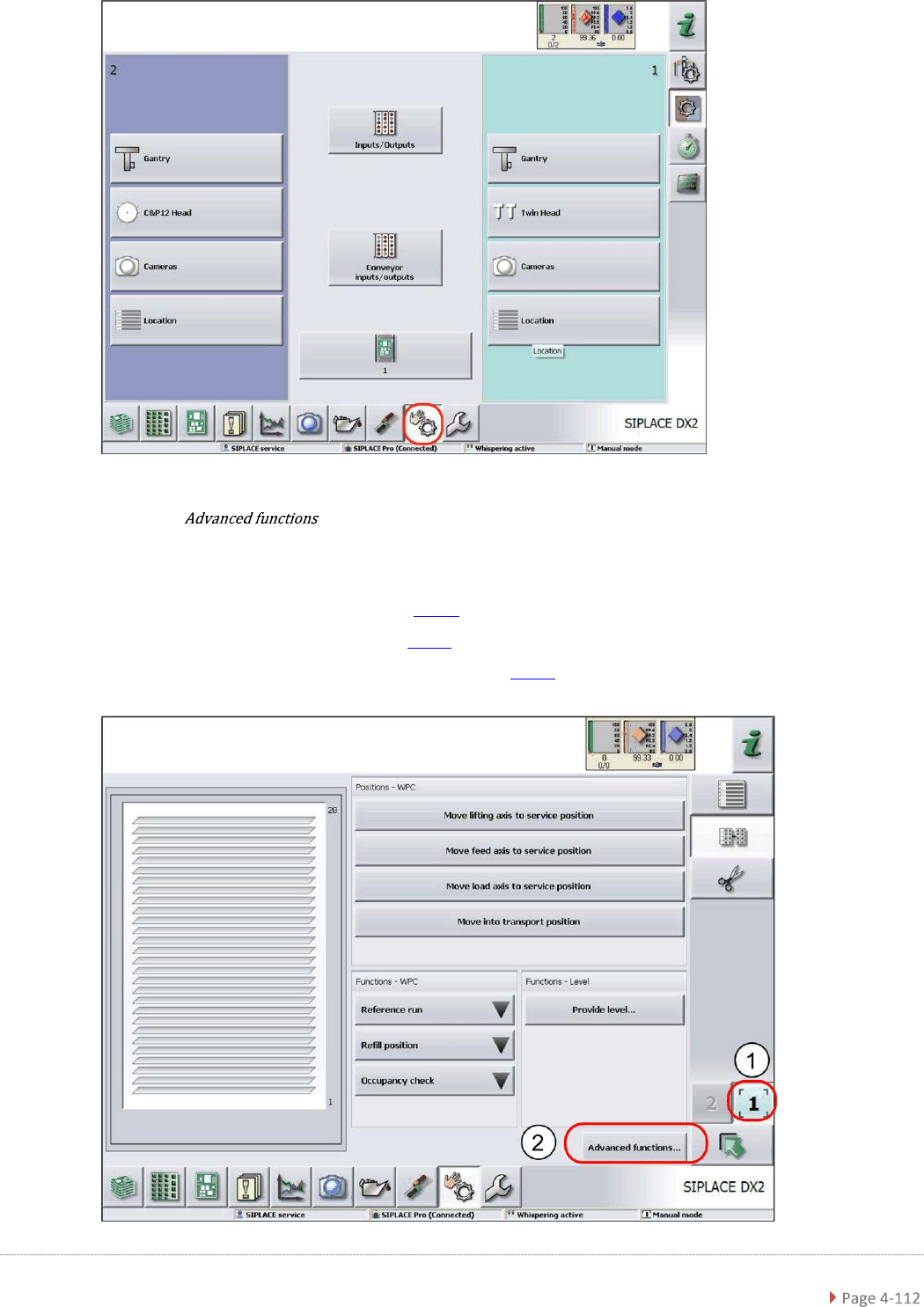
➢ Select the required location (1). (location 1 in this example)
➢ Select the button.
The relevant axis can be selected in the following view.
See:
• "4.1 Calibrating the Lifting Axis"
[
➙
4-114]
• "4.2 Calibrating the Feed Axis" [
➙
4-123]
• "4.3 Calibrating the Load Axis (WPC6 only)" [
➙
4-132]

Service Manual WPC5 / WPC6
NOTICE
Calibrating with the Gauge Base Plate
Due to higher accuracy and stability, it is recommended to use the
„Jig for WPC4-6 base plate“ [03073064-01],
instead of the normal waffle-pack tray carrier (WPTC) plate,
for all the following calibration steps.