00196624-04_Service Manual WPC5_6_EN_01-2019.pdf - 第26页
Service Ma nual W PC5 / WPC6 Final W ork ➢ Align the driver u nit (see "3.4.4.1 Align the Driver Unit" [ ➙ 3- 23 ]). ➢ Check the belt tension (see "3.4.6 Setting the Feed Axis Belt Tensi on" [ ➙ 3- 27…
Service Manual WPC5 / WPC6
➢ Loosen (do not remove) the tensioning screw (2) - sealed with locking varnish - on the
tensioning device. This relaxes the toothed belt.
➢ Loosen the 4 fastening screws (4) on the driver unit (5). The two ends of the toothed belt are
fixed to this.
➢ Carefully remove the driver unit (5). This toothed belt is now loose.
➢ Note how the toothed belt is run, so that you can fit it again correctly later on. Pull the toothed
belt over the two deflection pulleys (back and front) and out of the WPC.
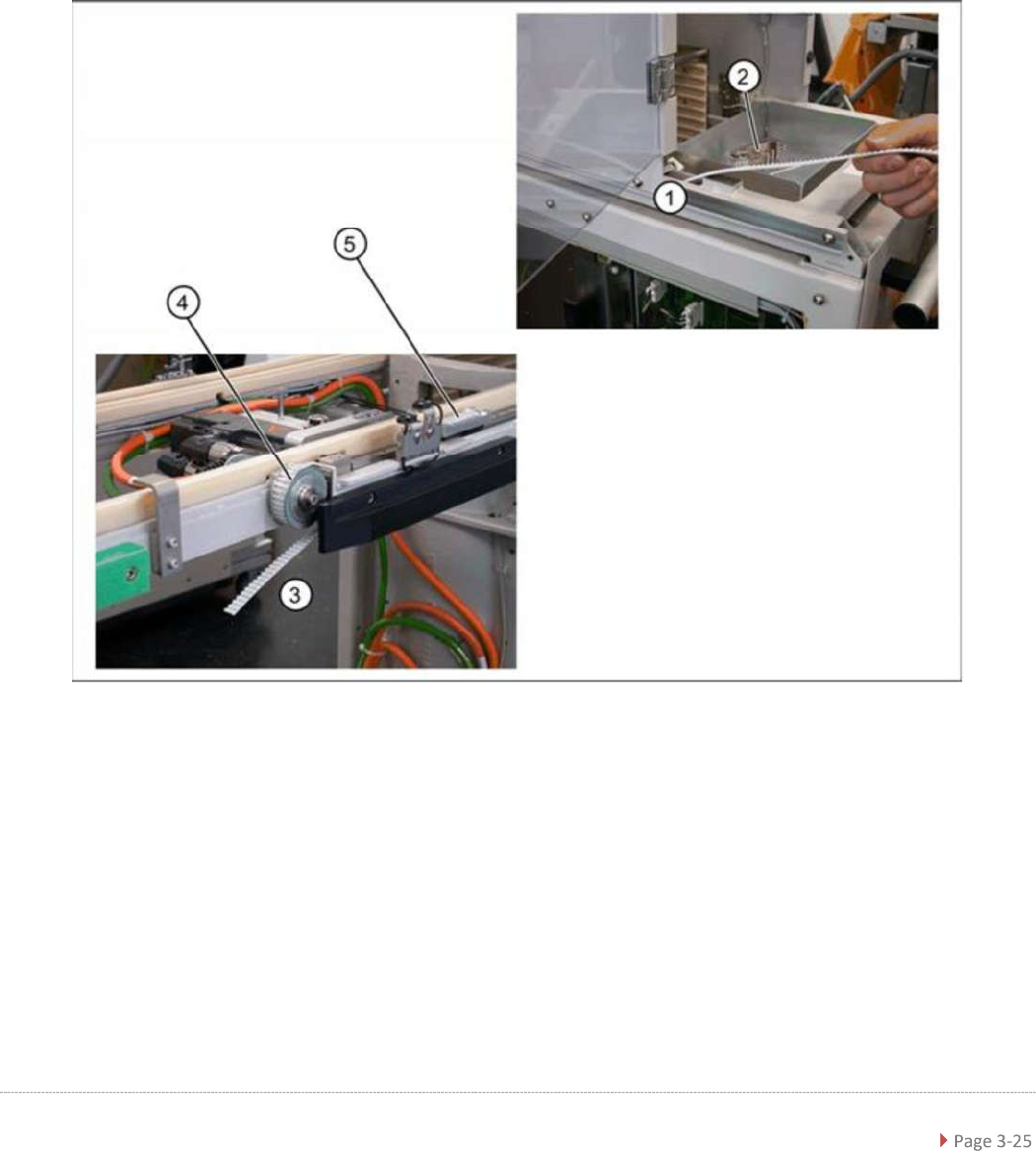
➢ Remove the tensioning device and deflection pulley (3), so that you can feed in the new
toothed belt more easily. To do this, loosen the two fastening screws (1).
➢ Insert the toothed belt into the WPC at the transfer position and run it from the tensioning
device (1) to the deflection pulley (4). The toothed belt should exit below the bottom
deflection pulley (3).
➢ Place the end of the toothed belt around the back deflection pulley (3) and insert into the
clamping unit (5).
➢ Place the other end of the toothed belt around the deflection pulley of the tensioning unit (2)
and run as far as the clamping unit (5).
➢ Fit the tensioning device with deflection pulley and fix into place with the two fastening
screws.
Service Manual WPC5 / WPC6
Final Work
➢ Align the driver unit (see "3.4.4.1 Align the Driver Unit" [➙ 3-23]).
➢ Check the belt tension (see "3.4.6 Setting the Feed Axis Belt Tension" [➙ 3-27]).
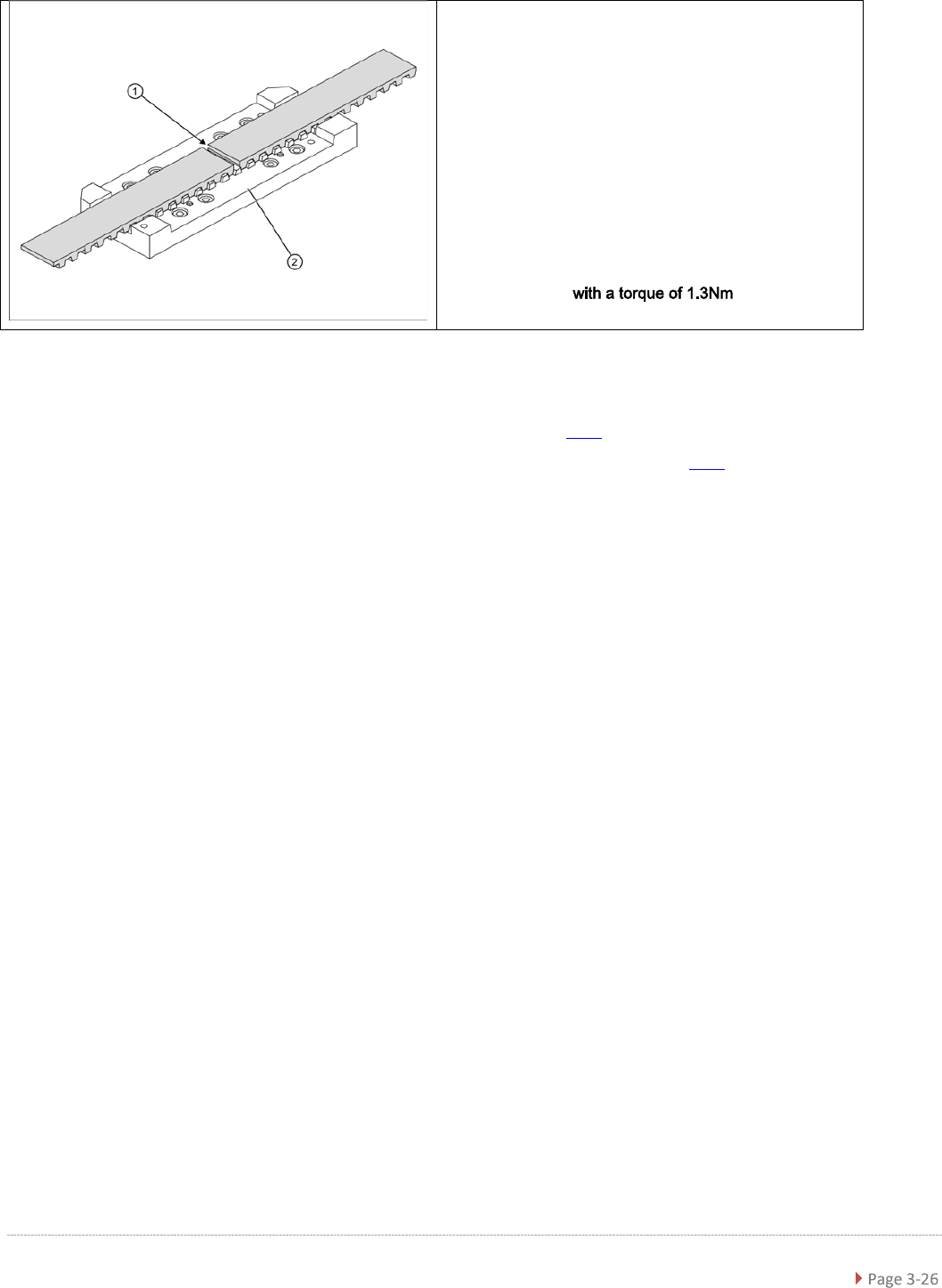
➢ The two ends of the toothed belt must be inserted
into the clamping unit (2) so that the clamping unit
teeth engage with the belt teeth. The two ends must
meet (1).
➢ Note the length of the new toothed belt. The toothed
belt is 2120 mm long/ number of teeth: 424.
➢ If the belt is too long, shorten it to the correct length.
➢
Fit the driver unit onto the clamping unit (2). While
doing this, tighten the 4 fastening screws
"crosswise" .
Service Manual WPC5 / WPC6
3.4.6 Setting the Feed Axis Belt Tension
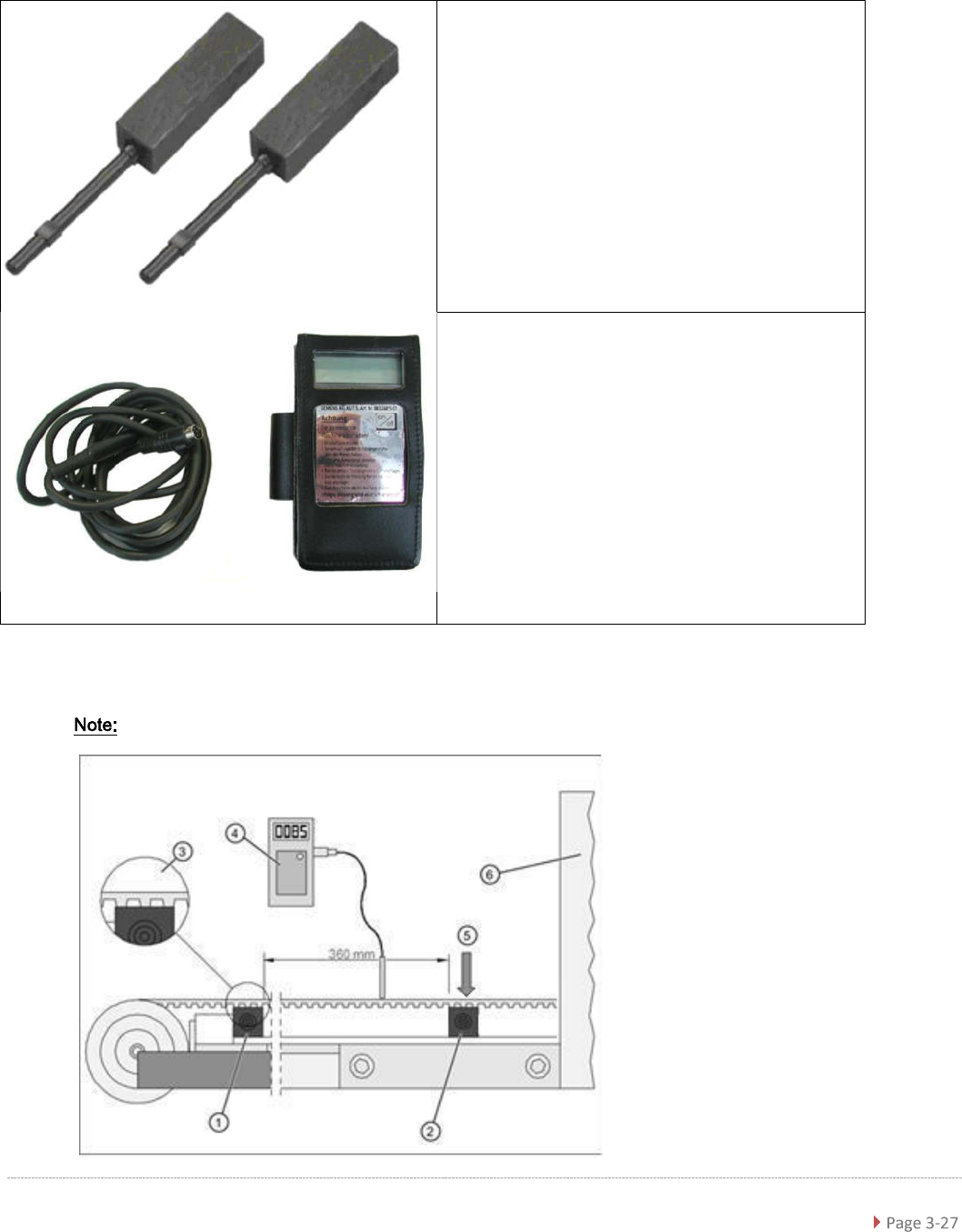
Tools required
Measurement setup - measuring the feed axis belt tension
the bridge cover has been removed in this diagram.
• Setting gauge small [03052363-02] 2x
• Belt tension measuring device [00326015-xx] with
instruction guide