00196624-04_Service Manual WPC5_6_EN_01-2019.pdf - 第32页
Service Ma nual W PC5 / WPC6 3.5.1.1 Remov e the Co ver on the Load Un it 3.5.1.2 Remov e the R ight S ide Co ver from the W P C ➢ Loosen the two fastening scr ews (1) on the left and right sides of the c over and lift o…
Service Manual WPC5 / WPC6
3.5 Drive Unit Load Axis (WPC6 Only)
3.5.1 Preparations
Tools Required
• Water pump pliers
• Standard tool with set of Allen wrenches
• Setting gauge, large, for crash light barrier [03084134-xx]
• Setting gauge, small [03052363-xx]
• Belt tension measuring device [00326015-xx] with instruction guide
Prerequisite
➢ Move the tower into the refill position.
➢ Remove all waffle pack tray carriers (WPTCs) from the tower.
➢
Move the tower downwards.
➢ Switch the WPC off at the main switch.
➢ Unplug from the power supply and secure the WPC to prevent unauthorized reactivation.
➢ Undock the WPC from the SIPLACE machine and move it to a suitable position for service
work.
➢ Remove the cover on the load unit (see "3.5.1.1 Removing the Cover on the Load Unit" [➙
3-32]).
➢ Remove the hand guard from the feed axis (bridge cover) (see "3.5.1.3 Removing the Feed
Axis Hand Guard" [➙ 3-33]).
See also...
3.5.1.4
Loosing the tension of the load Axis Drive Belt [➙ 3-33]
3.5.1.2
Remove the Right Side Cover from the WPC [
➙
3-32]
Service Manual WPC5 / WPC6
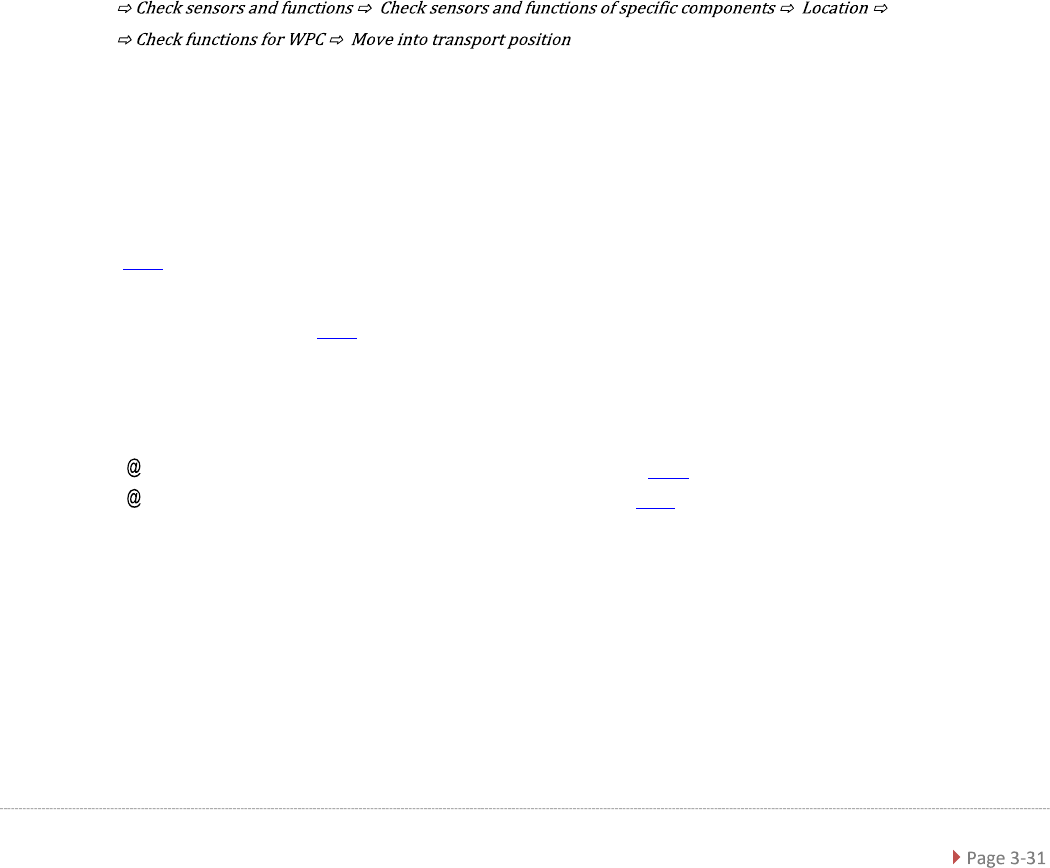
3.5.1.1 Remove the Cover on the Load Unit
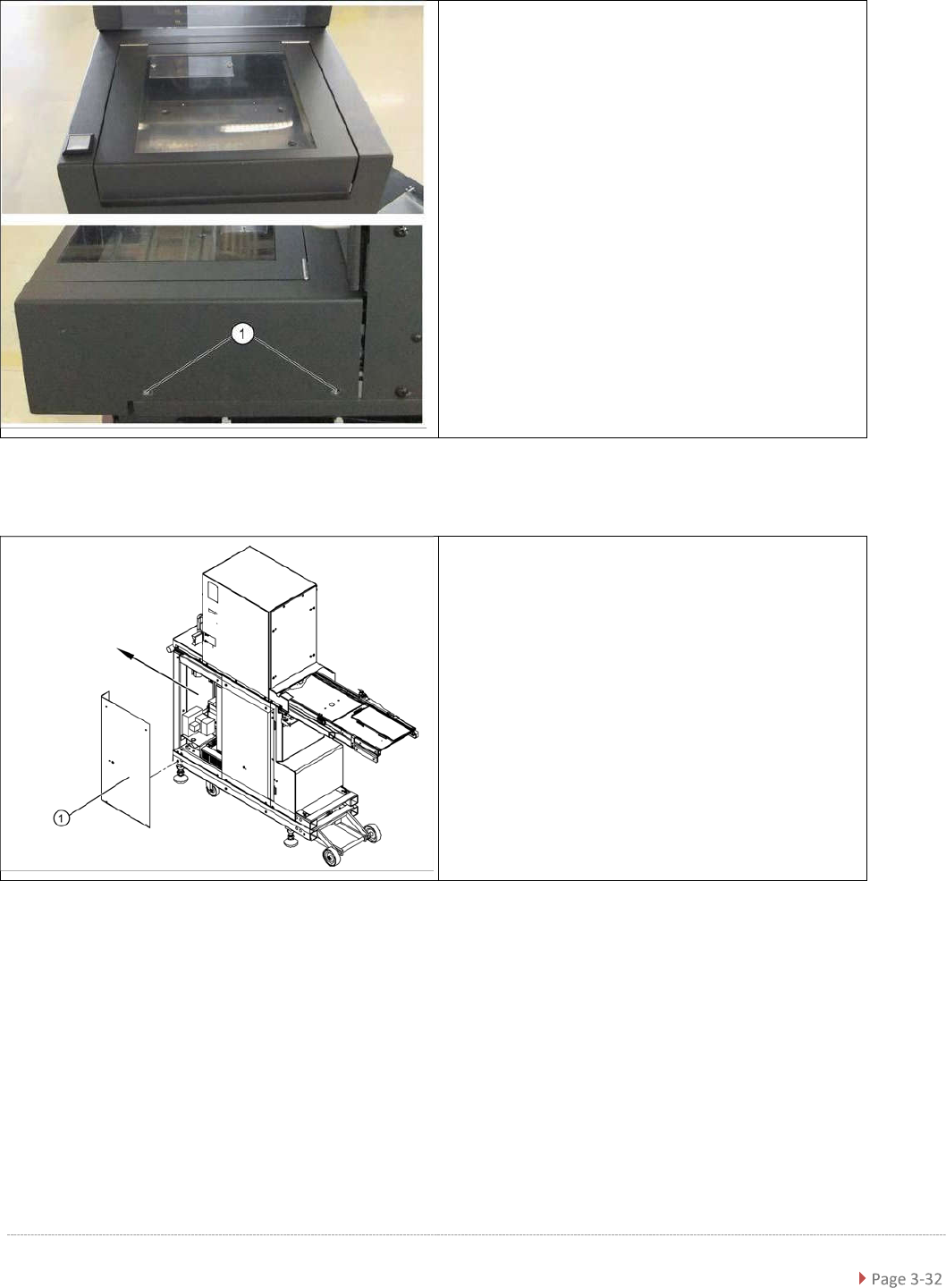
3.5.1.2 Remove the Right Side Cover from the WPC
➢ Loosen the two fastening screws (1) on the left
and right sides of the cover and lift off the
cover.
➢ Unplug the two cable connectors X1j and X2j.
➢ Remove the ground lead from the cover plate.
➢
Remove the four fastening screws from the right
side cover (1) and then take off the cover.
Service Manual WPC5 / WPC6
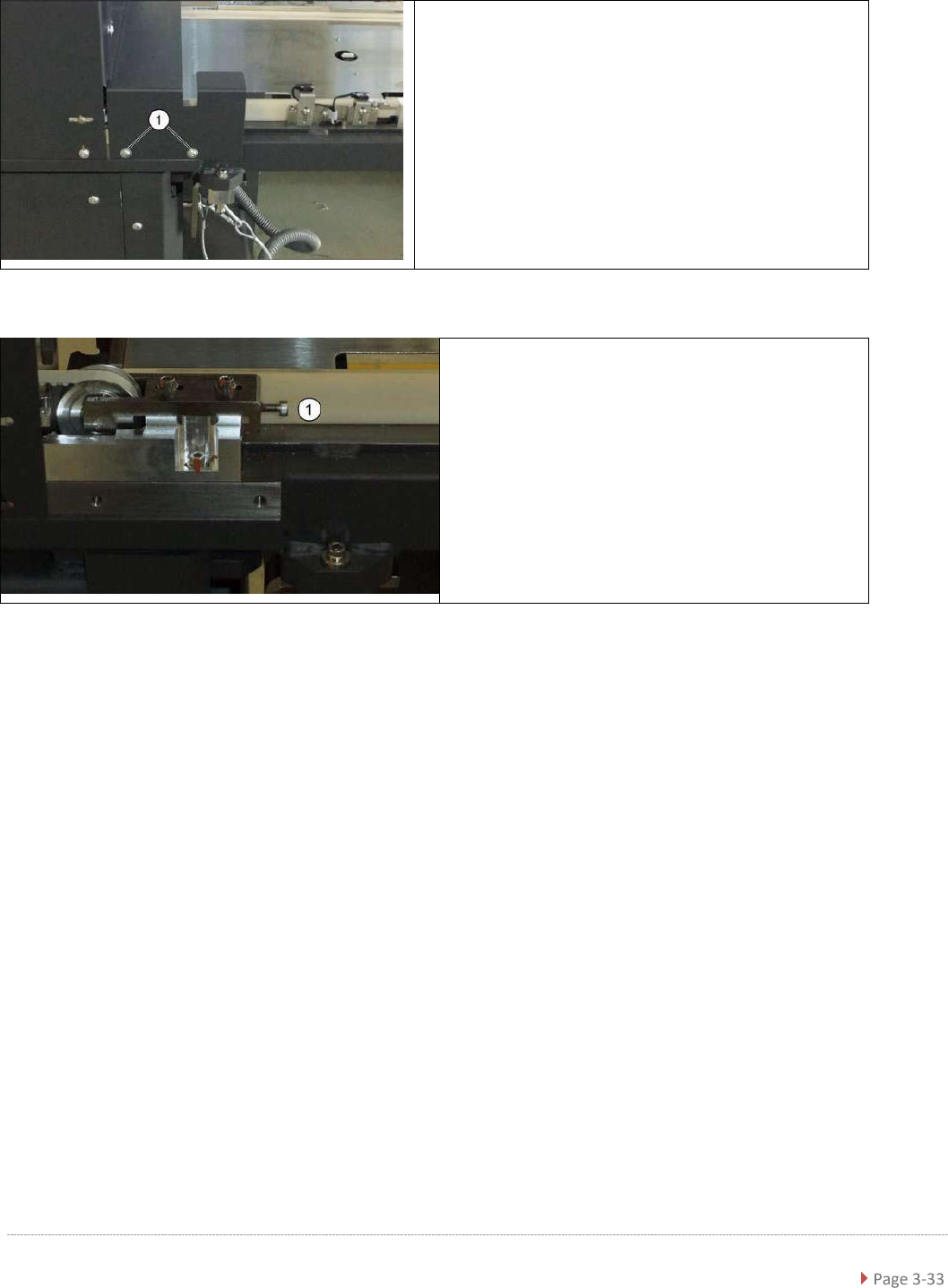
3.5.1.3 Remove the Feed Axis Hand Guard
3.5.1.4 Loosen the Tension of the Load Axis Drive Belt
➢ Loosen the two screws fastening the hand guard (1) on
both the left and right sides.
Loosening the belt tension
➢ Loosen the tension of the load axis drive belt (2) at
the tensioning screw behind the tower (1).