00900135-02_ID_OIS_SIS_15.1_R18-1_DE_EN - 第13页
ASM OIS/SIS Databases 15.1 ( R18 - 1) / Interface De scription 05/2018 Edition 13 4.5 Tables The layout of the i ndividual tables i s illustrated below. The specified data types correspon d to the naming scheme in the MS…
ASM OIS/SIS Databases 15.1 (R18-1) / Interface Description 05/2018 Edition
12
4.4.2 Automatic Reorganization of Indexes and Statistics
The removal of old data may lead to fragmented database indexes and distorted statistics. Thus,
indexes and statistics have to be reorganized regularly. The OIS service checks the database
fragmentation at regular intervals (configured: 40 days). If the database fragmentation exceeds the
configured limit, the reorganization is started. All OIS connections are disabled and the OIS service
starts rebuilding the database indexes and statistics. This will take about 5 minutes. Reading and
writing are not possible during the reorganization.
After reorganization, all OIS connections will be enabled again.
4.4.3 Periodic Manual Maintenance of the OIS Database in OIS V10.x / V11.x
In these versions, the OIS database should be manually maintained bimonthly. If the maintenance
is not performed, there will be performance losses in the database queries after some time.
Preparations
● Log in as a system administrator (sa) to have access to the database.
● Stop all OIS clients (such as SIPLACE Explorer).
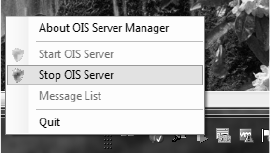
● Stop the OIS Server by right-clicking the OIS Server Manager icon.
Execution
● Execute the MaintainOISDatabase.cmd script.
The database will be reorganized and locked during the maintenance. Therefore it is essential that
no other programs access the OIS or SIS databases during this time. The lines can continue
to produce because they buffer the incoming data.
However, the script should not run longer than 10 minutes. Otherwise, the database is probably in
use by other programs. In this case, the script has to be canceled and the OIS Server rebooted to
collect the incoming data at the stations. After the active program has been identified and the OIS
connection to the machines exists for about 10 minutes the process can be restarted.
Files
● <Monitoring Service InstallDir>\MaintainOISDatabase.cmd
● <Monitoring Service InstallDir>\DBSkripts\MaintainOISDatabase.sql
● <Monitoring Service InstallDir>\DBSkripts\OIS_RebuildIndexAndStatistics.sql

ASM OIS/SIS Databases 15.1 (R18-1) / Interface Description 05/2018 Edition
13
4.5 Tables
The layout of the individual tables is illustrated below. The specified data types correspond to the
naming scheme in the MS-SQL-Server.
NOTICE
The sole purpose of the following tables is to clarify the views. No write access is
permitted to these tables.
Legend for the following tables
CI = Clustered index
I = Index
P = Primary key
ASM OIS/SIS Databases 15.1 (R18-1) / Interface Description 05/2018 Edition
14
4.5.1 OIS Tables
4.5.1.1 STATETEXT Table
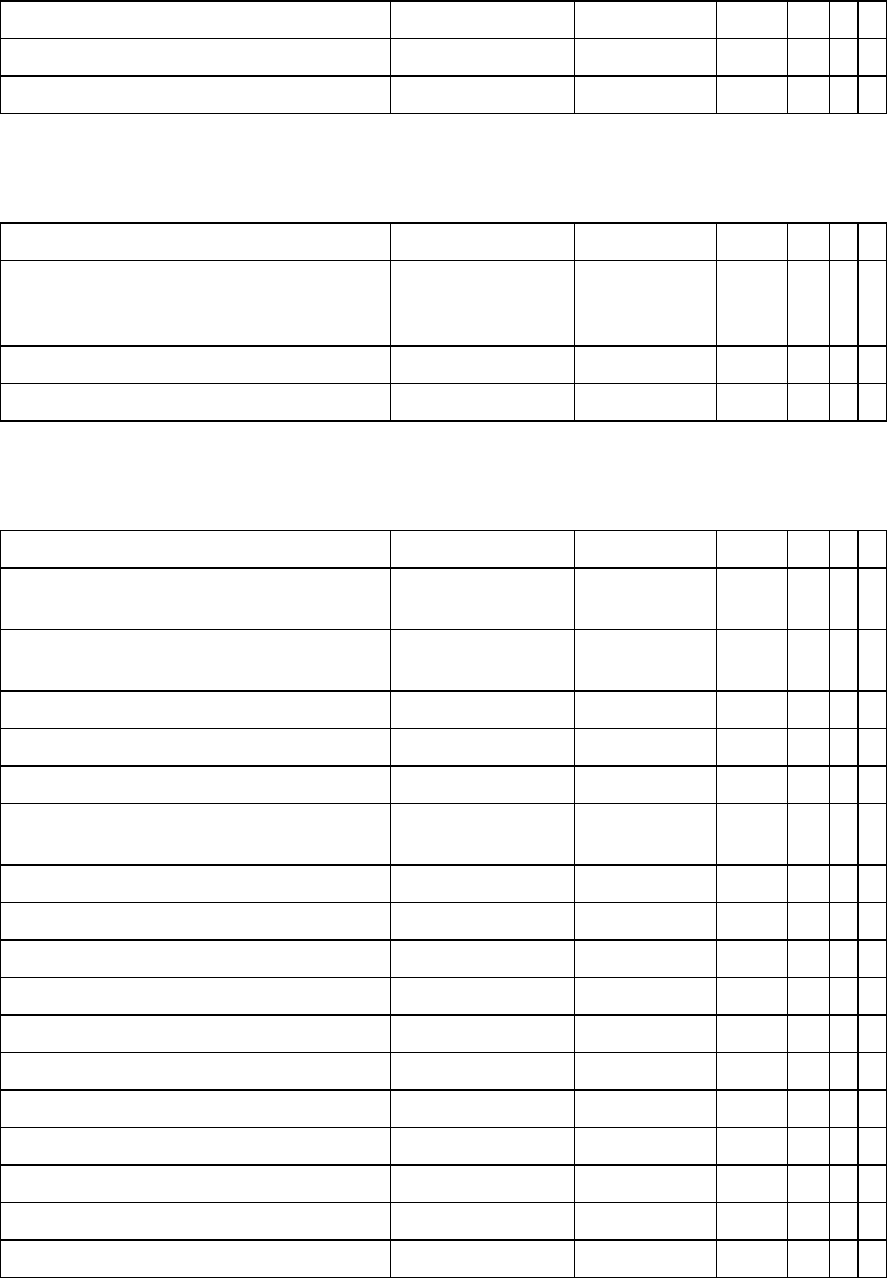
STATETEXT OIS name Data type Byte CI I P
Identification number of the State sState smallint 2
Name of the State strName nvarchar(32) 64
4.5.1.2 FEEDERTYPE Table
FEEDERTYPE OIS name Data type Byte CI I P
SIPLACE Pro number for feeder type
(available with station software version 701
and higher)
lFeederType int 4
SIPLACE Pro name for feeder type strFeederTypeName nvarchar(128) 256
SIPLACE Pro feeder code IFeederCode int 4
4.5.1.3 BOARD Table
BOARD OIS name Data type Byte CI I P
Identification number of the Station
(Reference to Table STATION)
lId int 4
Date/time at which this event occurred. Station
time
dtTime datetime 8
Manufactured production lot strRecipe nvarchar(128) 256
Name of the setup strSetup nvarchar(128) 256
Name of the PCB strBoard nvarchar(128) 256
Station internal local number of manufactured
PCB
lBoardNumber int 4
Conveyor belt 1 / 2 ucConveyor tinyint 1
Cycle time of PCB sDuration smallint 2
Time when production of lot started dtRecipeStart datetime 8
Time when setup used for manufacture started dtSetupStart datetime 8
PCB barcode strBarcode nvarchar(256) 512
PCB status (see definition below) ucStatus tinyint 1
Time when the data is written. Server Time dtCreated datetime 8
Number of panels within the board lPanel int 4
Conveyor sub-lane lSubConveyor int 4
Board side ucBoardSide tinyint 1
Unique ID for Line Job strLineJobGuid nvarchar(36) 72