TM-300_0wners_Manual.pdf - 第10页
TM-300 Saf e ty In struc tio ns 61170511. fm Page 4 of 27 Cu stom ers who in t end to se rvice and ma intai n th e TM- 300 th ems e lv es mus t hav e on ly q ua li- fi ed pe rs onnel per for m t hos e proce dures . Qua l…
TM-300 Safety Instructions 61170511.fm Page 3 of 27
WARNING: Always observe the following
safety guidelines when operating the TM-300.
Do not, under any circumstances, remove or
obstruct any warning or instruction labels on
the TM-300.
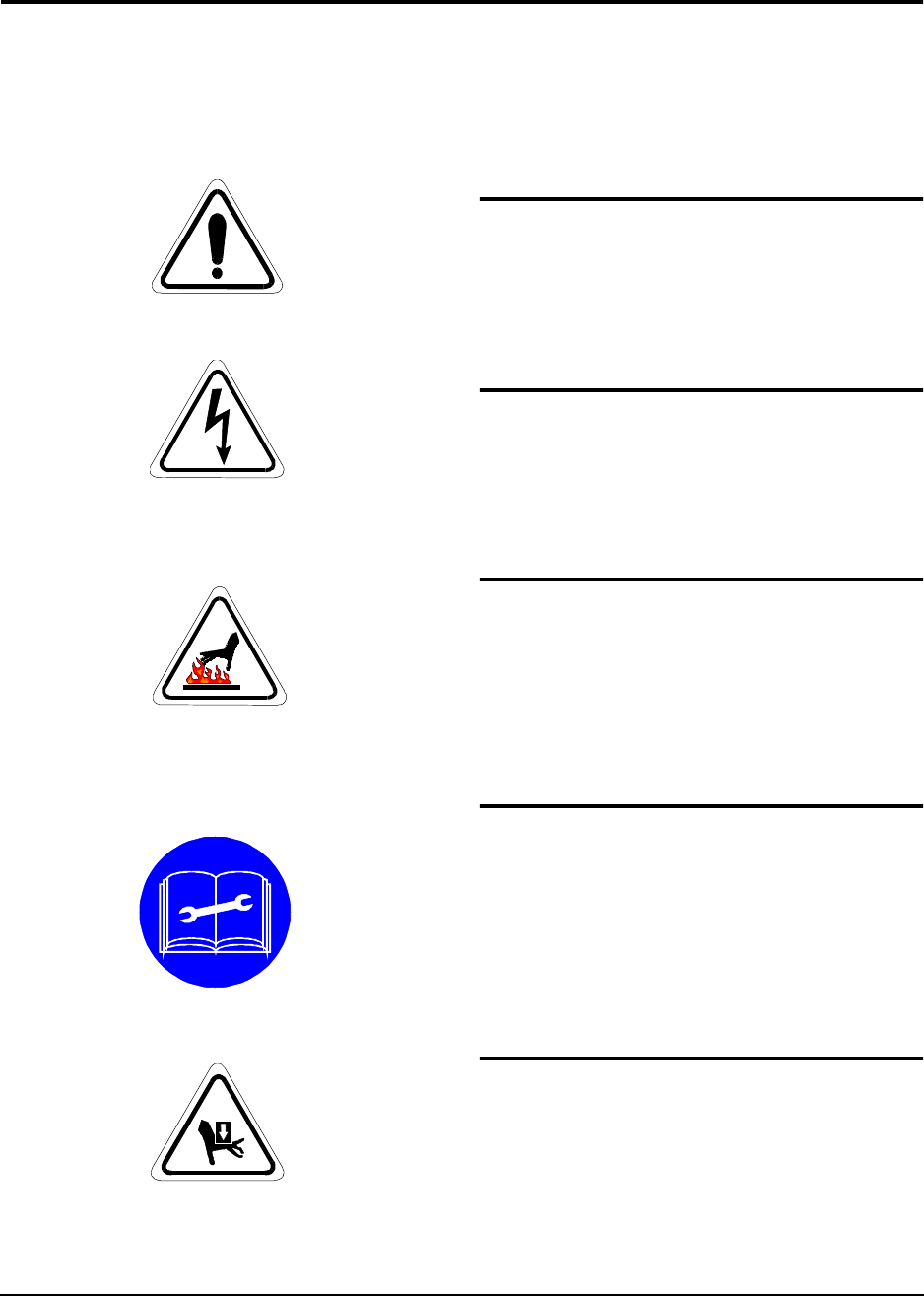
Attention
This mark is placed on the equipment near the
adjustment, danger, or danger zone.
Dangerous Voltage
Indicates hazards arising from dangerous volt-
age.
High Temperature
Indicates a hot surface.
Open Book
Refer to the manual before performing mainte-
nance on the TM-300.
Crushed Hand
This mark is placed near areas that can cause
personal injury or damage to the equipment if
unsafe practices are used.
Marking Definitions
TM-300 Safety Instructions 61170511.fm Page 4 of 27
Customers who intend to service and maintain
the TM-300 themselves must have only quali-
fied personnel perform those procedures.
Qualified personnel are considered to be
those persons who have the proper technical
training, have experience to work on this
equipment, and are aware of the hazards to
which they will be exposed. The TM-300 pan-
els should never be removed with power
applied to the unit. Refer to the Operator
Manual for instructions before changing
Power Switch settings, changing fuses, or
removing any panels.
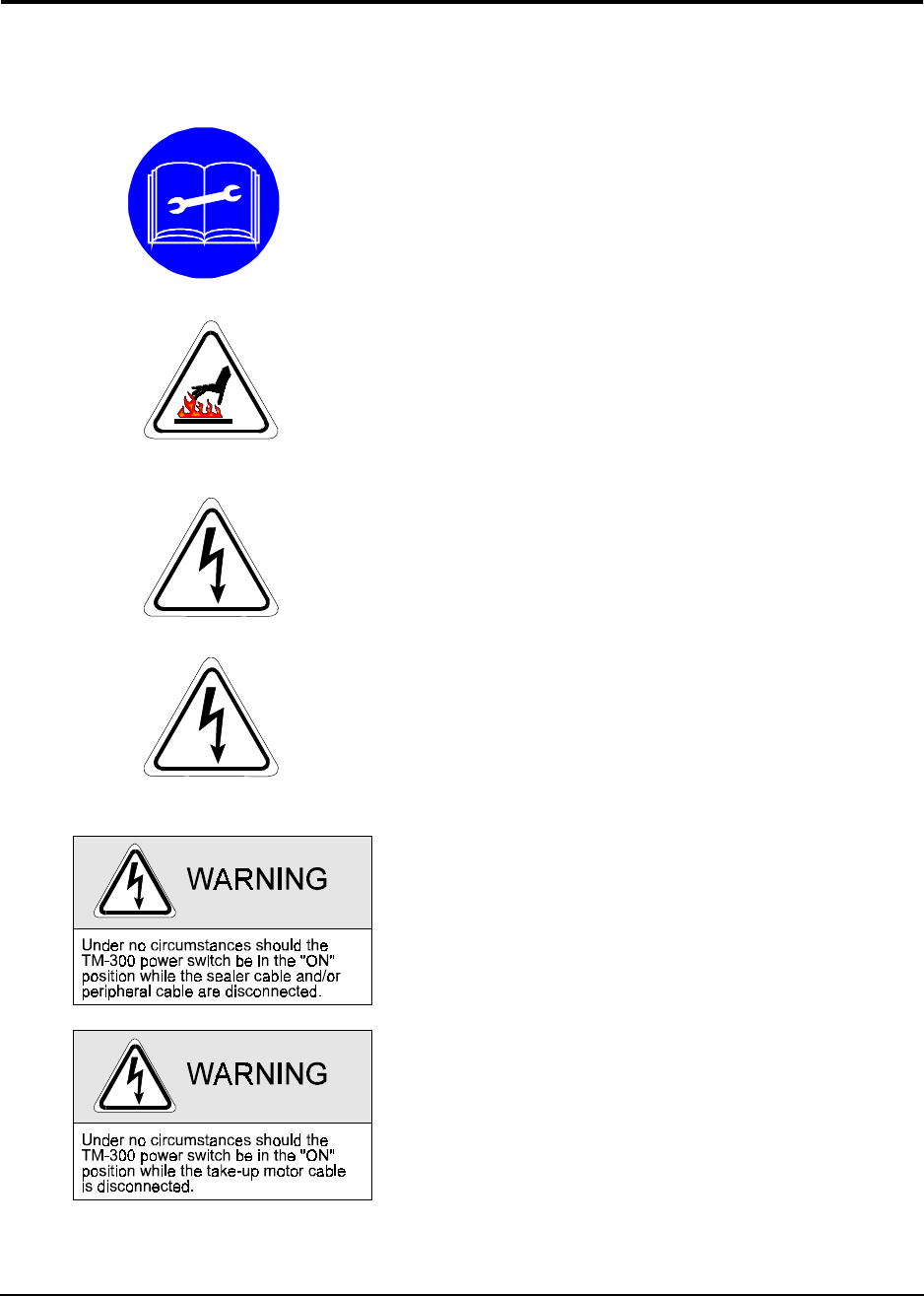
Caution should be taken when removing the
sealer from the TM-300. The body of the
sealer can maintain a high temperature long
after shut down. Procedure for removing the
Sealer is as follows:
Turn the POWER switch to the OFF position.
Shut off the air supply to the TM-300.
Dangerous voltage is present. Before servic-
ing:
Turn the POWER switch to the OFF position.
Shut off the air supply to the TM-300.
Disconnect the incoming power cord to the
TM-300.
Dangerous voltage is present. Follow the pro-
cedure below before removing this cover for
service or maintenance:
Turn the POWER switch to the OFF position.
Disconnect the incoming power cord to the
TM-300.
TM-300 Safety Instructions

TM-300 Operation Instructions 61170613.fm Page 5 of 27
Chapter 2
TM-300 Operation Instructions
This chapter describes the procedures you must follow to operate the TM-300. Read all instruc-
tions before operating the TM-300 and keep for future reference.
Chapter 2
Contents
Assembling Procedure........................................6
Completed Mechanical Assembly.......................8
Description..........................................................9
Counter Controls.................................................14
Setting the Counter.............................................15
Controller Operation............................................16
Software Download Procedure...........................17
Setup...................................................................19
Operation ............................................................25
Maintenance .......................................................27