TRS Advanced WB Intel Issue 02.pdf - 第120页
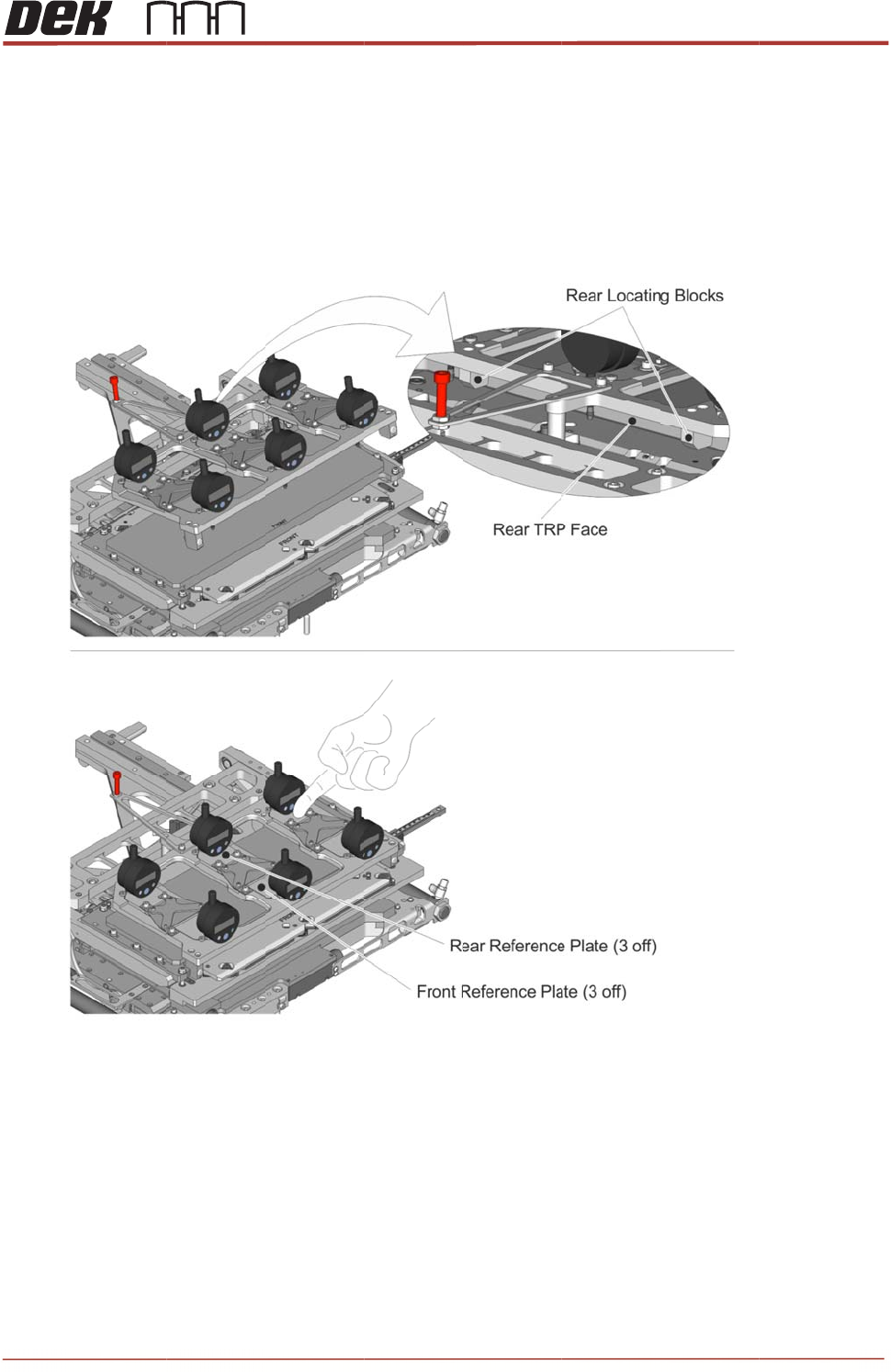
TRS Advanced Maintenance 120 Issue 2, Nov 14 23. Switch on and zero out the four outer gauges (not the central pair): a. Press the Data button to switch on. b. Zero the gauge by pressing the Set button. c. Check that the…
Issue 2,
22. Inst
a
are
refe
r
mo
v
Wh
e
this
Nov 14
a
ll the PO
J
against th
e
rence plat
e
v
ement fro
m
e
n the POJ
will lead to
J
jig on top
e
rear face
e
s (front an
d
m
the refere
jig is fitted,
damage to
of the TR
P
of the TRP
d
back) of t
h
n
ce plates,
the TRP
m
the camer
a
P
. Lower th
e
P
, then car
e
h
e depth g
a
remove an
m
ust not be
a
and also
t
e
rear of th
e
fully lower
a
uges are
f
d re-sit the
s
ent to ho
m
t
he TRP as
s
T
R
e POJ jig
u
the front o
f
f
lush to the
POJ jig.
m
e position
s
embly.
R
S Advanc
e
u
ntil the re
a
f
the POJ j
TRP surfa
c
under any
c
e
d Maintena
11
9
a
r locating
b
i
g. Check t
h
c
e. If there
c
ircumstan
c
nce
9
b
locks
h
at all
is any
c
es as
TRS Advanced Maintenance
120
Issue 2, Nov 14
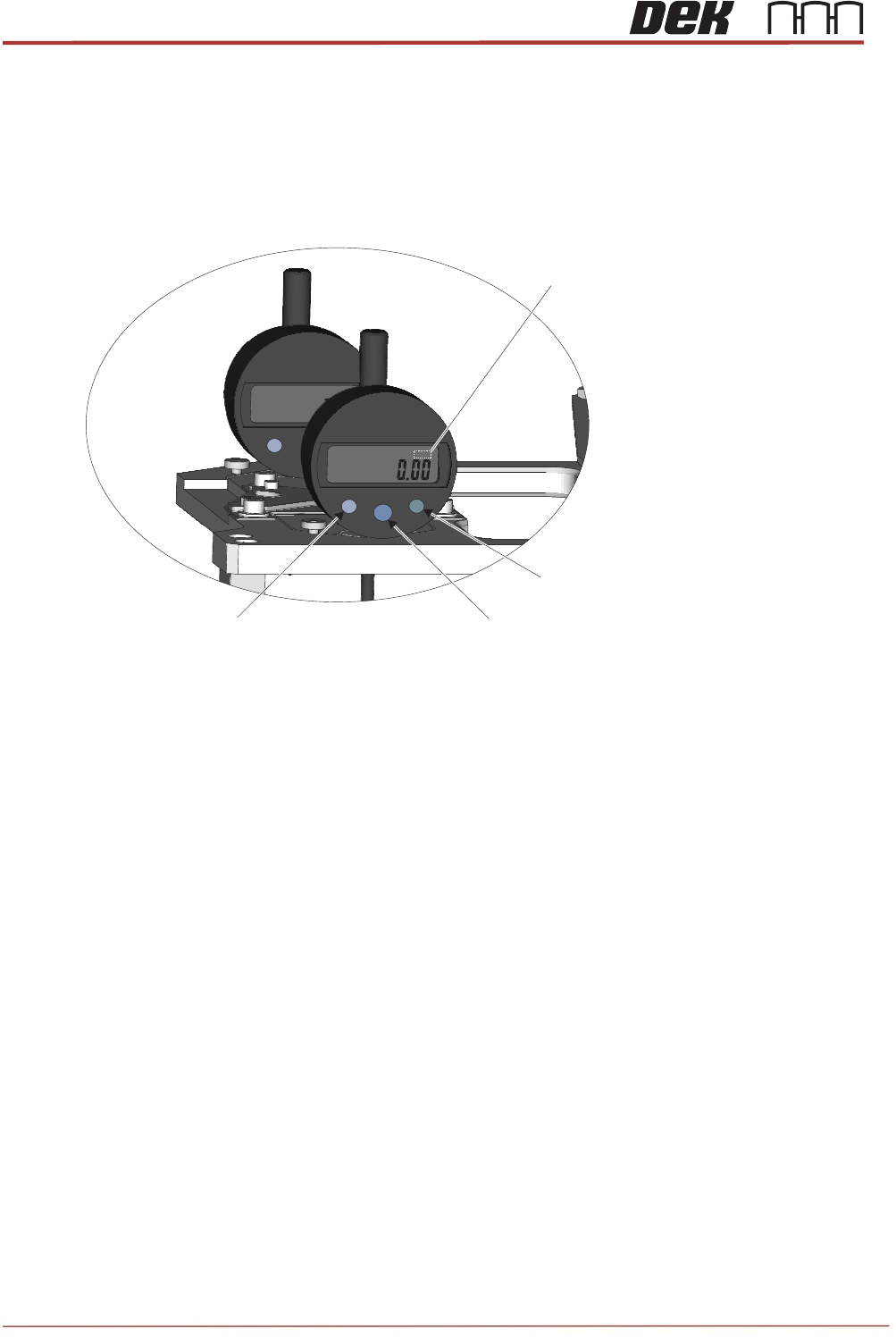
23. Switch on and zero out the four outer gauges (not the central pair):
a. Press the Data button to switch on.
b. Zero the gauge by pressing the Set button.
c. Check that the measurement unit shown on the screen is “mm”. If it is showing “in” press the
Mode button and check the screen has changed to display “mm”.
24. Close the printhead front cover.
25. Press the System button.
26. Select Back.
27. Select Back.
28. Select Back.
29. Navigate to the Tooling Setup Page and in the Rising Table section select Vision Height.
30. Select Open Cover Commands.
31. Open the printhead front cover.
in
.
mm
MODE
SET
DATA
ON
OFF
.
mm
in
mm
MODE
.
Data Button (On/Off)
Set Button (Zero)Mode Button (in/mm)
Measurement Unit
Indicator
Issue 2, Nov 14
TRS Advanced Maintenance
121
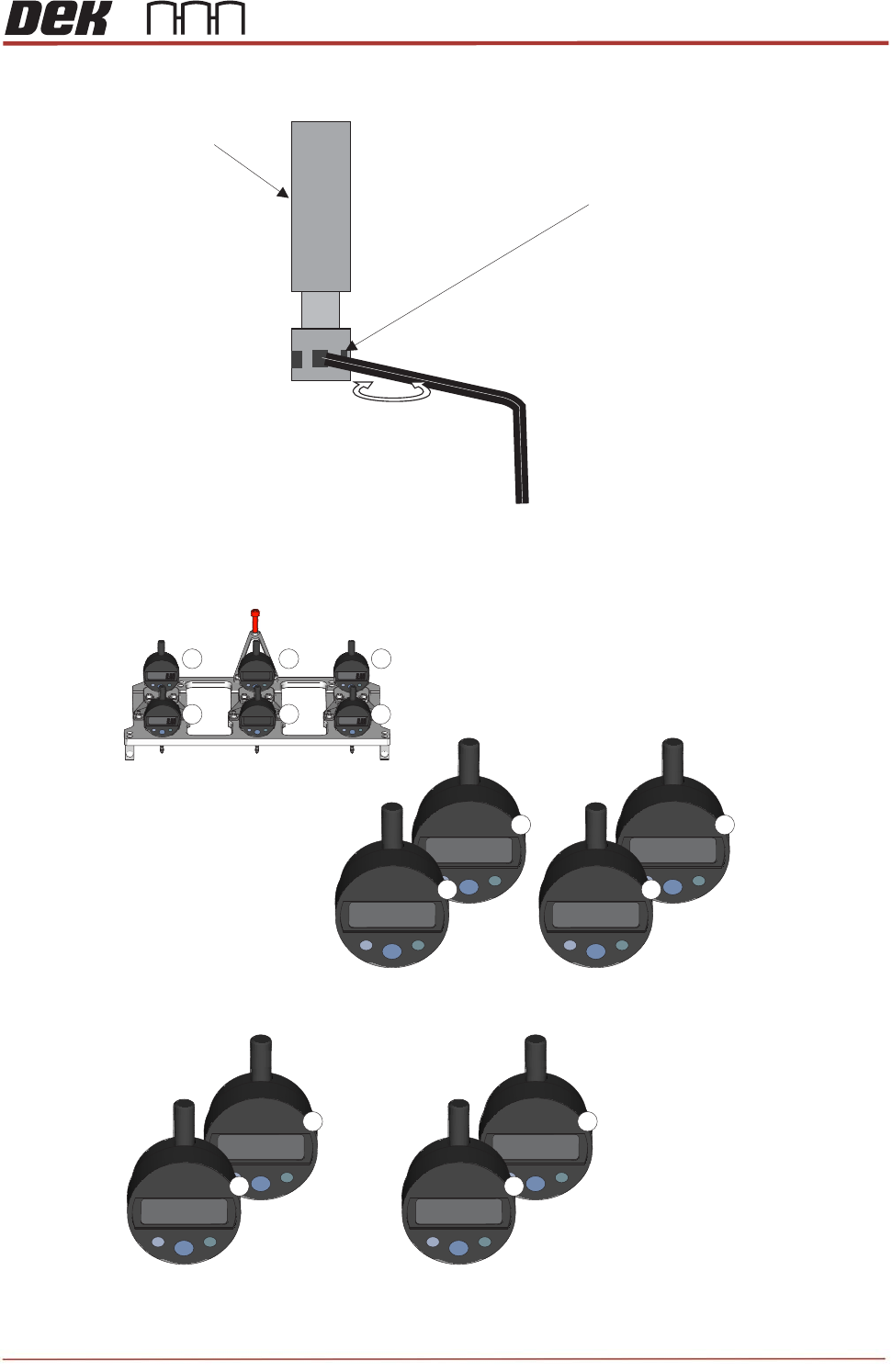
32. Using a small Allen key, adjust each TRP arm pitch adjuster in turn while watching the gauges.
33. Adjust until an equal dimension over the four gauges (gauges 1, 4, 3 and 6) is achieved, to within
a total deviation of no more than 50
μ
.
Insert 1.5mm Allen Key
Pitch Adjuster
Clockwise to lower
mm
mm
mm
mm
1 2
3
4
5
6
POJ Jig Gauge Numbering
Example of equal dimension over the four gauges
(total deviation no more than 50μ)
mm
-0.201
mm
-0.201
1
4
mm
-0.236
mm
-0.230
3
6
Example of “Front Bias”
(Front Gauge of Pair is 150 Greater +/- 10μμ)
mm
-0.108
mm
-0.252
1
4
mm
-0.131
mm
-0.283
3
6